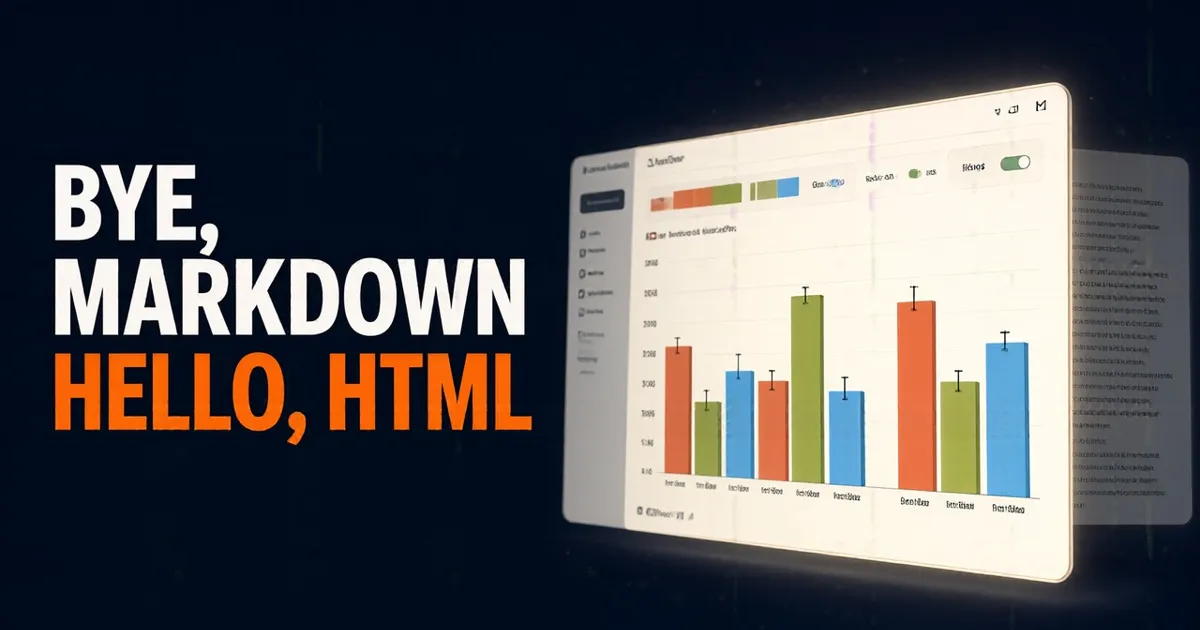
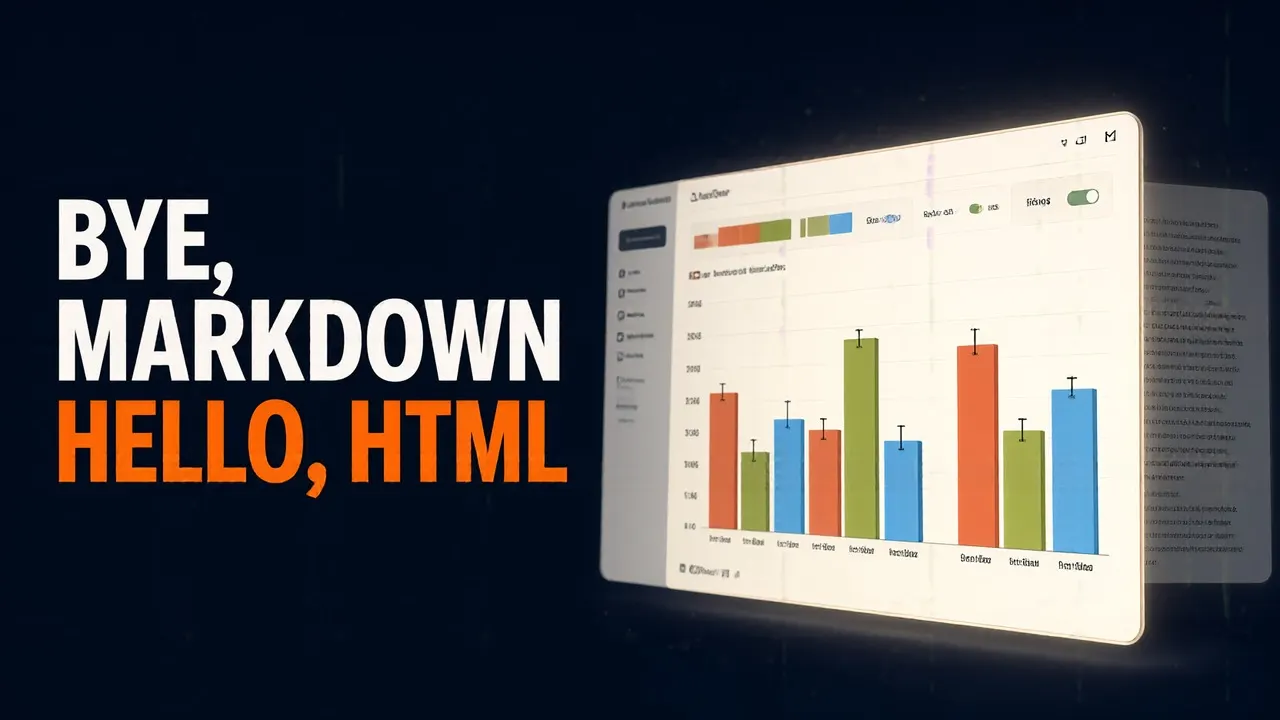
Markdown has become too narrow
Markdown has a lot going for it: it's simple, it goes anywhere, it supports some rich text and it's easy to edit by hand. Claude has even become surprisingly good at drawing diagrams with ASCII characters inside a Markdown file.
But agents keep getting more powerful, and Thariq feels that Markdown has become too narrow. He struggles to read a file that's more than a hundred lines long. He wants richer visualizations, with color and diagrams, and he wants to be able to share them easily.
On top of that, he edits these files himself less and less. He uses them as specs, as reference documents or as the output of a brainstorm, and when they need changes he asks Claude to make them. So one of Markdown's big advantages, that it's easy to edit by hand, barely matters to him anymore. That's why he has started to prefer HTML as an output format.
Information density
Thariq gives six reasons, and the first one is information density. HTML can say much more than Markdown: it does the basics, like headings and formatting, but it can also represent many other kinds of information:
With real rows and columns.
With CSS: color, type and spacing.
With SVG, inside the file itself.
Highlighted snippets.
Controls that respond thanks to JavaScript.
Boxes, arrows, coordinates, canvases and images.
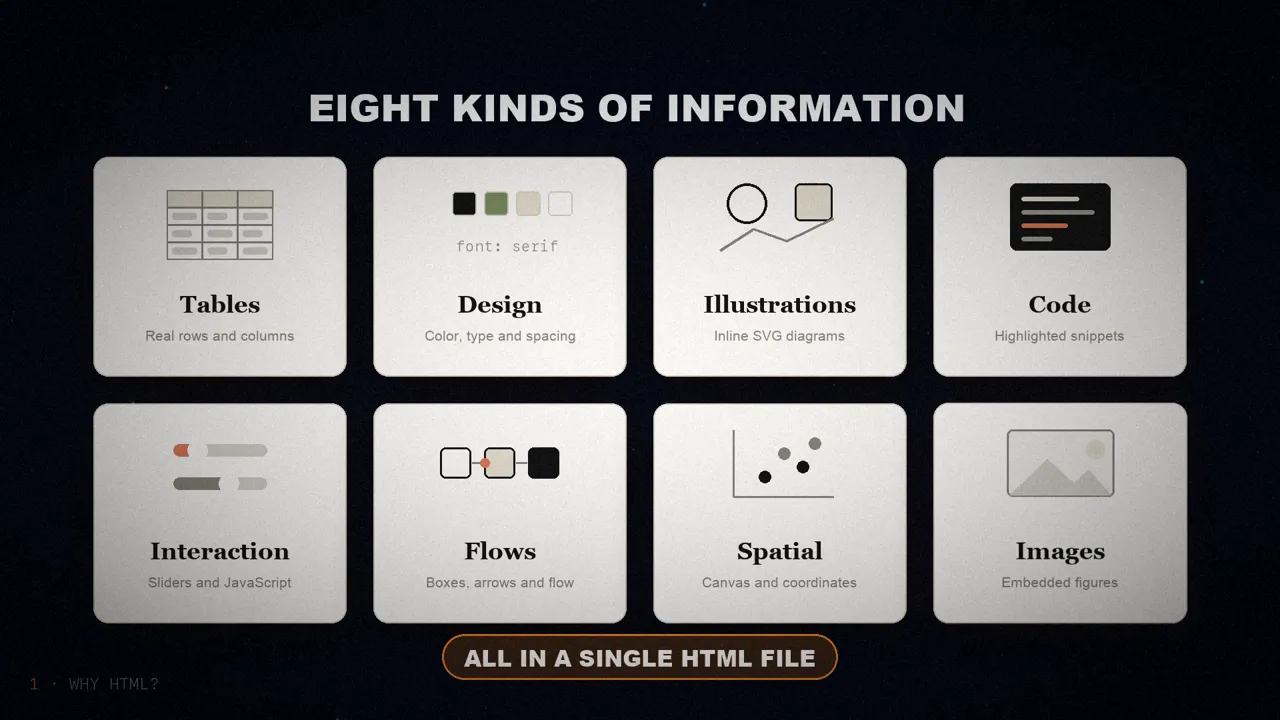
He goes as far as saying that there's almost no information Claude can read that can't be represented fairly efficiently in HTML. That makes it a very effective way for the model to explain something to you in depth, and for you to review it.
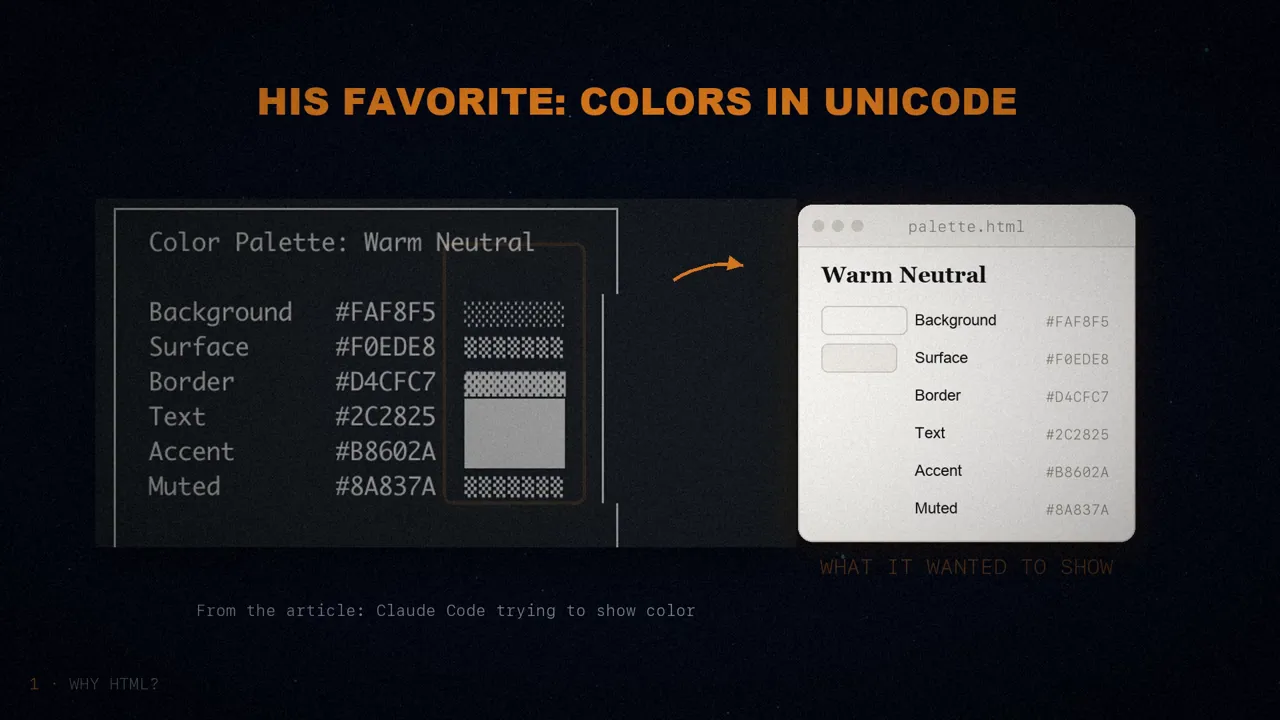
When it can't use it, the model falls back on inefficient Markdown tricks, like ASCII diagrams. Or his favorite: approximating colors with unicode characters. In a screenshot from the article, Claude Code tries to show a color palette using blocks of grey dots.
Clarity and easy sharing
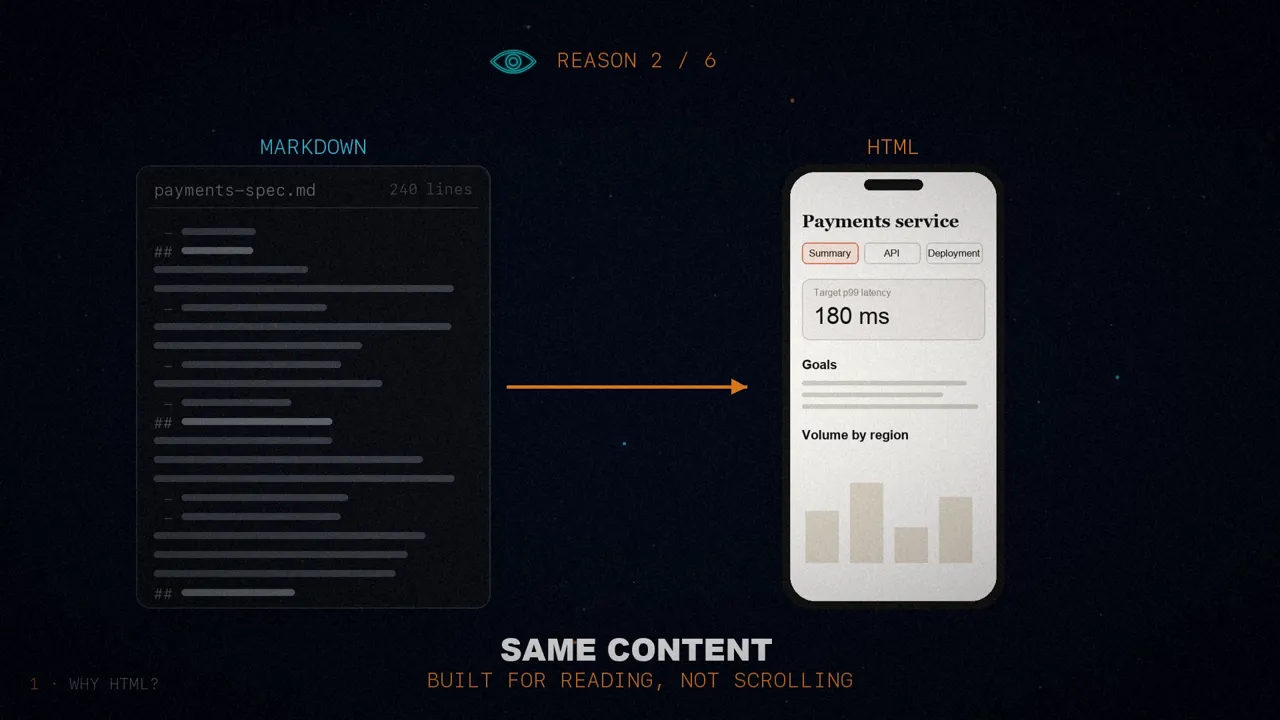
Reason number two is visual clarity. Claude is doing more and more complex work, so it writes longer and longer specs and plans. Thariq admits that, in practice, he doesn't read more than a hundred lines of Markdown, and he certainly can't get anyone else at his company to read them.
An HTML document is much easier to read. Claude can organize it so you can navigate it with tabs, illustrations and links, and it can make it work on mobile, so you read it differently depending on your screen. It's the same content, but built for reading instead of scrolling.
Reason number three: it's easy to share. A Markdown file is hard to share, because most browsers don't render it well, so you end up sending it as an attachment in an email or a message. With HTML, you just upload the file (to Amazon S3, for example) and share the link. Your colleagues can open it wherever they want and come back to it whenever they need.
And according to Thariq, the chances that someone actually reads your spec, your report or your pull request description are much, much higher if it's in HTML.
Interaction, context and fun
Reason number four is two-way interaction. You can ask Claude for sliders and knobs to tweak a design, or to change an algorithm's options and see what happens. Plus a button that copies your changes as a prompt, so you can paste them back into Claude Code. It's the same idea as his playgrounds.
Reason number five is context. Why make these files with Claude Code and not on the Claude website, or with Claude Design? Because Claude Code can read a huge amount of context: your files, your MCP servers (like Slack or Linear), your browser through Claude in Chrome, and your git history.
An example: to write the article, Thariq asked Claude Code to search his code folder for all the HTML files he had generated, to group them by type, and to make one HTML file with a diagram for each type. The diagrams in the article came straight from there.
And reason number six: it's fun. Making HTML documents with Claude is more enjoyable, and Thariq feels more involved in what he creates. He says that alone makes it worth it.
How to get started
Thariq worries that people will read his article and turn it into a /html skill or something like it. That might have some value, but he insists you barely need to do anything. Just ask Claude to "make an HTML file" or "make an HTML artifact".
The trick is knowing what you want the file to do and how you're going to use it. Over time you might end up building a skill, but for now he recommends prompting from scratch every time, to learn how to get the most out of it in each case.
Four families of use cases
Thariq has made lots of HTML files for different uses, and he has collected them in a gallery. He groups them into four families.
1. Specs, planning and exploration
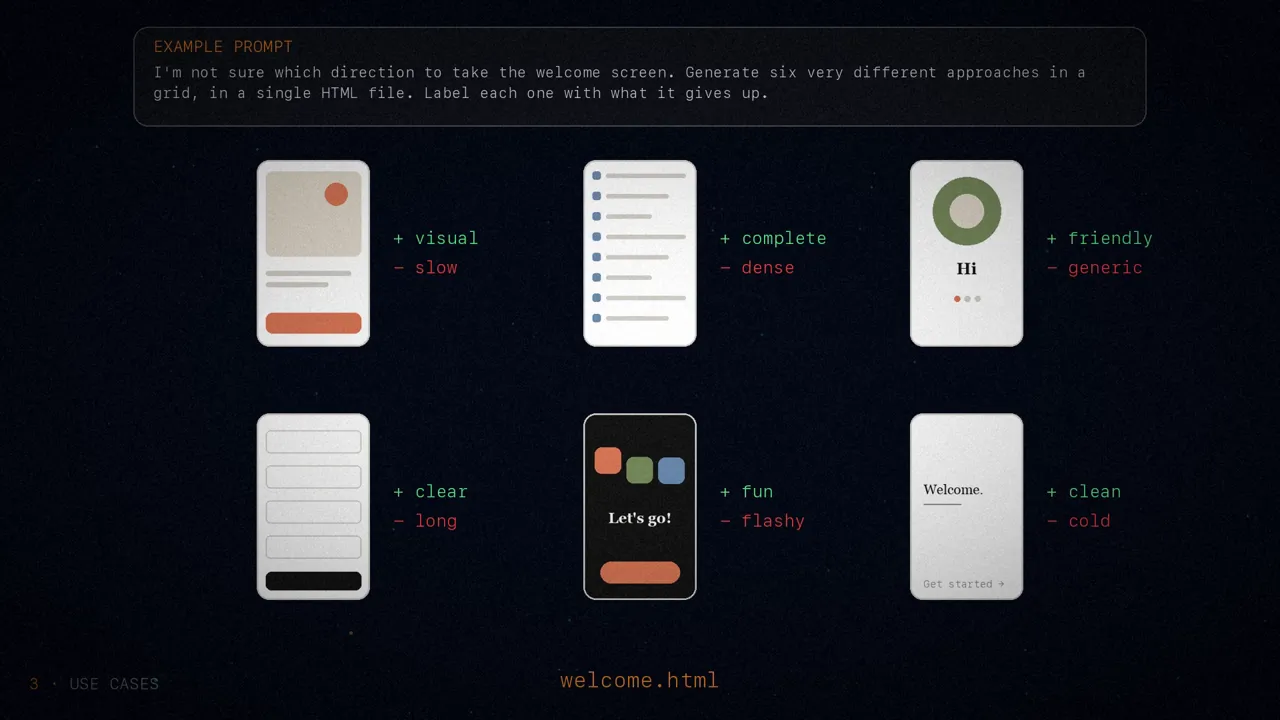
When he starts working on a problem, instead of a simple Markdown plan, he expects to end up with a web of HTML files. First he asks Claude Code to brainstorm several different options. Then he asks it to dig deeper into one, maybe with mockups or code snippets. Once it's clear, he asks for an implementation plan with mockups, the data flow and the important code.
If he likes the plan, he opens a fresh session and hands it all those files so it can build it. And when verifying, the agent that checks the work reads them too, so it understands much better what's needed. An example prompt:
I'm not sure which direction to take the onboarding screen. Generate six distinctly different approaches (vary layout, tone and density) and lay them out in a grid in a single HTML file so I can compare them side by side. Label each one with the tradeoff it's making.
2. Reviewing and understanding code
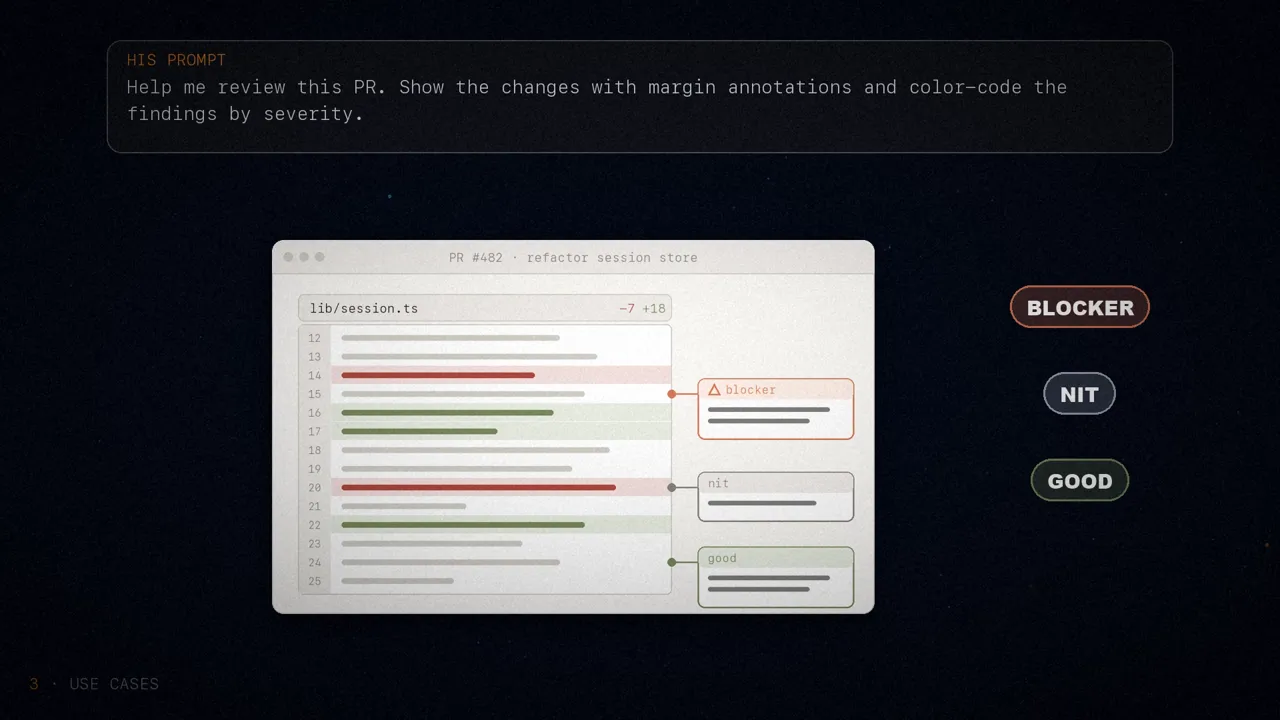
In Markdown, code is hard to read. In HTML you can show the changes with annotations, flowcharts or modules. It helps you understand what the agent wrote, ask for a review, or explain your pull request to whoever reviews it. For Thariq, this often works better than GitHub's diff view, and he now attaches an HTML explainer to every pull request he makes. His prompt:
Help me review this PR by creating an HTML artifact that describes it. Render the actual diff with inline margin annotations and color-code findings by severity.
3. Design and prototypes
Claude Design is built on HTML because it's incredibly expressive for design, even if the final product isn't a website. Claude can sketch the design in HTML and then write it in whatever language you use, whether that's React or Swift. You can also prototype interactions:
I want to prototype a new checkout button: when clicked, it plays an animation and turns purple. Create an HTML file with sliders to try out options, and a copy button for the parameters that work well.
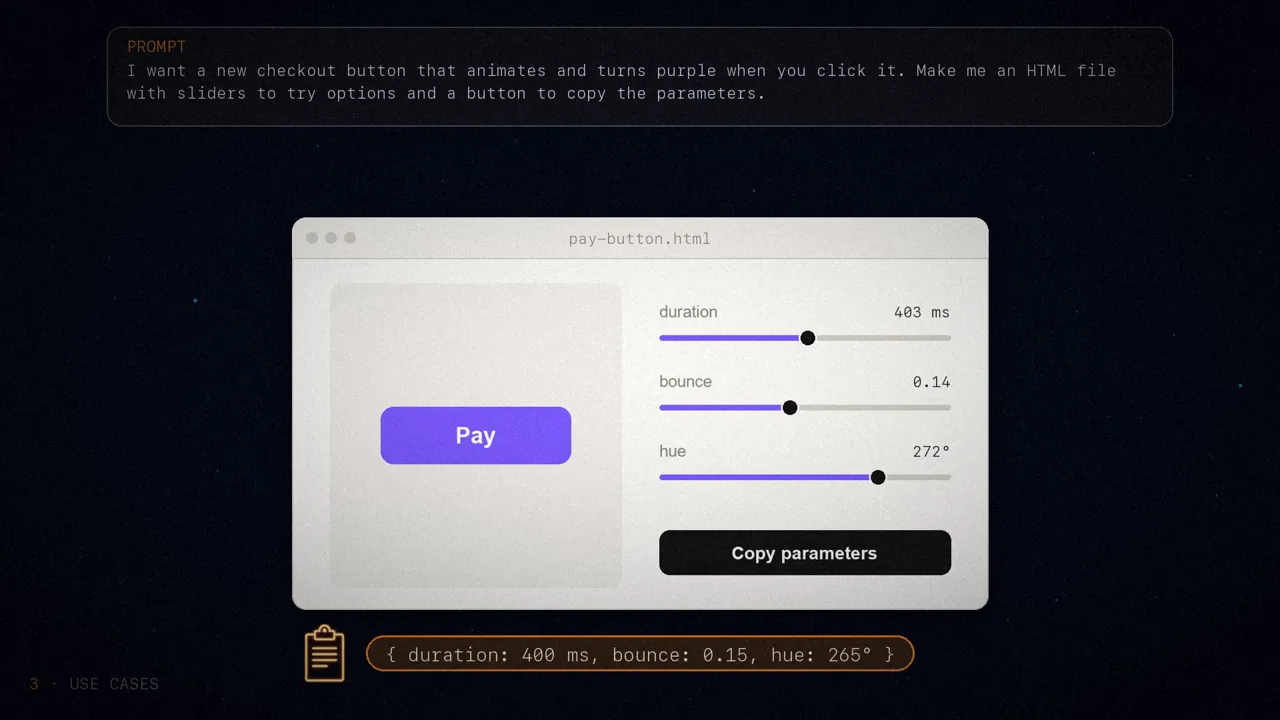
It's useful for documenting your design system (colors, typography and spacing), for tweaking components, for seeing a component library at a glance, or for prototyping delightful animations.
4. Reports, research and learning
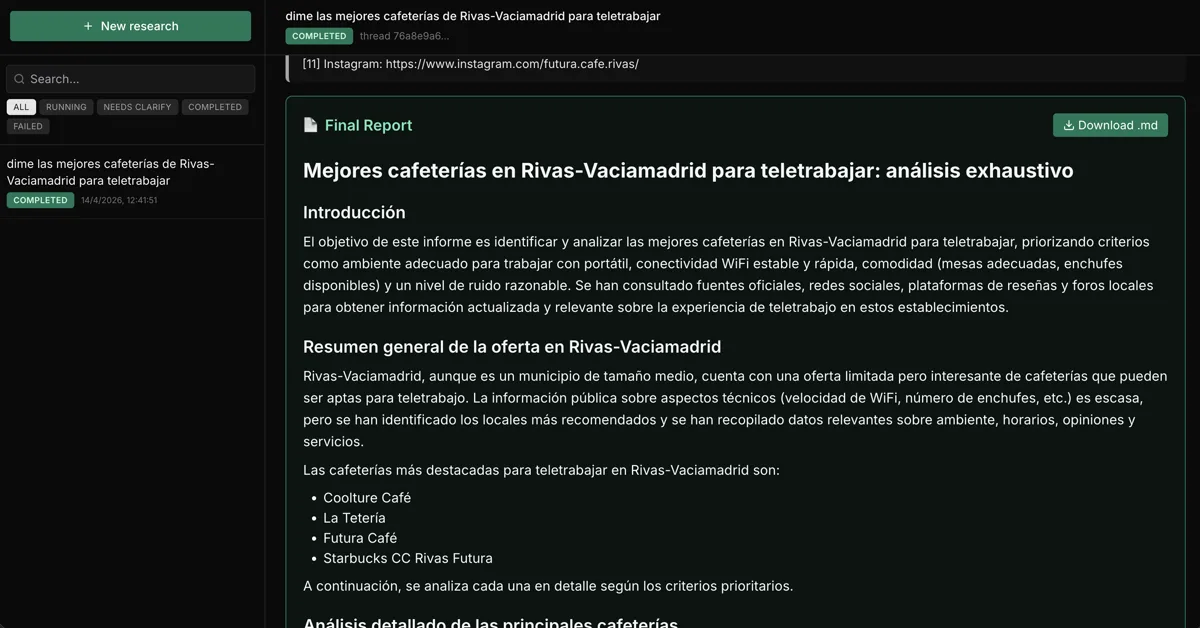
Claude Code is really good at pulling information together from several sources and turning it into an easy-to-read report. It can search your Slack, your code, your git history or the web, and put together reports for you, for your bosses or for your team. It can be a long document, an interactive explainer or even a slide deck, with SVG diagrams.
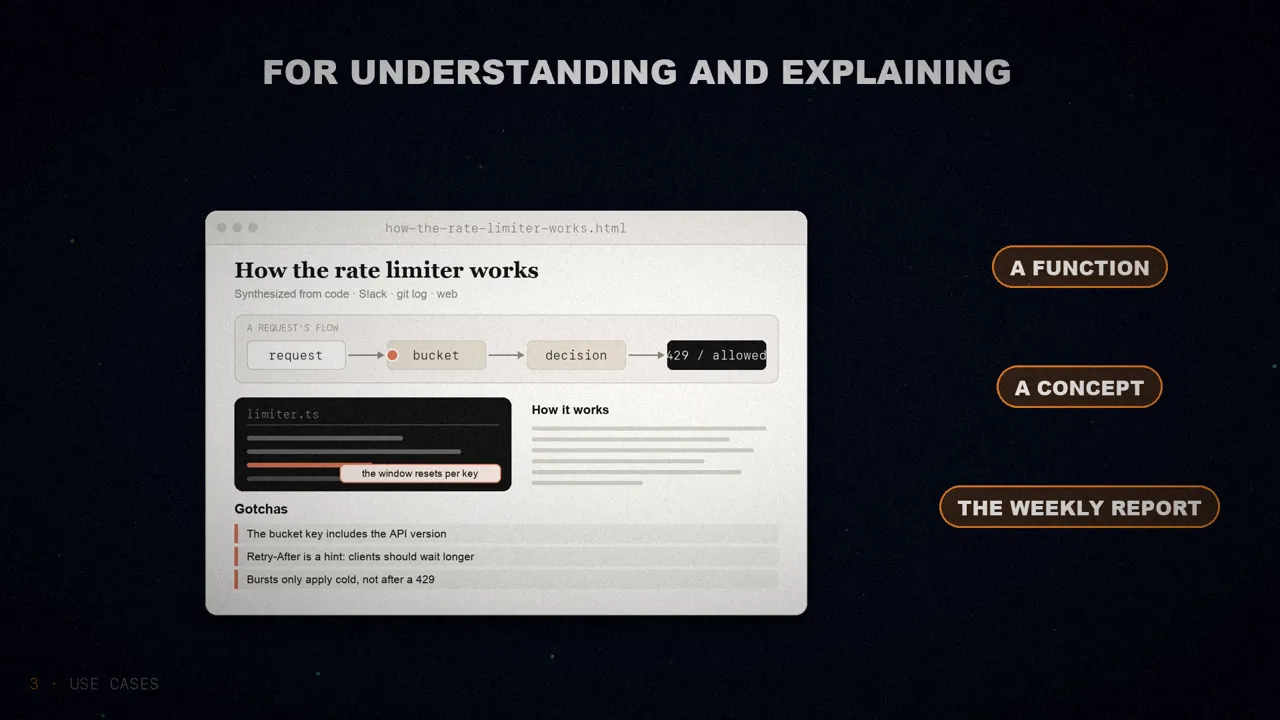
For his articles on prompt caching, Thariq asked it to read the git history and prepare an in-depth HTML report with all the team's changes. Another example prompt:
I don't understand how our rate limiter actually works. Read the relevant code and produce a single HTML explainer page: a diagram of the flow, the key code snippets annotated, and a "gotchas" section at the bottom.
Custom editors
Some things are hard to describe with text alone. In those cases, Thariq asks Claude for a throwaway editor, built for exactly what he's working on. It's not a product, or a reusable tool: it's a single HTML file, made for that specific piece of data.
The trick is to always end with an export: a "copy as JSON" or "copy as prompt" button that turns whatever you did in the interface into something you can paste into Claude Code. His three examples:
- Reprioritizing thirty Linear tickets. Each ticket is a card you can drag between four columns (now, next, later and cut). Claude places them first using its best guess, and a button exports the final order with one sentence justifying each column.
- Editing feature flags. A form that groups them by area, shows the dependencies between them and warns you if you turn one on while its prerequisite is off. A "copy diff" button gives you only the keys you changed.
- Tuning a system prompt. On the left, the editable prompt with the variables highlighted; on the right, three examples that fill in live; below, a token counter and a copy button.
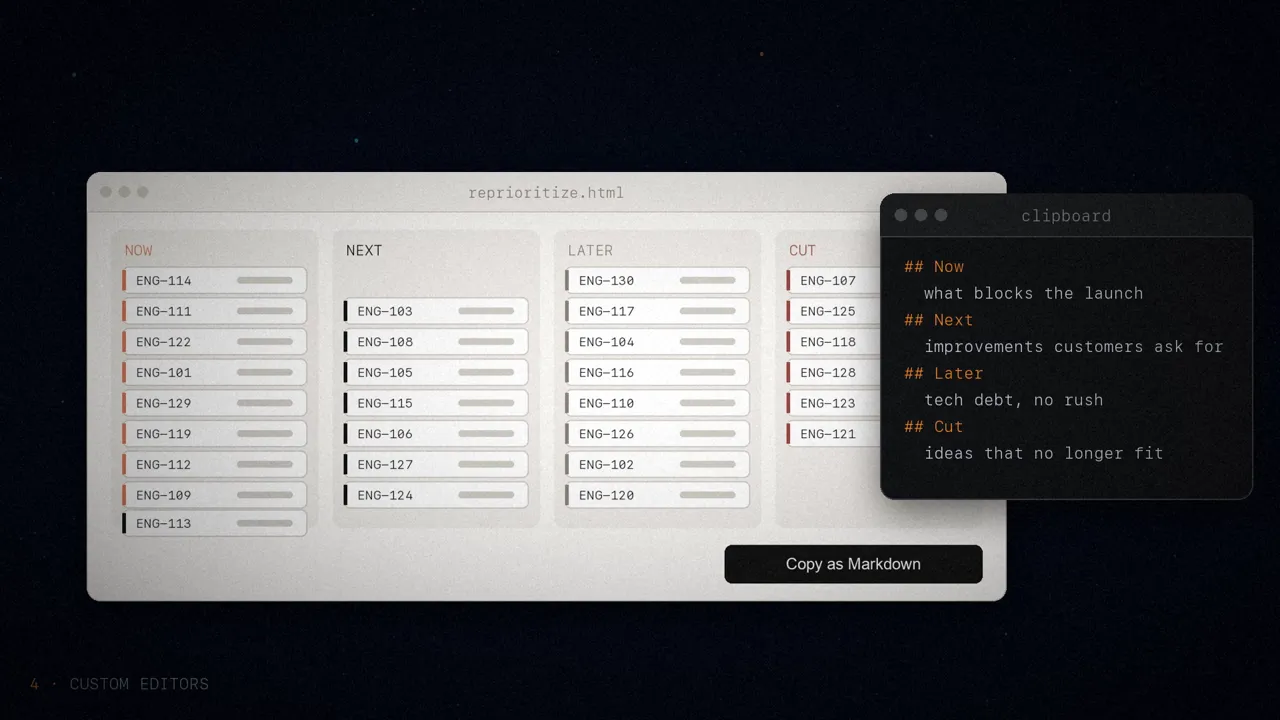
It works for sorting or triaging anything, for editing a configuration with rules, for tuning prompts while watching the result, for curating data or annotating documents, and for picking values that are hard to put into words: a color, an animation curve, a crop or a regular expression.
The usual questions
Thariq keeps hearing the same questions:
- Doesn't it use more tokens? Yes, Markdown usually uses fewer. But HTML is more expressive, and he's much more likely to actually read it, so overall the result is better. And with Claude Opus's one-million-token window, the extra cost is barely noticeable.
- When does he still use Markdown? Almost never: he has dropped it for nearly everything, although he admits he's an HTML maximalist.
- How does he open the files? In the browser, locally, or by asking Claude to open them. If he wants to share them, he uploads them to S3.
- Doesn't it take longer? Yes: HTML can take two to four times longer than Markdown, but for him it's worth it.
- What about version control? That's one of its biggest downsides: the diffs between two versions of an HTML file are noisy and harder to review.
- What if it looks ugly? The frontend-design plugin helps Claude make good HTML files. To match your company's style, ask it for a single file with your design system, built from your code, and use it as a reference for all the others.
In the loop
In the end, Thariq thinks the real reason he uses HTML is that he feels much more in the loop with Claude. Since he had stopped reading plans in depth, he feared he would have no choice but to let Claude make its own decisions. He's happy to say the opposite has happened: with HTML, he feels more in the loop than ever.

Markdown falls short when agents write more than we can read; HTML brings density, clarity, shareable links, interaction and context, and it puts you back in the loop.
Do your agents still write to you in Markdown?
Sources
- "Using Claude Code: The Unreasonable Effectiveness of HTML", by Thariq (@trq212), May 2026. Also on the Claude blog.
- The example gallery: thariqs.github.io/html-effectiveness.
- The video, on my three channels: English, Spanish and Portuguese.