
The loop
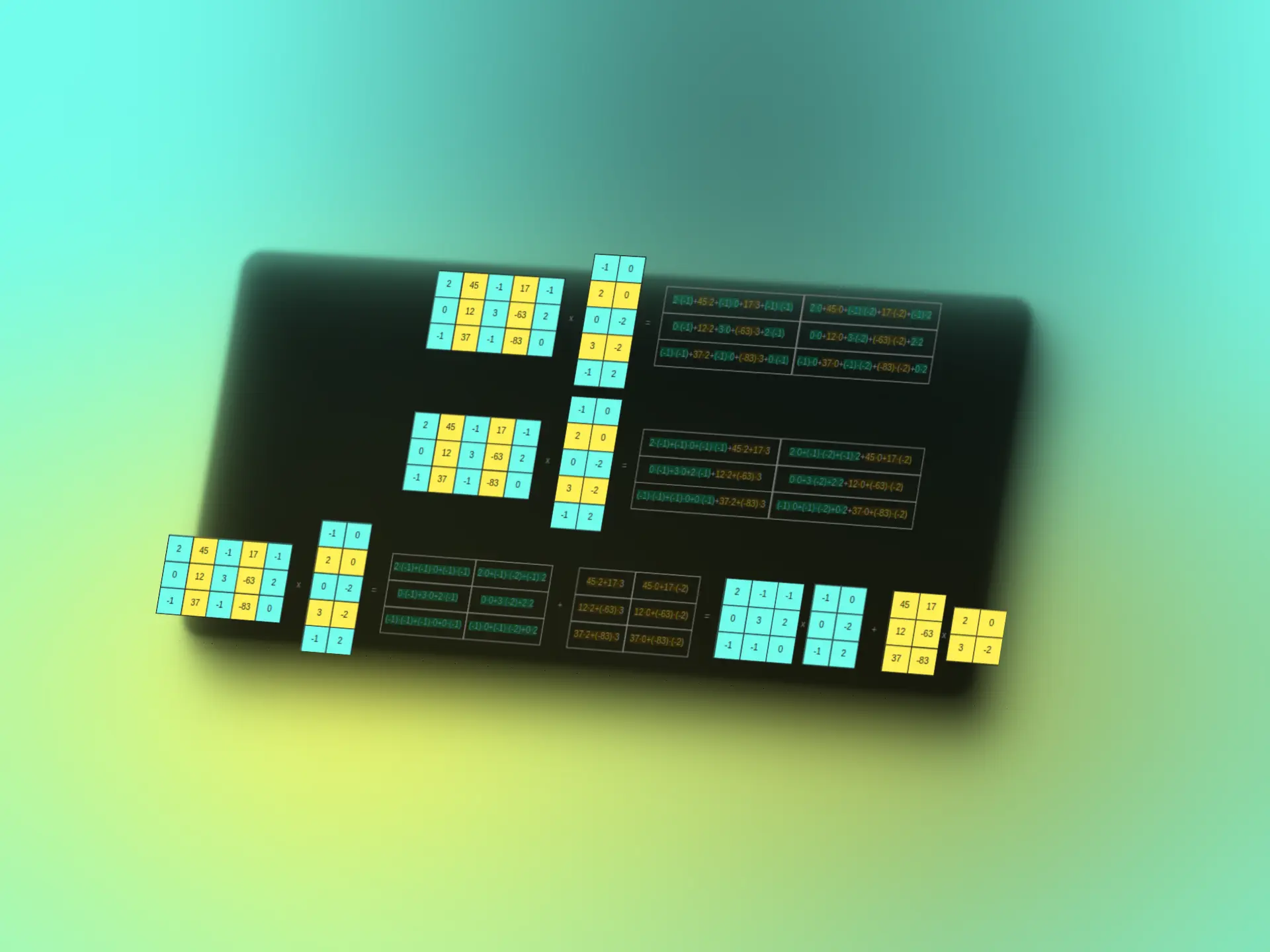
It all starts with a loop. Text becomes tokens, tokens move through a Transformer, attention decides which earlier tokens matter, the runtime keeps a KV cache so it does not recompute the whole conversation, and the model picks the next token. Then it does it again. As Ahmad puts it: tokens in, probabilities out, one next token at a time.
Running a model is called inference, and for a decoder-only model (the kind behind almost every chat model) it is always the same six steps:
- Convert your text into tokens.
- Feed those tokens into the model.
- Compute a score for every possible next token.
- Choose one with a decoding policy.
- Append it to the sequence.
- Repeat until the model stops, you stop it, or a token limit is reached.
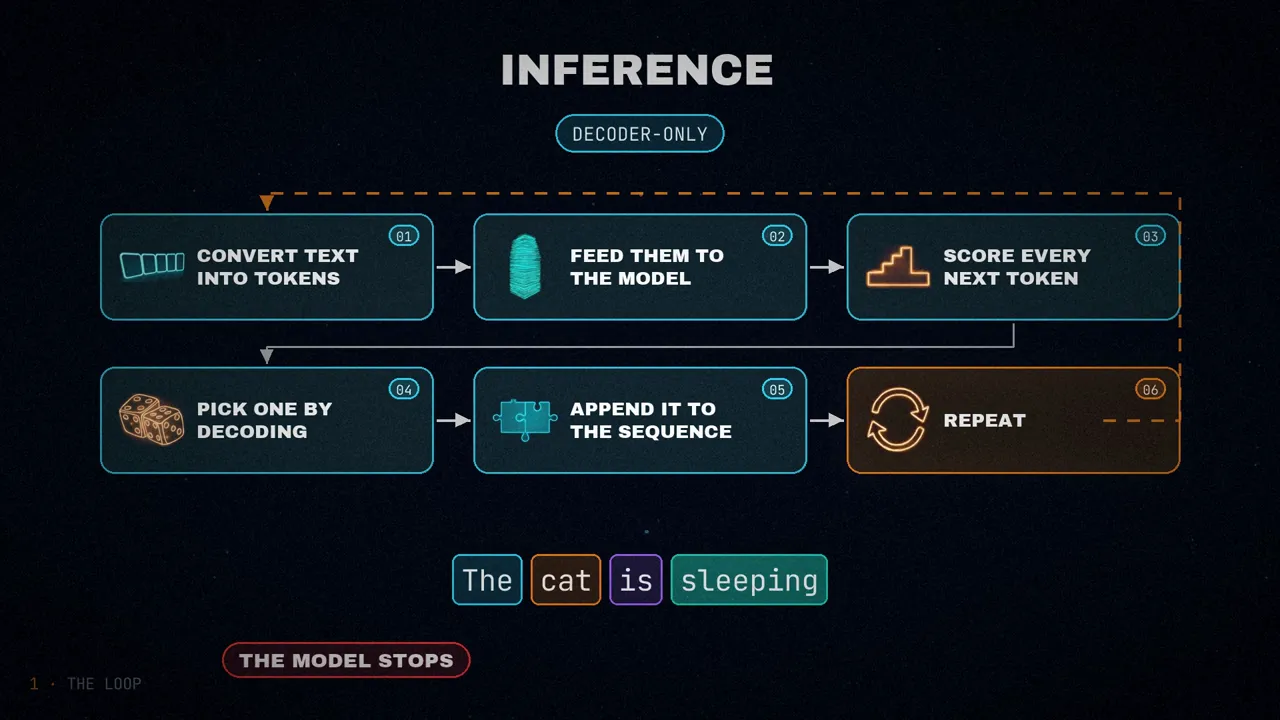
Mathematically, the model is a learned function: it takes the weights (what it learned) and the sequence (the prompt plus everything generated so far) and returns raw scores, the logits. Softmax turns them into probabilities, and decoding picks a single token. That is why local speed is measured in tokens per second: the system repeats that step over and over.
And this is where perception comes in. Paste a 10,000-token document and you feel a long pause before the first word: that is prompt processing. Then the answer streams out bit by bit: that is generation. People obsess over the second because it is what they feel, but the first is what hurts when the prompt is long.
Tokens: the unit of work
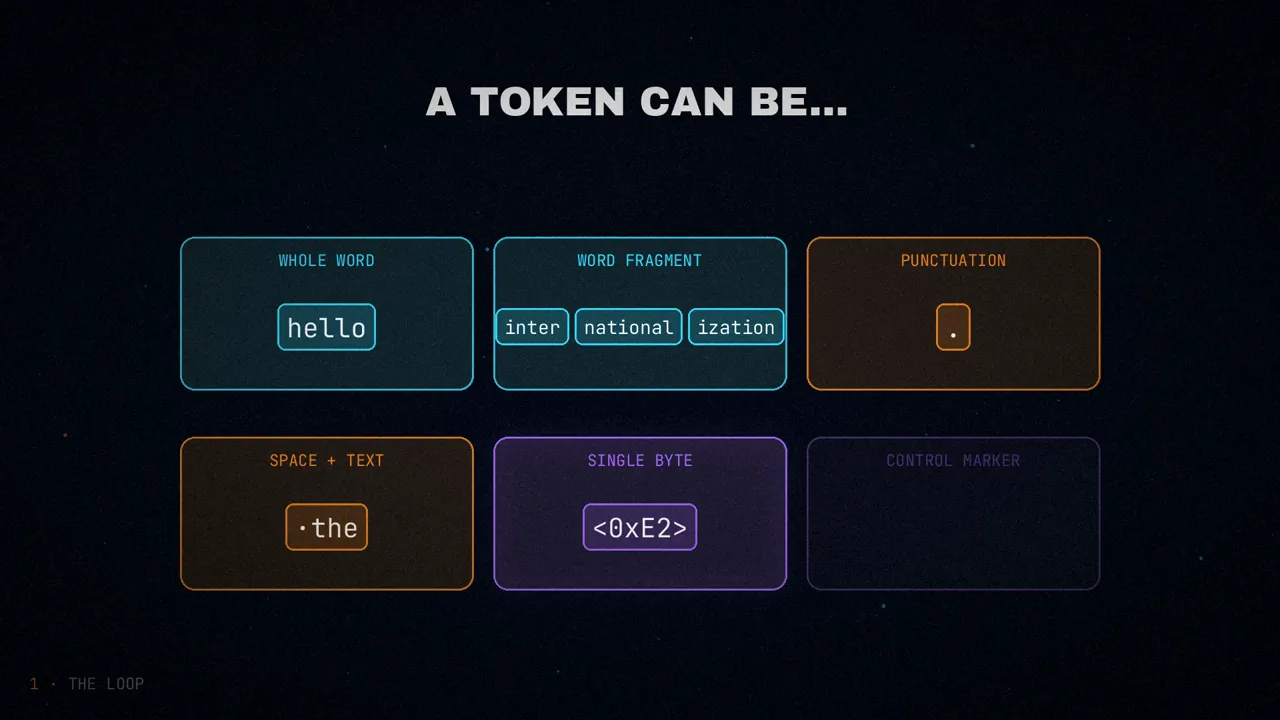
Models do not see words: they see tokens, chunks of text that are integer IDs internally. A token can be a whole word ("hello"), a word fragment ("inter", "national", "ization"), a punctuation mark, a whitespace-prefixed string, a byte-level fallback, or a special control marker like the ones that separate the user from the assistant.
The tokenizer maps text to IDs and back, and each model family uses its own. In Ahmad's example, a 4,000-word document may be 5,000 tokens in one tokenizer and 7,500 in another. A larger vocabulary packs text into fewer tokens but changes the model's size, so tokens per second are not perfectly comparable across families.
Tokens decide how much text fits, how big the cache gets, and how long you wait for the prompt to be processed. The context window is the maximum number of tokens the model can attend to at once: in 2026, from 8K or 32K up to 128K and 256K, and even 1M on servers. But supporting a context does not make it cheap or reliable: Ahmad's example is a 128K model that may crawl at 64K and lose coherence at 100K. Always test the lengths you plan to use. His line: tokens are a bill you can estimate.
Transformer and attention
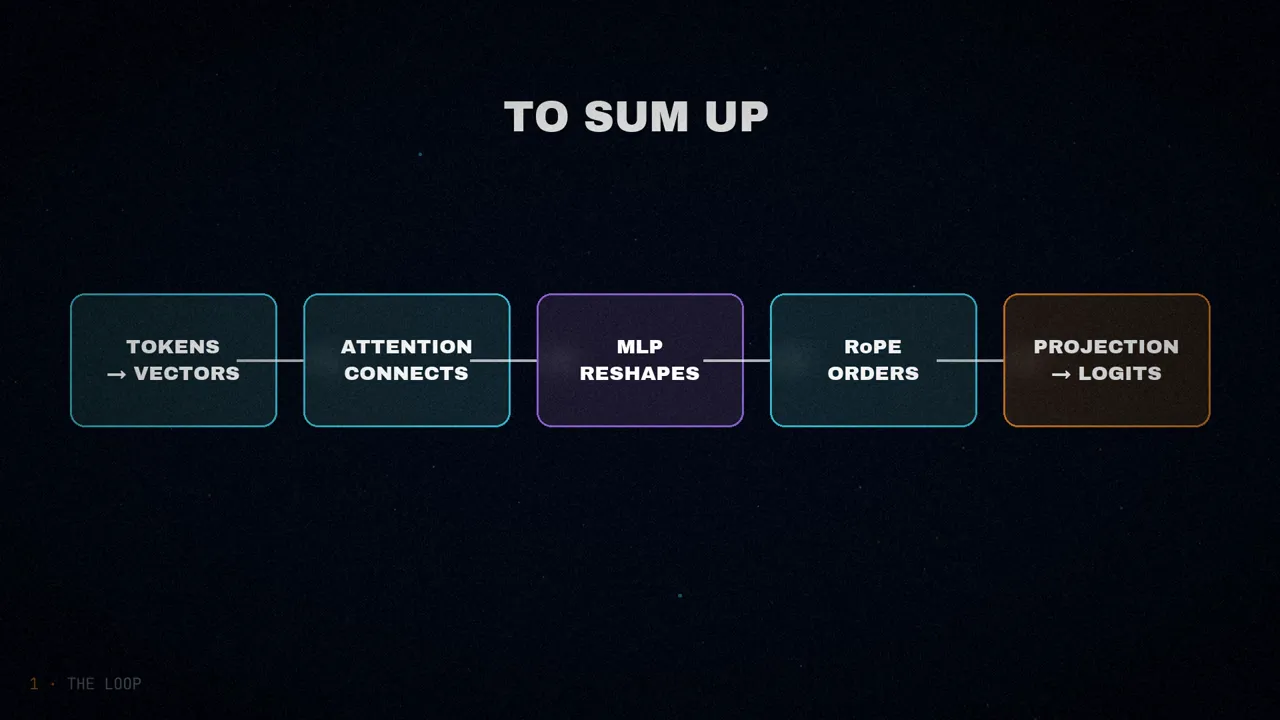
Most local chat models are decoder-only Transformers: they predict the next token by looking back. A simplified layer has six parts:
- Embeddings: token IDs become vectors.
- Position: the model needs the order; many use RoPE, which encodes position by rotating representations.
- Self-attention: each token looks back at earlier ones and decides what matters.
- MLP block: expands and compresses the representation; a large share of the parameters lives here.
- Normalization and residual connections: keep a deep network stable.
- Output projection: the last hidden state becomes logits over the vocabulary.
Stack that recipe dozens or hundreds of times and you get a language model.
Attention is also one reason local inference is so memory-sensitive. Classic multi-head attention (MHA) keeps separate keys and values for many heads: flexible, but it makes the cache large. With multi-query attention (MQA) all heads share one key/value head, and with grouped-query attention (GQA), today's common middle ground, groups of heads share them. Kernels like FlashAttention cut memory traffic and can make the same model on the same machine dramatically faster.
That is why two 7B models can behave very differently at long context. Ahmad's example: a 7B MHA model at 128K tokens can exhaust a 24 GB GPU, while a GQA model with the same advertised context may fit with room to spare. When comparing models, look at attention type, KV heads, context length and runtime support, not just parameter count.
The KV cache: the hidden bill
The KV cache is the model's working memory during generation: it stores the attention keys and values of earlier tokens so the model does not recompute the whole history for every new token. Without it, generation would be brutally inefficient. With it, the cost moves to memory, in proportion to:
tokens × layers × kv_heads × head_dim × precision × 2
The "× 2" is one for keys and one for values.
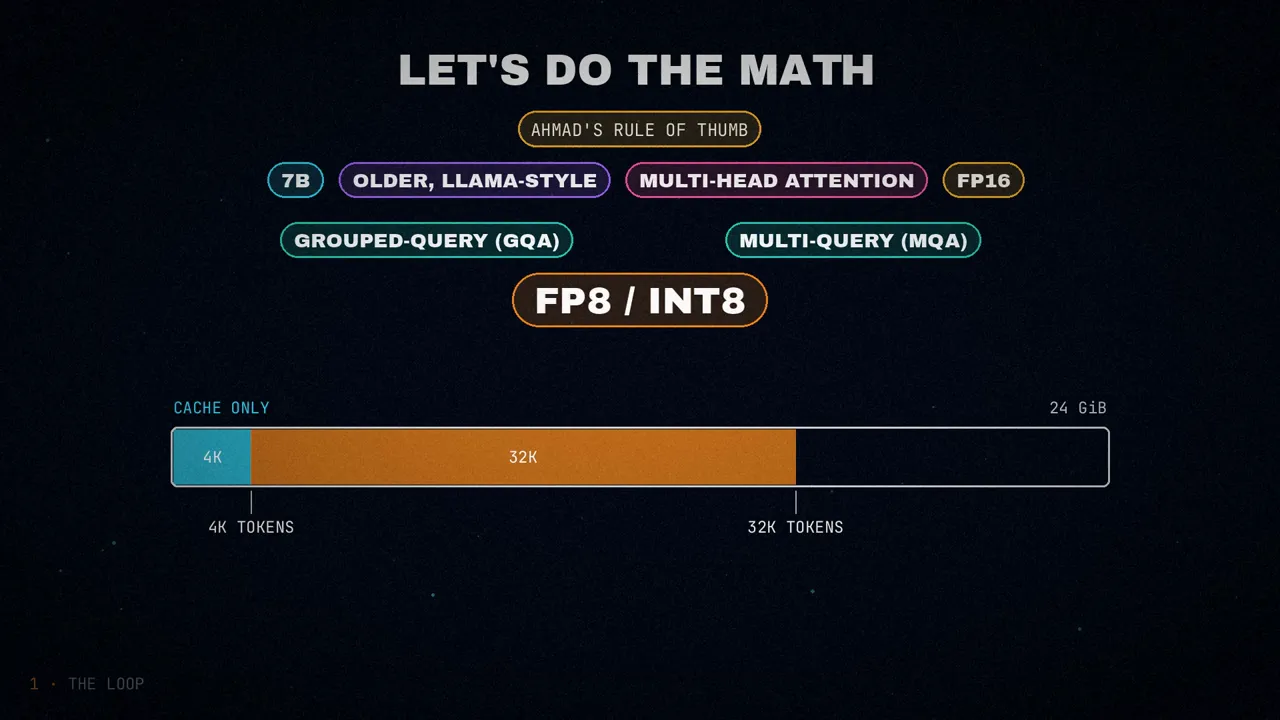
His rule of thumb for older Llama-like 7B MHA models: roughly 0.5 MiB per token at FP16. At 4K tokens that is around 2 GiB of cache alone, and at 32K, around 16 GiB. That number does not apply to every model: GQA and MQA models use much less, and some runtimes store the cache in FP8 or INT8, which Ahmad sees as the practical local floor in 2026.
Below 8 bits, be careful. Research such as KIVI and KVQuant makes 2-to-4-bit caches work with careful algorithms and kernels, but that is not flipping a toggle in a desktop app: benchmark hard, especially for code, tool calls, JSON and long-context retrieval. And do not confuse it with speculative decoding: DFlash and DDTree speed up decode, but they do not erase the cache bill.
This explains something that puzzles a lot of people: a model fits with an empty prompt and crashes when you load a long document. The weights fit; the working memory did not.
Prefill and decode
Inference has two regimes. Prefill processes the prompt: paste a 20,000-token document and the model must process all of it before the first answer token. It parallelizes well on a GPU but still costs, and it is most of what you wait for before the first word. Decode generates new tokens one at a time, because each depends on the ones before: that is the streaming typing effect, and it decides whether a model feels fast or slow.
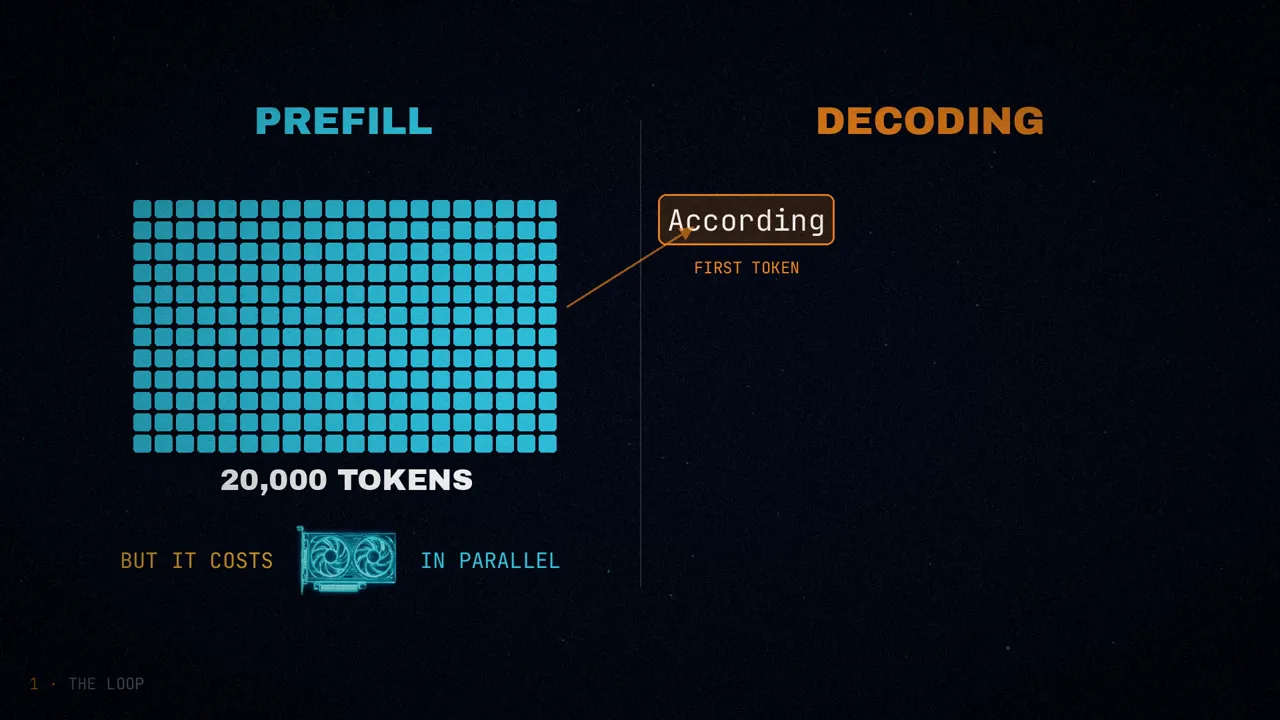
The rule is simple: long prompts punish prefill, long answers punish decode, and long conversations punish both because the cache grows. Let a conversation reach 16K tokens and you pay the memory for all 16K on every new token. That is why chat UIs that keep infinite history eventually slow down or crash.
Decoding: how the token gets picked
With the logits, the model has not written anything yet: it has only scored every possible token. Decoding is the policy that turns those scores into an actual token. It can always pick the most likely one, sample from a narrowed set, penalize repetition, stop at a delimiter, or use a fixed seed for reproducibility. It does not touch the weights, but it changes the model's voice, its determinism and its tendency to loop.
The knobs answer three questions: how much variation is allowed (temperature), how far into unlikely tokens the sampler can reach (top-k, top-p, min-p), and what prevents loops or runaway output (penalties, max tokens, stop sequences).
- Precise work: low temperature, a token limit, stop sequences, and constrained output when it must match JSON or a schema.
- Creative work: higher temperature, top-p, and several candidates ranked afterward.
- Code: a conservative first pass; alternatives only when you are exploring on purpose.
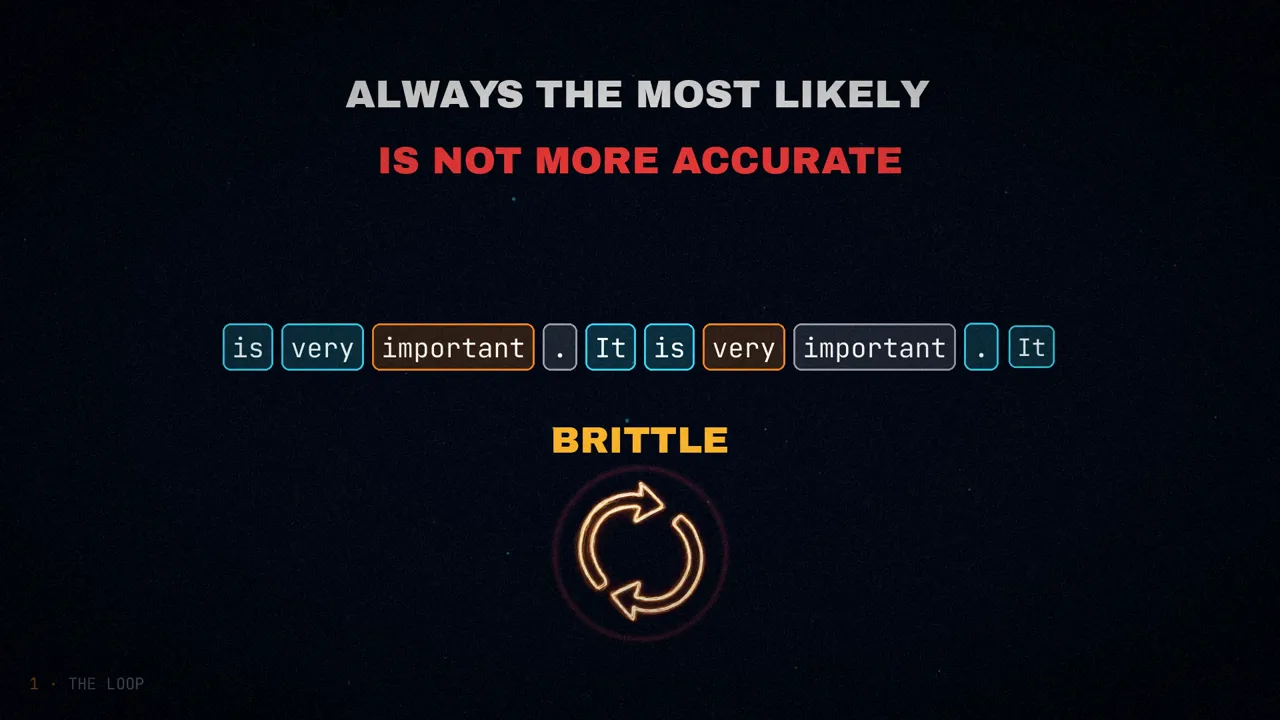
And a surprising point: always picking the most likely token (greedy) is not necessarily more accurate. It is often brittle and can loop or give generic answers, because it never explores. For evals, use deterministic settings; for ideation, let the model breathe.
A model is more than its weights
A runnable local model comes with six things that have to travel together: the config (layers, attention type, RoPE, vocabulary, context), the weights (safetensors, GGUF, GPTQ, AWQ, EXL2…), the tokenizer, the chat template, the generation config (temperature, stop tokens…) and the license with the model card. The weights are the biggest file, but if the tokenizer, config or template is wrong, the same weights can feel broken.
The chat template is what people break most. Every model was trained on a specific conversation format: some expect markers like <|system|>, <|user|> and <|assistant|>; others, [INST] tags; others, ChatML, reasoning tokens or JSON wrappers for tools. The wrong format gives you gibberish, role confusion, ignored system prompts, broken tool calls… and the conclusion that the model is dumb when the template is the actual bug.
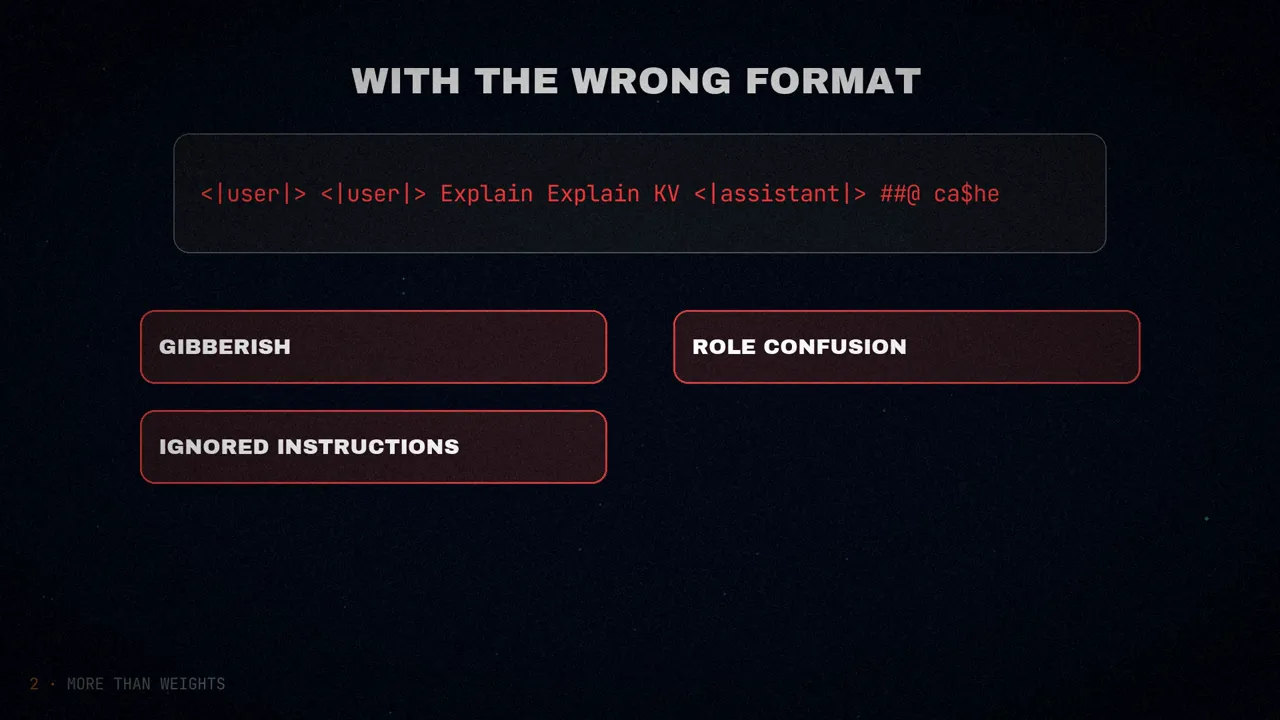
Best practices: use the tokenizer's apply_chat_template in Transformers or the model-specific template in llama.cpp, LM Studio, vLLM or SGLang; check whether the model is base, instruct, chat, reasoning or tool-tuned; make sure BOS and EOS tokens are right; and if your app switches models, switch templates too. Get it wrong and you are not testing the model you think you are testing.
Not every model is tuned for the same thing, either. For most people, the right start is a recent instruct or chat model that fits comfortably in memory. A base model does not answer, it completes: ask it "What is the capital of France?" and it might continue with "and what is the population of Paris?". Reasoning models spend extra tokens thinking, and tool-tuned models return structured calls.
What local really means
A local model is one whose weights and runtime are under your control: which model runs, how, what data it sees and what happens to its output. That freedom comes with work: now you are the ops team. Downloads, updates, compatibility, memory limits and security. When something breaks there is no support ticket; there is only you, the logs and the documentation.
"Local" can be a 2B model on a phone, a 7B-14B model on a consumer GPU, a 30B-70B model on a workstation, or an MoE model on several datacenter GPUs. But local does not automatically mean offline, private, safe, cheap or open source: it only means you run it yourself. A local app can still phone home, and a model can be local and unsafe to load.
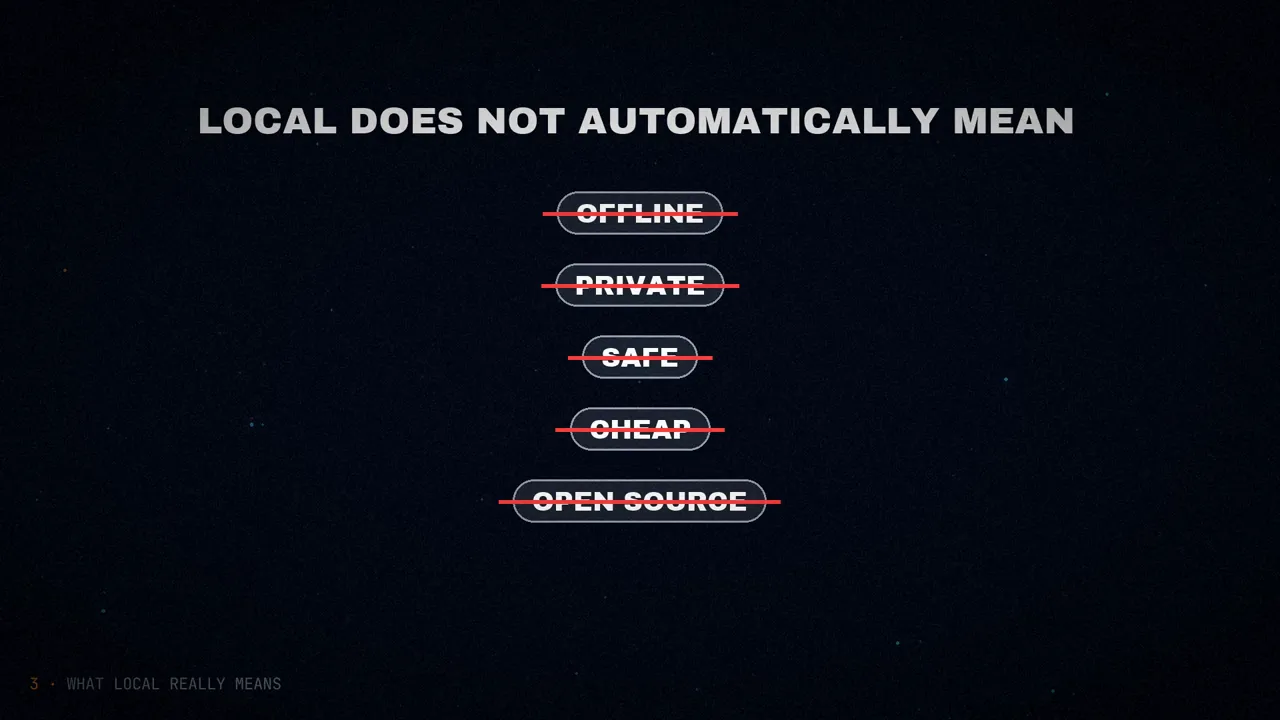
It is worth it when you need privacy, low latency, custom behavior, offline operation or cost control at scale. It is not when you need the very best quality and do not have the hardware to match: then a hosted API is the right tool. Ahmad sums it up in one equation: local LLM success = model fit + correct prompt format + good runtime + realistic evals.
Quantization and formats
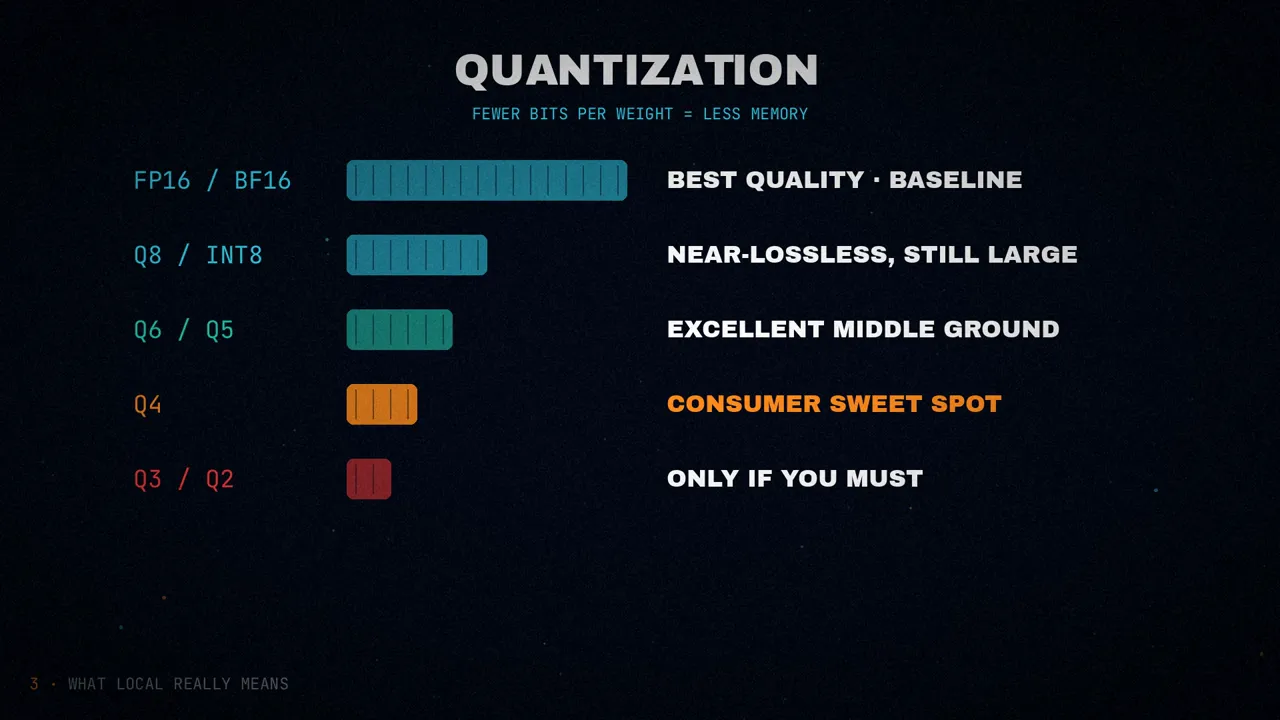
Quantization stores weights at lower precision to use less memory (and sometimes run faster). Ahmad's rule of thumb for 2026:
- FP16/BF16: best quality; the baseline for evaluation.
- Q8/INT8: near-lossless, but still large.
- Q6/Q5: an excellent middle ground.
- Q4: the consumer sweet spot.
- Q3/Q2: only when you must fit a bigger model: math, code, structured output and tool use degrade first.
Quantizing weights is not quantizing the cache: the first shrinks the model, the second shrinks live context memory. And do not worship parameter count: according to Ahmad, a 7B model at Q6 can beat a 13B model at Q2 on reasoning, and run faster (the article also says with less memory, but by its own bytes-per-parameter math the 7B at Q6 takes a bit more). "Can", not "always": it depends on the task, which is why you measure.
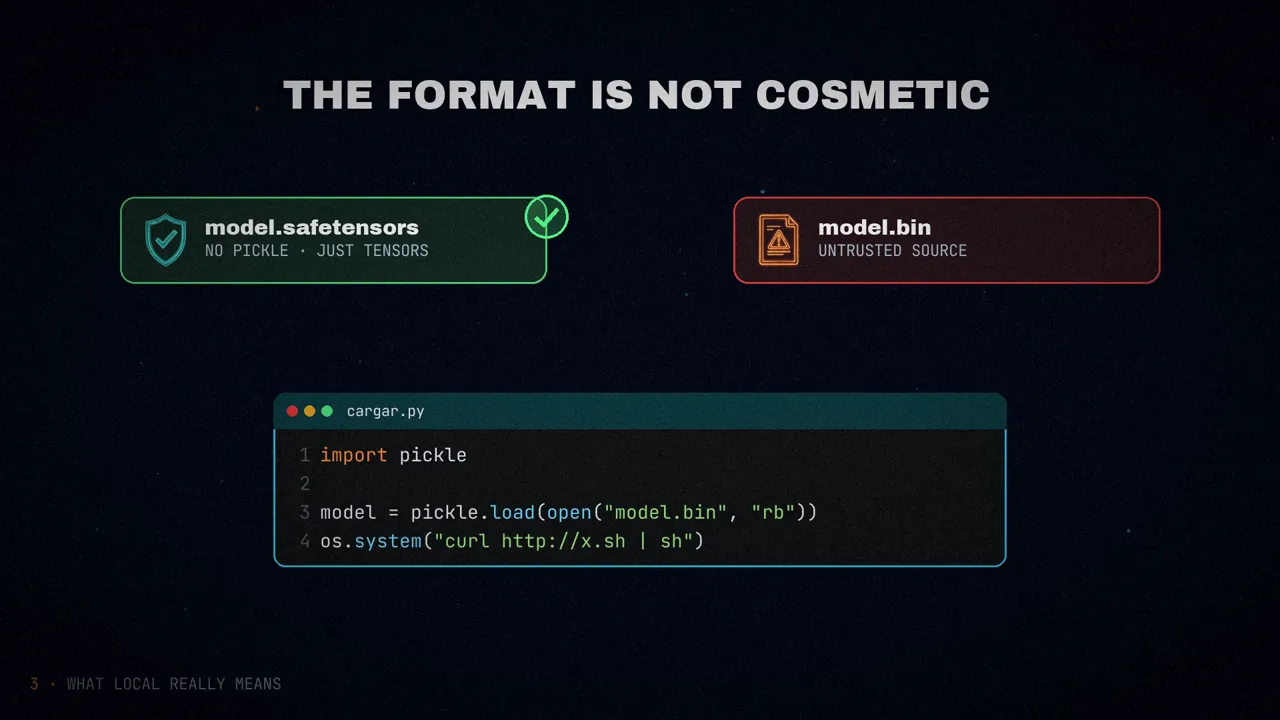
The file format is not cosmetic either. safetensors stores tensors without Python's pickle behavior and is the one to use. Random .bin files from untrusted sources are another story: pickle-based loading can execute arbitrary code. Local AI security rule number one, per Ahmad: do not let a stranger's model file become a stranger's code running on your machine.
Then there is GGUF, the llama.cpp format (CPU, Apple Silicon, simple servers, and apps like LM Studio); ONNX, for standardized deployment and specific accelerators; TensorRT-LLM engines, NVIDIA's production path, powerful but more complex; and EXL2, GPTQ and AWQ, common for squeezing bigger models onto a single GPU. The format decides which runtimes can load the model, which quantization you can use, and how fast it runs.
Runtimes and serving modes
The runtime is the software that loads the model and runs inference, and in 2026 there are plenty. Ahmad's suggestions:
- One person experimenting: Harbor (a complete local stack with frontends, backends and services already wired together), LM Studio (the easiest desktop path) or llama.cpp (the portable workhorse).
- A team or private service: vLLM or SGLang.
- Maximum NVIDIA performance: TensorRT-LLM.
- Browser or mobile: MLC or WebLLM.
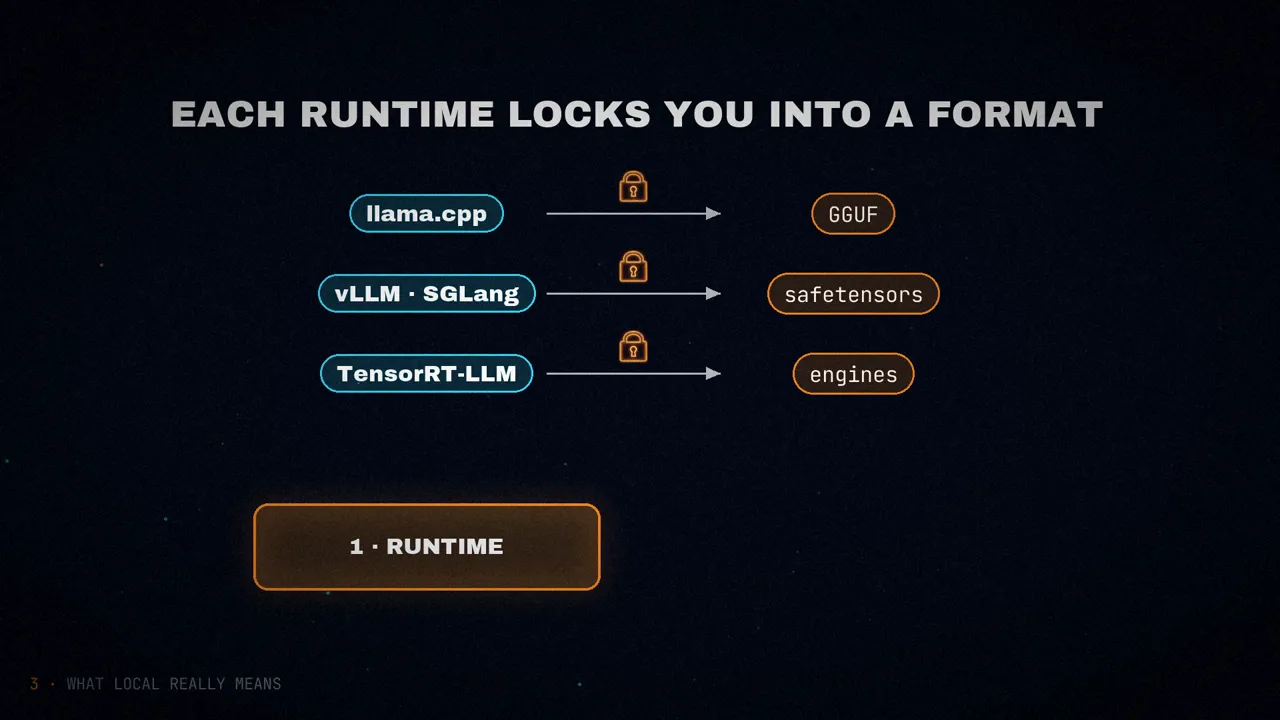
Each runtime locks you into a format ecosystem (llama.cpp means GGUF; vLLM and SGLang usually mean safetensors or Hugging Face checkpoints), so pick the runtime first, then find models in the right format.
And there are three serving modes. Single-user local: an app or server on your machine to compare behavior, speed, memory and prompt formats without building an ops platform. A team API, OpenAI-compatible, on a workstation or server: now you need monitoring, prompt versioning, routing and real latency measurements. And production, which is a different job: continuous batching, prefix caching, speculative decoding, paged attention, parallelism, load balancing, logging, privacy and cost control.
The memory math
VRAM has three main consumers: the weights, the KV cache and runtime overhead. Weights are roughly parameters × bytes per parameter. FP16 is about 2 bytes per parameter, INT8 about 1 and Q4 about half a byte, plus format overhead. For a 7B model: about 14 GB at FP16, 7 GB at INT8 and 3.5 GB at 4 bits, plus scales and metadata.
On top of that come a cache that grows with every token, one cache per concurrent request, the vision encoder, draft models for speculative decoding, and LoRA adapters. MoE models add a wrinkle: they only activate part of their parameters per token, but inactive experts still need to live in memory. Active parameters drive compute; total parameters drive memory.
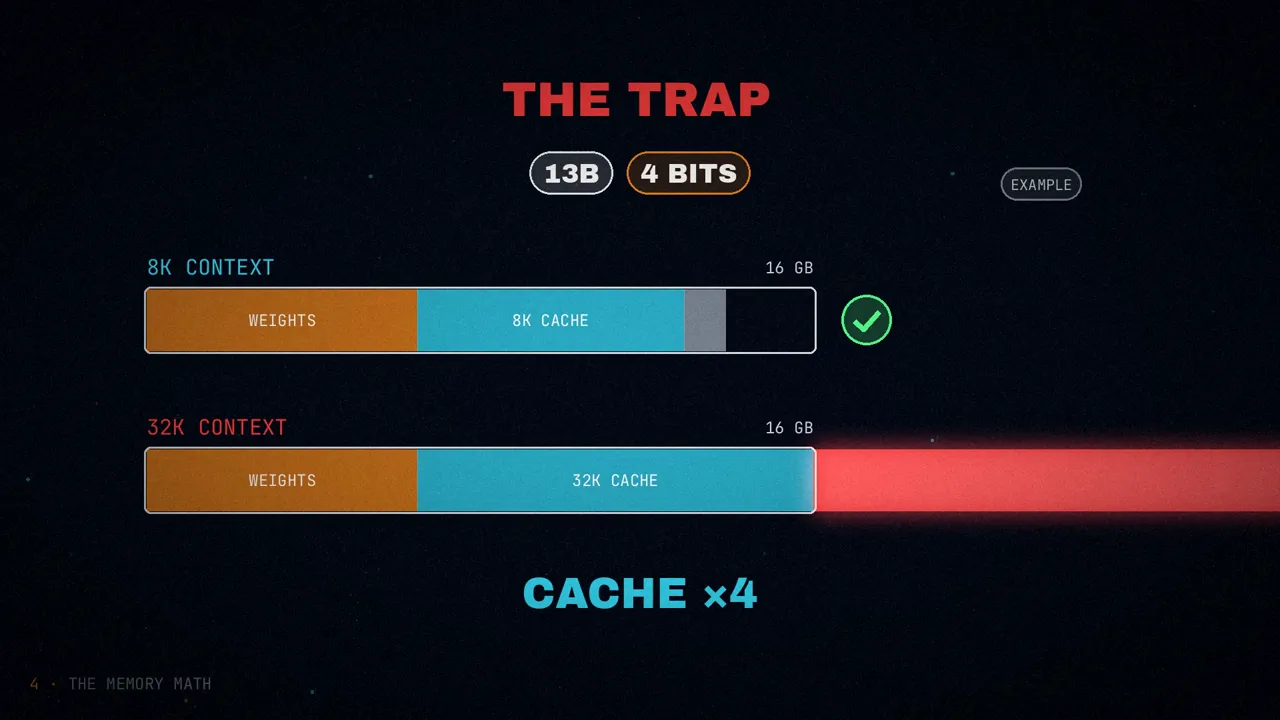
And here is the trap. Ahmad's example: a 13B model in Q4 may fit easily at 8K context, then fail at 32K because the cache quadrupled. That is why he recommends 10 to 20% headroom: running at 99% VRAM is begging for out-of-memory and fragmentation errors.
What hardware do you need? His rule of thumb for 2026 (which depends on runtime, quantization, architecture and context): 16 GB is the minimum comfortable tier, 24 GB is the best-value enthusiast tier, and at 48 GB and up the stronger local world opens up. With 24 GB, 27B-34B models at Q4 run comfortably.
But capacity is not everything. Decode is often memory-bandwidth-bound (the GPU streams the weights over and over, doing little compute per byte), while prefill leans on compute because it processes the prompt in parallel. Two cards with the same VRAM can give very different speeds. And the worst case is the model that almost fits and spills layers to the CPU: it technically runs, but token speed collapses. CPU offload is for experimenting, not a performance strategy.
Choosing a model that fits
The question is not which model is best, but which is the smallest model that wins your real workload on your hardware. Before falling in love with one, pass the memory gate: weights + cache + overhead at most 80-90% of available memory. Then run the same 20 to 50 prompts from your real tasks through every candidate and measure quality, latency, memory, template reliability and failure modes. Leaderboards are for discovery, not for choosing.
Ahmad proposes five checks: task fit, memory fit, interface fit (tokenizer, template, stop tokens, tool schema), runtime fit and license fit for where you plan to use it. And some starting points:
- Simple assistant: a recent 7B-14B instruct model at Q4/Q5, its correct template, 8K-32K context, and Harbor, LM Studio or llama.cpp.
- Coding assistant: 14B to 32B if you have the VRAM, low temperature, repository retrieval, tests and patches.
- Document assistant: a strong instruct model, local embeddings, a reranker, RAG and citations.
- Reasoning: a reasoning-tuned model, a bigger token budget, and verification with tools.
- Low resources: 1B to 4B at Q4/Q5 with short prompts and tightly constrained tasks.
Tokens per second do not depend on one thing: bandwidth, compute, capacity, attention kernels, quantization, batching, prompt and answer length, and speculative decoding. So benchmark exactly what you will run: a BF16 leaderboard number does not tell you how your Q4 stack will feel.
Long context and images
A million-token context sounds magical, but it has costs: more cache, slower prefill, more attention work, harder evaluation and more irrelevant text to distract the model. A model may handle the end of a document well and miss what matters near the start. Long context does not replace RAG, it complements it: RAG for large corpora, long context for the final selected evidence. Put critical instructions at the beginning and the end, use delimiters, ask for citations, compress irrelevant history and use summary memory instead of infinite history. For Ahmad, it is expensive attention, not a free notebook.
Multimodal models are the same story: images, audio and video become tokens too. The vision encoder takes memory, and a single high-resolution image can eat thousands of tokens from the same budget. Small vision models can also hallucinate details, and charts and tables are still hard: evaluate with your own documents, not with a demo of a simple photo.
The 2026 models
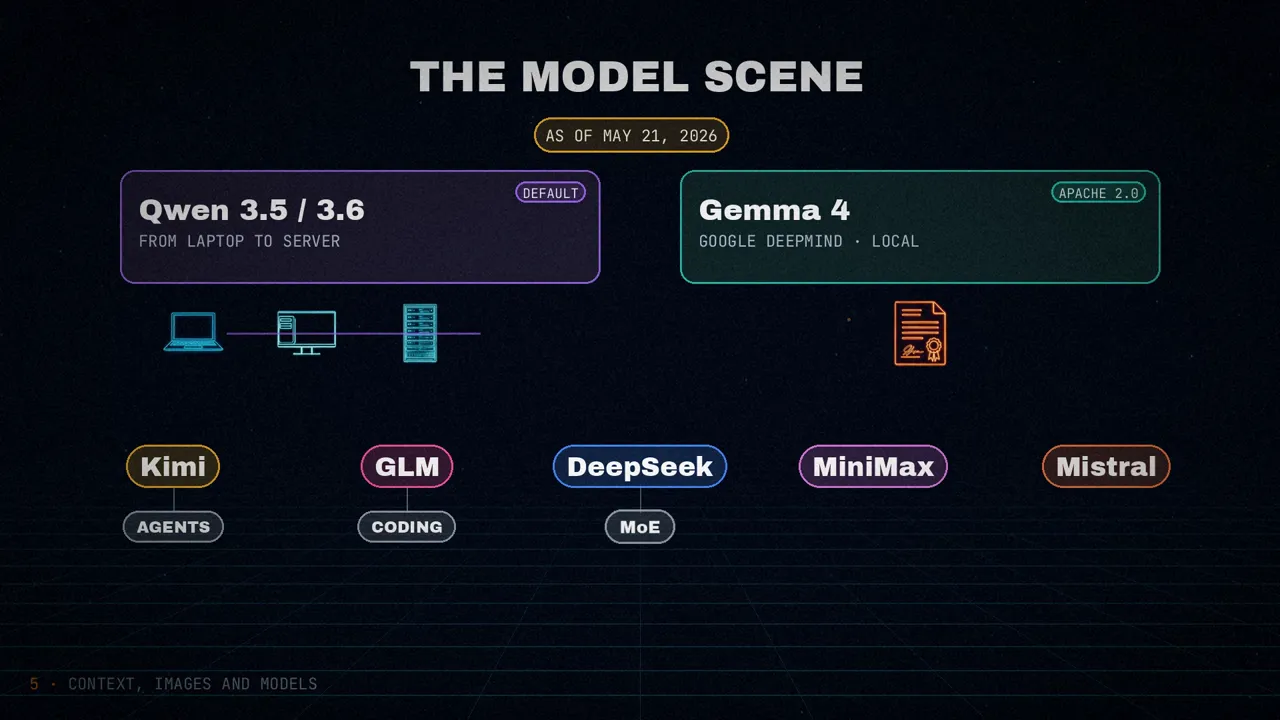
As of May 21, 2026 (the scene moves fast), Ahmad recommends thinking in families and ecosystems, not one best model:
- Qwen 3.5 / 3.6: covers the whole stack, from laptops to servers, with MoE, FP8 variants, long context, multilingual work, coding and agents. A strong default.
- Gemma 4 (Google DeepMind): pushes toward local deployment, with edge models, multimodality and an Apache 2.0 license.
- Kimi, GLM, DeepSeek, MiniMax and Mistral: each strong at something (long-horizon agents and coding, MoE, efficient attention, deployment).
- Nemotron 3 (NVIDIA): Nano, Super and Ultra, with a hybrid Mamba-Transformer MoE design; more a signal of where NVIDIA wants open-weight serving to go than a casual desktop-chat family.
He highlights one model: the dense Qwen 3.5/3.6 27B, with context lengths up to 262,144 tokens according to its model cards (more with YaRN), which he sees as a very practical option on two RTX 3090s. And at the efficiency frontier: paged attention, FP8 KV cache (already practical in vLLM), DFlash and DDTree for speculative decoding, and NVFP4 on NVIDIA hardware. Some of it is ready and some is still research: a paper speedup is not a checkbox in your app.
When things break
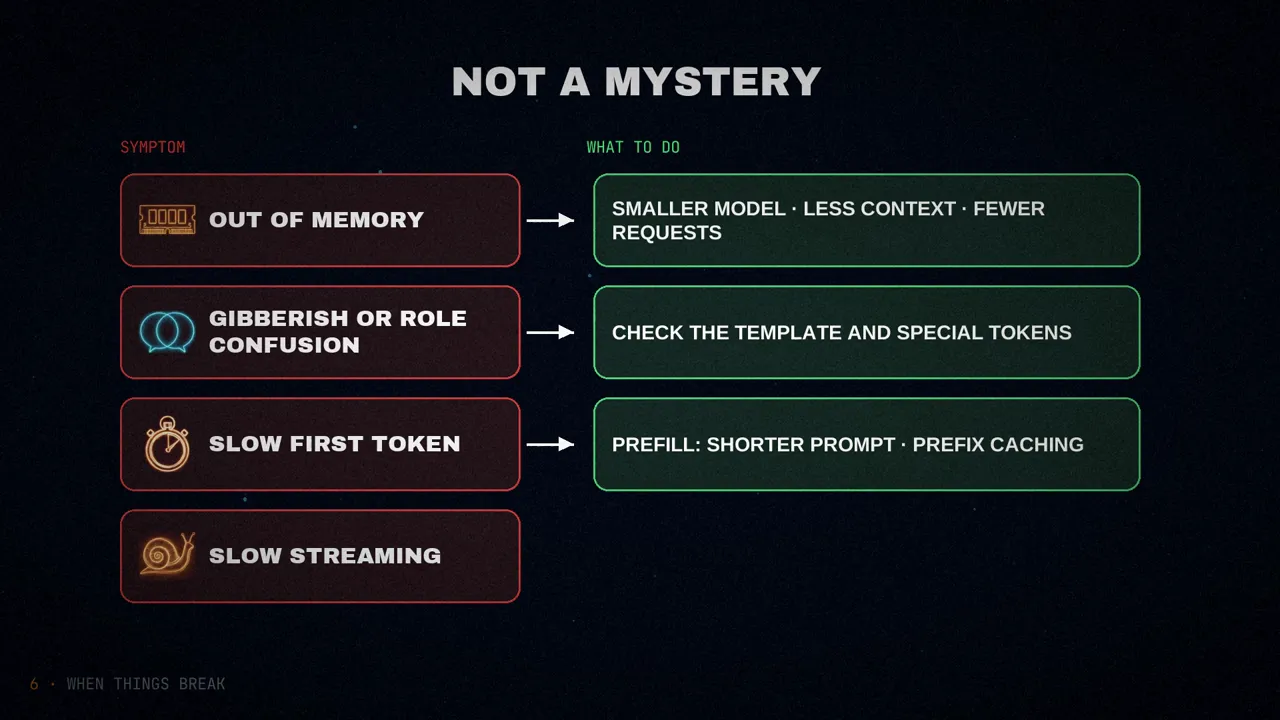
Most local failures are not mysterious:
- Out of memory: a smaller model, less context, fewer concurrent requests, another quantization, or more headroom.
- Gibberish or role confusion: template, tokenizer, BOS/EOS tokens, reasoning mode or tool schema.
- Slow first token: that is prefill; shorten the prompt, use prefix caching or improve retrieval.
- Slow streaming: that is decode; check bandwidth, quantization, or whether something spills to the CPU.
- Bad document answers: retrieval probably failed.
- Broken JSON or tool calls: lower temperature, constrained output and stricter schemas.
- Loops: lower temperature or top-p, a repetition penalty, and stop tokens.
To grow the stack, he lays out four levels: beginner (Harbor or LM Studio, a 4B-9B model at Q4, comparing two or three on the same prompts), developer (llama.cpp or Transformers, a local OpenAI-compatible server, a simple RAG pipeline and a small eval set), advanced (vLLM or SGLang, several GPUs, monitoring, an eval suite and sandboxed tools) and expert (TensorRT-LLM, custom kernels, speculative decoding, fine-tuning and production evals).
Privacy is not automatic either. Local improves privacy because your data stays on your hardware, but it does not make it secure: malicious model files, trust_remote_code enabled casually, prompt injection in retrieved documents, tool abuse, secrets in logs, or app telemetry. The baseline is four habits: load carefully, run with boundaries, protect secrets and version what matters.
And benchmark the stack you will actually run: quality on your tasks, time to first token, tokens per second, peak memory, template and JSON reliability, RAG faithfulness and whether it survives concurrent requests. Ahmad suggests a set of 30 to 100 representative prompts with expected answers. Do not let a leaderboard choose for you.
What it is good for
Coding is one of the best local use cases: the code is private, latency matters, you iterate a lot and API costs add up. But the strongest setup is not a naked chatbot; it is a code model connected to the repository, with codebase retrieval, file paths, test execution and a patch loop. Low temperature, patches instead of vague advice, and never a big rewrite without review. Local does not make a coding agent wise: it only makes the context private and the loop cheaper.
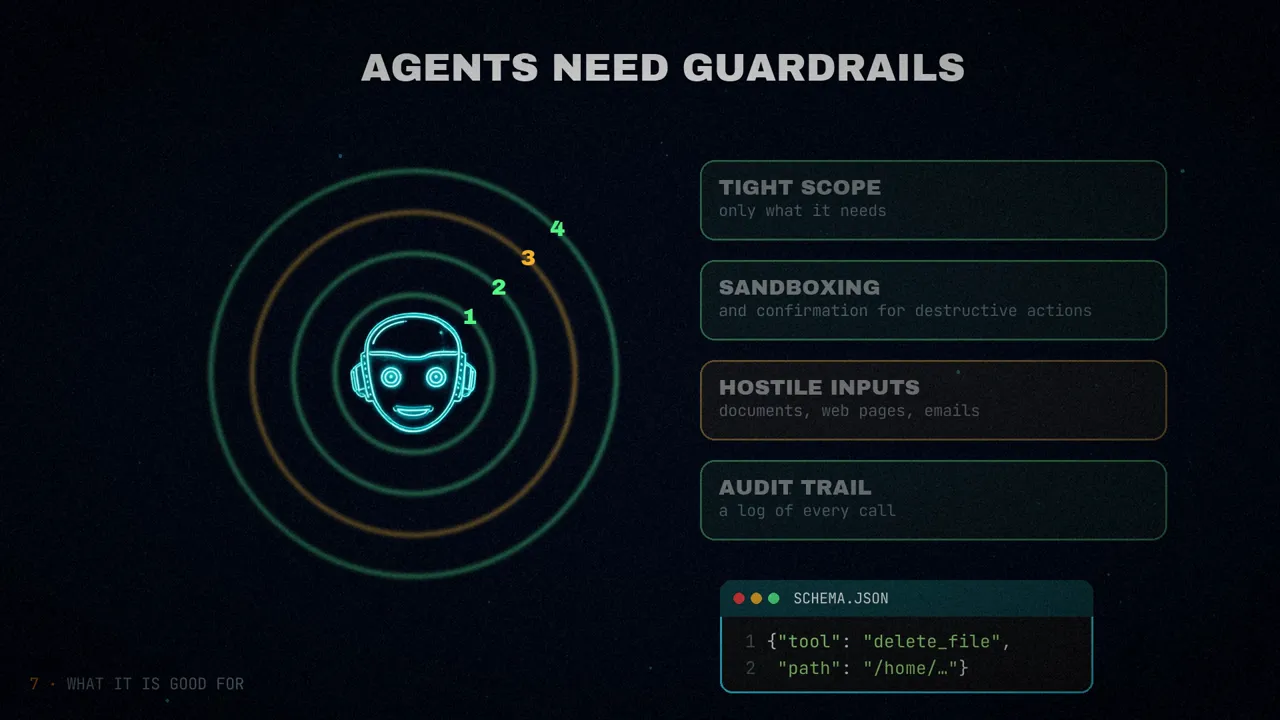
With tools, a local model gets much more useful and much more dangerous. A chatbot that hallucinates is annoying; an agent with filesystem access can delete things, and one with a shell can damage the machine faster than you can read the logs. Ahmad proposes four layers: scope it tightly, constrain execution (sandboxes, least-privilege users, confirmation for destructive actions, validated arguments), treat inputs as hostile, and keep an audit trail. Schemas help, but they are not a security boundary: put policy checks outside the model.
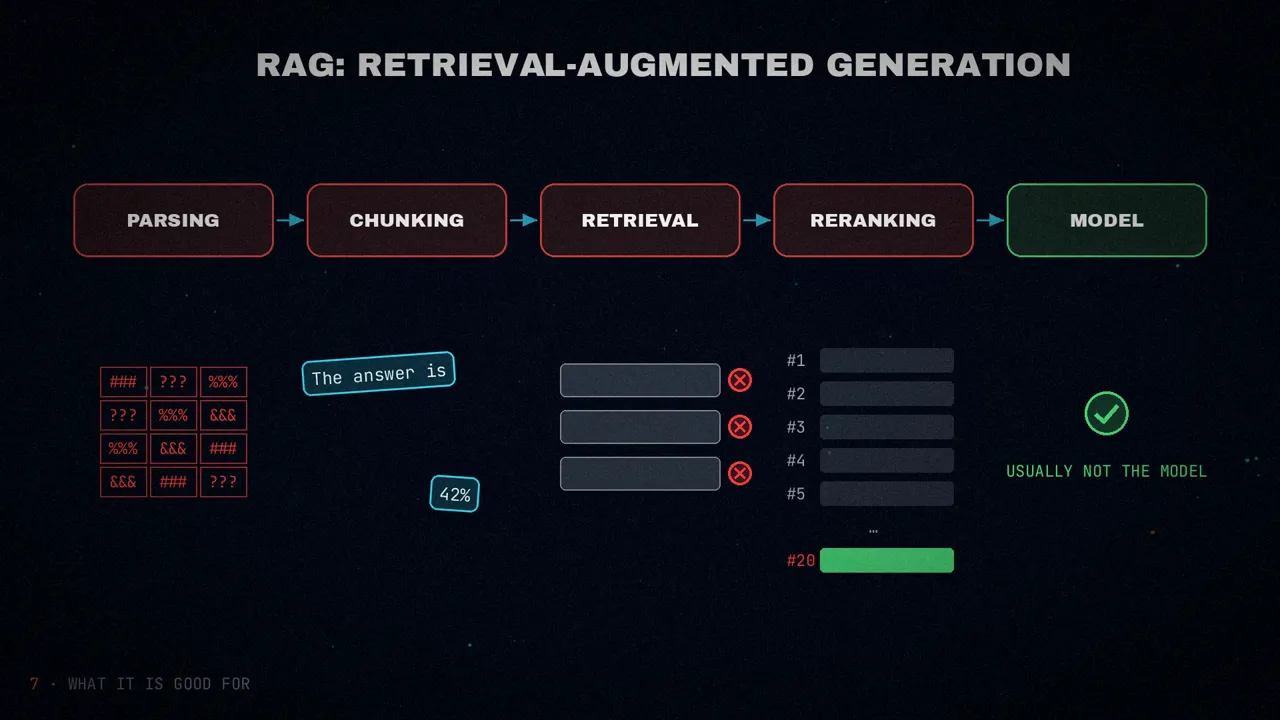
RAG (retrieval-augmented generation) beats giant prompts, but every stage can fail: parsing turns tables into garbage, chunking splits the answer, retrieval brings back irrelevant paragraphs and reranking buries the right one at rank 20. According to Ahmad, most bad RAG systems are not bad because of the model, but because of chunking, retrieval, reranking and evaluation. Chunking is the silent killer; a good reranker can rescue mediocre retrieval, but none can fix chunks that lost the answer.
With private documents (meeting notes, contracts, technical docs) local shines: keep speaker labels and timestamps, chunk contracts by clause and ask for citations with page or section. The model does not know what is in your documents: only what you give it. And at the edge (phones, robots, vehicles, medical devices, field equipment), low memory, power, heat and flaky connectivity rule: a 0.5B-4B model, aggressive quantization, tiny prompts and fixed schemas. There, a small reliable model beats a large fragile one.
Before you trust it
Ahmad closes with a four-step runbook:
- Choose and fit: family, license, hardware, quantization and the full memory bill (not just weight size).
- Load and format: safetensors or GGUF from reputable sources, a verified tokenizer and template, and context and decoding set on purpose. If the template is wrong, the eval is invalid.
- Evaluate and operate: representative prompts, measured time to first token, speed and memory; evaluate retrieval before adding RAG and sandbox tools before adding agents.
- Version everything: model, quantization, runtime, prompt, template, adapters, embeddings, reranker, evals and hardware.
Fine-tuning comes last. LoRA freezes the model and trains small adapters; QLoRA does it on top of a 4-bit quantized model. It helps with a consistent style, an output format, repetitive extraction, tool-call reliability or narrow tasks. But do not start there: the order is correct template, better prompting, a better model, better decoding, RAG, reranking, few-shot examples, and only then fine-tuning. Many problems that look like "the model does not understand my domain" are really a vague prompt, a wrong template or broken retrieval.
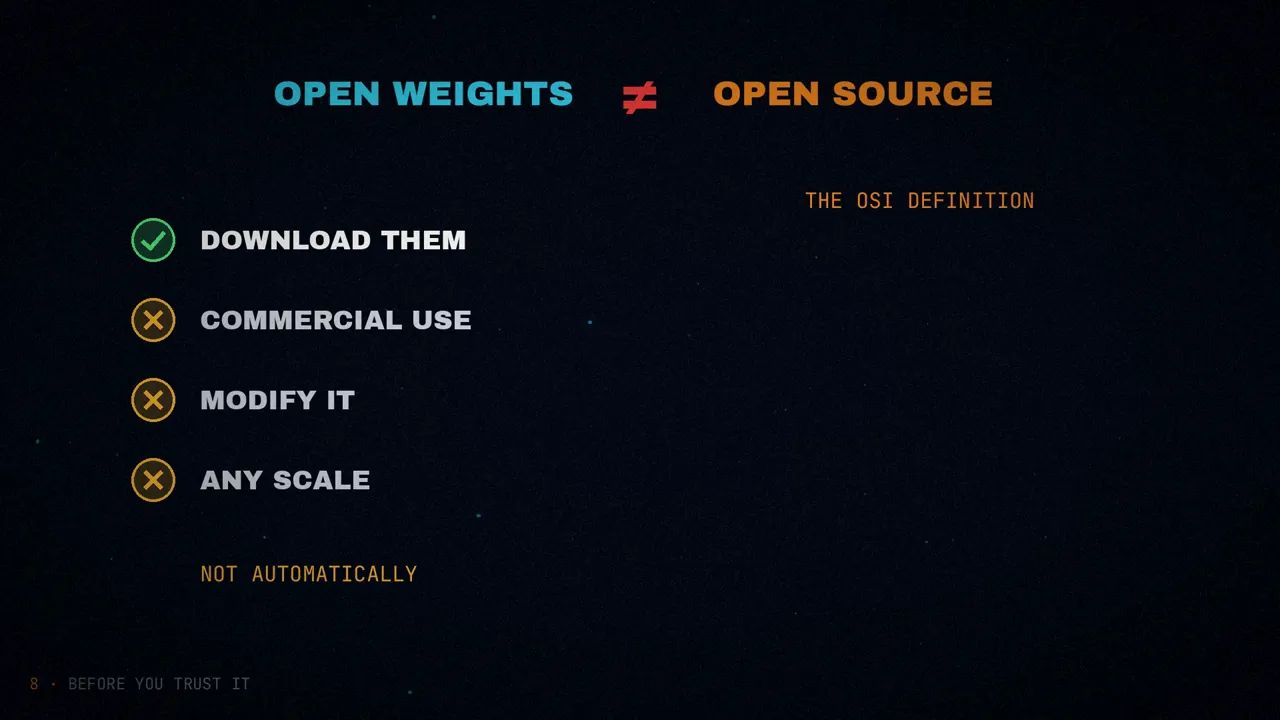
And one point about vocabulary: open weights do not mean open source. Being able to download the weights does not mean you can use the model commercially, modify it, train on its outputs or deploy it at any scale. The OSI's Open Source AI Definition asks for much more: architecture, weights, inference code, and enough information and code about the training data. And some licenses look permissive but restrict uses or scale. Read the model card and the license before using a model at work.
To sum up
The fundamentals have not changed: the model predicts one token at a time, tokens are not words, weights are not the whole model, templates matter, the KV cache is the hidden memory bill, quantization is a tradeoff, long context is not free, RAG quality depends on retrieval, fine-tuning needs evals, and local privacy still requires discipline.
Running models locally is mostly memory math, formatting and evaluation.
Which model do you run locally, and on what hardware?
Sources
- LLMs 101: A Practical Guide (2026 Edition), by Ahmad Osman (@TheAhmadOsman), May 21, 2026.
- The video, on my channels: English and Spanish.