agent.pymda deploy
What Managed Deep Agents is
Building a capable agent keeps getting easier. The hard part is running it in production. Managed Deep Agents goes straight at that: your agent is a folder of files. You write its instructions and tools, pick the model, and deploy it to LangSmith with a single command. LangSmith provides the Deep Agents harness and the whole production runtime around it. There are no servers to run and no infrastructure to wire together.
It opened as a private beta on May 13, 2026, and it is now in public beta on LangSmith Cloud, with a quickstart that takes you from an empty directory to a deployed agent.
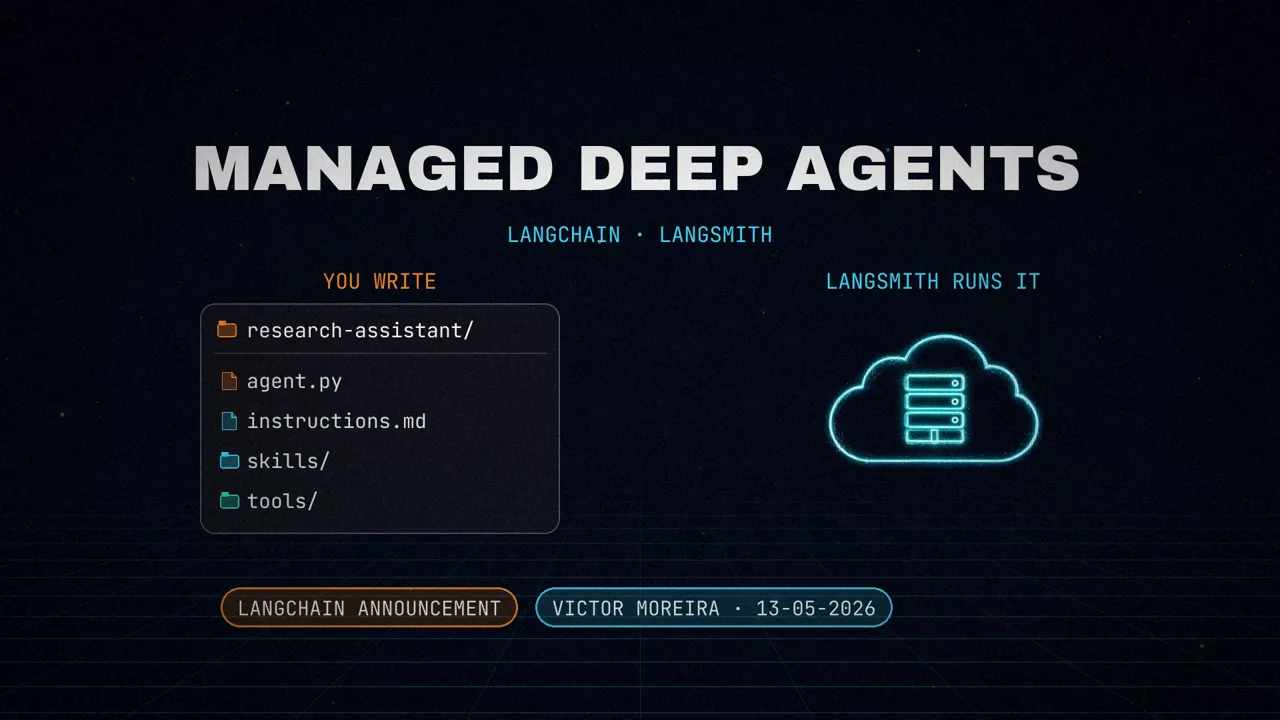
The article's example is a support agent: it answers questions in a Slack channel and, every night, sweeps the tickets that have gone stale. Each of those two jobs is simply a file in its project.
Why they built it
Making a capable agent is no longer the problem. The open source Deep Agents harness already gives an agent a filesystem, lets it plan its work, and lets it hand parts of it off to subagents.
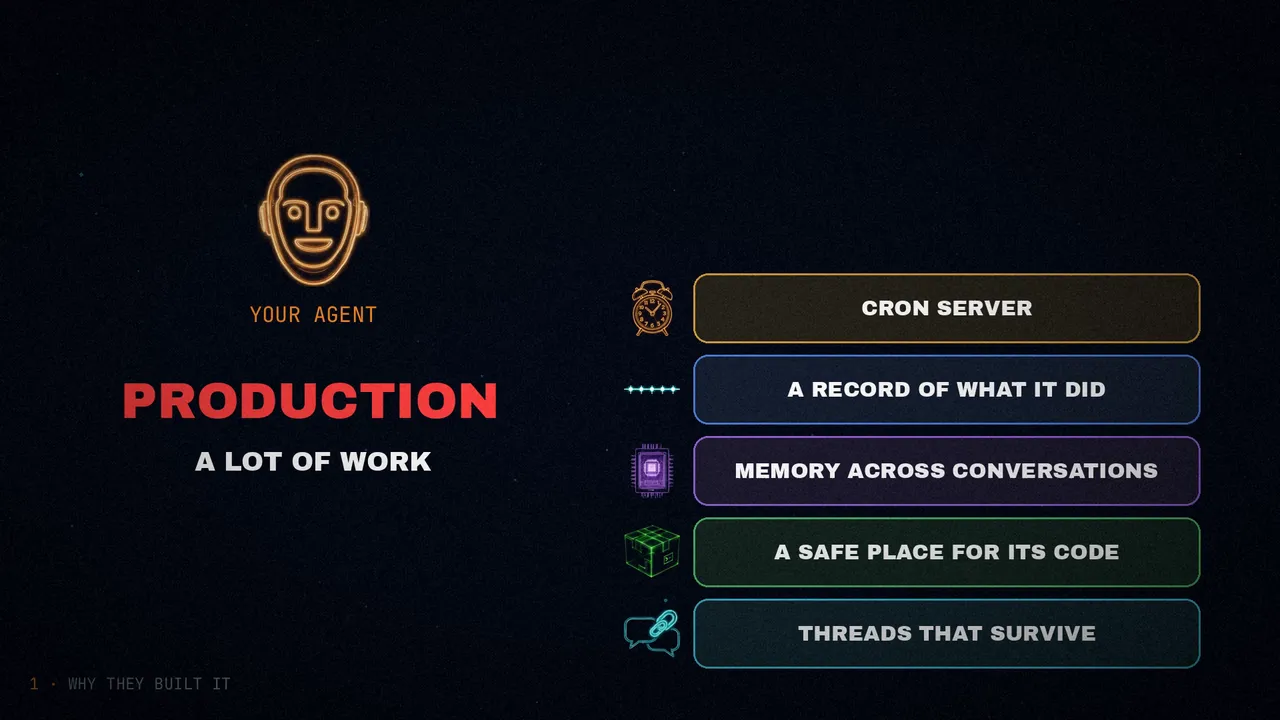
But running it in production is still a lot of work. An agent in production needs:
- Threads that survive restarts.
- A safe place to run the code it writes.
- Memory that lasts between conversations.
- A record of what it did.
- A cron server for scheduled runs.
According to the article, teams end up building and operating all of that before the agent reaches a single user.
LangChain adds another reason, which is its own view: an agent cannot be proactive or multiplayer unless it is running in production. To act without anyone messaging it, or to serve a whole team, it has to be always on.
Managed Deep Agents takes that layer off your plate. Every deployment runs on LangSmith Agent Server, which gives you durable threads and streaming runs without operating a server.
The company says it builds its own agents this way: its go-to-market agent (GTM Agent), the coding agent Open SWE and Content Studio all run on this service. And according to LangChain, Content Studio's code shrank by about 80% when they moved it over. That's one case, reported by the company itself, not a general figure.
An agent is a folder
Inside, a Managed Deep Agent is a normal Python project. The only required file is agent.py, which defines the agent with define_deep_agent. This is the research assistant from the quickstart: a name, a model and a web search tool.
from managed_deepagents import define_deep_agent

agent = define_deep_agent(
    name="research-assistant",
    model="openai:gpt-5.5",
    tools=[{"type": "web_search"}],
)
More files sit next to it:
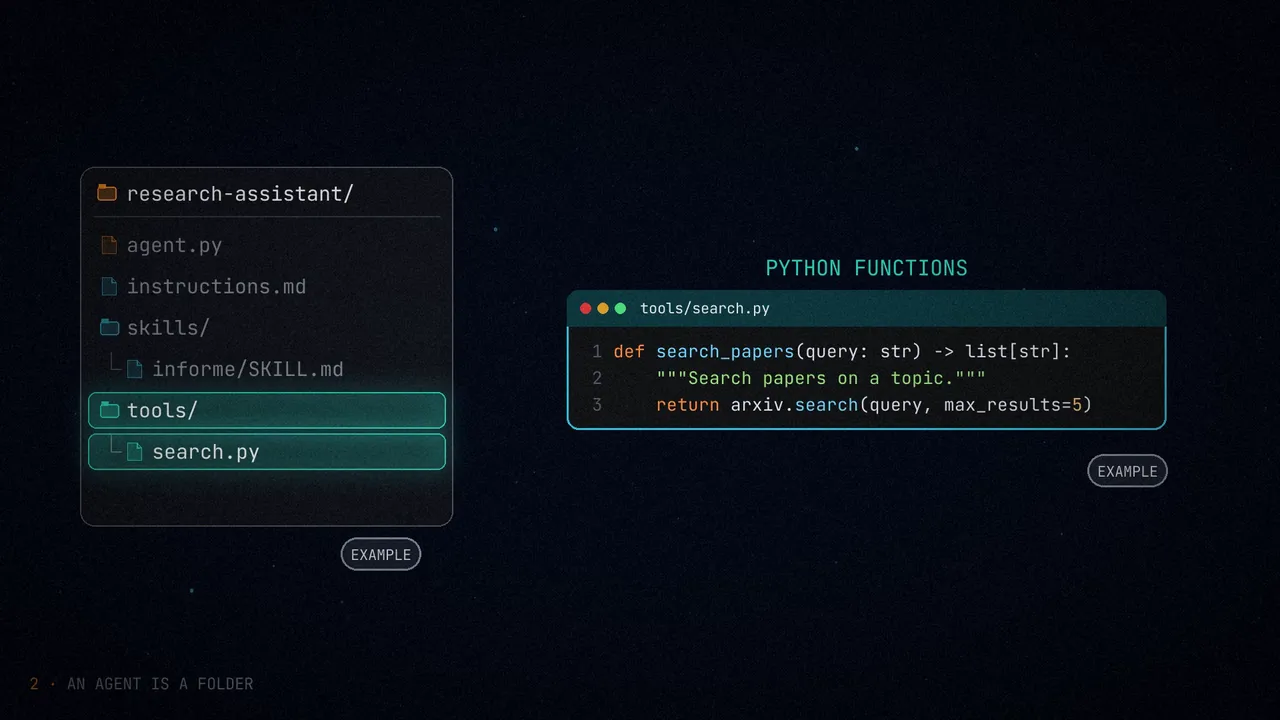
instructions.md: the system prompt.skills/: each folder holds a playbook the agent loads when a task calls for it.tools/: the tools, ordinary Python functions you import intoagent.py.tools/mcp.py: adds tools from remote MCP servers.
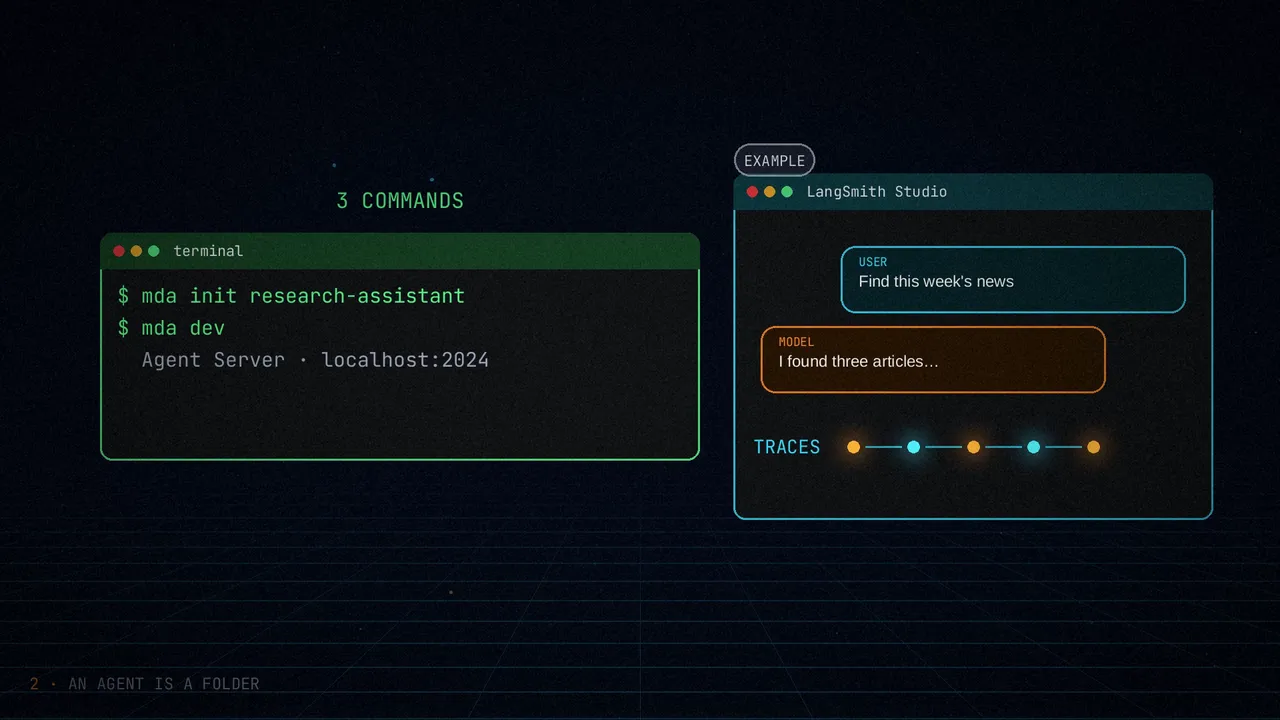
A few commands take the project from an empty directory to a deployment:
uvx --from managed-deepagents mda init research-assistant
cd research-assistant
uv sync
uv run mda dev
uv run mda deploy
mda init creates the project. mda dev starts a local Agent Server and opens the agent in LangSmith Studio, where you can chat with it and inspect its traces. And mda deploy ships the project to LangSmith and adds your model provider's key to the deployment. If you'd rather have a coding agent do the setup, the managed-deep-agents skill walks it through the same steps.
Add what it needs
The interesting part is how it grows. Each managed capability is a file or a folder in the project, and mda deploy sets up whatever it finds. You can start with agent.py alone and add pieces as the agent needs them.
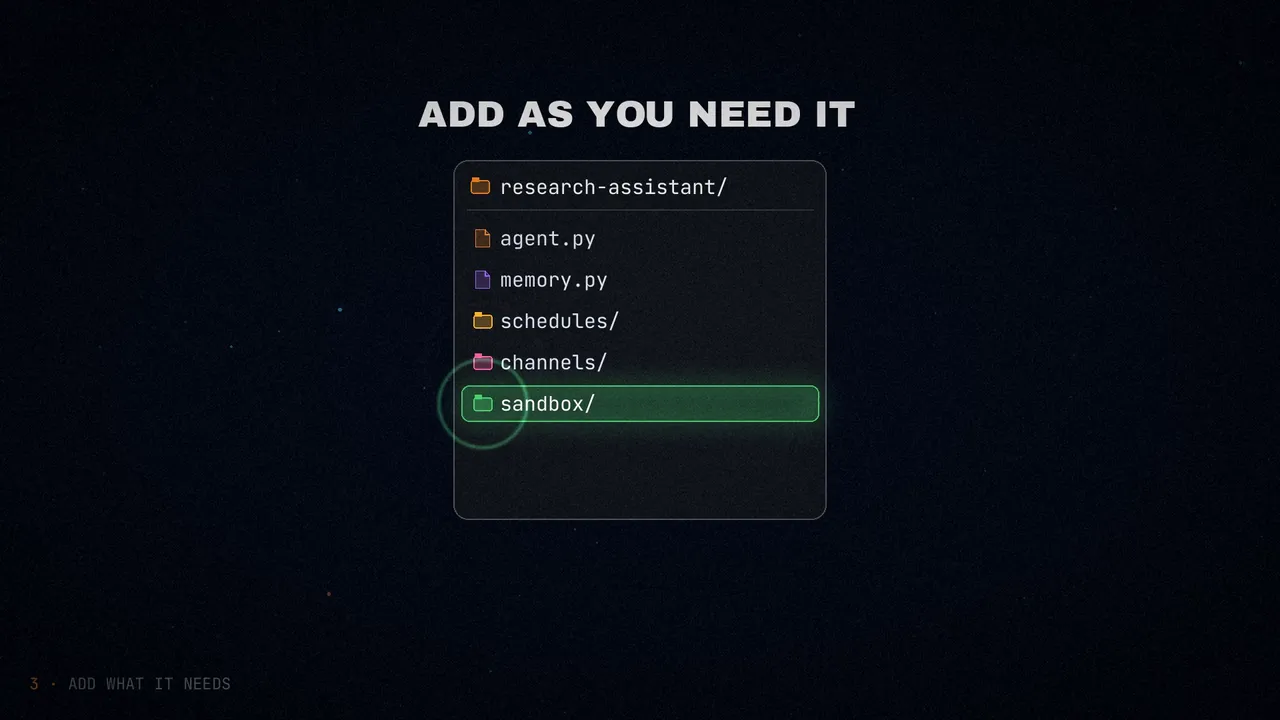
- Memory. By default, the agent only remembers the current thread. Add
memory.pyand it keeps knowledge across threads: in a layer shared by every caller, a private layer for each user, or both. - Schedules. A file under
schedules/runs the agent on a cron schedule, andmda deployprovisions it once the deployment is live. - Channels. With
channels/slack.py, people start runs from Slack and get the agent's answers in the same conversation. And any service that can send a webhook can start runs over HTTP. - Sandbox. The
sandbox/folder gives the agent an isolated filesystem and shell for running the code it writes. - Identity and connections.
identity.pyauthenticates callers, so each person gets private threads, memory and credentials. Connections store API keys and run OAuth, so end users authorize their own accounts and you don't have to hand out credentials. - Subagents. You declare them in the agent definition. An async subagent runs in the background while the agent keeps talking to the user.
- Evals.
mda evals init -isets up a Harbor eval workspace underevals/and hands off to a coding agent to write the tasks.
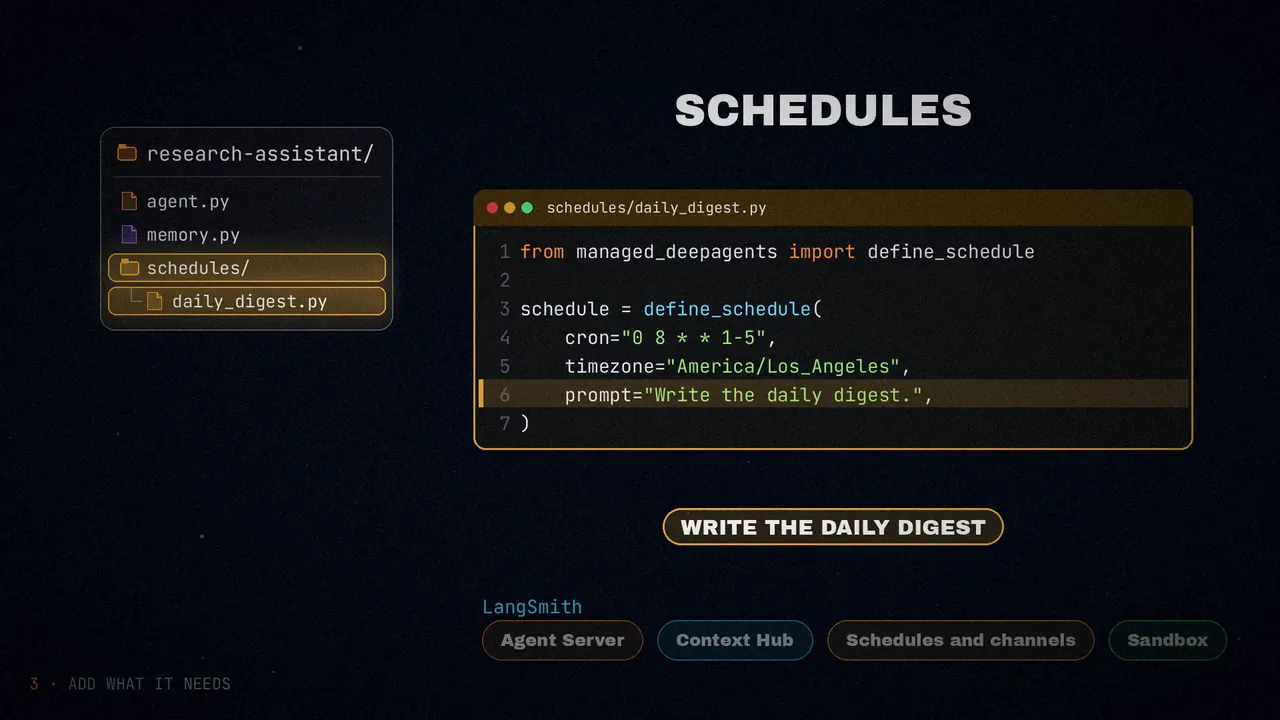
A schedule, for example, is a few lines in schedules/daily_digest.py: Monday to Friday, at 8 a.m. Los Angeles time, write the daily digest.
from managed_deepagents import define_schedule

schedule = define_schedule(
    cron="0 8 * * 1-5",
    timezone="America/Los_Angeles",
    prompt="Write the daily digest.",
)
Some capabilities need no file at all. The agent comes with web search powered by Parallel, with no separate account or API key. It can work in a browser, handing control to you when a site needs a login. And to approve selected tool calls before they happen, you set interrupt_on in the agent definition.
Calling it from outside
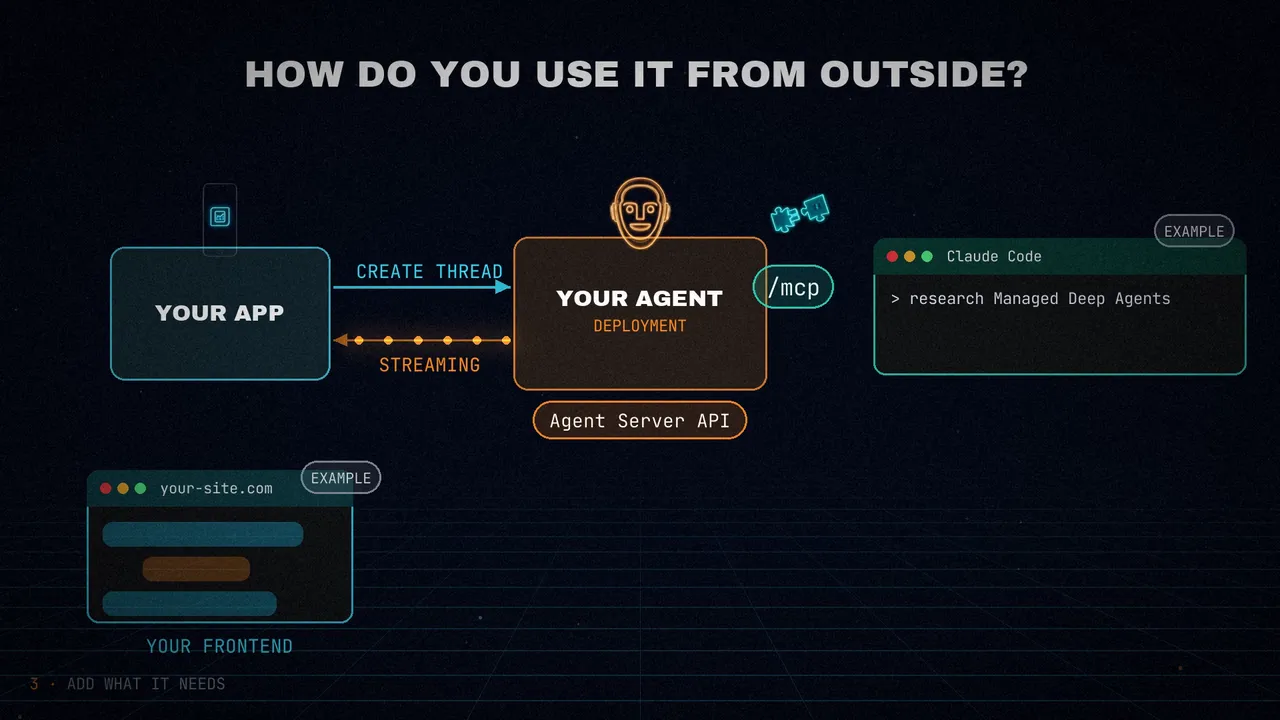
Every deployment serves the Agent Server API: your own app can create threads and stream runs, or you can build a custom frontend on top of it. Deployments also serve an MCP endpoint at /mcp, so MCP clients like Claude Code can call the agent as a tool.
What teams are building
LangChain describes the patterns that come up most among teams in the public beta. It gives no customer names or numbers:
- Incident triage. The agent picks up monitoring alerts posted to a Slack channel, investigates them in its sandbox and reports what it found in the thread. Some teams have it open a pull request with the fix.
- Engineering workflows. A webhook from the issue tracker starts a run, and the agent works through a build-and-verify loop. Other teams have it test fixes in preview environments with a browser before a person reviews them.
- Internal assistants in Slack. One agent per job, such as an HR policy assistant or a finance assistant that manages the team's tasks in its project tool.
- Agents inside a product. A customer-facing agent runs behind the company's own frontend through the Agent Server API, with per-user memory so each customer's context stays separate.
- Long-running project agents. One agent per project keeps that project's memory and handles tasks for its project managers as the work goes on.
- Scheduled work. Agents modeled on company functions, like sales or product, run on schedules and produce competitive reviews and marketing assets without anyone prompting them.
Improving from real usage
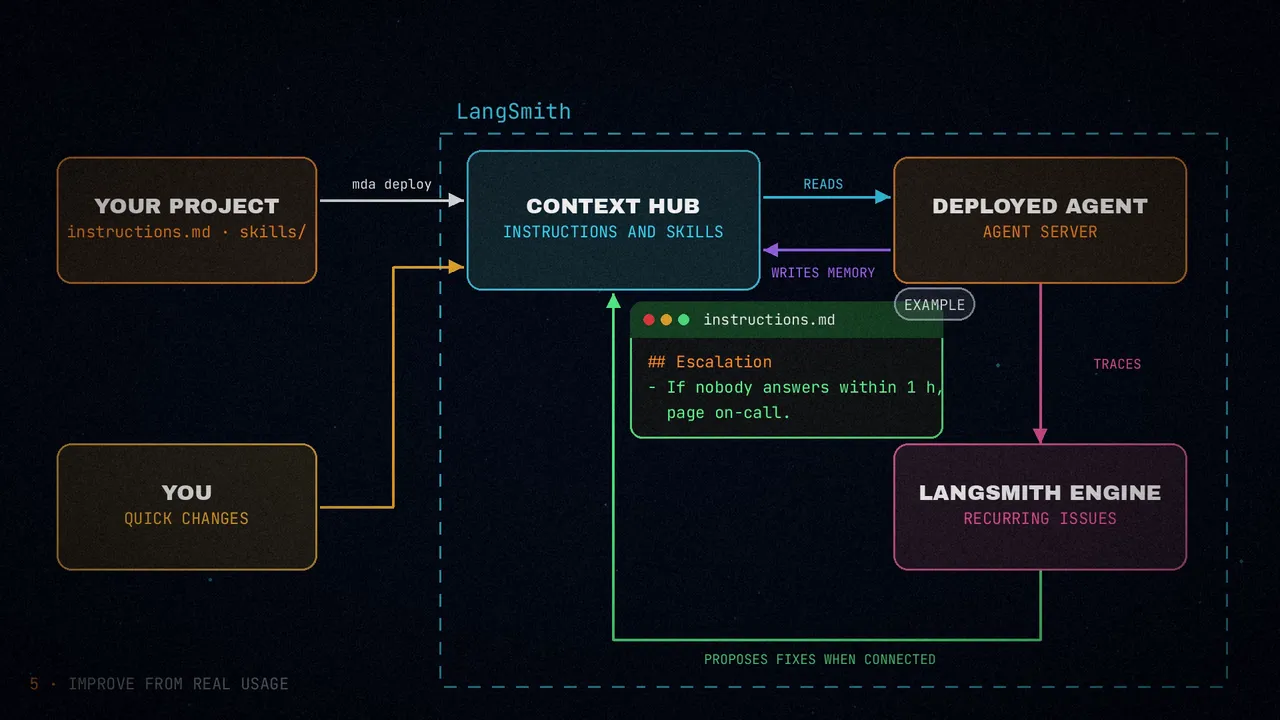
The last piece is how the agent improves with use. Its instructions and skills live in LangSmith Context Hub. Each mda deploy syncs instructions.md and skills/ from your project, and you can edit them in Context Hub for a quick change without redeploying. If someone changed the Hub copy since your last deploy, the CLI asks which version to keep.
Durable memory lives in Context Hub too, and the agent writes to it as it works. A support agent that learns your team's escalation path keeps it for every conversation that follows.
Runs are traced in LangSmith, so you can read every tool call and intermediate step. LangSmith Engine works from those traces to surface recurring issues and diagnose their cause. When you connect it to the agent's Context Hub repository, it can propose fixes to the instructions and skills. Propose, not apply: the decision stays with you.
Open source underneath
Underneath runs the same open source harness, with the same agent loop, filesystem tools, subagents and skills. In code, the only difference is who compiles the agent:
create_deep_agentreturns a compiled agent that you run, and you own the backend, store, checkpointer and server around it.define_deep_agenttakes the same parameters, minus the ones the runtime manages, and returns a definition that the managed runtime compiles for you.
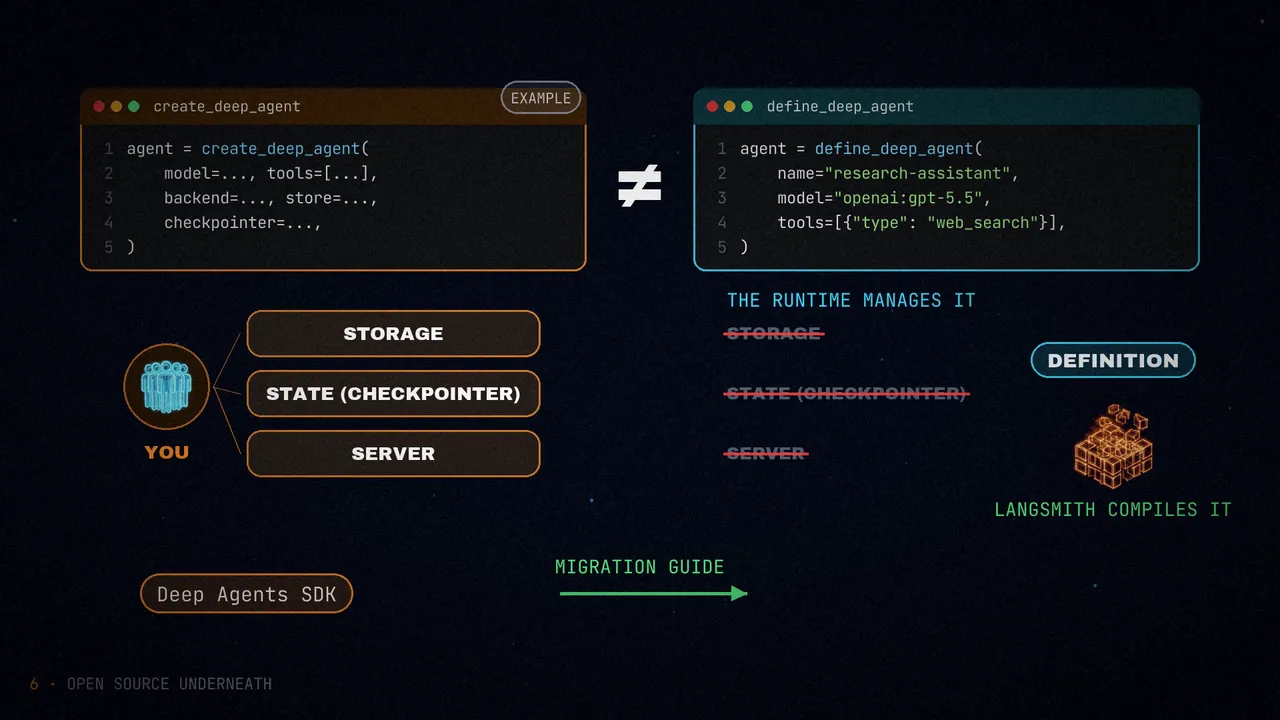
If you've already built an agent with create_deep_agent, there's a guide to convert it. And if you want full control over hosting, the Deep Agents SDK runs the same harness on your own infrastructure.
To sum up
With Managed Deep Agents, your agent is a folder. Memory, schedules, channels and the sandbox are files you add, and LangSmith brings the server, the traces and the improvement loop. It's LangChain's own announcement and the service is still in public beta, so it remains to be seen how those defaults hold up in real production; the company itself asks to hear where the defaults work and where people need more control.
Write what your agent does as a folder of files and let the runtime bring everything else.
What agent would you deploy if a folder was all it took?
Sources
- "Introducing Managed Deep Agents", by Victor Moreira (LangChain blog, May 13, 2026, updated November 2, 2026).
- The video, on my channels: English and Spanish.