Model, reasoning and agent: the engine and the car
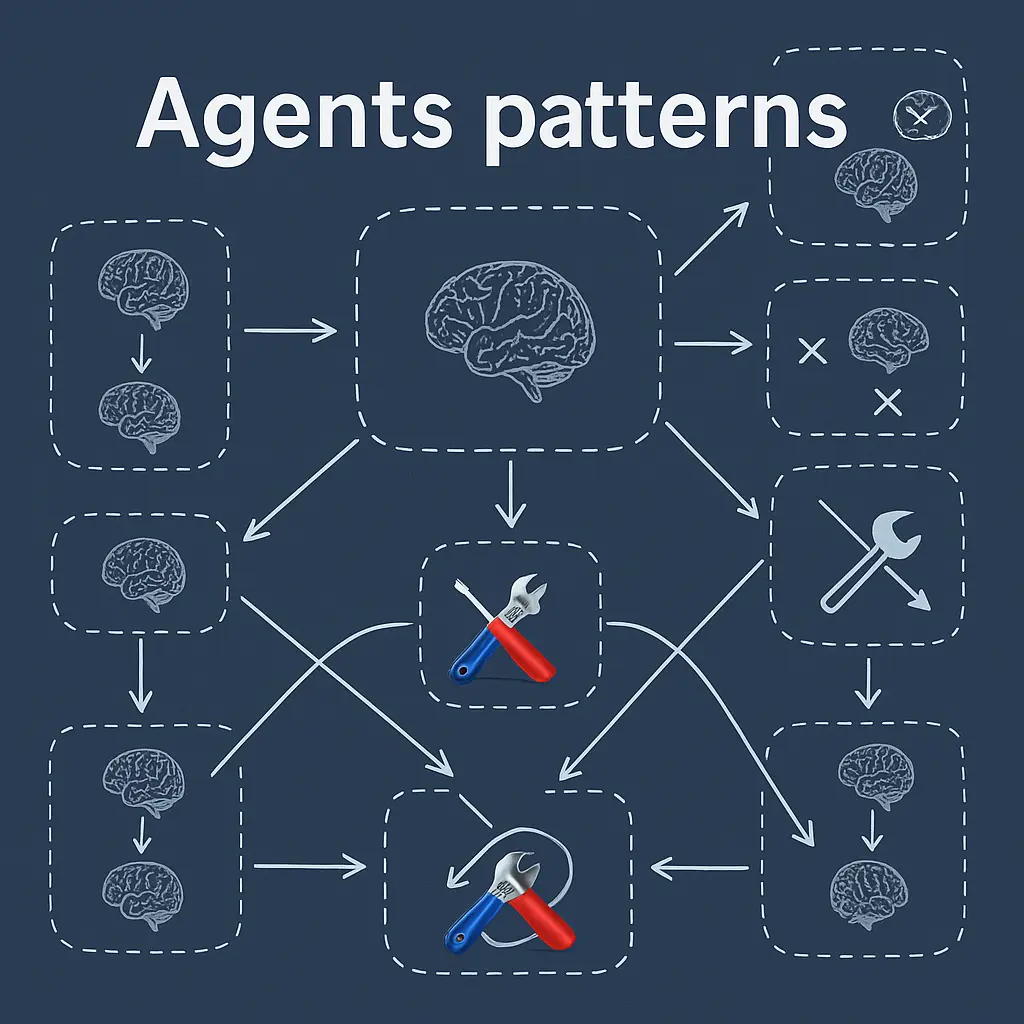
Raschka starts with an idea I share: much of the recent progress in LLM systems doesn't come from better models, but from how we use them. Tools, context management and memory matter as much as the model itself. To talk about it, it helps to separate three concepts we tend to mix up:
- Language model: the core. It predicts the next token.
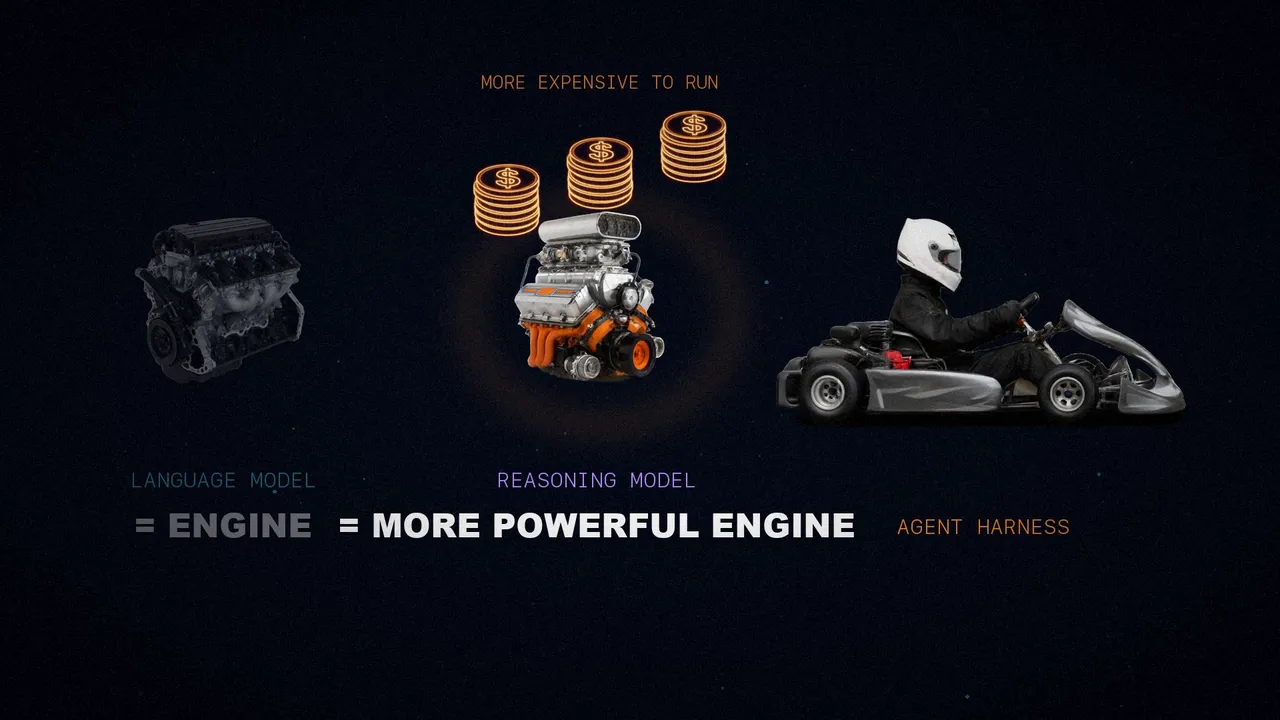
- Reasoning model: still a language model, but trained or prompted to spend more compute when answering: it reasons step by step, checks itself, or searches among several candidate answers.
- Agent: a layer on top, a control loop around the model. Given a goal, it decides what to look at next, which tools to call, how to update its state and when to stop.
His analogy is a car: the language model is the engine; the reasoning model, a more powerful engine, but more expensive to run; and the agent harness is the whole car, what lets you get the most out of that engine.
Two more terms. An agent harness is the software scaffolding around the agent: it manages context, tools, prompts, state and control flow. A coding harness is a special case, built for software engineering. Claude Code and Codex are coding harnesses; OpenClaw, on the other hand, is a more general agent harness.
The coding harness
A model can solve coding tasks on its own, but coding is only partly about generating text. It's also about navigating the repository, searching, finding functions, applying changes, running the tests, reading the errors and keeping track of what matters. Raschka puts it with a smile: it's hard mental work, which is why we hate being interrupted.
A coding harness has three layers:
Provides the engine: a base model or a reasoning one.
Solves the problem iteratively: observe, inspect, choose and act.
The plumbing: repo context, tools, permissions, memory and cache.
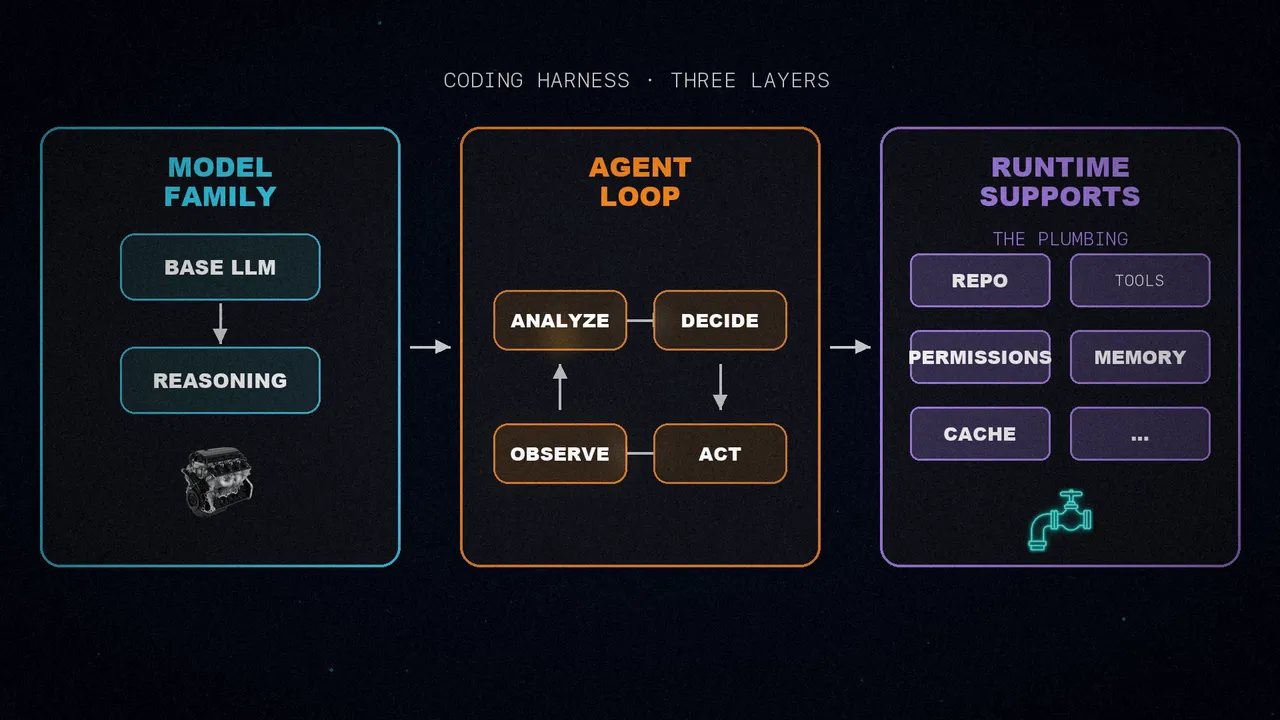
When we talk about the harness, we mean the layer that assembles the prompts, exposes the tools, tracks file state, applies edits, runs commands, manages permissions, caches what doesn't change and stores memory. Today, that layer shapes almost the entire user experience. A web chat, by contrast, is closer to "chatting with uploaded files".
Here Raschka takes a stance. He thinks the vanilla versions of the top models already perform very similarly, so the harness is often what makes the difference. And he speculates: if we dropped a leading open-weight model, such as GLM, into a similar harness, it could perform on par with GPT in Codex or Claude Opus in Claude Code. That said, harness-specific post-training usually helps: OpenAI has kept a general variant of its model and another one specialized for Codex.
To show the pieces, Raschka wrote his own minimal agent, in pure Python with no dependencies. Its code marks the six components below with comments.
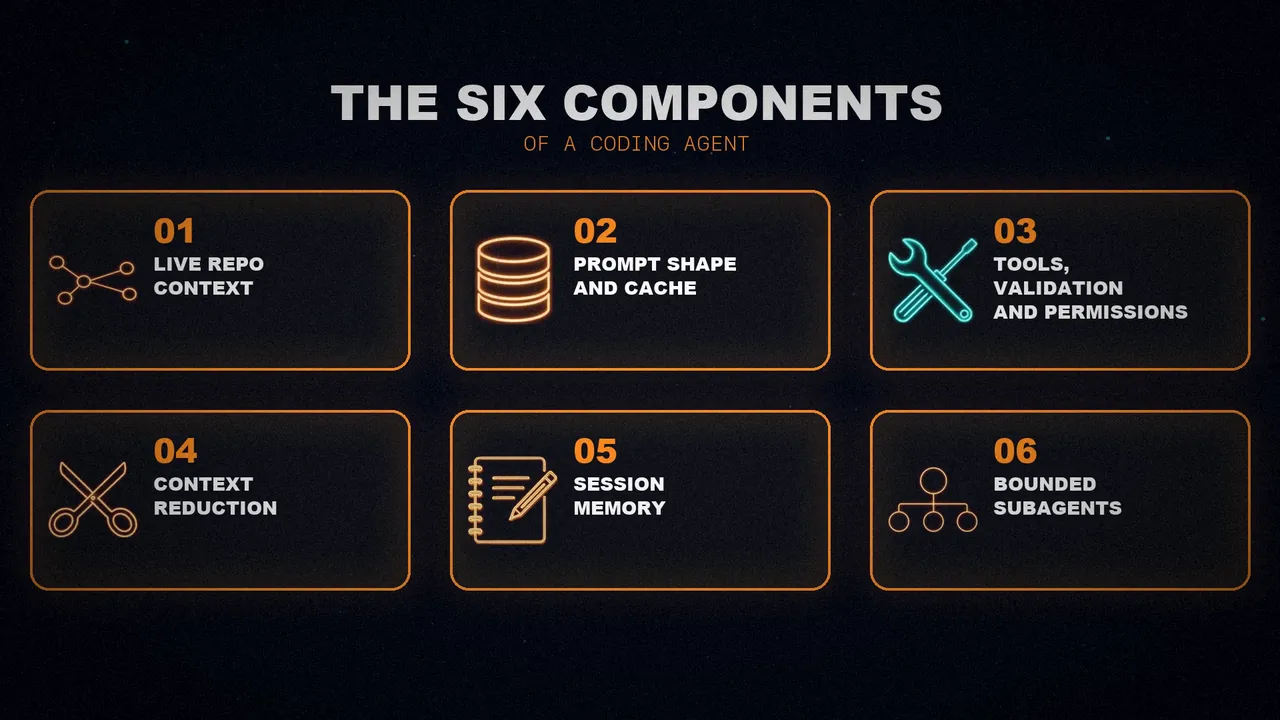
1. Live repo context
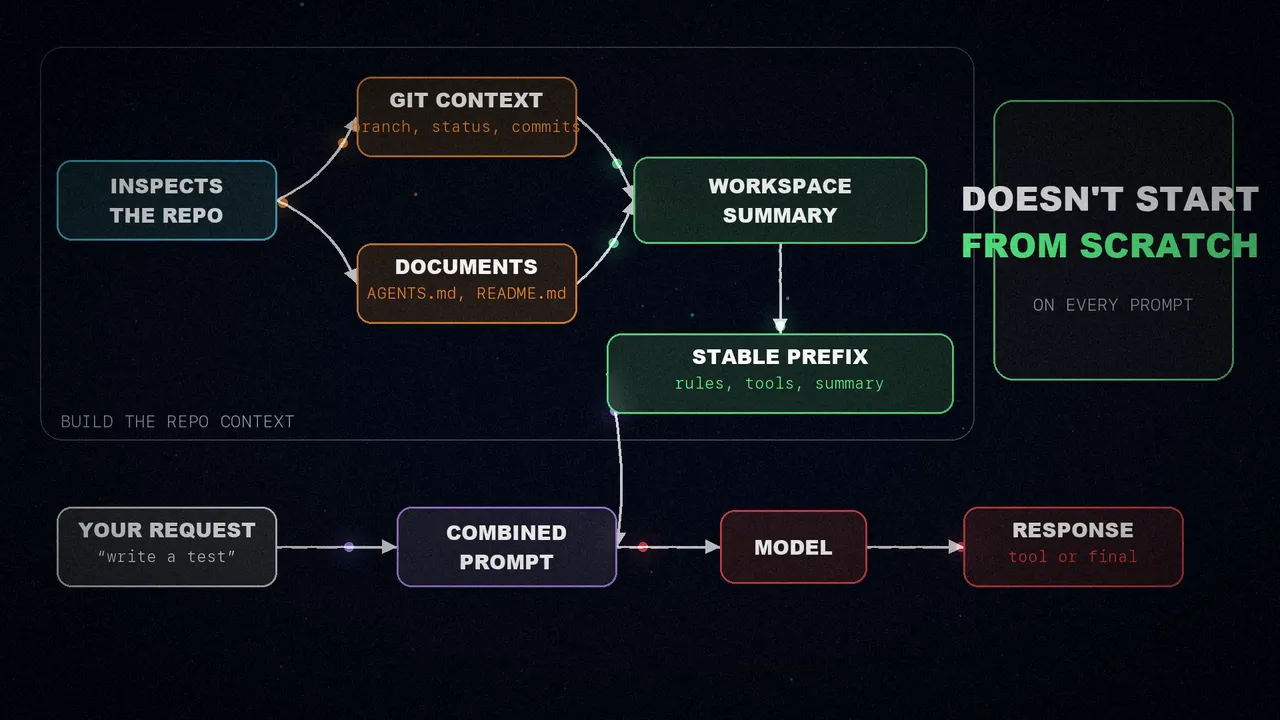
It may be the most obvious component, but it's one of the most important. When you say "fix the tests", the model should know whether it's inside a Git repository, on which branch, and which project documents might contain instructions. That request isn't self-contained:
- If the agent sees an
AGENTS.mdor the project'sREADME, it can learn which command runs the tests. - If it knows the repository root and layout, it looks in the right place instead of guessing.
- The branch, the status and the latest commits tell it which changes are in progress.
So, before doing any work, the harness inspects the repository, pulls the Git context and the project documents, and condenses them into a workspace summary. That summary is combined with your request, so the agent doesn't start from scratch on every prompt.
2. Prompt shape and cache reuse
We already have the repository data. But rebuilding and reprocessing it on every request would be a waste. Coding sessions are repetitive: the agent's rules don't change, neither do the tool descriptions, and the project summary barely changes at all. What does change on every turn is your latest request, the recent conversation and the short-term memory.
That's why a smart harness splits the prompt in two:
- A stable prefix, with the instructions, the tools and the workspace summary, which it reuses from the cache.
- The session state, which it appends at the end of each turn.
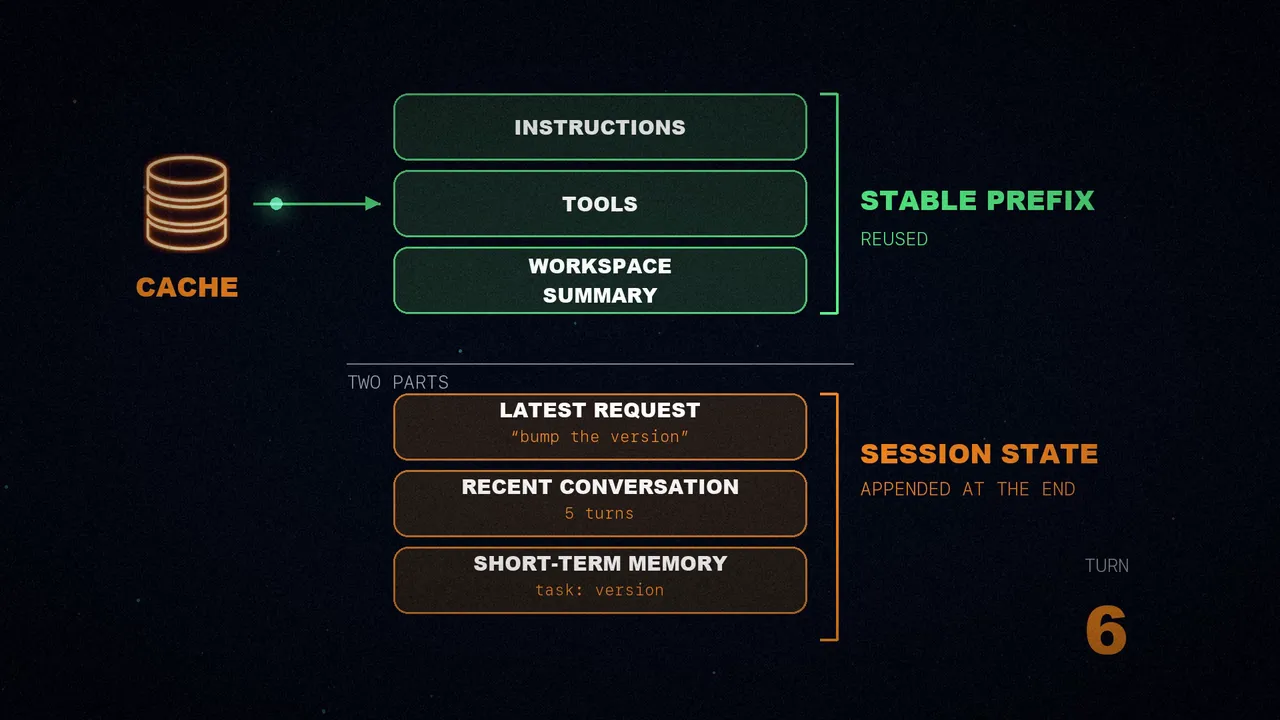
The difference from component one: that one gathers the repository facts; this one packages them and caches them for repeated model calls. There's no point spending compute rebuilding from scratch what hasn't changed.
3. Tools, validation and permissions
This is where it stops feeling like a chat and starts feeling like an agent. A plain model suggests commands as text, and you run them and paste back the result. In a coding harness, the model runs the command itself and gets the output.
But the harness doesn't let it improvise any syntax. It gives it a closed list of named tools, with clear inputs and clear limits: list the directory, read, search, run a shell command, or write a file. And the model has to pass the arguments in a shape the harness can check. When the model asks for an action, the harness stops and asks four questions:
Only the ones on the closed list.
In a shape the harness knows how to check.
Writing a file, for example, asks for permission.
The agent doesn't leave the repository.
Only when it passes every check does anything run. Then the result is clipped and fed back into the loop.
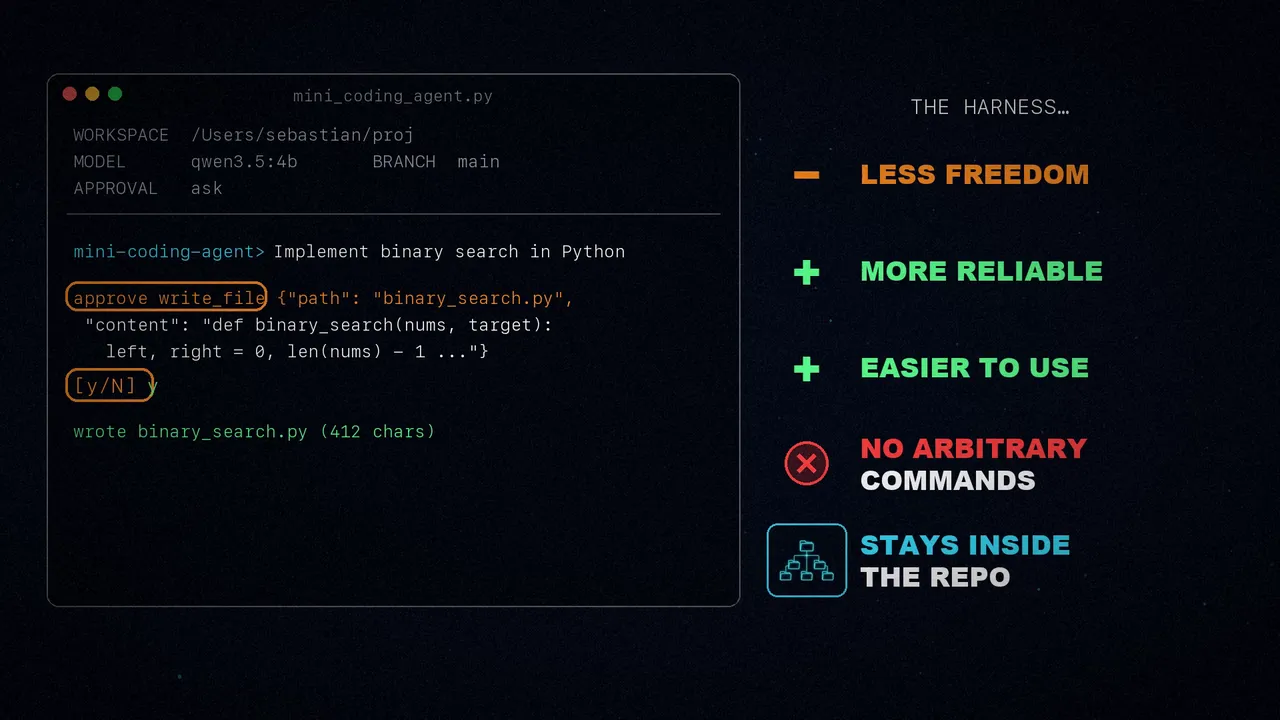
In the Mini Coding Agent it looks like this: you ask it to "implement binary search in Python", and before writing the file it asks whether you approve. The harness gives the model less freedom, but that makes it more reliable and easier to use: it doesn't run arbitrary commands and it doesn't leave the repository.
4. Minimizing context bloat
Context bloat is a problem for every language model. They accept longer and longer contexts, but those are still expensive and can add noise. And a coding agent suffers from it even more: it reads the same files several times and piles up tool outputs and very long logs. If it kept everything at full fidelity, it would run out of tokens fast.
A minimal harness uses at least two strategies:
- Clipping: it shortens document snippets, long outputs, memory notes and history entries, so that no text eats up the prompt budget just because it's long.
- Summarizing the history: it turns the whole session into a small summary that fits in the prompt. The trick is to keep recent events in more detail, because they matter more for the current step, and to compress older ones more.
On top of that, repeated reads of the same file are deduplicated, so the model doesn't see it over and over.
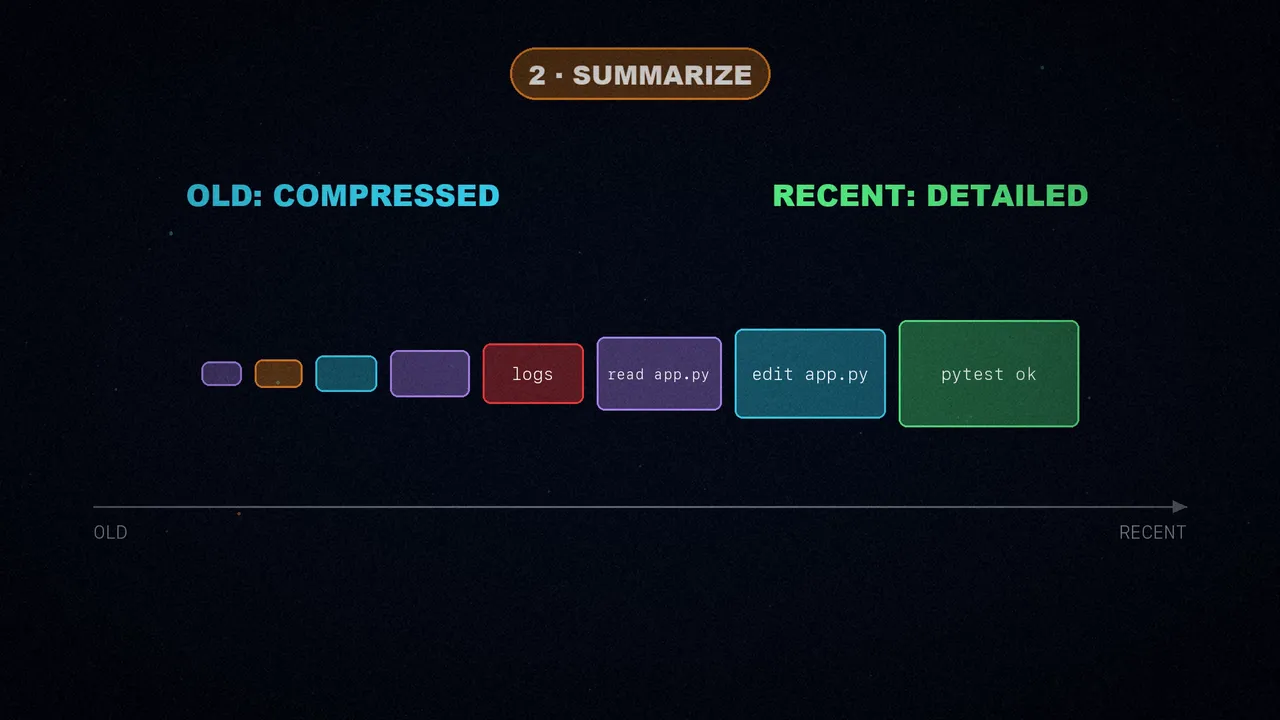
For Raschka, this is one of the most boring and underrated parts of agent design. But his line is the one I keep: a lot of what looks like model quality is really context quality.
5. Session memory
The previous component answered how much of the past goes back to the model on the next turn. This one answers a different question: what does the agent keep as a permanent record? And it splits it into at least two layers, usually stored on disk as JSON files:
All your requests, the tool outputs and the model's responses. You can resume it even if you close the agent.
A small, distilled state, with the current task, the important files and recent notes. It doesn't just grow: it gets edited and compacted.
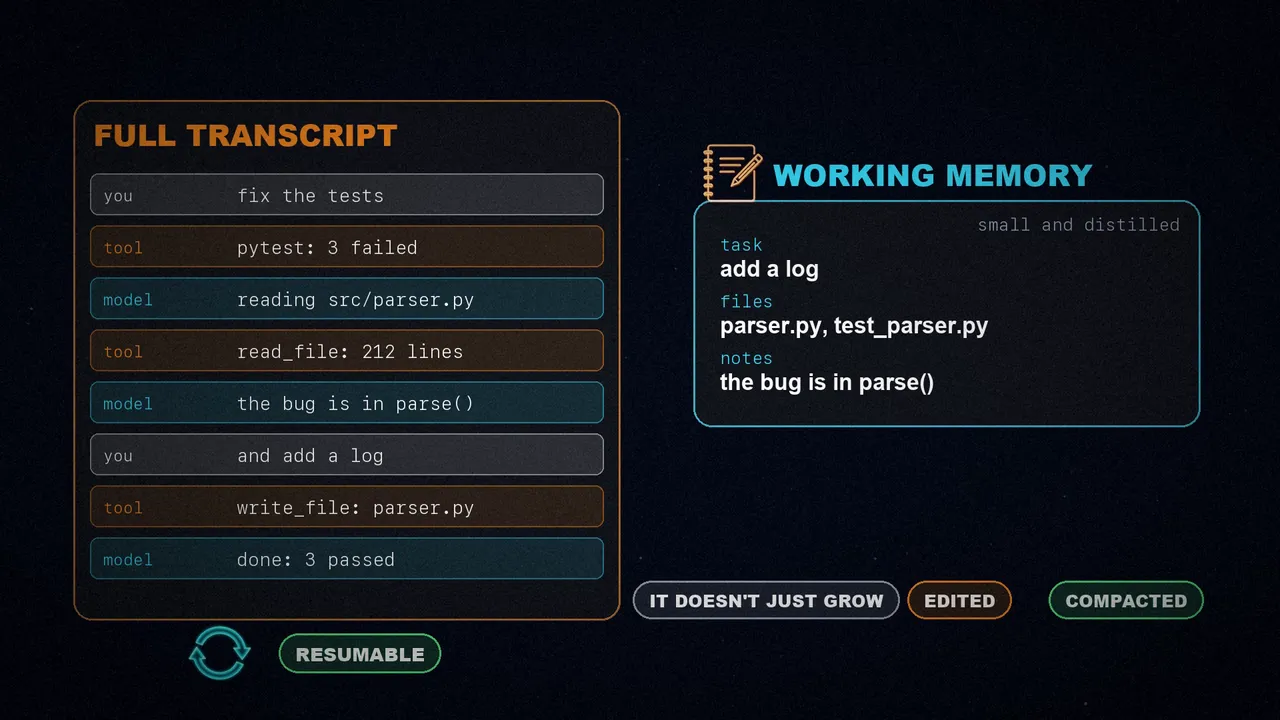
Working memory sounds like the compact history from component four, but it serves a different purpose. The compact history is for rebuilding the prompt: it gives the model a compressed view of recent events. Working memory is for keeping track of the task across turns. And every new event is written to both layers.
6. Bounded subagents
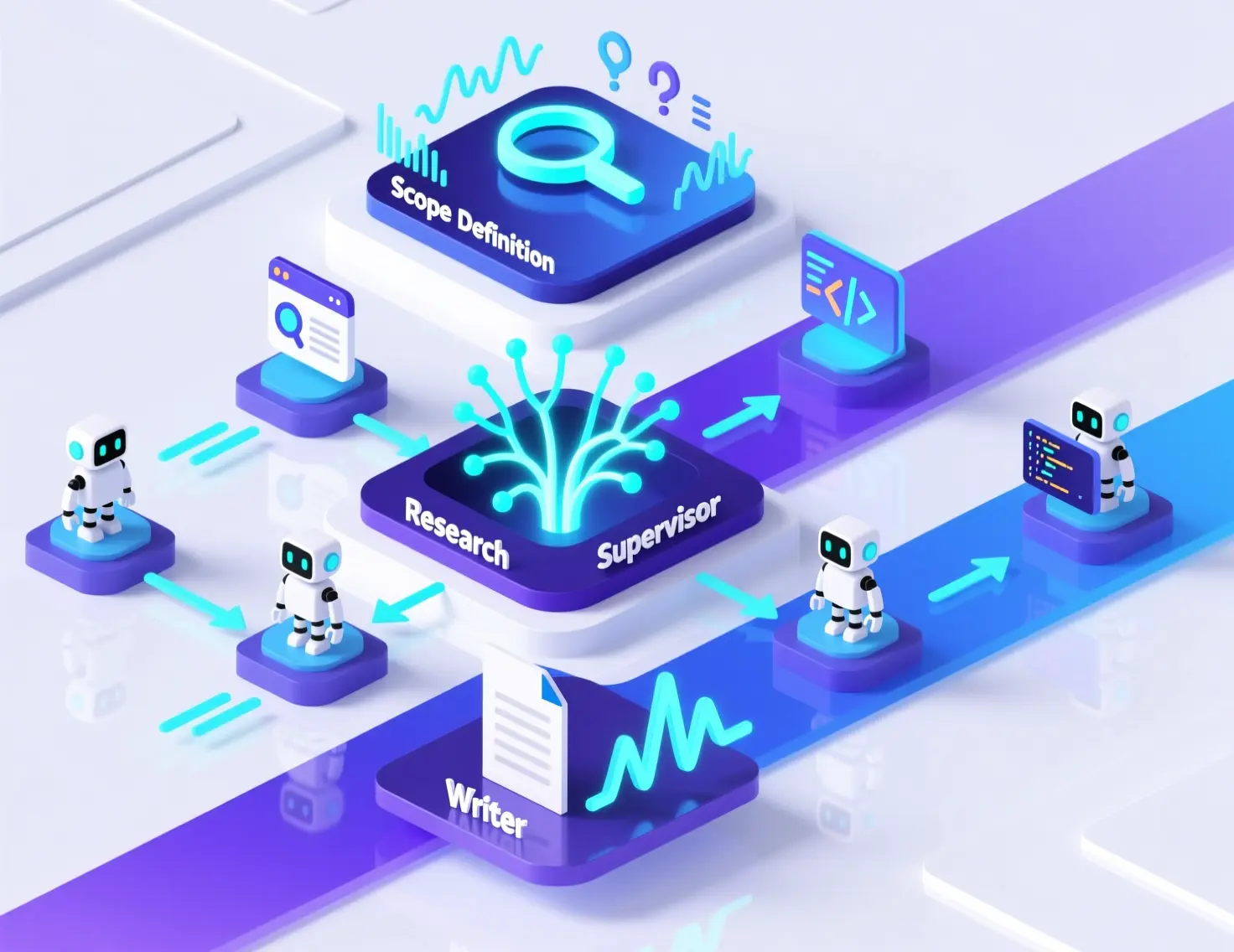
Once an agent has tools and state, the next step is delegation. In the middle of a task, it may need a side answer: which file defines a symbol, what a config says, or why a test is failing. Better to split it off into a bounded subtask, which can run in parallel and speed up the work.
A subagent is only useful if it inherits enough context to do real work. But if we don't restrict it, we'll end up with several agents duplicating work, touching the same files or spawning more subagents. As Raschka puts it: the tricky problem isn't how to spawn a subagent, but how to bind one. For example, with read-only access and a limited recursion depth.
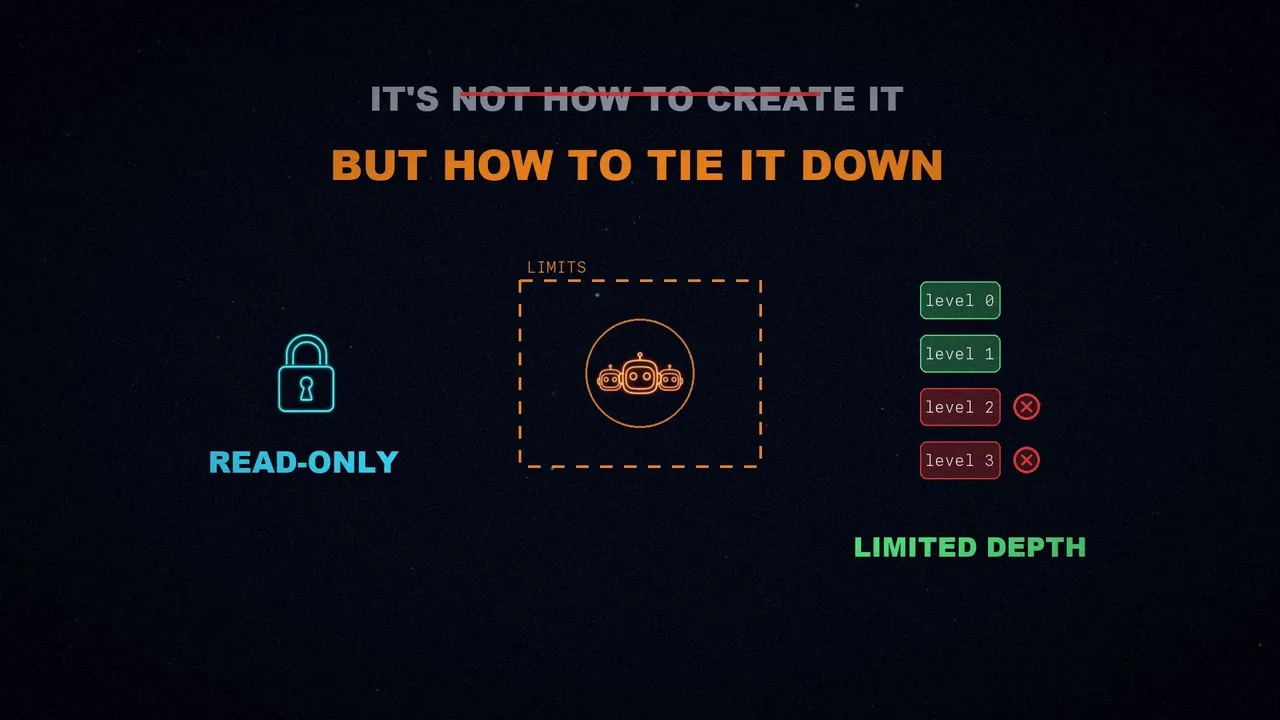
In Raschka's agent, the subagent still runs synchronously, but the idea is the same. Claude Code has had subagents for a while, and Codex added them later. Codex doesn't force them into read-only mode: they usually inherit the sandbox and approval setup of the main agent. There, the boundary lies in scoping the task, the context and the depth.
What about OpenClaw?
The six components are tightly intertwined in the code, but looking at them one by one helps you understand how a coding harness works, and why it makes the model far more useful than a multi-turn chat. Raschka closes by comparing it with OpenClaw, which has a lot in common:
- Instruction files in the workspace, such as
AGENTS.md,SOUL.mdandTOOLS.md. - Saved sessions with history compaction.
- Subagents and helper sessions.
But it's a different kind of system: a local platform for general agents that can also code, designed for many long-lived agents spread across chats, channels and workspaces. A coding agent, by contrast, is optimized for one person working in a repository who asks it to inspect files, edit code and run local tools efficiently. In OpenClaw, coding is an important task, but just one among several.
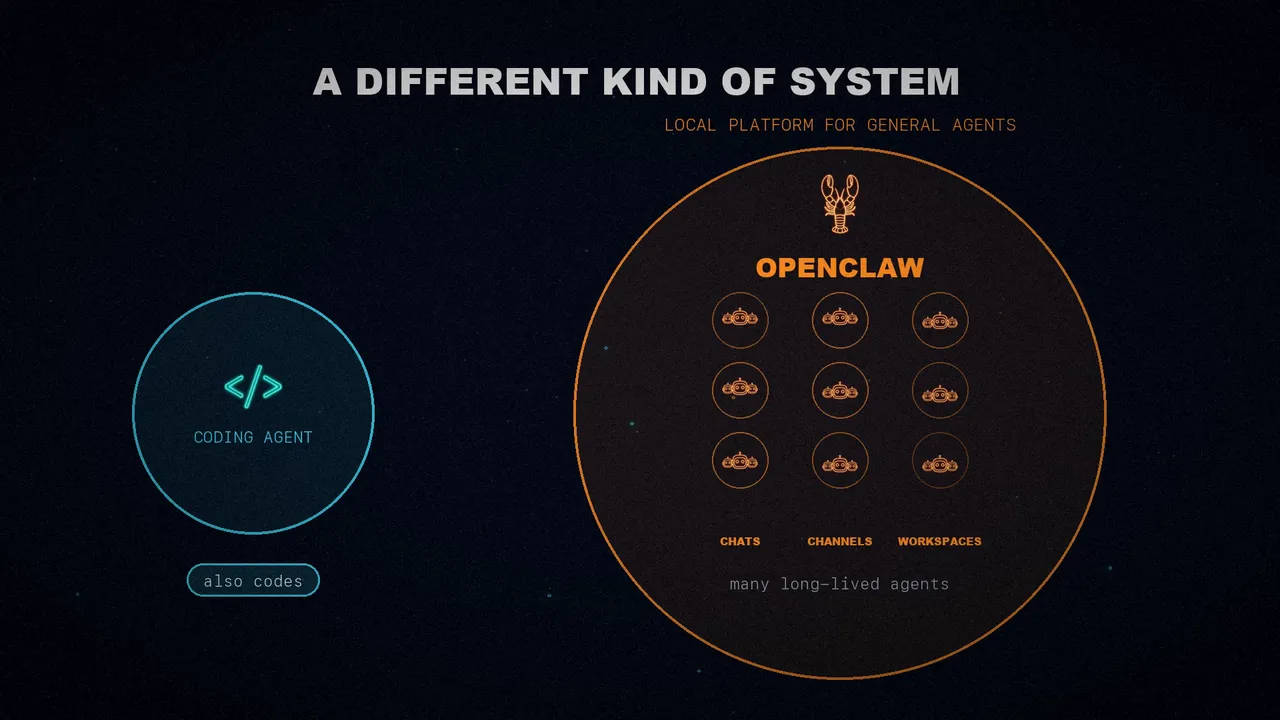
The model is the engine, but the harness turns it into an agent: repository context, cached prompts, tools with permissions, trimmed context, session memory and bounded subagents.
Which component do you miss most in your agent?
Sources
- "Components of A Coding Agent", by Sebastian Raschka (@rasbt), Ahead of AI, April 4, 2026.
- The minimal agent's code: rasbt/mini-coding-agent.
- The video, on my three channels: Spanish, English and Portuguese.