Disclaimer: This post has been translated to English using a machine translation model. Please, let me know if you find any mistakes.
It is clear that the largest hub of AI models is Hugging Face. And now they are offering the possibility to perform inference on some of their models using serverless GPU providers.
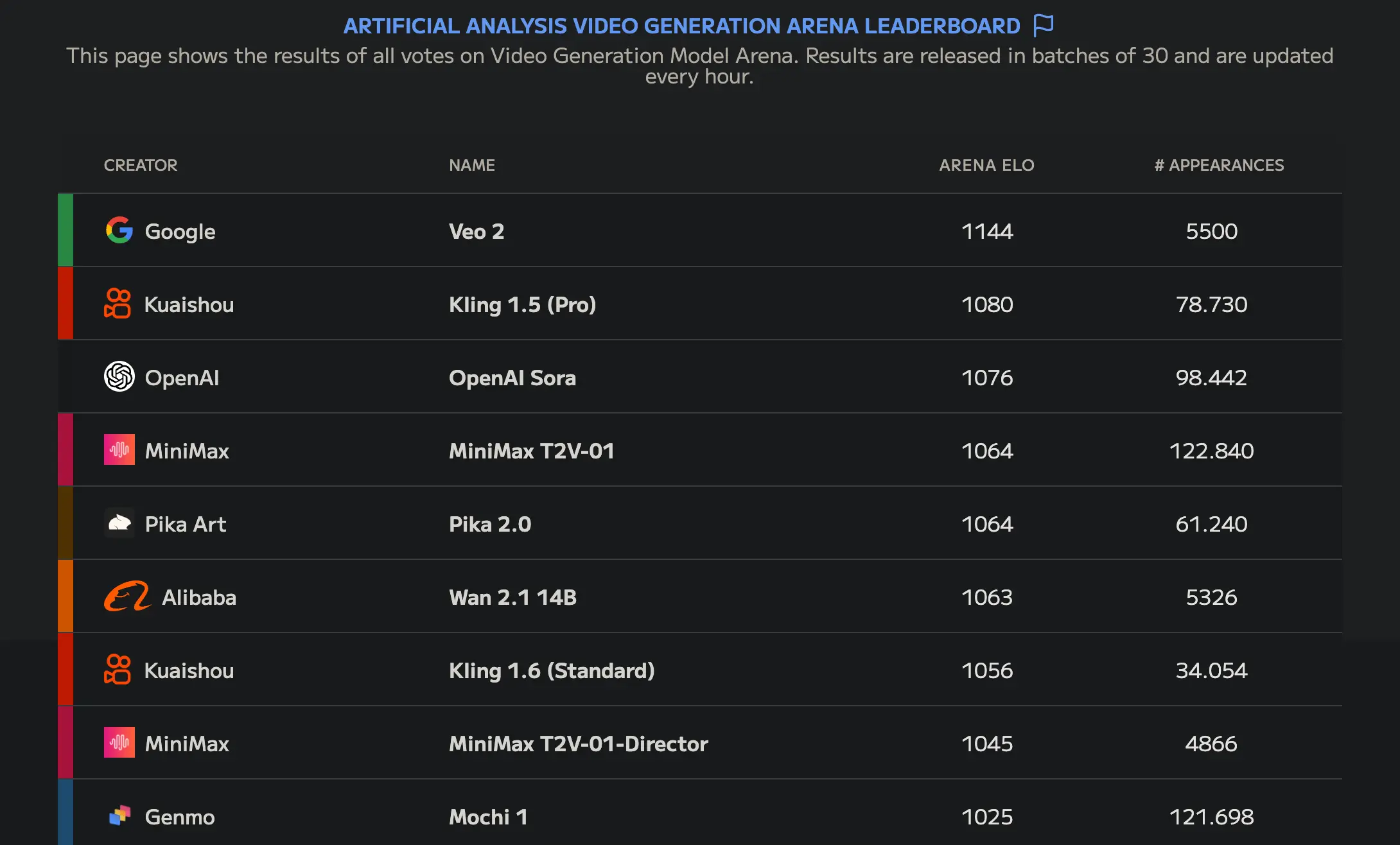
One of those models is Wan-AI/Wan2.1-T2V-14B, which as of writing this post is the best open-source video generation model, as can be seen in the Artificial Analysis Video Generation Arena Leaderboard
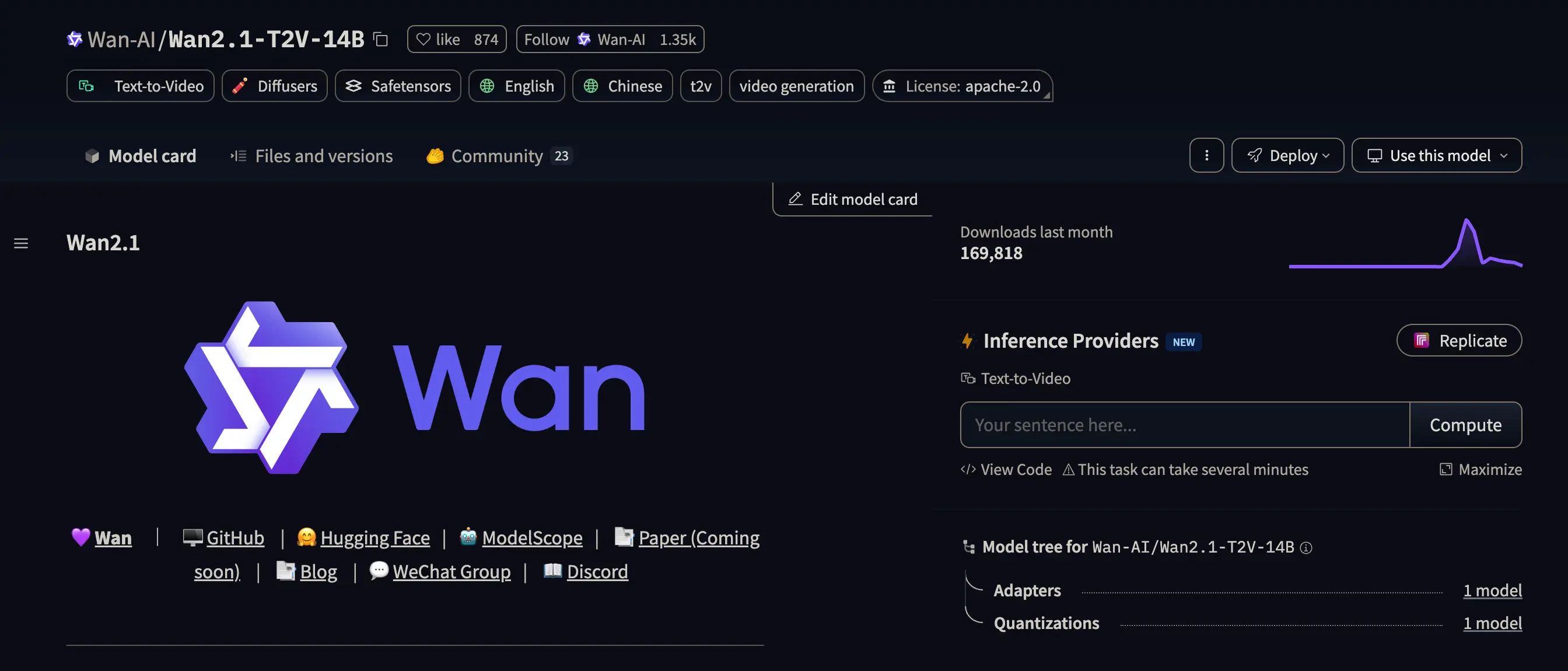
If we look at its modelcard we can see on the right a button that says Replicate.
Inference providers
If we go to the Inference providers settings page, we will see something like this
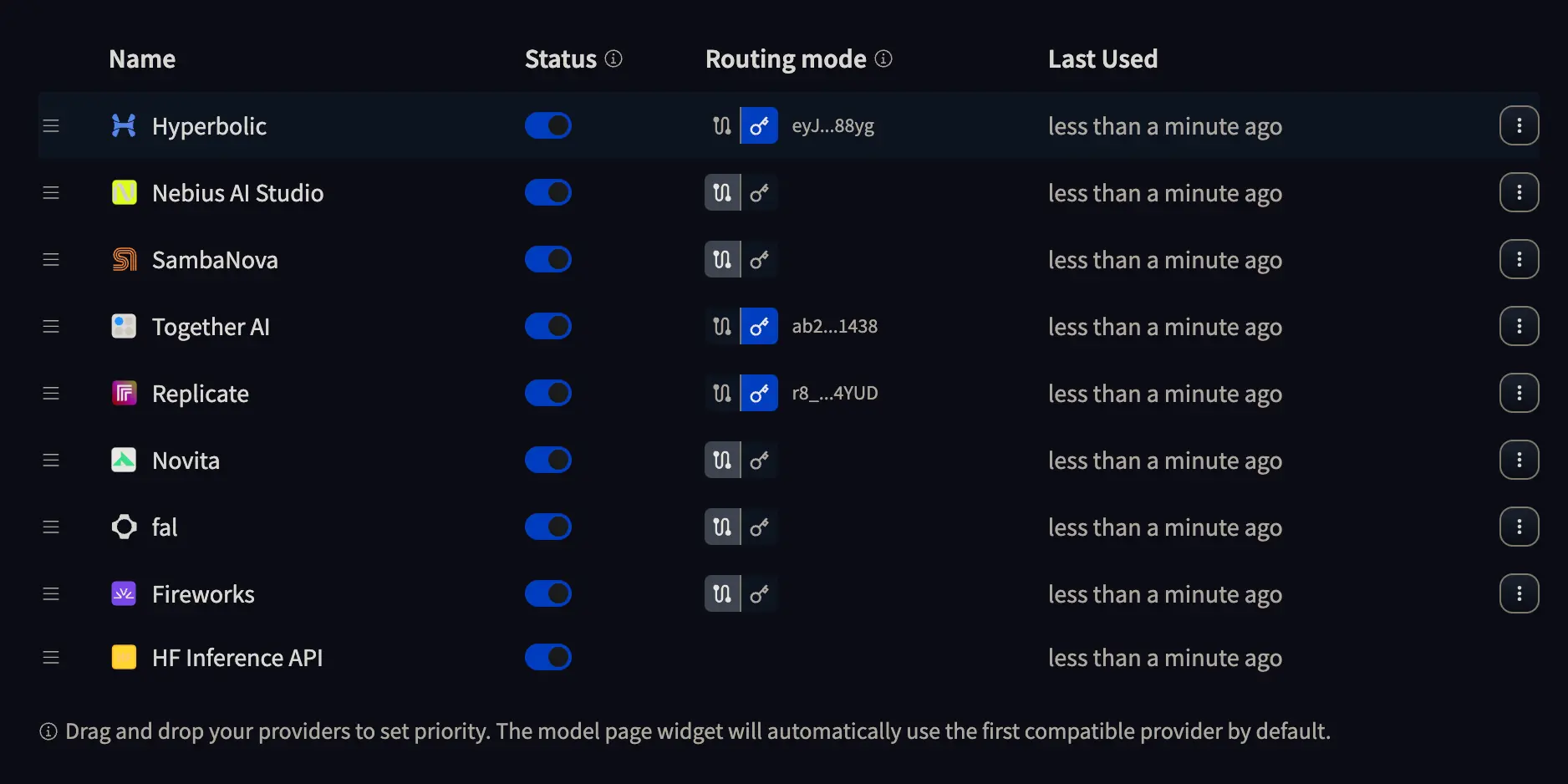
Where we can press the button with a key to enter the API KEY of the provider we want to use, or leave selected the path with two dots. If we choose the first option, it will be the provider who charges us for the inference, while in the second option, it will be Hugging Face who charges us for the inference. So do what suits you best.
Inference with Replicate
In my case, I obtained an API KEY from Replicate and added it to a file called .env, which is where I will store the API KEYS and which you should not upload to GitHub, GitLab, or your project repository.
The .env must have this format
HUGGINGFACE_TOKEN_INFERENCE_PROVIDERS="hf_aL...AY"
REPLICATE_API_KEY="r8_Sh...UD"
Where HUGGINGFACE_TOKEN_INFERENCE_PROVIDERS is a token you need to obtain from Hugging Face and REPLICATE_API_KEY is the API KEY of Replicate which you can obtain from Replicate.
Reading the API Keys
The first thing we need to do is read the API KEYS from the .env file
InputPythonimport osimport dotenvdotenv.load_dotenv()REPLICATE_API_KEY = os.getenv("REPLICATE_API_KEY")HUGGINGFACE_TOKEN_INFERENCE_PROVIDERS = os.getenv("HUGGINGFACE_TOKEN_INFERENCE_PROVIDERS")Copied
Logging in the Hugging Face hub
To be able to use the Wan-AI/Wan2.1-T2V-14B model, as it is on the Hugging Face hub, we need to log in.
InputPythonfrom huggingface_hub import loginlogin(HUGGINGFACE_TOKEN_INFERENCE_PROVIDERS)Copied
Inference Client
Now we create an inference client, we have to specify the provider, the API KEY and in this case, additionally, we are going to set a timeout of 1000 seconds, because by default it is 60 seconds and the model takes quite a while to generate the video.
InputPythonfrom huggingface_hub import InferenceClientclient = InferenceClient(provider="replicate",api_key=REPLICATE_API_KEY,timeout=1000)Copied
Video Generation
We already have everything to generate our video. We use the text_to_video method of the client, pass it the prompt, and tell it which model from the hub we want to use; if not, it will use the default one.
InputPythonvideo = client.text_to_video("Funky dancer, dancing in a rehearsal room. She wears long hair that moves to the rhythm of her dance.",model="Wan-AI/Wan2.1-T2V-14B",)Copied
Saving the video
Finally, we save the video, which is of type bytes, to a file on our disk.
InputPythonoutput_path = "output_video.mp4"with open(output_path, "wb") as f:f.write(video)print(f"Video saved to: {output_path}")Copied
Video saved to: output_video.mp4
Generated video
This is the video generated by the model