The layer that matters
The starting point is a reading: the technical report on OpenDev, presented as the first complete write-up of an open-source coding agent that lives in the terminal. What stood out most wasn't the model or the tools, but the context engineering: the layer that decides what information the agent has in front of it on every turn.
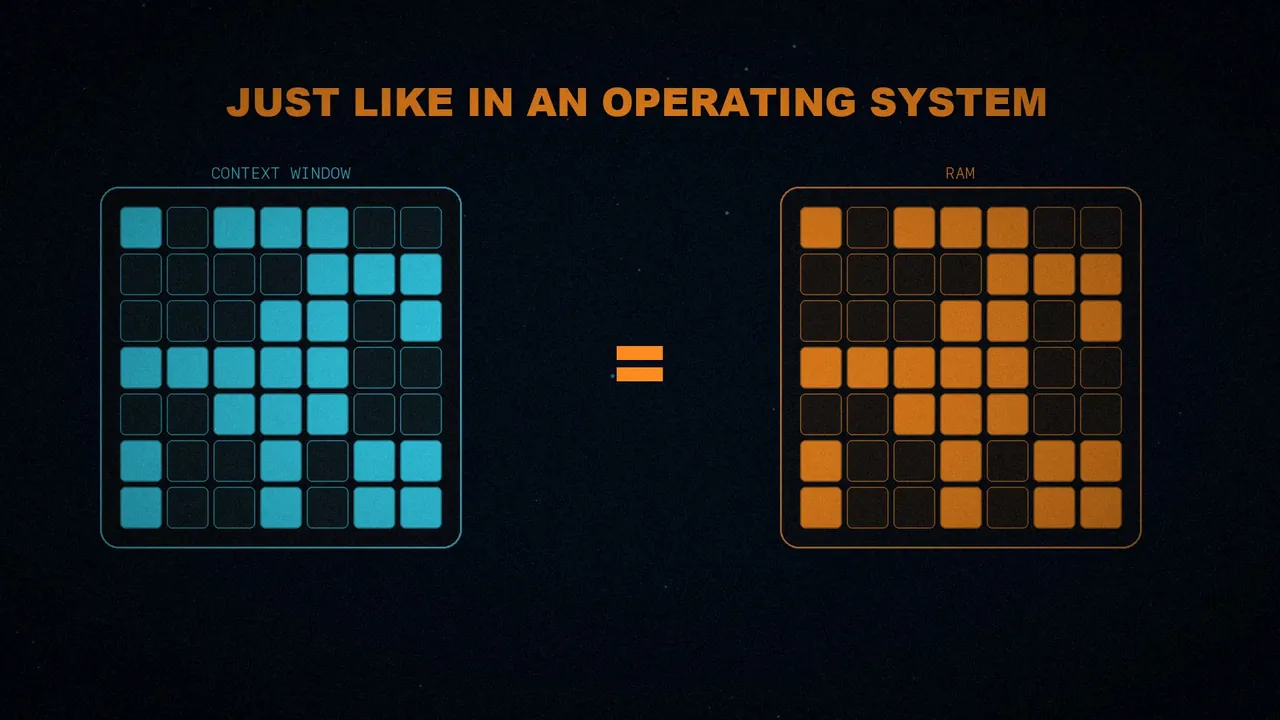
OpenDev treats the context window as a finite resource that runs out, just like memory in an operating system.
That leads to the central idea: when an agent fails, most of the time it isn't bad reasoning, it's its context. These three symptoms probably sound familiar: the model forgot its instructions, the window filled up with endless command outputs, or the agent stopped following its system prompt after twenty tool calls.
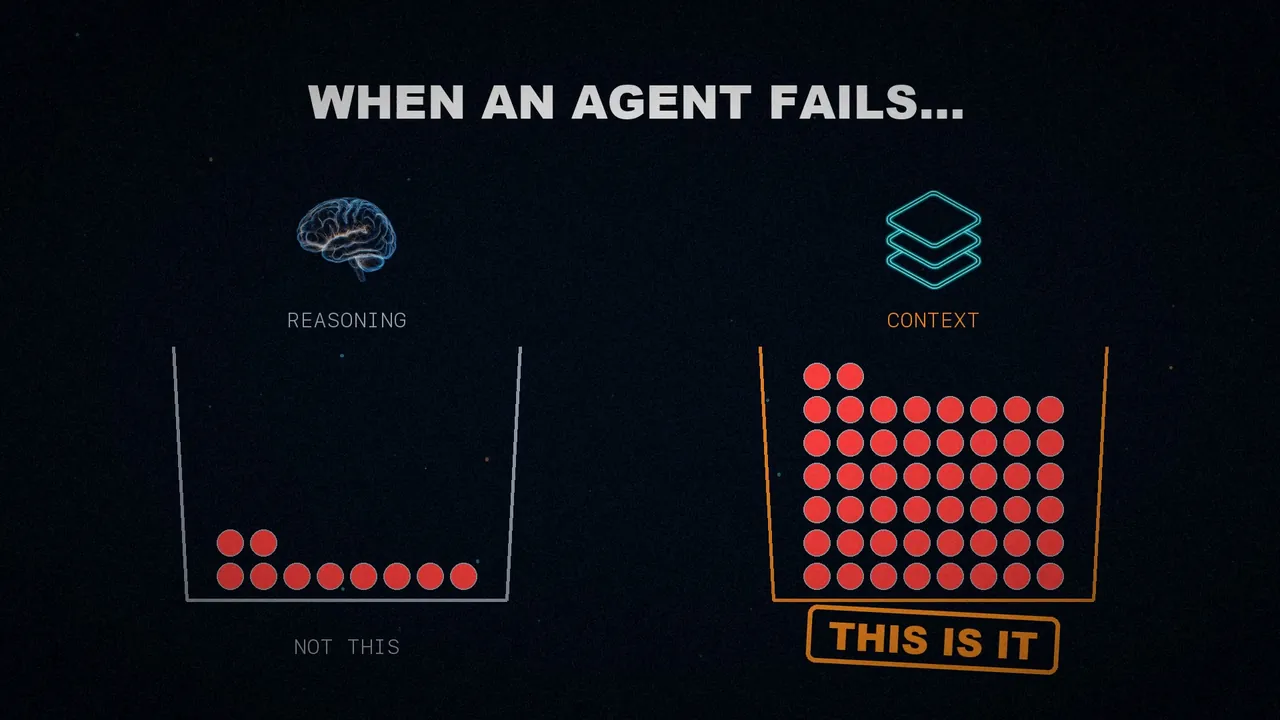
For the author, this is the layer that separates a demo from something that holds up in production.
What an agent sees
The uncomfortable truth is this: a language model sees exactly what you put in front of it, and nothing more. And an agent reads files, searches and runs commands. All those results end up in the same fixed-size window.
Put numbers on it and it fills up fast. A single test run can return 30,000 tokens of output. Add a few large file reads and the context is already full.
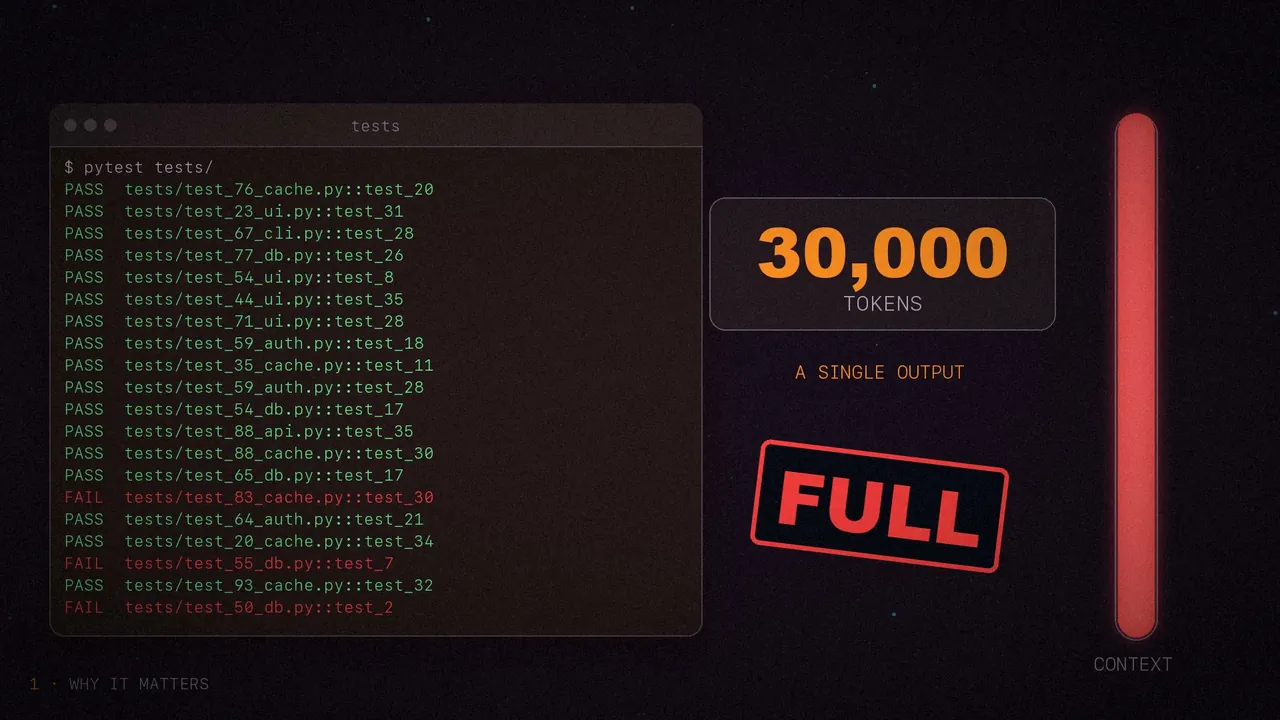
From then on, the agent stops being effective. Not because it got dumber: what matters has been buried under the noise.

A budget, not a log
Cobus sums it up in one line: context is a budget, not a log. Tokens spent on a stale output are no longer available for the user's actual question.
A side note: the article credits that line to the paper, but what the paper says is "Treat context as a budget, not a buffer". Same idea; the wording with "log" is Cobus's.
Five stages instead of all or nothing
This is the centerpiece. The usual approach is all or nothing: when the context fills up, you run an emergency summary. OpenDev instead watches the pressure constantly and applies increasingly aggressive strategies: an adaptive compaction pipeline with five steps.
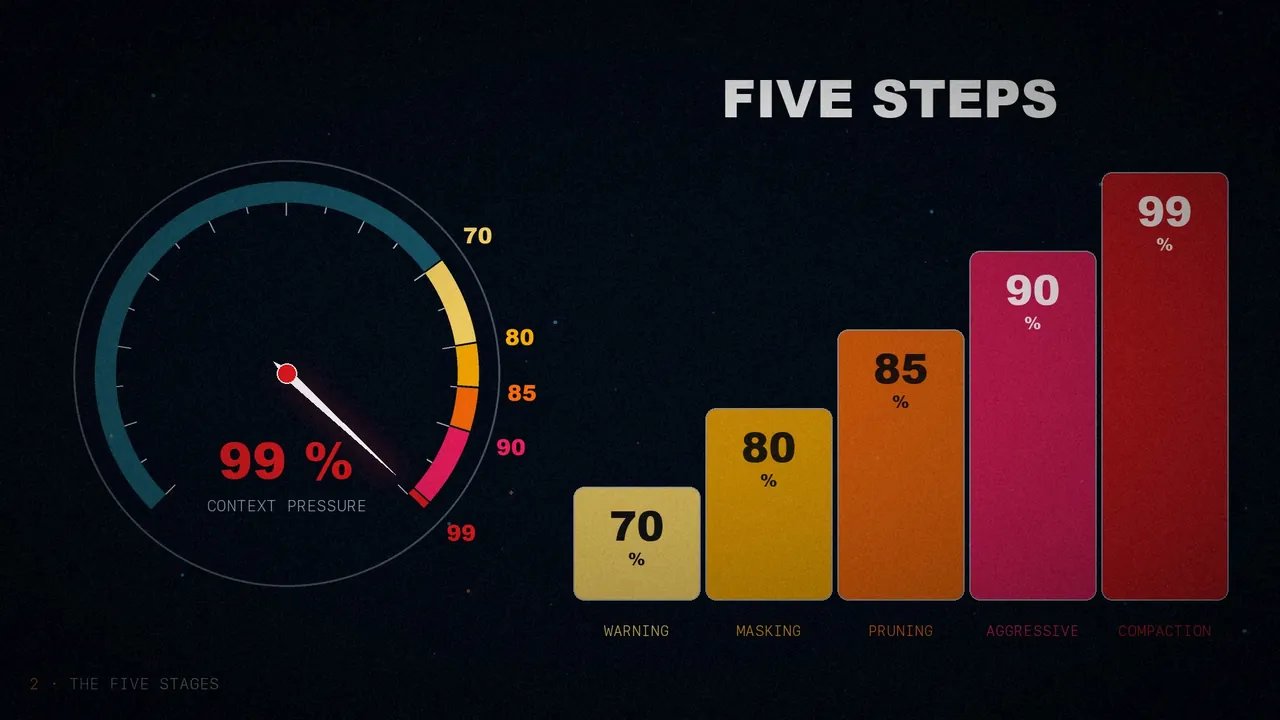
- 70%, warning. Nothing gets touched yet. The system records the pressure and starts tracking the trend.
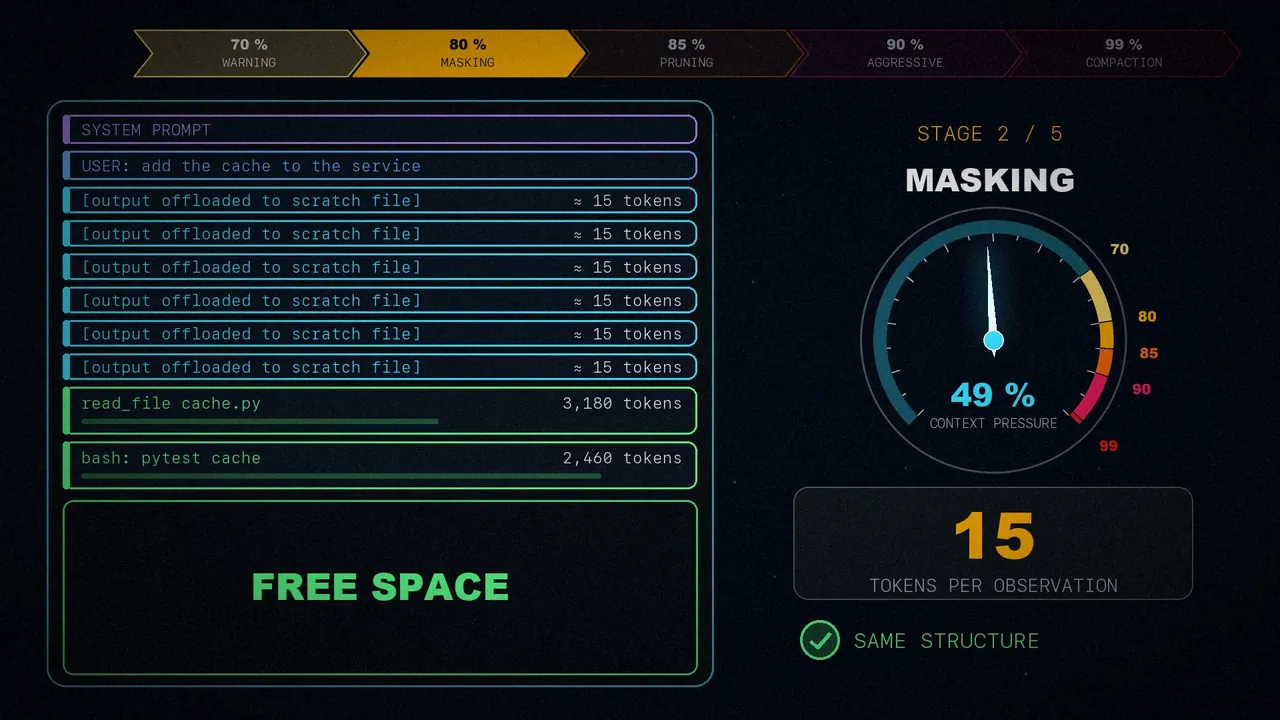
- 80%, observation masking. Earlier tool results get replaced with very compact reference pointers of about 15 tokens each, such as
[output offloaded to scratch file]. The conversation keeps its structure but weighs far less. - 85%, fast pruning. Old outputs beyond the recency window get deleted, without summarizing anything. That's why it's cheaper than asking the model for a summary.
- 90%, aggressive masking. The window of what's kept shrinks until only the most recent outputs remain.
- 99%, full compaction. According to the paper, it first saves the whole history to a file. Only now does the model summarize the middle of the conversation, and the latest part is kept word for word.
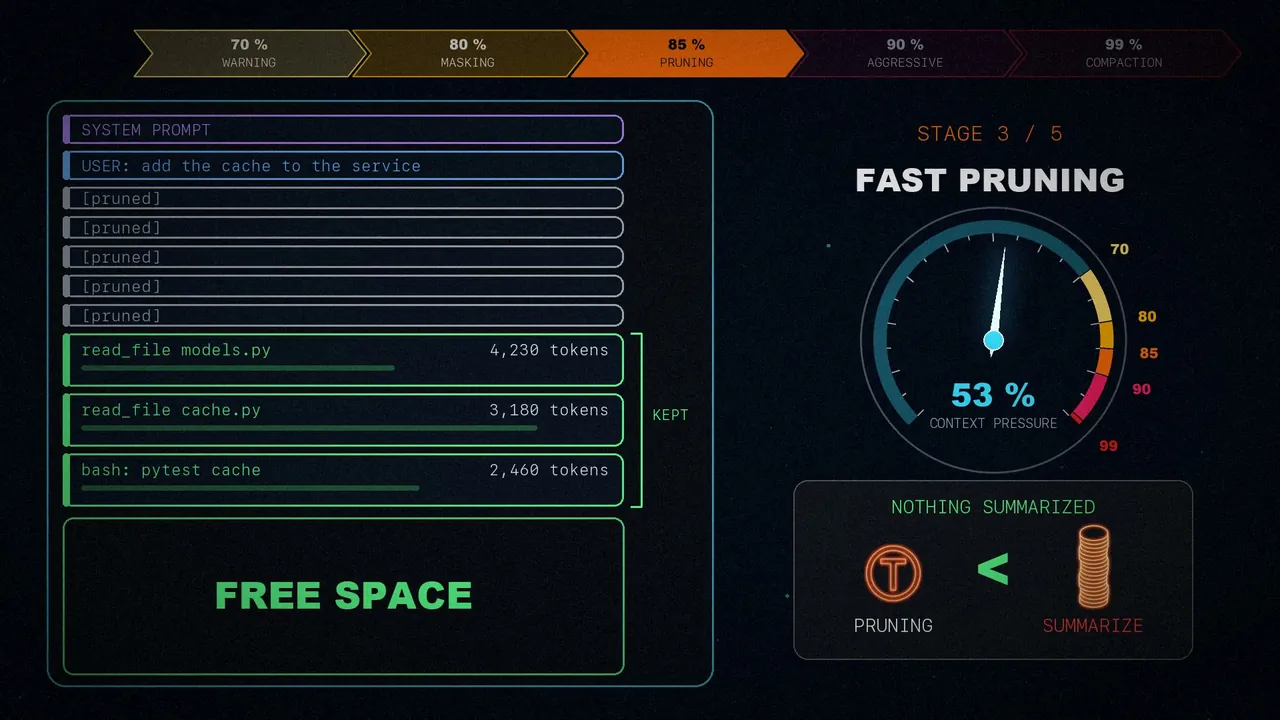
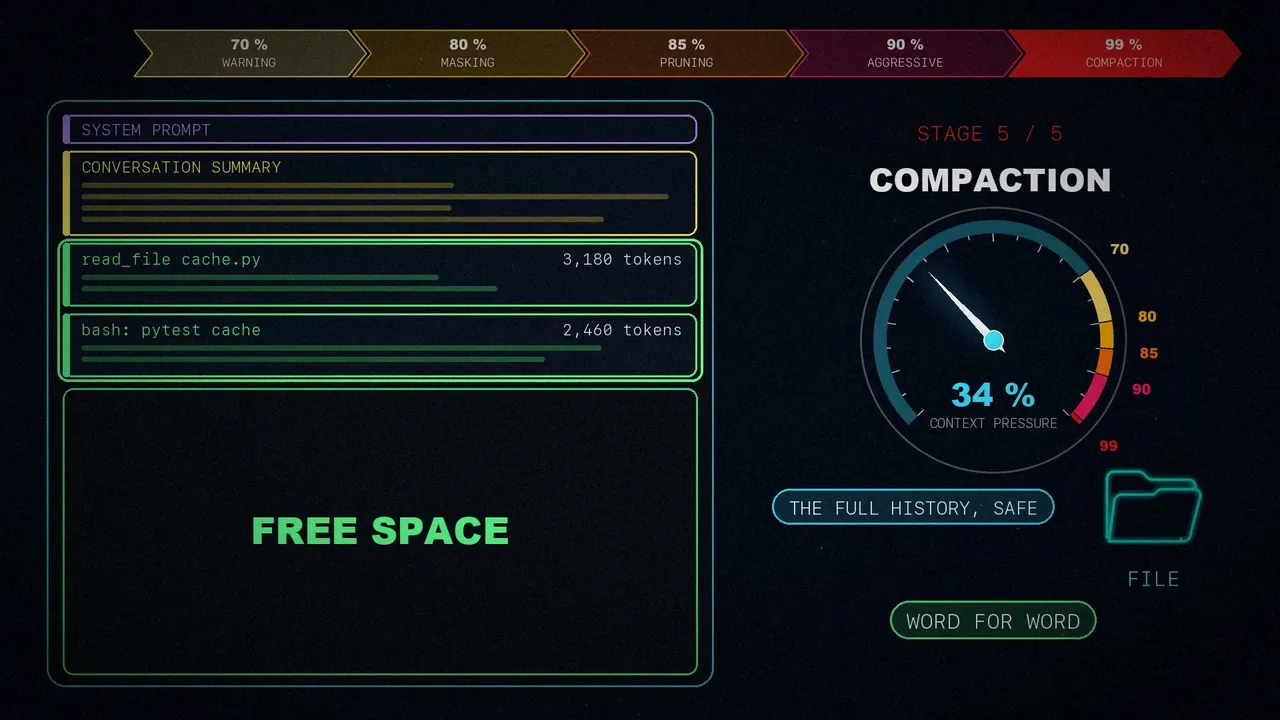
One note if you go to the source: I use the article's numbering, 1 to 5. The paper numbers those same stages 1, 2, 2.5, 3 and 4.
The cheap stuff first
Here's the key: cheap strategies often reclaim enough space. That saves you the cost of a summary and the information it always loses.
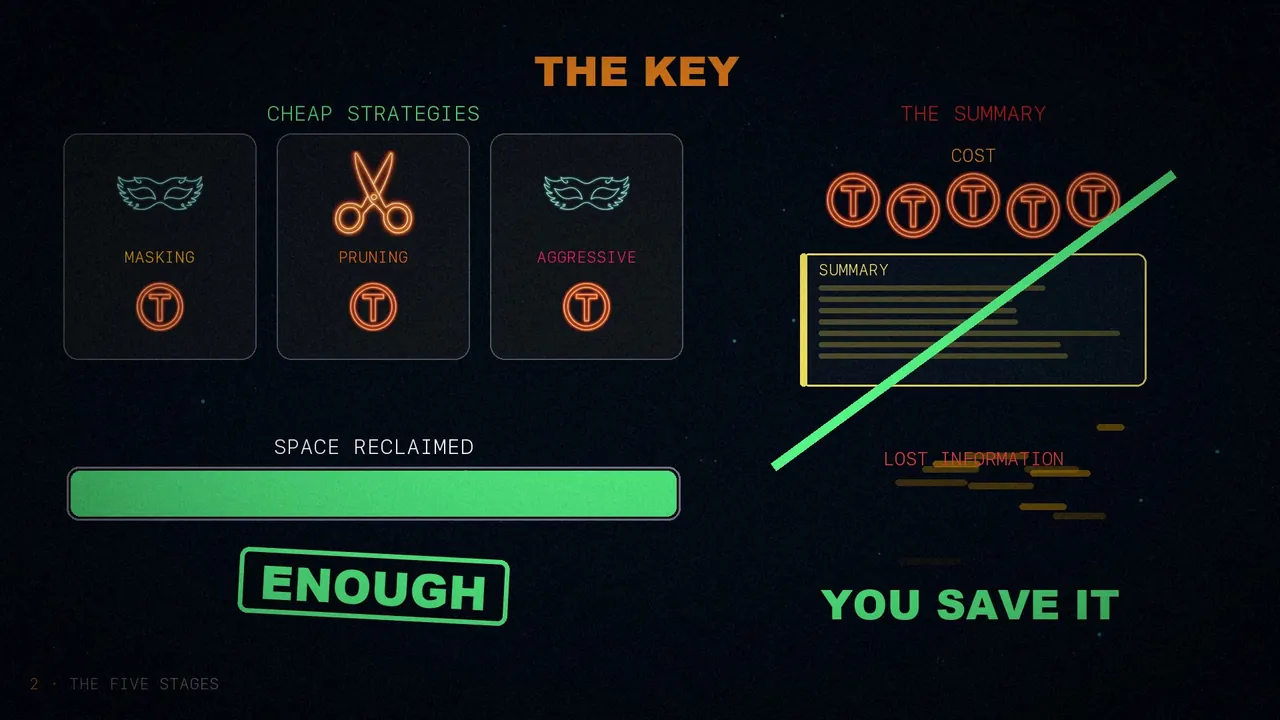
With stage two alone, each observation drops from thousands of tokens to about fifteen. And the article gives this result: sessions used to overflow at 15 to 20 turns; now they last 30 to 40, without compaction even kicking in.
A caveat from the paper
Here the article and its source don't say quite the same thing, so I went to check. The paper credits that jump in turns mainly to summarizing tool outputs and offloading the largest ones to files (those over 8,000 characters), not to the five-stage pipeline.
For the five stages it gives a different number: they cut the peak context used by observations by 54%. And these are data from their own experience, with no comparison against other agents, so read them with that in mind.
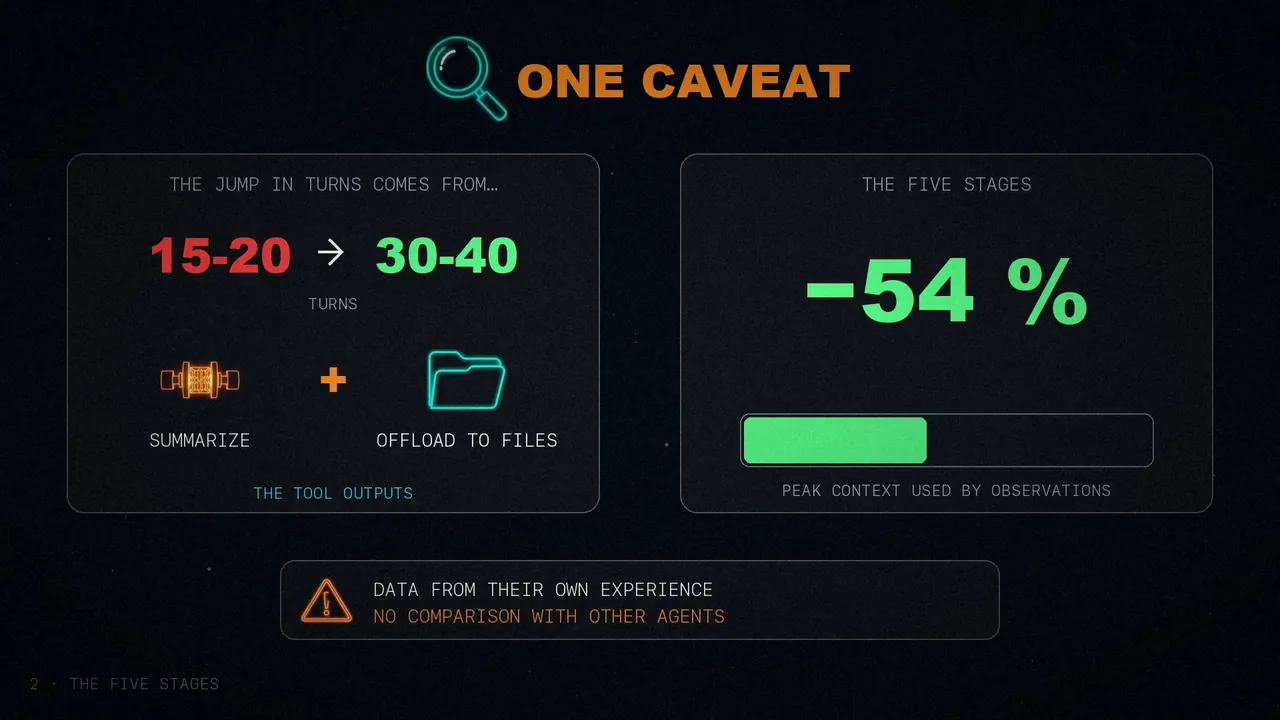
You'll also see "40+ turns" in the article's opening summary. In its body and in the paper, it's 30 to 40.
The system prompt fades
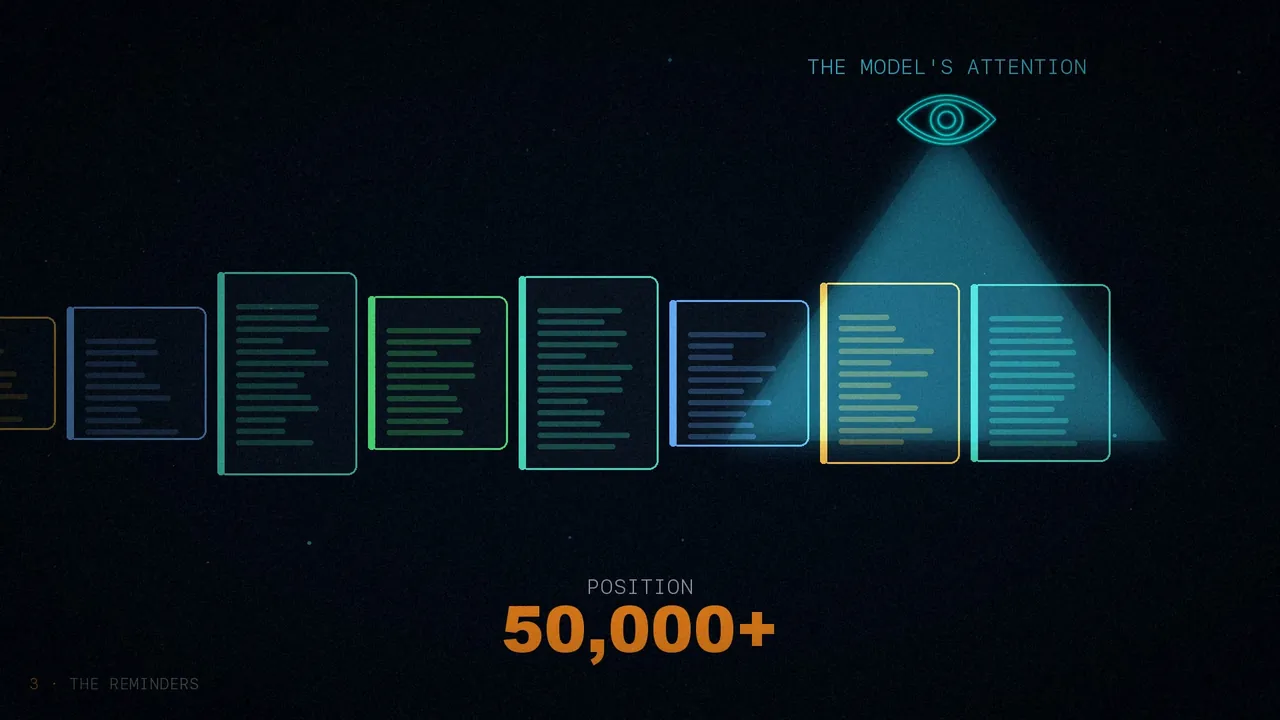
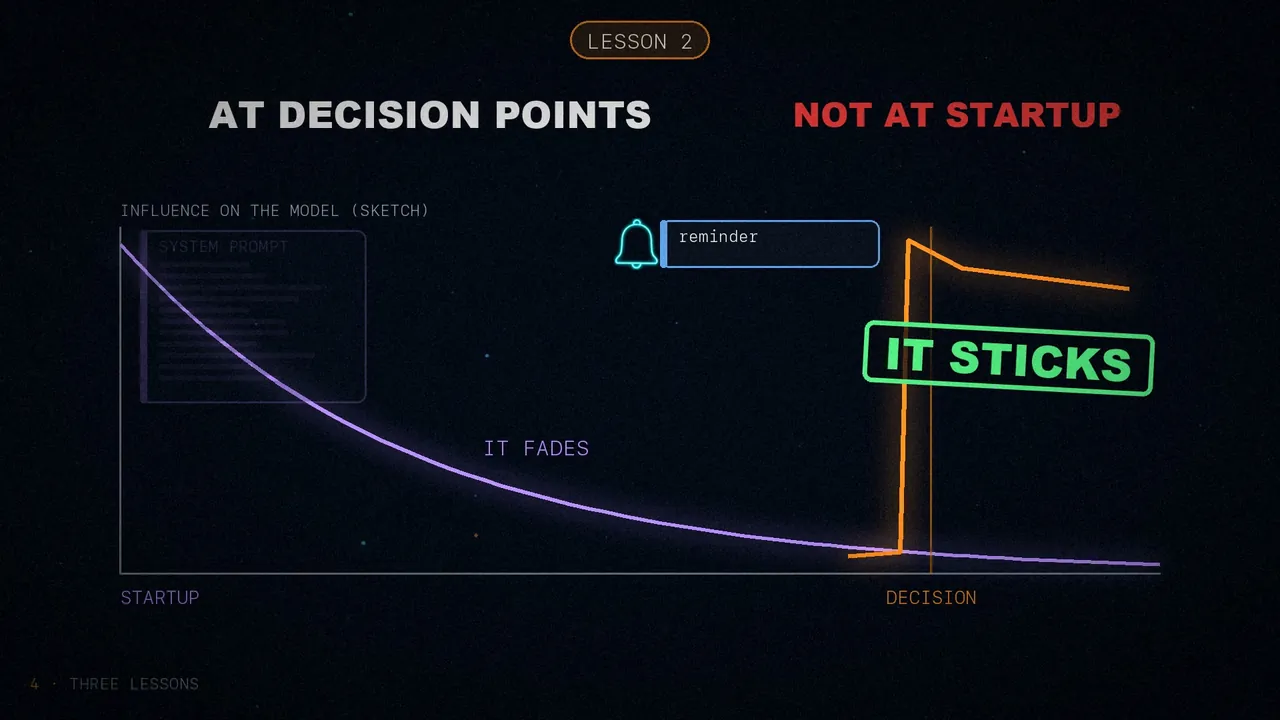
This is the part that surprised the author most. After about 15 tool calls, the model stops following its system prompt, and it happens again and again. The instructions are still there in the window. It just no longer pays attention to them.
The paper's example: you tell it to always run the tests after editing. At first it does. But after about twenty calls, it quietly stops.
Cobus explains it as a distance problem: the system prompt sits at position zero, and the model's attention has moved to the recent messages, past position 50,000. Those two positions come from the article; they aren't in the paper.
User-role reminders
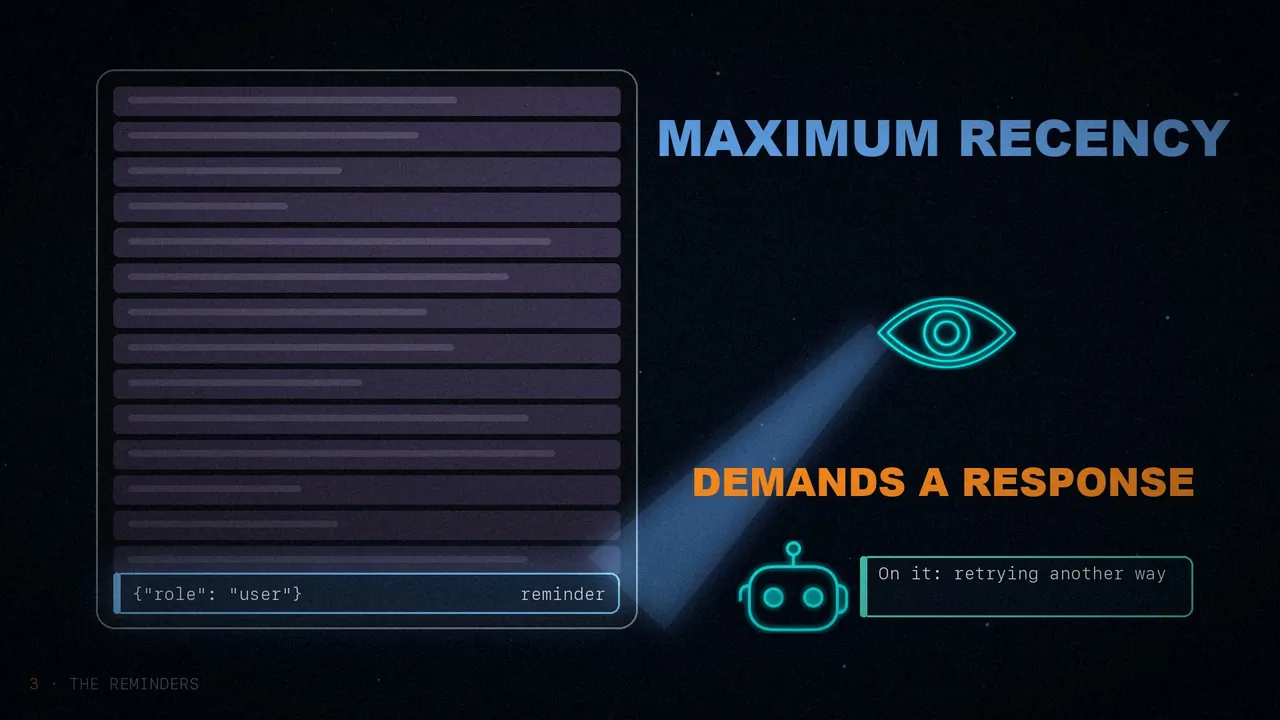
How do you fix it? With event-driven reminders: short messages injected right at the decision point, where the agent would go wrong. According to the paper, it has eight event detectors; for example, when a tool fails and there's no retry, or after five reads in a row with no progress. And counters limit how many times each reminder fires.
And here's the trick: they aren't sent as system messages, but with role: user. After forty turns, one more system message blends into the background the model has half forgotten. What the user writes, on the other hand, appears as the most recent thing of all, and the model treats it as something that demands a response.
Three lessons
Of all the lessons in the paper, the author picks three:
Every message competes for finite space. Adding is spending, not recording. Watch what's consuming it and whether it still pays off.
A long system prompt fades. A short reminder, right before deciding, sticks.
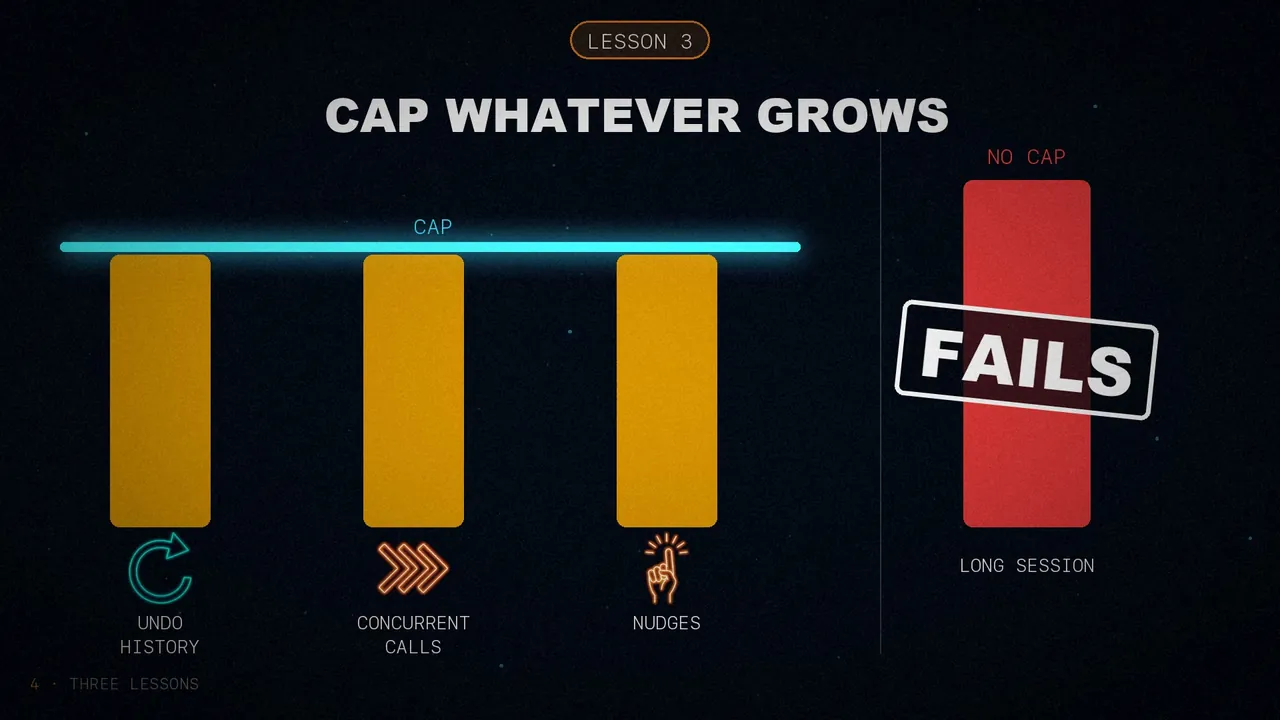
Undo history, concurrent calls, behavioral nudges. Without a limit, long sessions end up failing.
In short
Treat context as a budget, compress the cheap stuff first, remind it of the rules right when they're needed and cap whatever grows.
Your agent is as good as its context.
What eats up the most memory in your agent?
Sources
- "Context Engineering Is The Real Product", by Cobus Greyling, April 14, 2026.
- The OpenDev technical report, which I checked the numbers against: arXiv 2603.05344. I explain it in full in this other post.
- The video, on my three channels: English, Spanish and Portuguese.