Why context needs managing
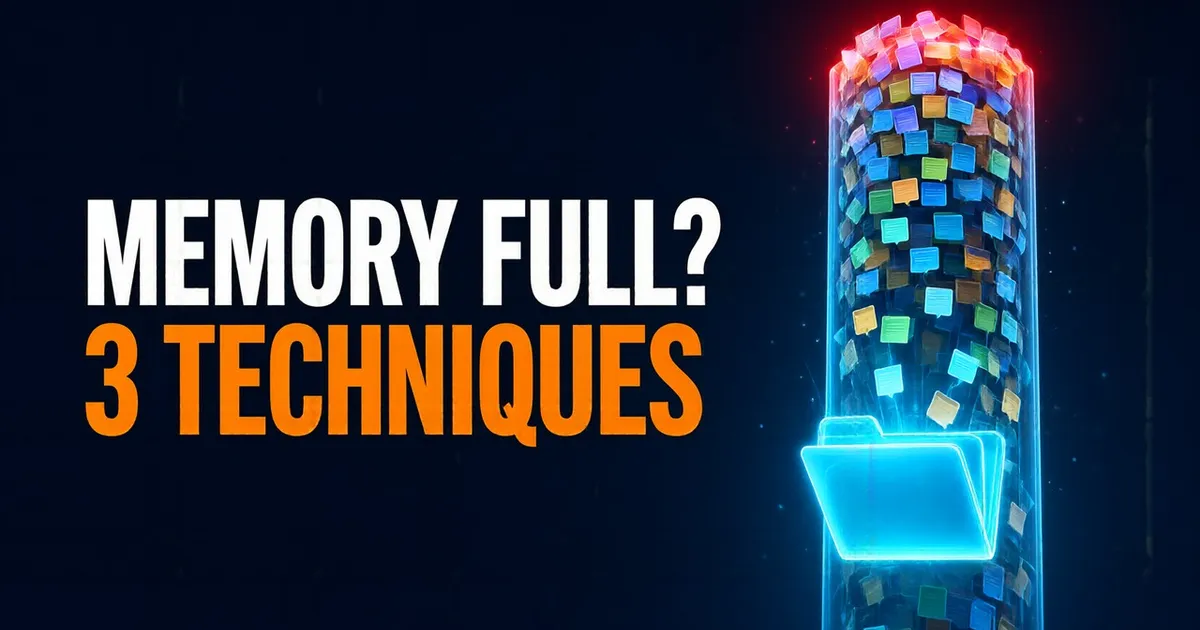
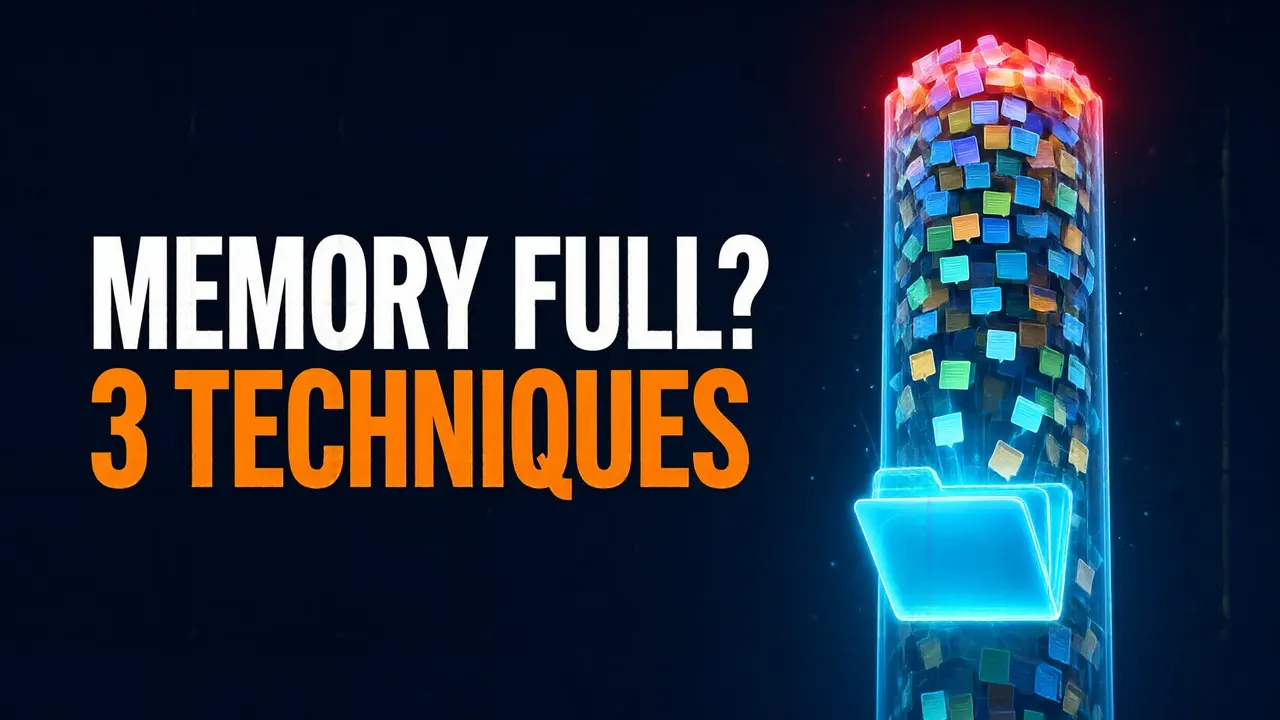
Agents are taking on longer and longer tasks. And the longer a task runs, the more the agent piles up in its context window: messages, tool calls, their results, files it has read…
That brings two problems. The first is obvious: the model's window is finite. The second shows up long before it fills: with so much text, the model makes worse use of what matters. That's context rot.
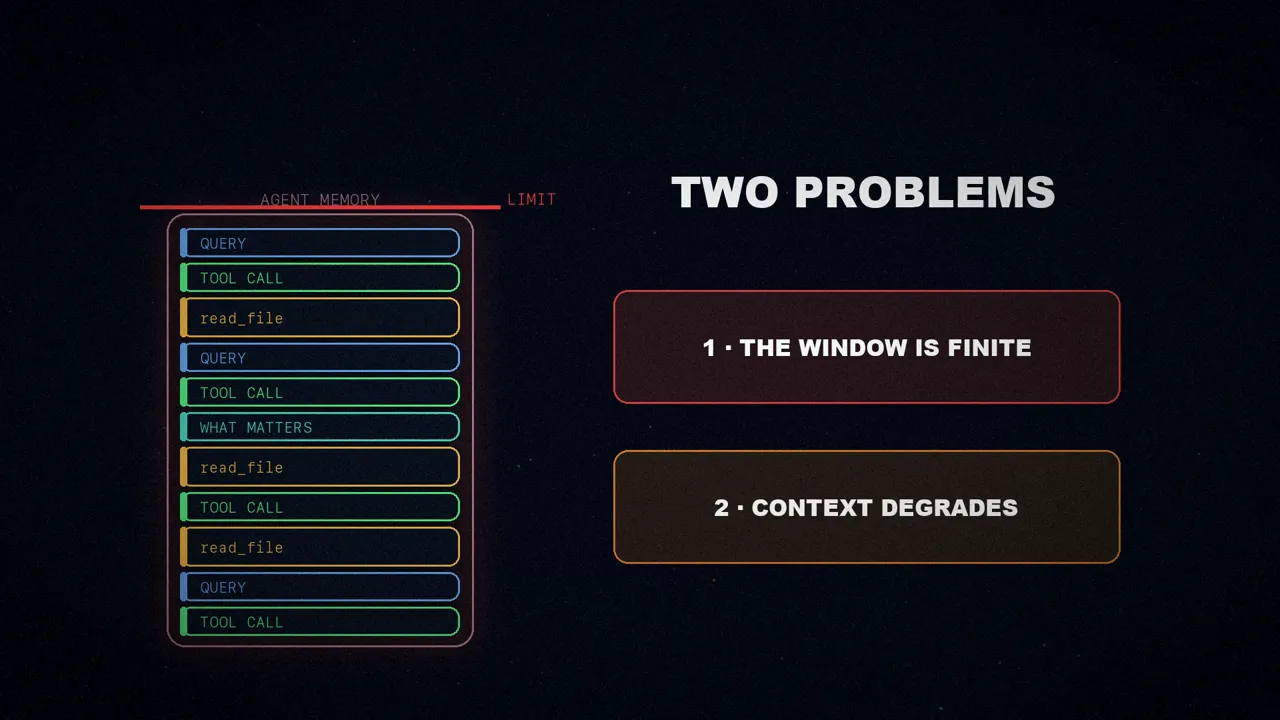
The answer is context compression: shrinking what the agent keeps in its working memory without losing the details it needs to finish the task. That can mean summarizing what has already happened, removing stale information, or carefully deciding what stays and what goes.
Deep Agents and its filesystem
Deep Agents is LangChain's agent harness: open source and batteries included. With it, an agent can plan, spawn subagents and work with a filesystem to carry out complex, long-running tasks.
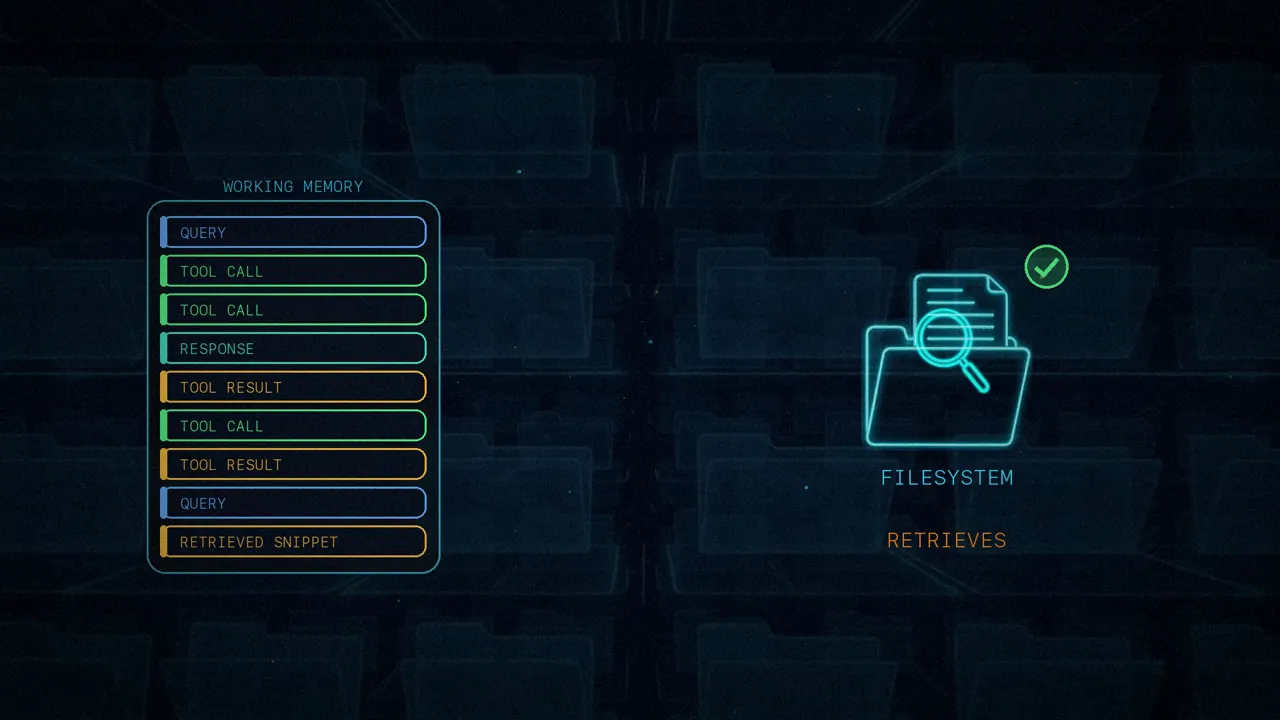
That filesystem is the key piece of all the context management. The agent has tools to list, read, write and search files, and even execute them. That way, whatever leaves the working memory isn't lost: it goes to disk, and the agent looks it up and retrieves it when it needs it.
Three techniques, three rhythms
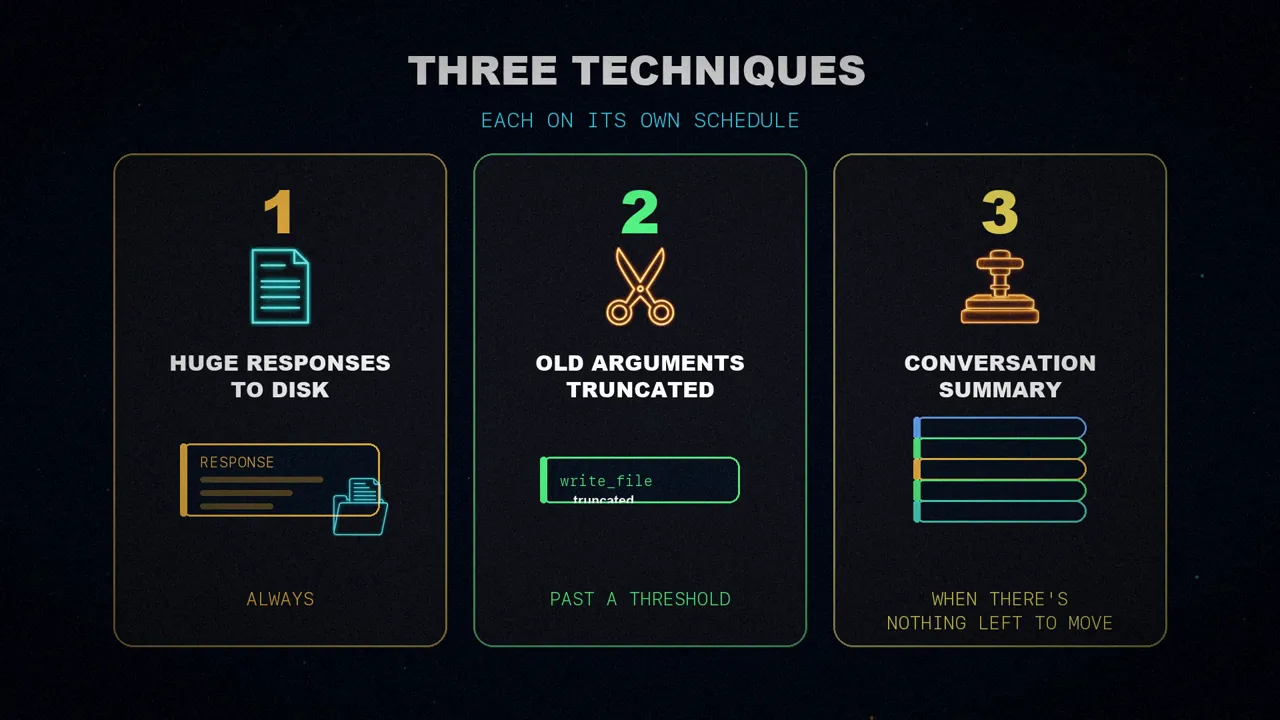
On top of that, Deep Agents compresses context with three techniques, each on its own schedule:
It offloads huge tool responses to disk as soon as they show up.
It removes the large arguments of old tool calls from the history once the context crosses a threshold.
It summarizes the conversation when there's nothing left to offload.
The thresholds aren't a fixed number of tokens but fractions of each model's window. LangChain keeps model profiles that record the maximum each model accepts, and Deep Agents compresses when the context reaches a certain percentage of that figure.
1. Large results go to disk
When the agent reads a huge file or queries a web service, the tool response can be so large that it doesn't even fit in the model's window.
So when Deep Agents detects a response of more than 20,000 tokens, it saves it to a file on disk. In the context it leaves only the path to that file and a preview with its first ten lines. If it needs more later, the agent reads the file again or searches it for what it's after: the full response is still within reach, but it no longer takes up working memory.
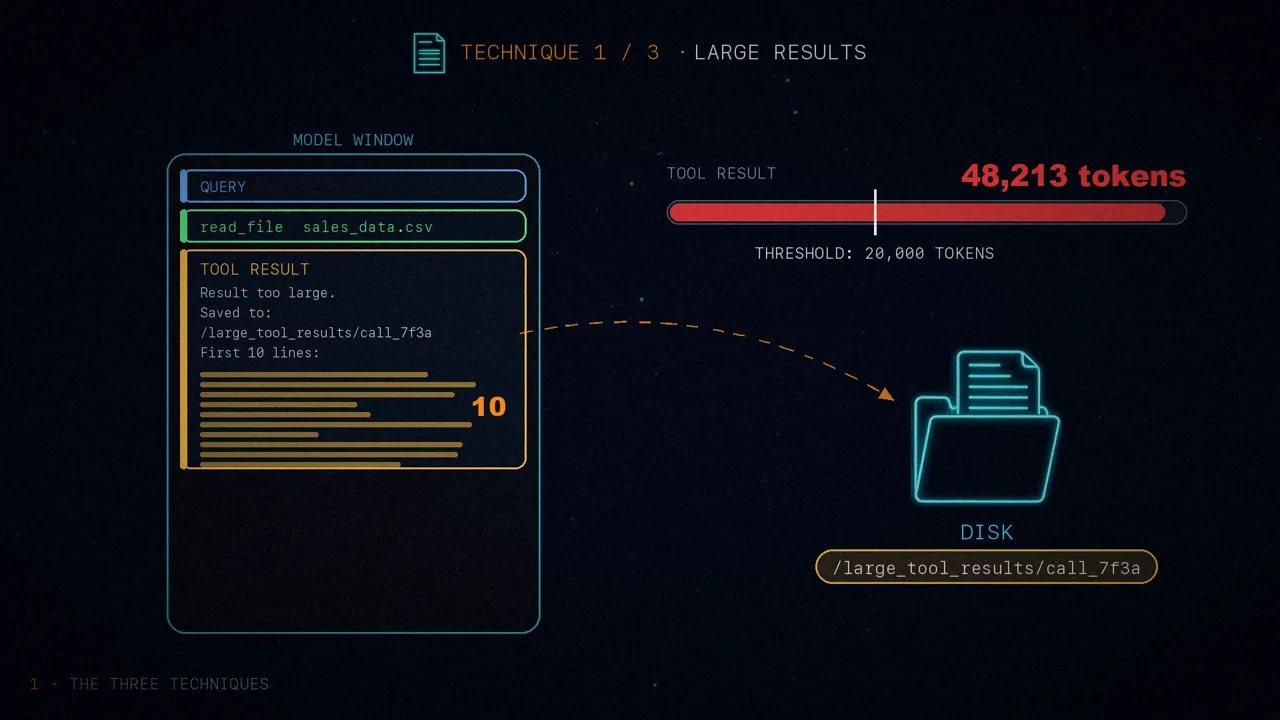
A detail I checked in the Deep Agents code: the 20,000-token threshold and the /large_tool_results/ folder match the article, but the current version no longer shows just the beginning; it shows the beginning and the end of the response.
2. Truncating large inputs
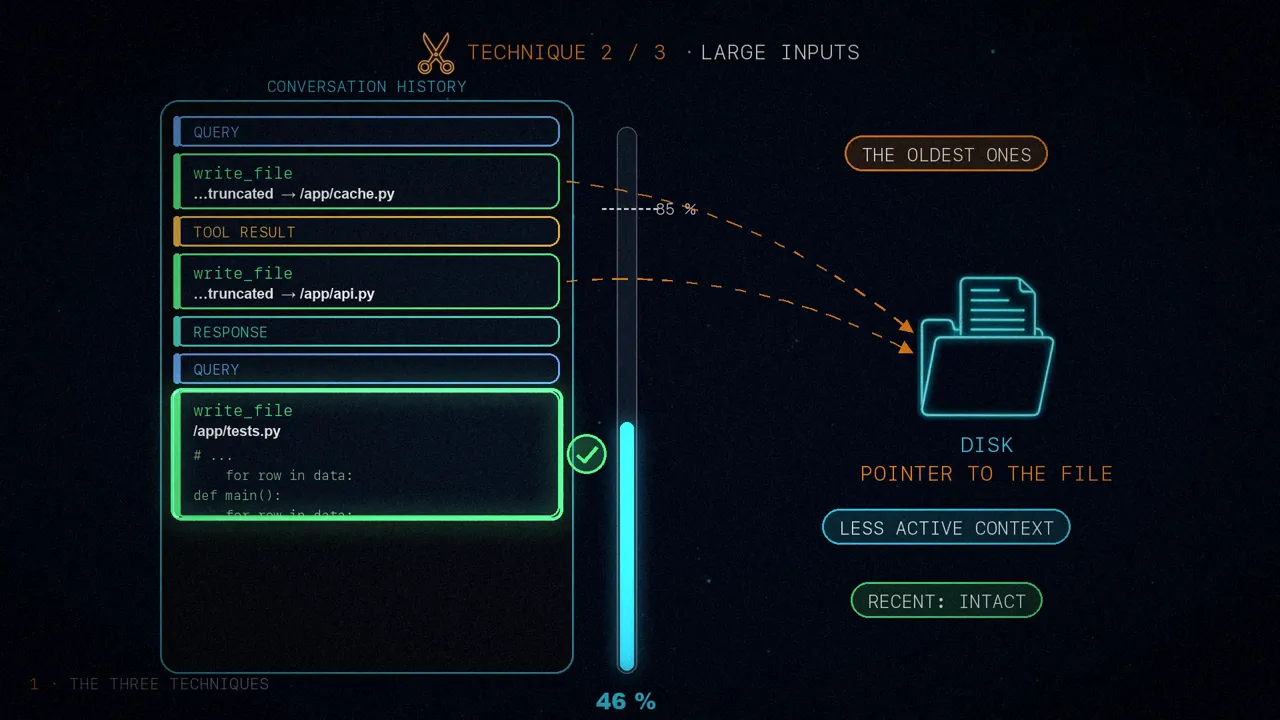
The second technique looks at the other side: not at what tools return, but at what they receive. When the agent writes or edits a file, the tool call carries the full content inside it, and it stays in the conversation history.
But that content is already saved on disk. Keeping it in the history too is redundant: it could be five hundred lines of code taking up space, turn after turn. So, when the conversation goes past 85% of the window, Deep Agents truncates the oldest calls: it replaces their content with a pointer to the file on disk, and the active context slims down. The most recent ones stay as they are.
3. Summarizing without deleting anything
When offloading to disk no longer frees up enough space, Deep Agents falls back to summarization, in two parts:
- A summary in memory: a language model writes a structured summary of the conversation, with the session intent, the artifacts created and the next steps. That summary replaces the full history in the agent's working memory.
- The full history, to disk: the original messages are written to a file as the canonical record of everything that happened. The summary points to where it is, in case it's needed again.
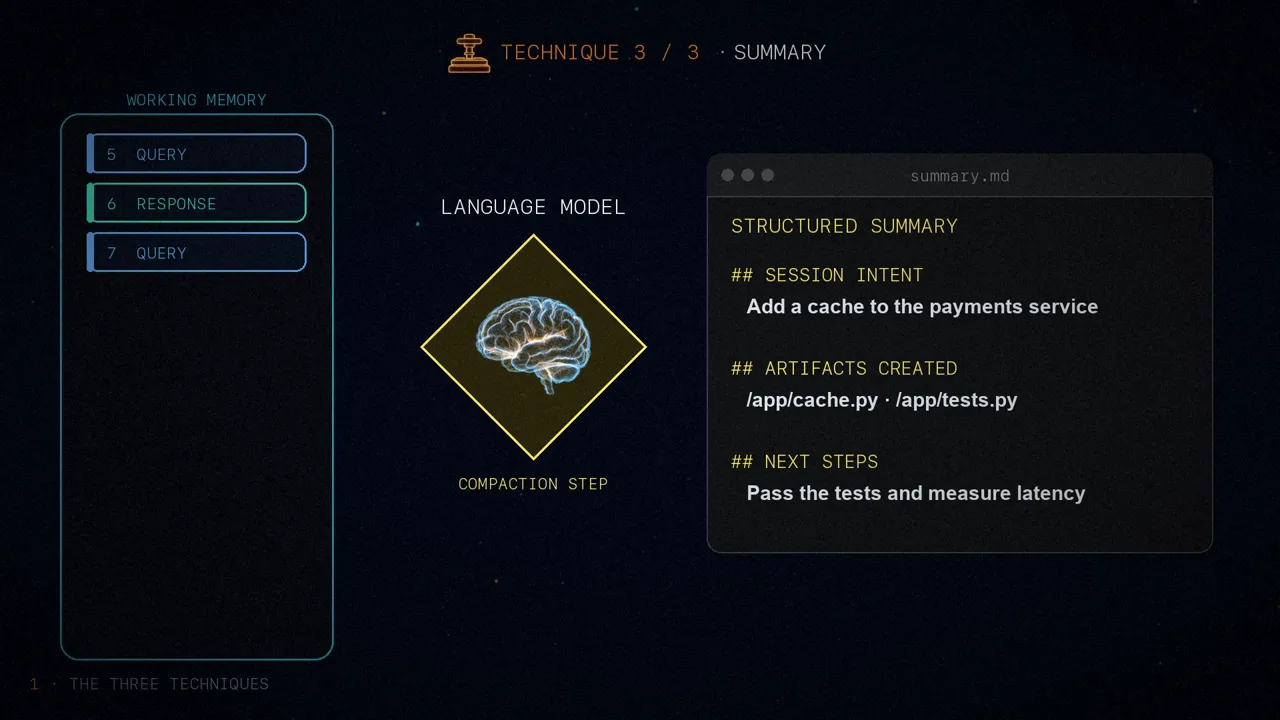
With this two-part approach, the agent knows where it stands and where it's heading thanks to the summary, and if it needs a specific detail it retrieves it by searching the disk. The article shows this with a real trace, where the model uses its read_file tool to bring back messages that had already been summarized.
How do you know it works?
That's the machinery. But to me, the most interesting part of the article is the second one: how do you know it actually works? In real tasks, like those in Terminal Bench, compression only kicks in every now and then. With so few events, it's hard to isolate what each technique contributes.
LangChain's trick is to trigger it on purpose. If you summarize at 10 or 20% of the window, the agent performs somewhat worse overall, but it summarizes far more often. It's not a setting for production, it's for testing: with so many events, you can now compare different configurations, for example, two versions of your summarization prompt.
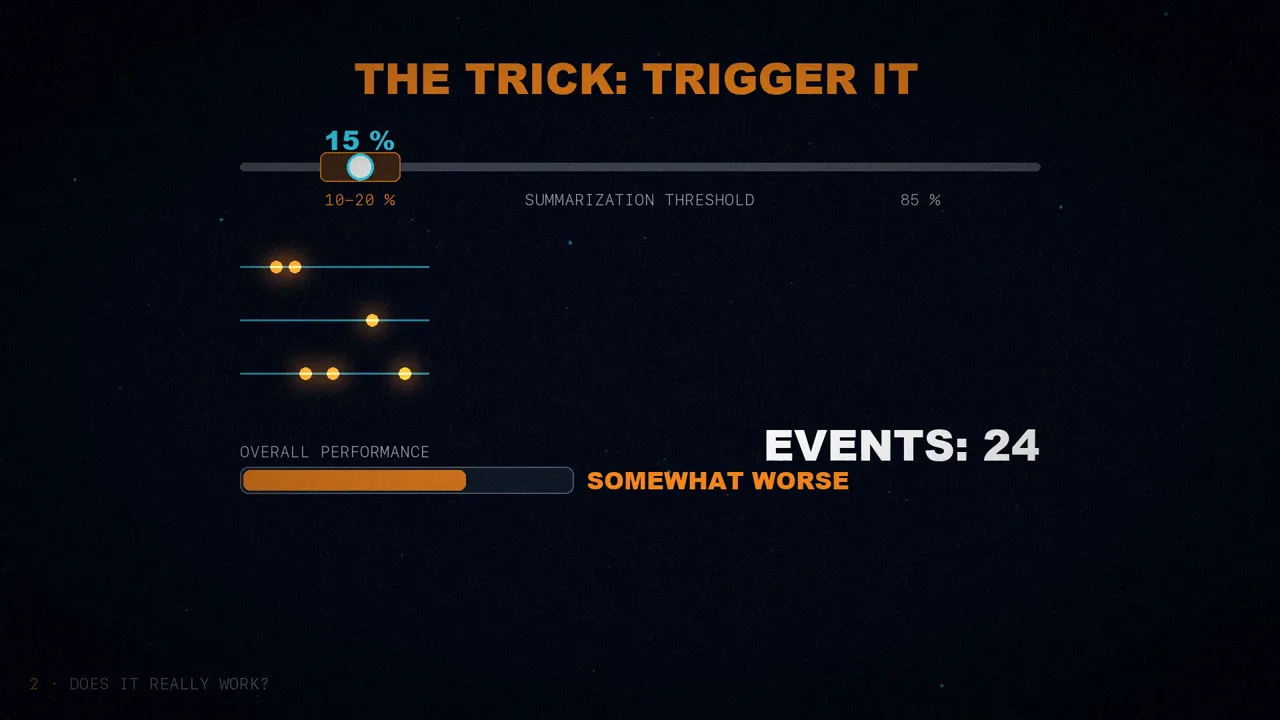
That's how they found a simple improvement: the agent worked better when they added two dedicated sections to the summarization prompt, the session intent and the next steps. In the LangChain PR that changed that prompt, the new one ends up with four sections: session intent, summary, artifacts and next steps.
The chart
The article illustrates this with a chart: runs of Claude Sonnet 4.5 on Terminal Bench 2, compressing at 25% of the window instead of the default 85%. Each line tracks the context tokens turn by turn.
- The green line: past turn 20, a summary sinks the context in one go, from about 50,000 tokens to about 15,000.
- The orange line: near turn 40, the drop is smaller. It's not a summary: a call that wrote a large file gets evicted from the context.
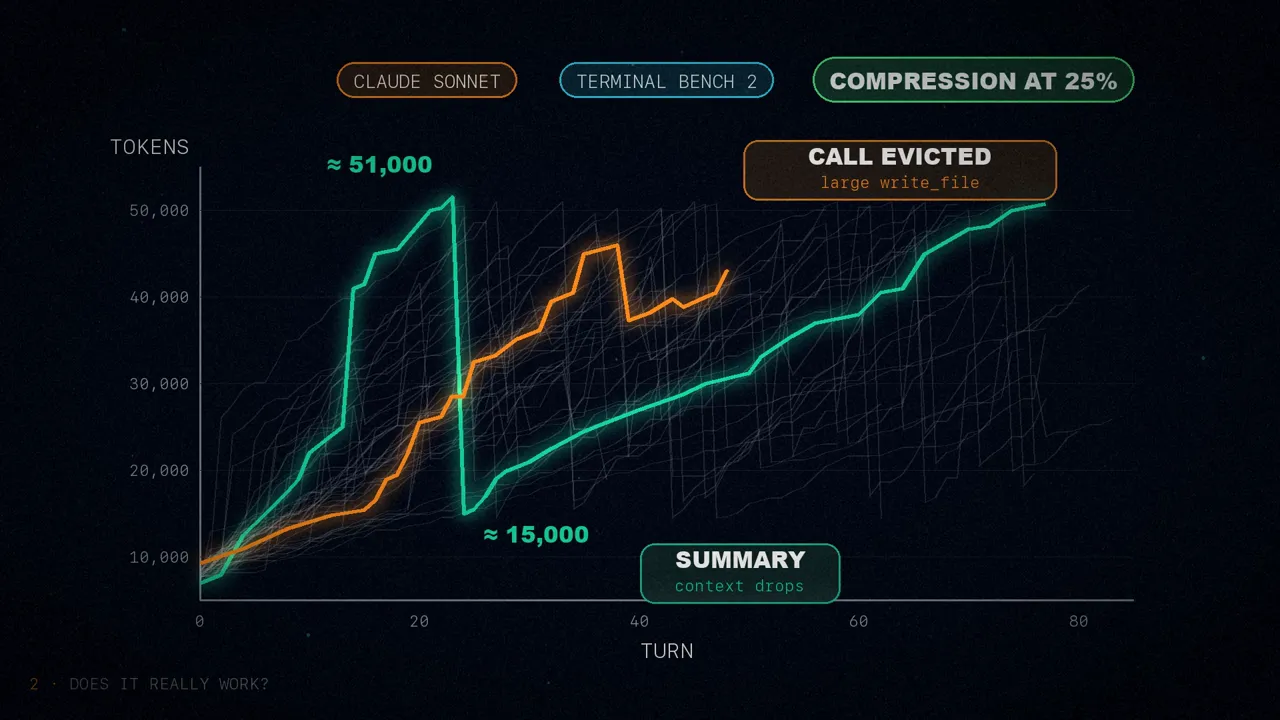
More events, more data to study them. I read the size of the drops from the figure, since the article only says "around turn 20" and "around turn 40".
Targeted evals
Beyond that, Deep Agents has a set of targeted evals: deliberately small tests, each one isolating a single compression mechanism. So when something breaks, the failure is obvious and easy to debug.
They're not trying to measure how well the agent solves tasks in general, but to check that the harness doesn't get in its way. Two examples:
They force a summary halfway through a task and check whether the agent keeps going. Saving the state isn't enough: it also has to stay on course.
They hide a fact at the start of the conversation, like a needle in a haystack, force a summary, and later the task requires that fact. It's no longer in the context: the agent can only find it by searching the disk.
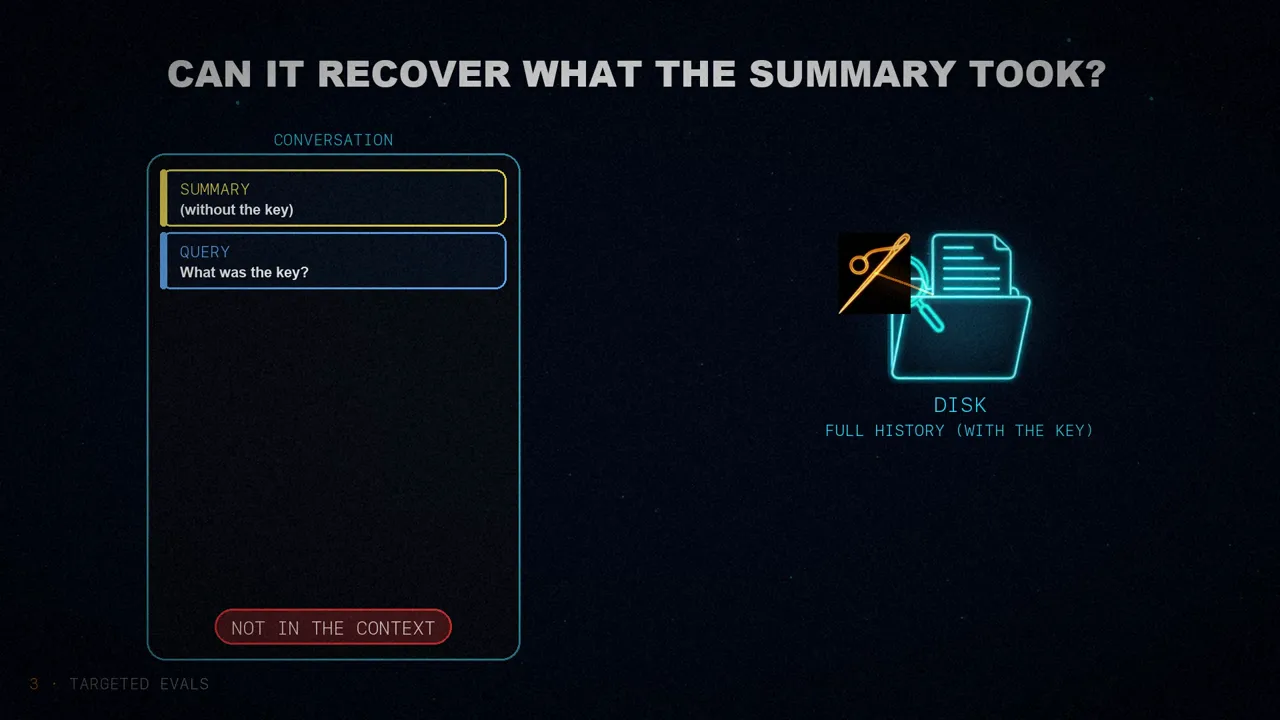
They work like integration tests for context management. They don't replace full benchmarks, but they speed up every iteration a lot, and when something breaks you know which mechanism it was, instead of blaming the agent in general.
Three tips to evaluate your compression
The article ends with three tips for anyone evaluating their own compression strategies:
Measure your harness on representative tasks to get a baseline. Then force compression, at 10 or 20% instead of 85%, and compare alternatives.
Compression only helps if the critical stuff is within reach. Test that the agent keeps heading toward its goal and can pull up specific details, like the needle.
The most treacherous failure: after a summary, the agent loses sight of what you wanted. It asks for clarifications it didn't need or declares the task done without finishing it.
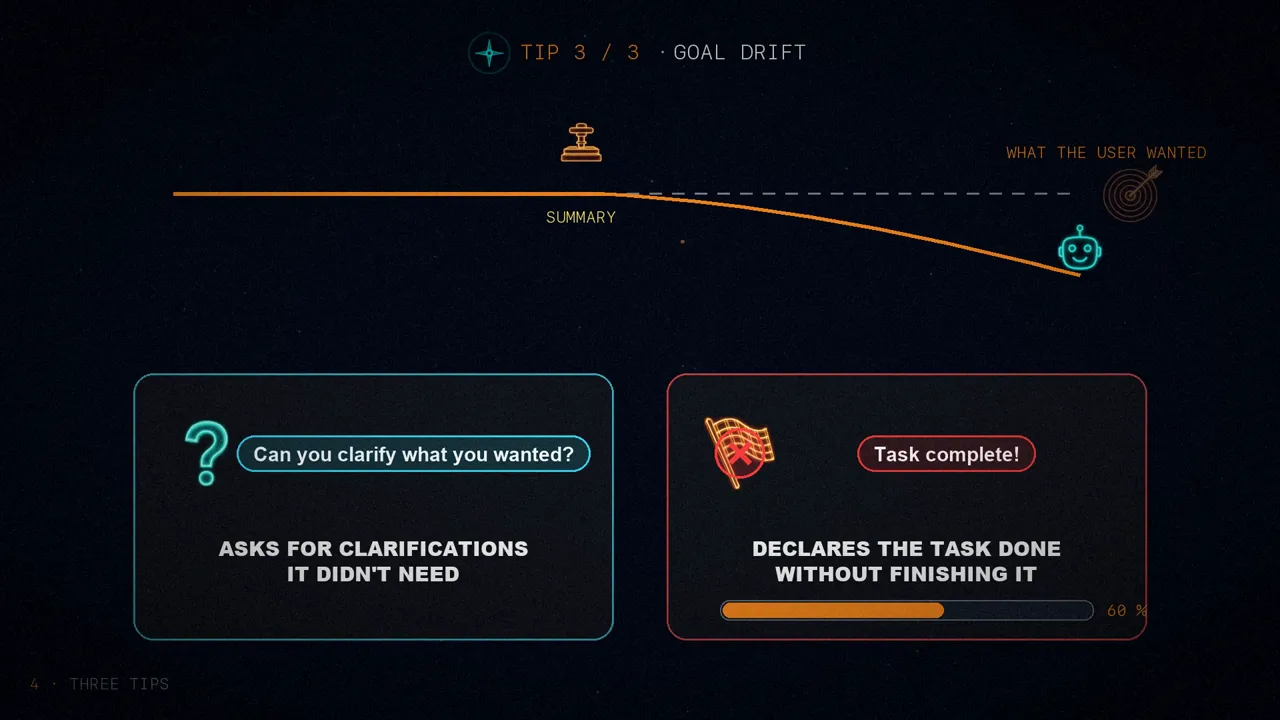
There are subtler deviations, harder to pin on the summary. Forcing frequent summaries across a test suite helps bring them to light.
In short
Deep Agents manages context in three tiers: it offloads huge responses to disk, truncates old calls and, as a last resort, summarizes without deleting anything. The whole harness is open source, so you can try it.
To know whether your compression works, don't wait for it to kick in: force it and test it with small tests.
What do your agents do when their memory fills up?
Sources
- "Context Management for Deep Agents", by Chester Curme and Mason Daugherty (LangChain), January 28, 2026.
- The Deep Agents code, with the 20,000-token threshold, the 85% and the file paths:
langchain-ai/deepagents. - The PR that added the new sections to the summarization prompt: langchain#34754.
- The video, on my three channels: Spanish, English and Portuguese.