The datasets library of Hugging Face is a very useful library for working with datasets, both with all the ones in the hub and with your own datasets.
This notebook has been automatically translated to make it accessible to more people, please let me know if you see any typos.
Installation
To use the datasets library of Hugging Face, we must first install it with pip
pip install datasetso conda
conda install -c huggingface -c conda-forge datasetsLoading a dataset from the hub
Hugging Face has a hub with a large number of datasets, classified by tasks or tasks.
Get dataset information
Before downloading a dataset, it is convenient to obtain its information. The best way is to enter the hub and view its information, but if you cannot, you can get the information by first loading a dataset generator with the load_dataset_builder function, which does not involve downloading and then getting its information with the info method.
InputPythonfrom datasets import load_dataset_builderds_builder = load_dataset_builder("yelp_review_full")info = ds_builder.infoinfoCopied
DatasetInfo(description='', citation='', homepage='', license='', features={'label': ClassLabel(names=['1 star', '2 star', '3 stars', '4 stars', '5 stars'], id=None), 'text': Value(dtype='string', id=None)}, post_processed=None, supervised_keys=None, task_templates=None, builder_name='parquet', dataset_name='yelp_review_full', config_name='yelp_review_full', version=0.0.0, splits={'train': SplitInfo(name='train', num_bytes=483811554, num_examples=650000, shard_lengths=None, dataset_name=None), 'test': SplitInfo(name='test', num_bytes=37271188, num_examples=50000, shard_lengths=None, dataset_name=None)}, download_checksums=None, download_size=322952369, post_processing_size=None, dataset_size=521082742, size_in_bytes=None)
You can see for example the classes
InputPythoninfo.featuresCopied
{'label': ClassLabel(names=['1 star', '2 star', '3 stars', '4 stars', '5 stars'], id=None),'text': Value(dtype='string', id=None)}
Download dataset
If we are happy with the dataset we have chosen we can download it with the function load_dataset.
InputPythonfrom datasets import load_datasetds = load_dataset("yelp_review_full")dsCopied
DatasetDict({train: Dataset({features: ['label', 'text'],num_rows: 650000})test: Dataset({features: ['label', 'text'],num_rows: 50000})})
Splits
As you can see, when we have downloaded the dataset we have seen that the train set and the test set have been downloaded. If we want to know which sets a dataset has we can use the function get_dataset_split_names.
InputPythonfrom datasets import get_dataset_split_namessplit_names = get_dataset_split_names("yelp_review_full")split_namesCopied
['train', 'test']
There are datasets that also have a validation set.
InputPythonfrom datasets import get_dataset_split_namessplit_names = get_dataset_split_names("rotten_tomatoes")split_namesCopied
['train', 'validation', 'test']
As datasets have data sets, we can download only one of them with the argument split.
InputPythonfrom datasets import load_datasetds = load_dataset("yelp_review_full", split="train")dsCopied
Dataset({features: ['label', 'text'],num_rows: 650000})
Configurations
Some datasets have subsets of datasets, to see the subsets of a dataset we can use the function get_dataset_config_names.
InputPythonfrom datasets import get_dataset_config_namesconfigs = get_dataset_config_names("opus100")configsCopied
['af-en','am-en','an-en','ar-de','ar-en','ar-fr','ar-nl','ar-ru','ar-zh','as-en','az-en','be-en','bg-en','bn-en','br-en','bs-en','ca-en','cs-en','cy-en','da-en',...'en-yi','en-yo','en-zh','en-zu','fr-nl','fr-ru','fr-zh','nl-ru','nl-zh','ru-zh']
This dataset has subsets of translations from one language to another.
If you only want to download a subset of a dataset you only have to specify it
InputPythonfrom datasets import load_datasetopus100en_es = load_dataset("opus100", "en-es")opus100en_esCopied
DatasetDict({test: Dataset({features: ['translation'],num_rows: 2000})train: Dataset({features: ['translation'],num_rows: 1000000})validation: Dataset({features: ['translation'],num_rows: 2000})})
Remote code
All files and codes uploaded to the Hub are scanned for malware, a script is run to check them. But if you want to download them faster without running that script you should set the trust_remote_code=True parameter. This is only advisable in a dataset you trust, or if you want to do the check yourself.
InputPythonfrom datasets import load_datasetopus100 = load_dataset("opus100", "en-es", trust_remote_code=True)opus100Copied
DatasetDict({test: Dataset({features: ['translation'],num_rows: 2000})train: Dataset({features: ['translation'],num_rows: 1000000})validation: Dataset({features: ['translation'],num_rows: 2000})})
Knowing the data sets
In hugging face there are two datasets, normal datasets and iterable datasets, which are datasets that do not need to be loaded as a whole. What this means, let's suppose that we have a dataset so big that it does not fit in the memory of the disk, then with an iterable dataset it is not necessary to unload it whole since parts will be unloaded as they are needed.
Normal data sets
As the name suggests, there is a lot of data in a dataset, so we can do an indexing
InputPythonfrom datasets import load_datasetopus100 = load_dataset("opus100", "en-es", split="train")Copied
InputPythonopus100[1]Copied
{'translation': {'en': "I'm out of here.", 'es': 'Me voy de aquí.'}}
InputPythonopus100[1:10]Copied
{'translation': [{'en': "I'm out of here.", 'es': 'Me voy de aquí.'},{'en': 'One time, I swear I pooped out a stick of chalk.','es': 'Una vez, juro que cagué una barra de tiza.'},{'en': 'And I will move, do you understand me?','es': 'Y prefiero mudarme, ¿Entiendes?'},{'en': '- Thank you, my lord.', 'es': '- Gracias.'},{'en': 'You have to help me.', 'es': 'Debes ayudarme.'},{'en': 'Fuck this!', 'es': '¡Por la mierda!'},{'en': 'The safety and efficacy of MIRCERA therapy in other indications has not been established.','es': 'No se ha establecido la seguridad y eficacia del tratamiento con MIRCERA en otras indicaciones.'},{'en': 'You can stay if you want.','es': 'Así lo decidí, pueden quedarse si quieren.'},{'en': "Of course, when I say 'translating an idiom,' I do not mean literal translation, rather an equivalent idiomatic expression in the target language, or any other means to convey the meaning.",'es': "Por supuesto, cuando digo 'traducir un idioma', no me refiero a la traducción literal, más bien a una expresión equivalente idiomática de la lengua final, o cualquier otro medio para transmitir el significado."}]}
It should be noted that we have downloaded the train dataset, because if we had downloaded everything we would get an error.
InputPythonfrom datasets import load_datasetopus100_all = load_dataset("opus100", "en-es")Copied
InputPythonopus100_all[1]Copied
---------------------------------------------------------------------------KeyError Traceback (most recent call last)Cell In[12], line 1----> 1 opus100_all[1]File ~/miniconda3/envs/nlp/lib/python3.11/site-packages/datasets/dataset_dict.py:80, in DatasetDict.__getitem__(self, k)76 available_suggested_splits = [77 split for split in (Split.TRAIN, Split.TEST, Split.VALIDATION) if split in self78 ]79 suggested_split = available_suggested_splits[0] if available_suggested_splits else list(self)[0]---> 80 raise KeyError(81 f"Invalid key: {k}. Please first select a split. For example: "82 f"`my_dataset_dictionary['{suggested_split}'][{k}]`. "83 f"Available splits: {sorted(self)}"84 )KeyError: "Invalid key: 1. Please first select a split. For example: `my_dataset_dictionary['train'][1]`. Available splits: ['test', 'train', 'validation']"
As we can see, it tells us that first we have to choose a split, so in this case, since we have downloaded everything, it should have been done as follows
InputPythonopus100_all["train"][1]Copied
{'translation': {'en': "I'm out of here.", 'es': 'Me voy de aquí.'}}
We can also index by some of the features, first let's see what they are
InputPythonfeatures = opus100.featuresfeaturesCopied
{'translation': Translation(languages=['en', 'es'], id=None)}
We see that it is translation.
InputPythonopus100["translation"]Copied
[{'en': "It was the asbestos in here, that's what did it!",'es': 'Fueron los asbestos aquí. ¡Eso es lo que ocurrió!'},{'en': "I'm out of here.", 'es': 'Me voy de aquí.'},{'en': 'One time, I swear I pooped out a stick of chalk.','es': 'Una vez, juro que cagué una barra de tiza.'},{'en': 'And I will move, do you understand me?','es': 'Y prefiero mudarme, ¿Entiendes?'},{'en': '- Thank you, my lord.', 'es': '- Gracias.'},{'en': 'You have to help me.', 'es': 'Debes ayudarme.'},{'en': 'Fuck this!', 'es': '¡Por la mierda!'},{'en': 'The safety and efficacy of MIRCERA therapy in other indications has not been established.','es': 'No se ha establecido la seguridad y eficacia del tratamiento con MIRCERA en otras indicaciones.'},{'en': 'You can stay if you want.','es': 'Así lo decidí, pueden quedarse si quieren.'},{'en': "Of course, when I say 'translating an idiom,' I do not mean literal translation, rather an equivalent idiomatic expression in the target language, or any other means to convey the meaning.",'es': "Por supuesto, cuando digo 'traducir un idioma', no me refiero a la traducción literal, más bien a una expresión equivalente idiomática de la lengua final, o cualquier otro medio para transmitir el significado."},{'en': 'Norman.', 'es': 'Norman.'},{'en': "- I'm not stupid.", 'es': '- Yo no soy estúpido.'},{'en': 'Sorry, a weird gas bubble for a sec.','es': 'Perdón, he tenido una burbuja de gas extraño un momentito'},...'es': '- ¿Qué parte no entiendes?'},{'en': 'Is it anything like your last Christmas letter?', 'es': 'Sí, bueno.'},{'en': 'Mike.', 'es': 'Mike.'},{'en': 'The haemoglobin should be measured every one or two weeks until it is stable.','es': 'La hemoglobina se medirá cada una o dos semanas hasta que se estabilice.'},{'en': 'Yeah, buddy!', 'es': '- ¡Sí, amigo!'},{'en': "That's not it.", 'es': 'No se trata de eso.'},{'en': 'Come on.', 'es': 'Vamos.'},{'en': 'I knew this would happen.', 'es': 'Sabía que esto sucedería.'},...]
As we can see we get a list with many pairs of translations between English and Spanish, so if we wanted the first one we might be tempted to do opus100["translation"][0], but let's do some timing measurements
InputPythonfrom time import timet0 = time()opus100["translation"][0]t = time()print(f"Tiempo indexando primero por feature y luego por posición: {t-t0} segundos")t0 = time()opus100[0]["translation"]t = time()print(f"Tiempo indexando primero por posición y luego por feature: {t-t0} segundos")Copied
Tiempo indexando primero por feature y luego por posición: 6.145161390304565 segundosTiempo indexando primero por posición y luego por feature: 0.00044727325439453125 segundos
As you can see it is much faster to index first by position and then by feature, this is because if we do opus100["translation"] we get all the pairs of translations of the dataset and then we keep the first one, while if we do opus100[0] we get the first element of the dataset and then we only keep the feature we want.
It is therefore important to index first by position and then by feature.
Here is an example of a couple of translations
InputPythonopus100[0]["translation"]Copied
{'en': "It was the asbestos in here, that's what did it!",'es': 'Fueron los asbestos aquí. ¡Eso es lo que ocurrió!'}
Iterable data sets (streaming)
As we have said, the iterable dataset is downloaded as we need the data and not all at once, to do this we must add the parameter streaming=True to the load_dataset function.
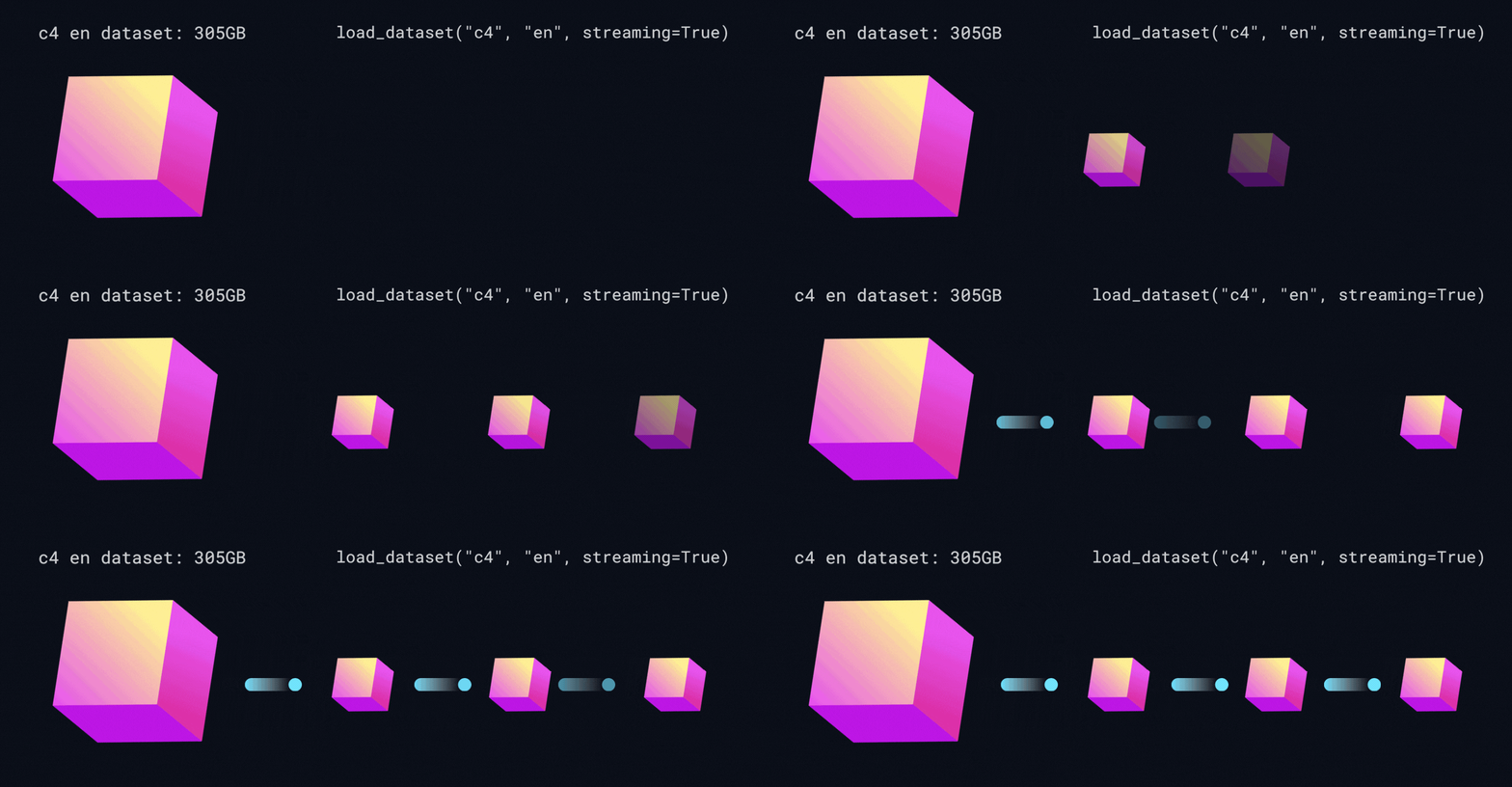
InputPythonfrom datasets import load_datasetiterable_dataset = load_dataset("food101", split="train", streaming=True)for example in iterable_dataset:print(example)breakCopied
{'image': <PIL.JpegImagePlugin.JpegImageFile image mode=RGB size=384x512 at 0x7F9878371AD0>, 'label': 6}
Unlike normal datasets, with iterable datasets it is not possible to do indexing or slicing, because as we do not have it loaded in memory we cannot take parts of the set.
To iterate through an iterable dataset you have to do it with a for as we have done before, but when you just want to take the next element you have to do it with the next() and iter() Python functions.
With the next() function we convert the data set into a Python iterable data type. And with the next() function we get the next element of the iterable data type. All this is better explained in the Introduction to Python post.
InputPythonnext(iter(iterable_dataset))Copied
{'image': <PIL.JpegImagePlugin.JpegImageFile image mode=RGB size=384x512>,'label': 6}
However, if what we want is to obtain several new elements from the dataset we do it using the list() function and the take() method.
With the take() method we tell the iterable dataset how many new elements we want. While with the list() function we convert that data into a list.
InputPythonlist(iterable_dataset.take(3))Copied
[{'image': <PIL.JpegImagePlugin.JpegImageFile image mode=RGB size=384x512>,'label': 6},{'image': <PIL.JpegImagePlugin.JpegImageFile image mode=RGB size=512x512>,'label': 6},{'image': <PIL.JpegImagePlugin.JpegImageFile image mode=RGB size=512x383>,'label': 6}]
Data preprocessing
When we have a dataset we usually have to do some preprocessing of the data, for example sometimes we have to remove invalid characters, etc. The dataset library provides this functionality through the map method.
First we are going to instantiate a dataset and a pretrained tokenizer, to instantiate the tokenizer we use the transformers library and not the tokenizers library, since with the transformers library we can instantiate a pretrained tokenizer and with the tokenizers library we would have to create the tokenizer from scratch.
InputPythonfrom transformers import AutoTokenizerfrom datasets import load_datasettokenizer = AutoTokenizer.from_pretrained("bert-base-uncased")dataset = load_dataset("rotten_tomatoes", split="train")Copied
Lets see the keys`s of the dataset
InputPythondataset[0].keys()Copied
dict_keys(['text', 'label'])
Now let's see an example of the dataset
InputPythondataset[0]Copied
{'text': 'the rock is destined to be the 21st century's new " conan " and that he's going to make a splash even greater than arnold schwarzenegger , jean-claud van damme or steven segal .','label': 1}
We tokenize the text
InputPythontokenizer(dataset[0]["text"])Copied
{'input_ids': [101, 1996, 2600, 2003, 16036, 2000, 2022, 1996, 7398, 2301, 1005, 1055, 2047, 1000, 16608, 1000, 1998, 2008, 2002, 1005, 1055, 2183, 2000, 2191, 1037, 17624, 2130, 3618, 2084, 7779, 29058, 8625, 13327, 1010, 3744, 1011, 18856, 19513, 3158, 5477, 4168, 2030, 7112, 16562, 2140, 1012, 102], 'token_type_ids': [0, 0, 0, 0, 0, 0, 0, 0, 0, 0, 0, 0, 0, 0, 0, 0, 0, 0, 0, 0, 0, 0, 0, 0, 0, 0, 0, 0, 0, 0, 0, 0, 0, 0, 0, 0, 0, 0, 0, 0, 0, 0, 0, 0, 0, 0, 0], 'attention_mask': [1, 1, 1, 1, 1, 1, 1, 1, 1, 1, 1, 1, 1, 1, 1, 1, 1, 1, 1, 1, 1, 1, 1, 1, 1, 1, 1, 1, 1, 1, 1, 1, 1, 1, 1, 1, 1, 1, 1, 1, 1, 1, 1, 1, 1, 1, 1]}
When we are going to train a language model we have seen that we cannot pass it the text, but the tokens, so we are going to do a preprocessing of the dataset tokenizing all the texts.
First we create a function that tokenizes an input text
InputPythondef tokenization(example):return tokenizer(example["text"])Copied
Now, as we have said, with the map method we can apply a function to all the elements of a dataset. In addition we use the batched=True variable to apply the function to text batches and not one by one to go faster.
InputPythondataset = dataset.map(tokenization, batched=True)Copied
Let's see now the keyss of the dataset
InputPythondataset[0].keys()Copied
dict_keys(['text', 'label', 'input_ids', 'token_type_ids', 'attention_mask'])
As we can see, new keyss have been added to the dataset, which are the ones that have been added when tokenizing the text
Let's look again at the same example as before
InputPythondataset[0]Copied
{'text': 'the rock is destined to be the 21st century's new " conan " and that he's going to make a splash even greater than arnold schwarzenegger , jean-claud van damme or steven segal .','label': 1,'input_ids': [101,1996,2600,2003,16036,2000,2022,1996,7398,2301,1005,1055,2047,1000,16608,1000,1998,2008,...1,1,1,1,1,1,1,1,1,1]}
It is much larger than before
Format of the dataset.
We have tokenization to be able to use the dataset with a language model, but if we look, the data type of each key is a list.
InputPythontype(dataset[0]["text"]), type(dataset[0]["label"]), type(dataset[0]["input_ids"]), type(dataset[0]["token_type_ids"]), type(dataset[0]["attention_mask"])Copied
(str, int, list, list, list)
However for training we need them to be tensors, so datasets offers a method to assign the format of the dataset data, which is the set_format method.
InputPythondataset.set_format(type="torch", columns=["input_ids", "token_type_ids", "attention_mask", "label"])dataset.format['type']Copied
'torch'
Let's look again at the keyss of the dataset
InputPythondataset[0].keys()Copied
dict_keys(['label', 'input_ids', 'token_type_ids', 'attention_mask'])
As we can see, when formatting, we no longer have the key text, and we don't really need it.
Now we see the data type of each key.
InputPythontype(dataset[0]["label"]), type(dataset[0]["input_ids"]), type(dataset[0]["token_type_ids"]), type(dataset[0]["attention_mask"])Copied
(torch.Tensor, torch.Tensor, torch.Tensor, torch.Tensor)
All are tensioners, perfect for training
At this point we could save the dataset so as not to have to do this preprocessing each time
Create a dataset
When creating a dataset huggingface gives us three options, through folders, but at the time of writing this post, doing it through folders is only valid for image or audio datasets.
The other two methods are through generators and dictionaries, so let's take a look at them.
Creating a dataset from a generator
Suppose we have the following pairs of English and Spanish sentences:
InputPythonprint("El perro ha comido hoy - The dog has eaten today")print("El gato ha dormido hoy - The cat has slept today")print("El pájaro ha volado hoy - The bird has flown today")print("El pez ha nadado hoy - The fish has swum today")print("El caballo ha galopado hoy - The horse has galloped today")print("El cerdo ha corrido hoy - The pig has run today")print("El ratón ha saltado hoy - The mouse has jumped today")print("El elefante ha caminado hoy - The elephant has walked today")print("El león ha rugido hoy - The lion has roared today")print("El tigre ha cazado hoy - The tiger has hunted today")Copied
El perro ha comido hoy - The dog has eaten todayEl gato ha dormido hoy - The cat has slept todayEl pájaro ha volado hoy - The bird has flown todayEl pez ha nadado hoy - The fish has swum todayEl caballo ha galopado hoy - The horse has galloped todayEl cerdo ha corrido hoy - The pig has run todayEl ratón ha saltado hoy - The mouse has jumped todayEl elefante ha caminado hoy - The elephant has walked todayEl león ha rugido hoy - The lion has roared todayEl tigre ha cazado hoy - The tiger has hunted today
Don't judge me, it was generated by copilot.
We can create a dataset by means of a generator, for this we import Dataset and use its from_generator method.
InputPythonfrom datasets import Datasetdef generator():yield {"es": "El perro ha comido hoy", "en": "The dog has eaten today"}yield {"es": "El gato ha dormido hoy", "en": "The cat has slept today"}yield {"es": "El pájaro ha volado hoy", "en": "The bird has flown today"}yield {"es": "El pez ha nadado hoy", "en": "The fish has swum today"}yield {"es": "El caballo ha galopado hoy", "en": "The horse has galloped today"}yield {"es": "El cerdo ha corrido hoy", "en": "The pig has run today"}yield {"es": "El ratón ha saltado hoy", "en": "The mouse has jumped today"}yield {"es": "El elefante ha caminado hoy", "en": "The elephant has walked today"}yield {"es": "El león ha rugido hoy", "en": "The lion has roared today"}yield {"es": "El tigre ha cazado hoy", "en": "The tiger has hunted today"}dataset = Dataset.from_generator(generator)datasetCopied
Generating train split: 0 examples [00:00, ? examples/s]
Dataset({features: ['es', 'en'],num_rows: 10})
The nice thing about using the from_generator method is that we can create an iterable dataset, which as we have seen before, does not need to be loaded integer in memory. To do this what we have to do is to import the IterableDataset module, instead of the Dataset module, and use the from_generator method again.
InputPythonfrom datasets import IterableDatasetdef generator():yield {"es": "El perro ha comido hoy", "en": "The dog has eaten today"}yield {"es": "El gato ha dormido hoy", "en": "The cat has slept today"}yield {"es": "El pájaro ha volado hoy", "en": "The bird has flown today"}yield {"es": "El pez ha nadado hoy", "en": "The fish has swum today"}yield {"es": "El caballo ha galopado hoy", "en": "The horse has galloped today"}yield {"es": "El cerdo ha corrido hoy", "en": "The pig has run today"}yield {"es": "El ratón ha saltado hoy", "en": "The mouse has jumped today"}yield {"es": "El elefante ha caminado hoy", "en": "The elephant has walked today"}yield {"es": "El león ha rugido hoy", "en": "The lion has roared today"}yield {"es": "El tigre ha cazado hoy", "en": "The tiger has hunted today"}iterable_dataset = IterableDataset.from_generator(generator)iterable_datasetCopied
IterableDataset({features: ['es', 'en'],n_shards: 1})
Now we can obtain data one by one
InputPythonnext(iter(iterable_dataset))Copied
{'es': 'El perro ha comido hoy', 'en': 'The dog has eaten today'}
O in batches
InputPythonlist(iterable_dataset.take(3))Copied
[{'es': 'El perro ha comido hoy', 'en': 'The dog has eaten today'},{'es': 'El gato ha dormido hoy', 'en': 'The cat has slept today'},{'es': 'El pájaro ha volado hoy', 'en': 'The bird has flown today'}]
Creating a dataset from a dictionary
It may be that we have the data stored in a dictionary, in that case we can create a dataset by importing the Dataset module and using the from_dict method.
InputPythonfrom datasets import Datasettranslations_dict = {"es": ["El perro ha comido hoy","El gato ha dormido hoy","El pájaro ha volado hoy","El pez ha nadado hoy","El caballo ha galopado hoy","El cerdo ha corrido hoy","El ratón ha saltado hoy","El elefante ha caminado hoy","El león ha rugido hoy","El tigre ha cazado hoy"],"en": ["The dog has eaten today","The cat has slept today","The bird has flown today","The fish has swum today","The horse has galloped today","The pig has run today","The mouse has jumped today","The elephant has walked today","The lion has roared today","The tiger has hunted today"]}dataset = Dataset.from_dict(translations_dict)datasetCopied
Dataset({features: ['es', 'en'],num_rows: 10})
However, when creating a dataset from a dictionary, we cannot create an iterable dataset.
Share the dataset in the Hugging Face Hub
Once we have created the dataset we can upload it to our space in the Hugging Face Hub so that others can use it. To do this you need to have a Hugging Face account.
Logging
In order to upload the dataset we first have to log in.
This can be done through the terminal with
huggingface-cli loginOr through the notebook having previously installed the huggingface_hub library with
pip install huggingface_hubNow we can log in with the notebook_login function, which will create a small graphical interface where we have to enter a Hugging Face token.
To create a token, go to the setings/tokens page of your account, you will see something like this
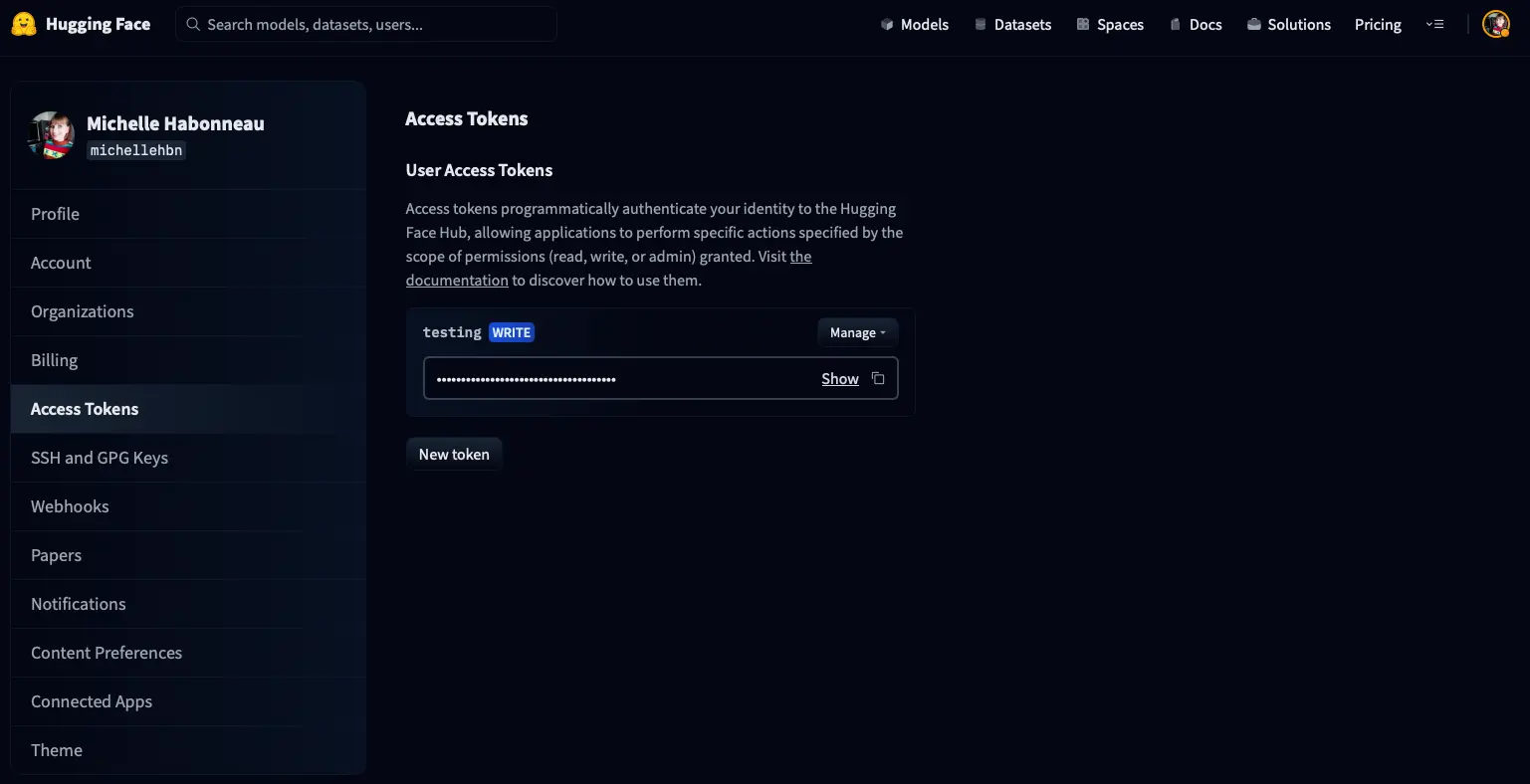
Click on New token and a window will appear to create a new token.
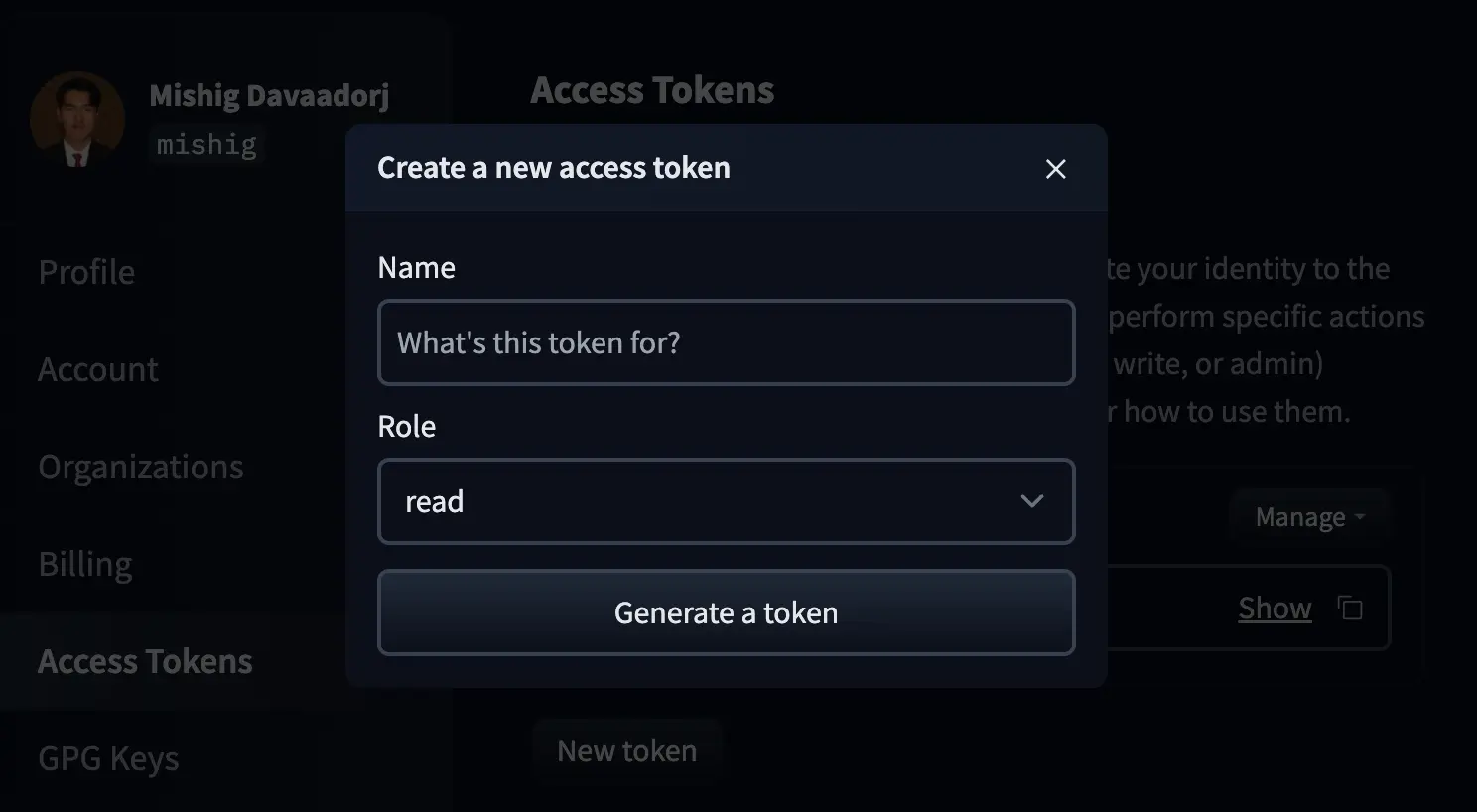
We name the token and create it with the write role.
Once created, we copy it
InputPythonfrom huggingface_hub import notebook_loginnotebook_login()Copied
				VBox(children=(HTML(value='<center> <img
src=https://huggingface.co/front/assets/huggingface_logo-noborder.sv…
Dataset upload
Once we have logged in, we can upload the dataset by simply using the push_to_hub method, giving a name for the dataset
InputPythondataset.push_to_hub("dataset_notebook_demo")Copied
Uploading the dataset shards: 0%| | 0/1 [00:00<?, ?it/s]
Creating parquet from Arrow format: 0%| | 0/1 [00:00<?, ?ba/s]
CommitInfo(commit_url='https://huggingface.co/datasets/Maximofn/dataset_notebook_demo/commit/71f1ad2cffd6f424f33d45fd992f817d8f76dc0e', commit_message='Upload dataset', commit_description='', oid='71f1ad2cffd6f424f33d45fd992f817d8f76dc0e', pr_url=None, pr_revision=None, pr_num=None)
If we now go to our Hub we can see that the dataset has been uploaded.
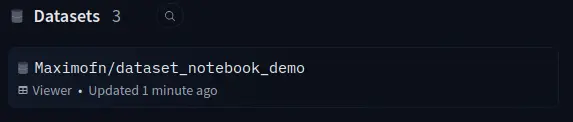
If we now go to the dataset card to see
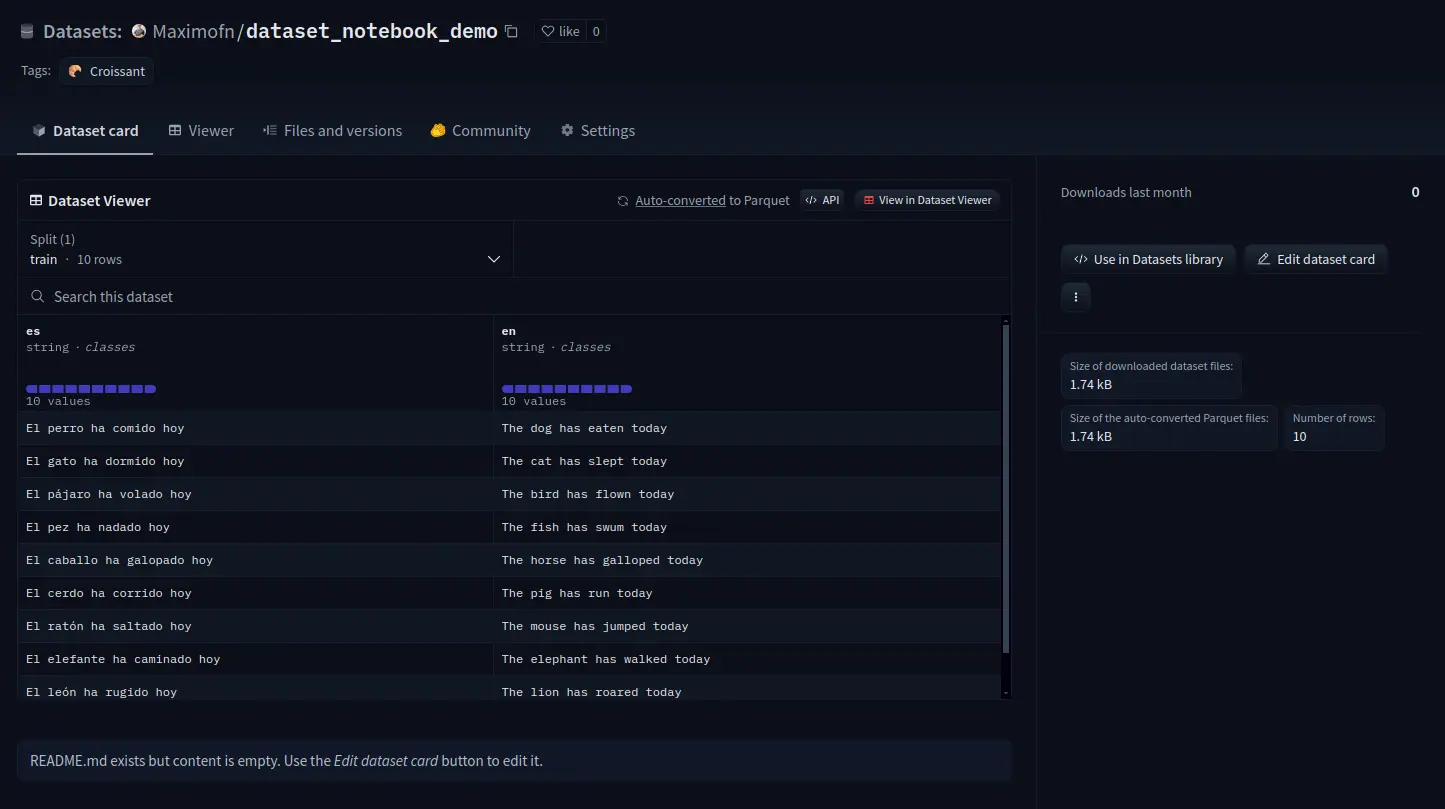
We see that everything is not filled in, so the information should be completed.
Private upload of the dataset
If we want only us or people from our organization to have access to the dataset, we have to add the private=true attribute to the push_to_hub method.
InputPythondataset.push_to_hub("dataset_notebook_demo_private", private=True)Copied
Uploading the dataset shards: 0%| | 0/1 [00:00<?, ?it/s]
Creating parquet from Arrow format: 0%| | 0/1 [00:00<?, ?ba/s]
CommitInfo(commit_url='https://huggingface.co/datasets/Maximofn/dataset_notebook_demo_private/commit/c90525f6aa5f1c8c44da3cde2b9599828abd8233', commit_message='Upload dataset', commit_description='', oid='c90525f6aa5f1c8c44da3cde2b9599828abd8233', pr_url=None, pr_revision=None, pr_num=None)
If we now go to our Hub we can see that the dataset has been uploaded.
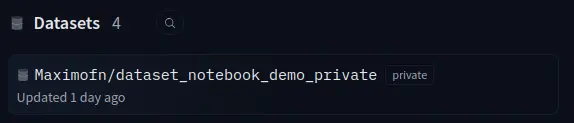
If we now go to the dataset card to see
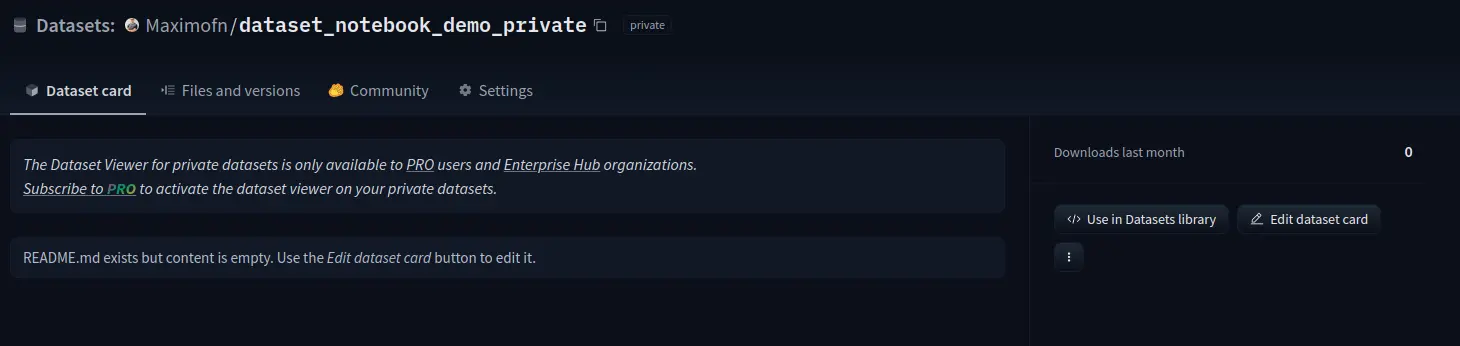
We can see that everything is not filled in, so the information would have to be completed. We can also see that in the private datasets it is not possible to see the data.
Hub as git repository
In Hugging Face both models, spaces and datasets are git repositories, so you can work with them like that. That is, you can clone, make forks, pull requests, etc.
But another great advantage of this is that you can use a dataset in a particular version
InputPythonfrom datasets import load_datasetds = load_dataset("yelp_review_full", revision="393e083")Copied
config.json: 0%| | 0.00/433 [00:00<?, ?B/s]
pytorch_model.bin: 0%| | 0.00/436M [00:00<?, ?B/s]
Some weights of BertForSequenceClassification were not initialized from the model checkpoint at bert-base-cased and are newly initialized: ['classifier.bias', 'classifier.weight']You should probably TRAIN this model on a down-stream task to be able to use it for predictions and inference.