Compile instead of search
The proposal is simple. A RAG system (retrieval-augmented generation) hunts for chunks of text in your documents as soon as you ask, pastes them into the context and answers. The LLM Wiki does something else: the model reads your sources just once and turns them into Markdown pages linked to each other. Those pages are not thrown away: they grow and improve with every new source.
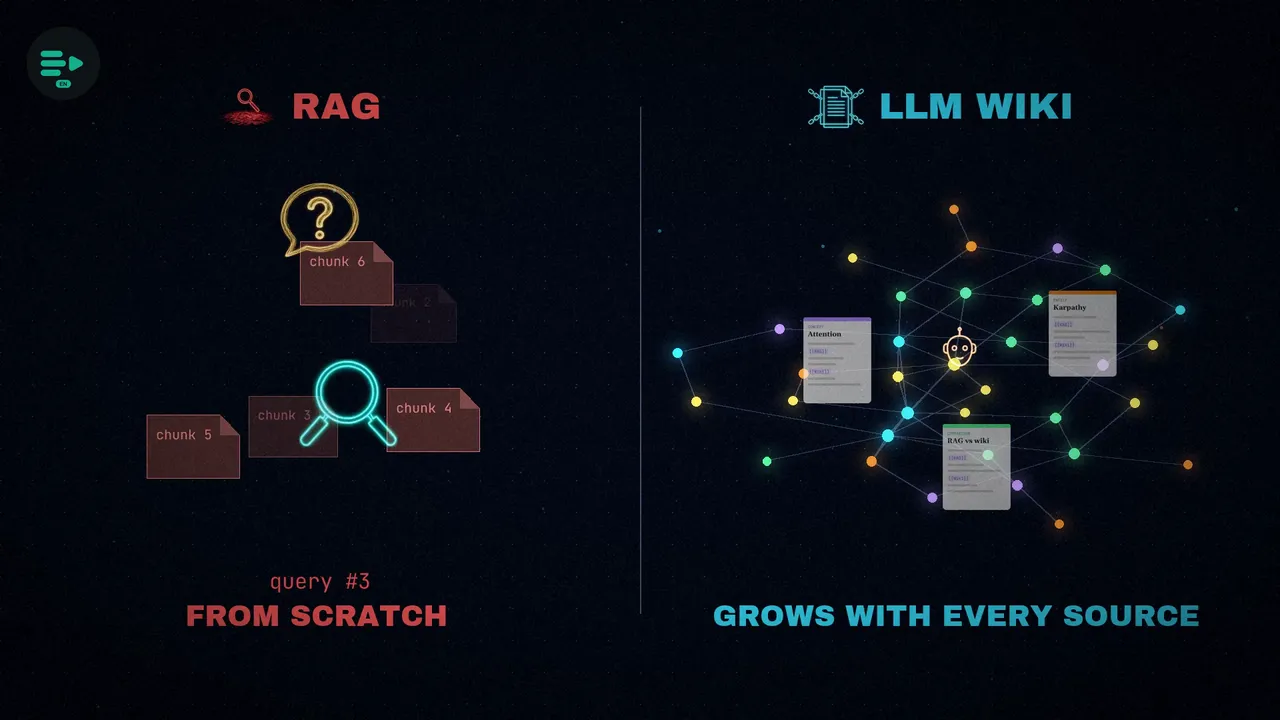
Why is it needed? According to the article, traditional RAG pipelines fail for one reason: they have no state. Faced with a question, they retrieve fragments, combine them, answer… and forget. The next query starts from zero again. So nothing accumulates: neither the knowledge nor the synthesis the model has just done.
From code to knowledge
In early April 2026, Karpathy said on X that the way he works with models had changed. He no longer spends most of his tokens writing code, but organizing knowledge: personal knowledge bases on the topics he researches, stored as Markdown files and images inside Obsidian. The tweet passed 50,000 likes in a few days.
Then he published a document on GitHub called LLM Wiki. It is not a program: it is an idea file, meant to be copied and pasted as is into your agent, whether that's Claude Code, Codex or OpenCode. The agent reads it and works out the details with you. Within a single week there were already two working implementations.
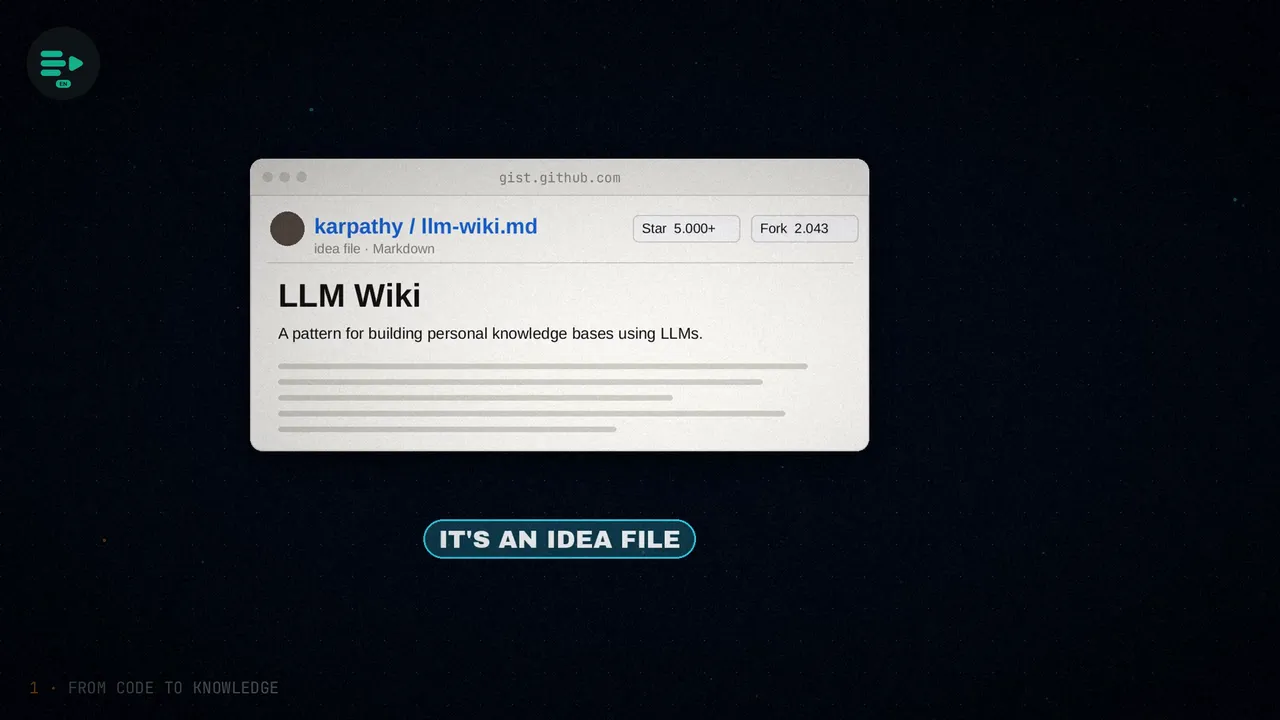
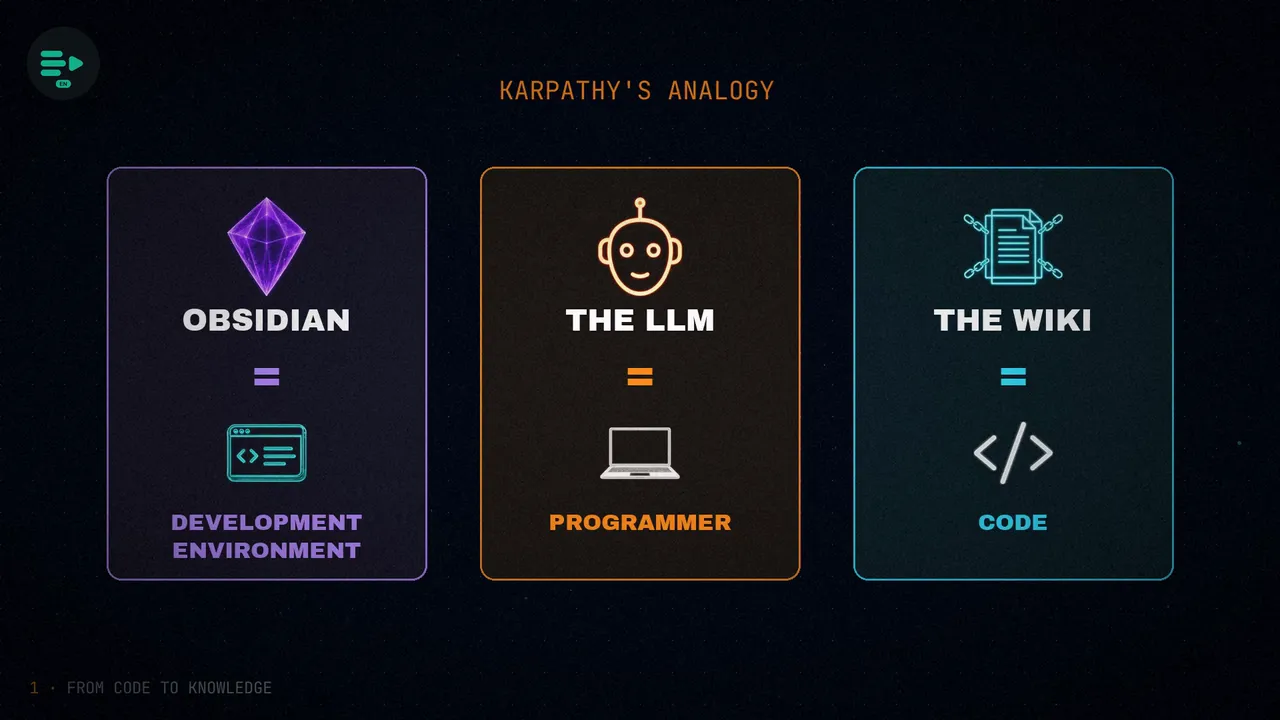
For Karpathy, using the model as a simple search engine wastes what it can do. His proposal turns it into the maintainer of a wiki: it reads each source only once, synthesizes it into structured pages and keeps them up to date. In his document he sums it up with an image: Obsidian is the IDE, the LLM is the programmer, and the wiki is the codebase.
The three layers
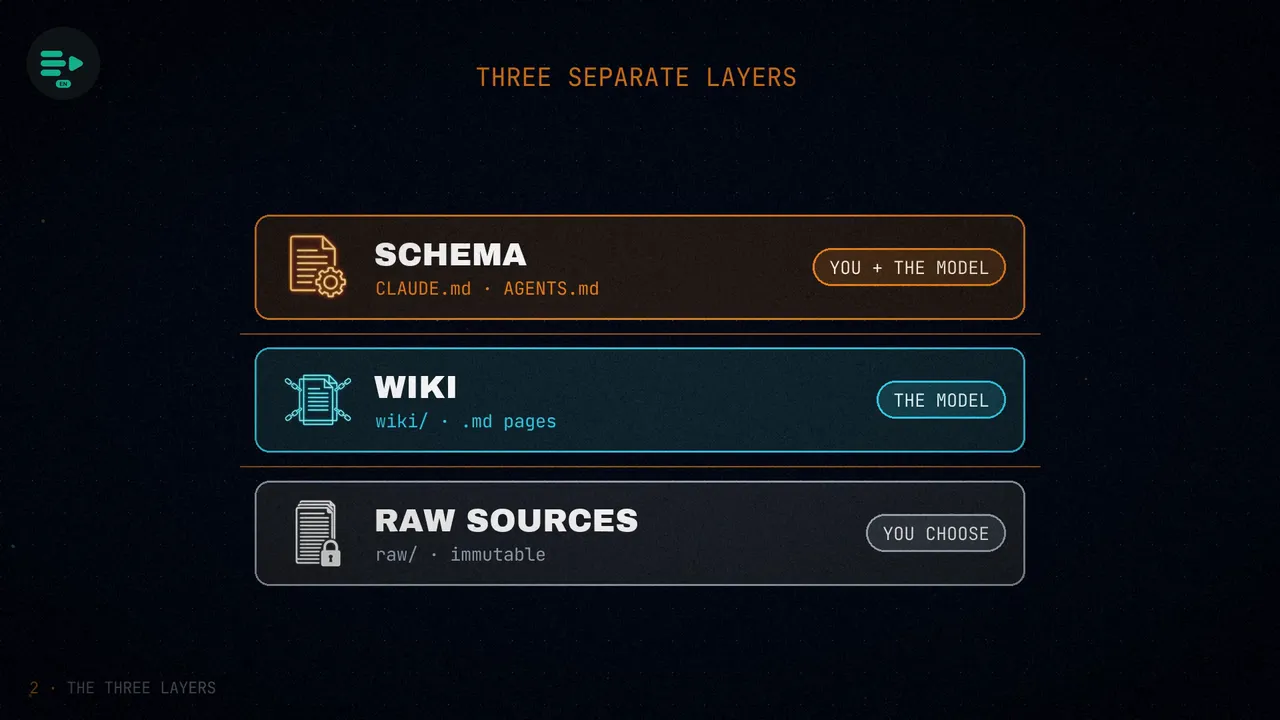
The architecture has three separate layers, and each one has its own owner and its own rules:
- The raw sources. Articles, papers, images, data and code, all in their own folder. They are immutable: the model reads them, but never changes them. Karpathy gathers about a hundred articles per topic with the Obsidian Web Clipper, and his compiled wikis add up to about 400,000 words.
- The wiki. A directory of Markdown files written by the model itself: summaries, entity and concept pages, comparisons and syntheses across topics. All of it belongs to the model: it writes it, rewrites it and reorganizes it as new sources arrive and it understands the topic better. People read it and ask it questions, but they almost never edit it.
- The schema. A configuration document, like
CLAUDE.mdorAGENTS.md, that sets the folder structure, how files are named and which steps to follow for each task. It is what turns the model into a disciplined maintainer instead of a generic chatbot. You and the agent keep refining it over time.
The three operations: ingest, query and lint
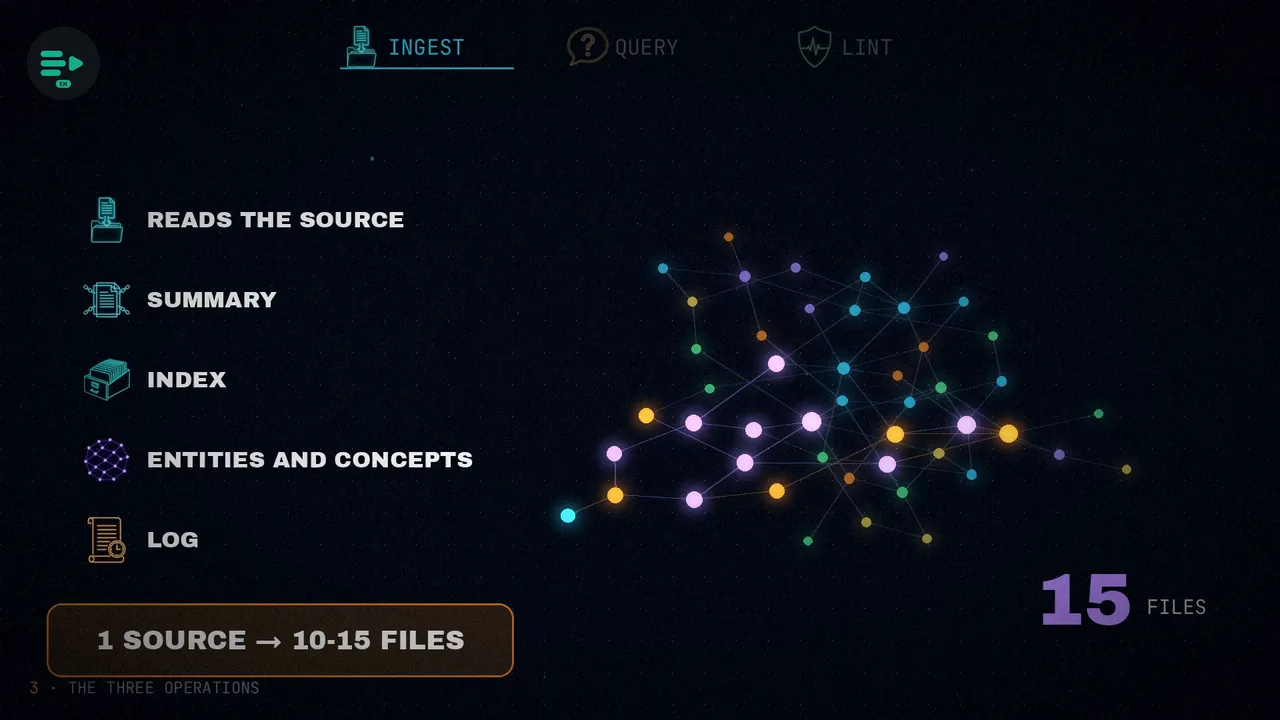
Three operations work on top of those layers. The first is ingest. When a new source comes in, the model reads it, writes or updates its summary page, refreshes the index, revises the affected entity and concept pages, and records the entry in the log. A single source usually touches between ten and fifteen files.
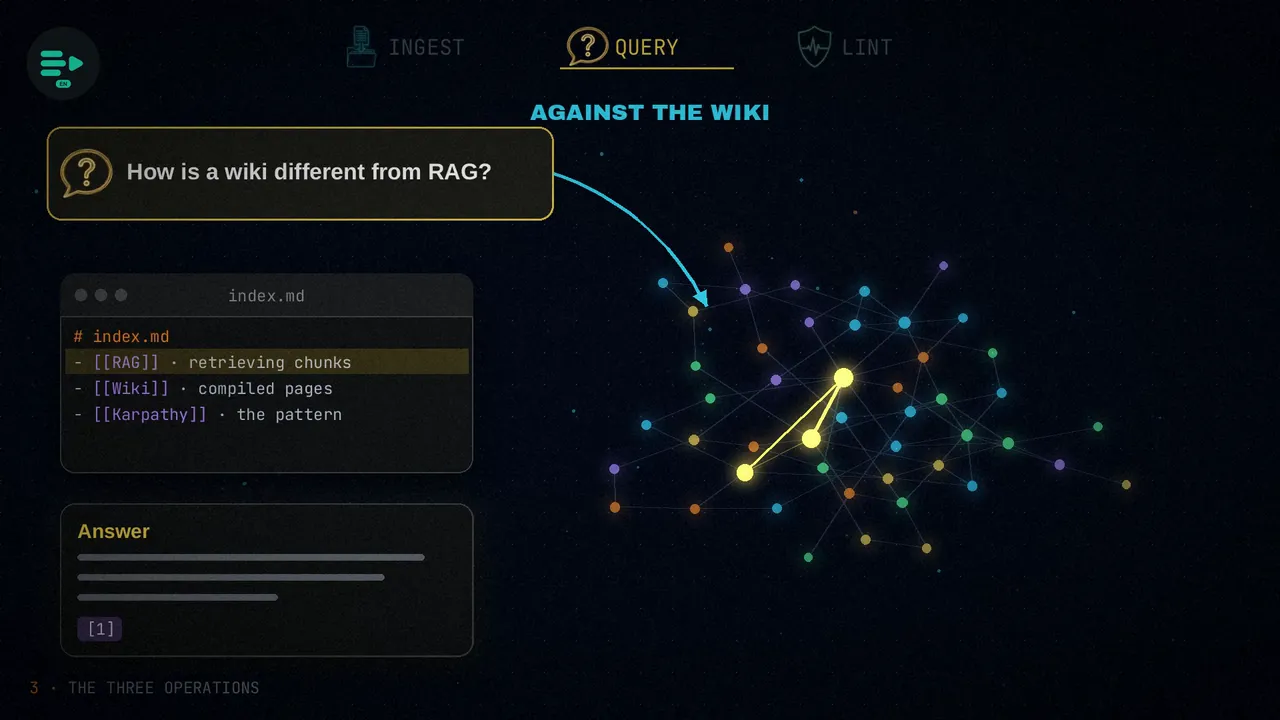
The second is query. Questions are answered against the wiki, not against the original documents. The model finds the relevant pages through the index and answers with citations. And if the answer is worth keeping, it saves it to the wiki as a new page: that way, your own questions add up too.
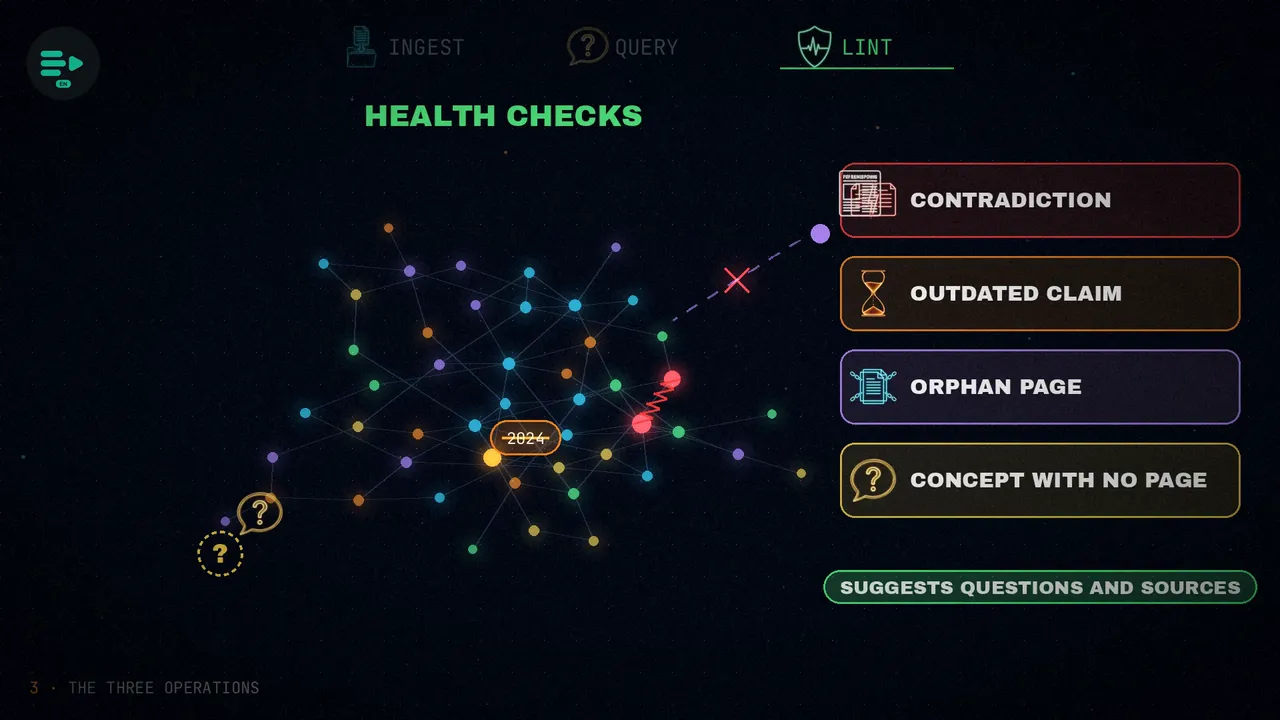
The third is lint: periodic health checks. The model looks for contradictions between wiki articles, claims that a newer source has made outdated, orphan pages that no link points to, and important concepts that still lack a page of their own. Then it suggests new questions and sources to fill the gaps.
The index, the log and qmd
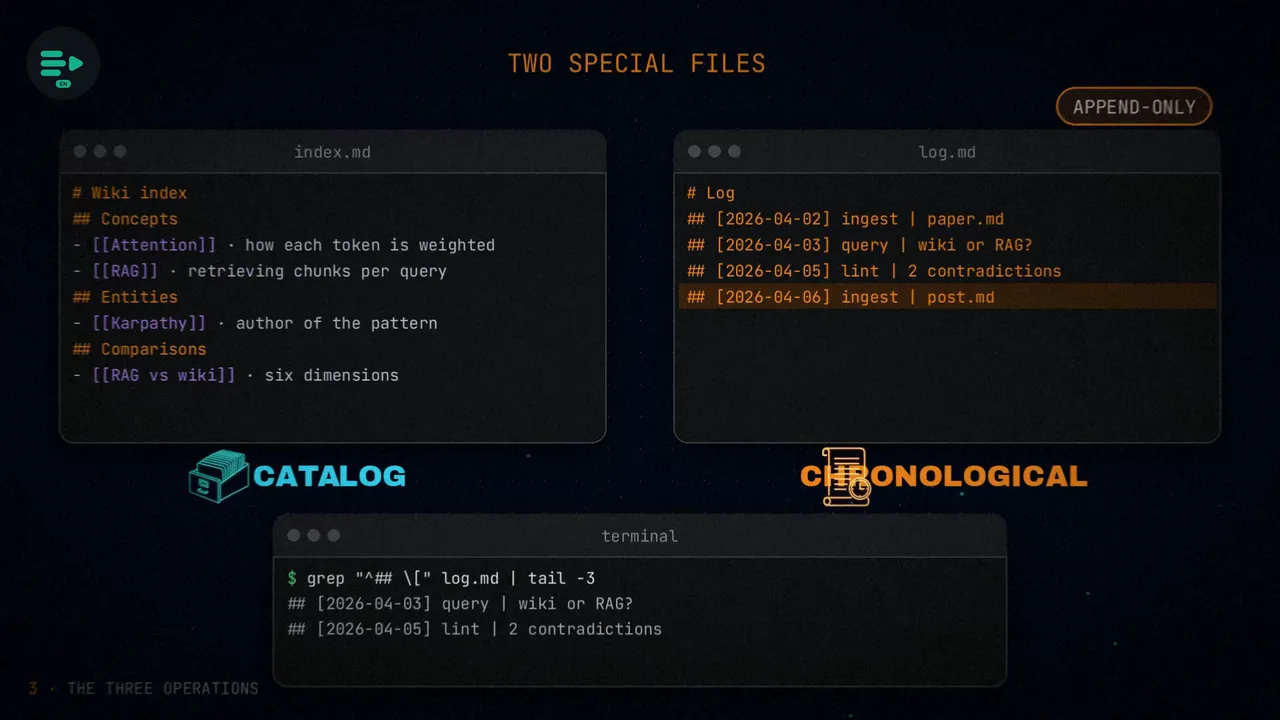
Two special files hold everything together. The index (index.md) is a catalog of every page in the wiki, by category, with a one-line summary. The log (log.md) is an append-only chronological record, with one entry per ingest, query or health check. Since every entry starts the same way, you can read it with basic tools like grep and tail.
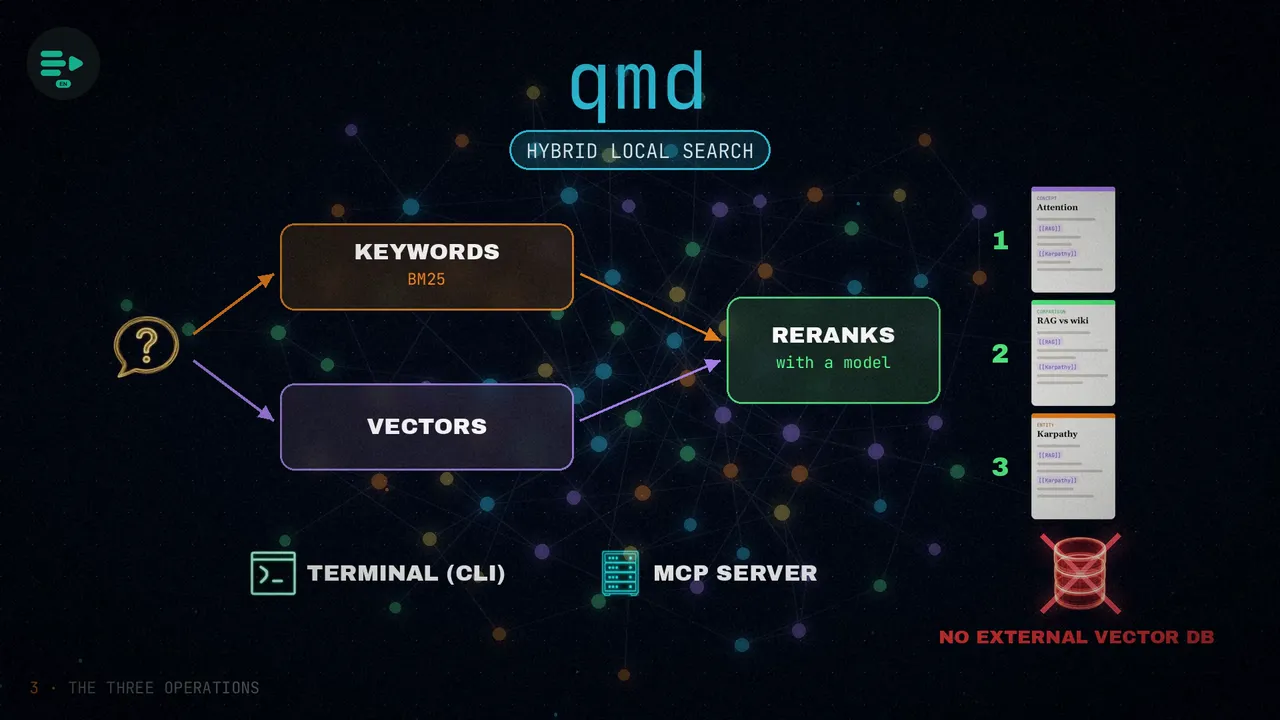
For larger wikis, the document recommends qmd: a hybrid local search engine that combines keywords (with BM25) and vectors, and reranks the results with a model. It works from the terminal or as an MCP server, and it searches Markdown files quickly without setting up an external vector database.
The Memex: the missing piece
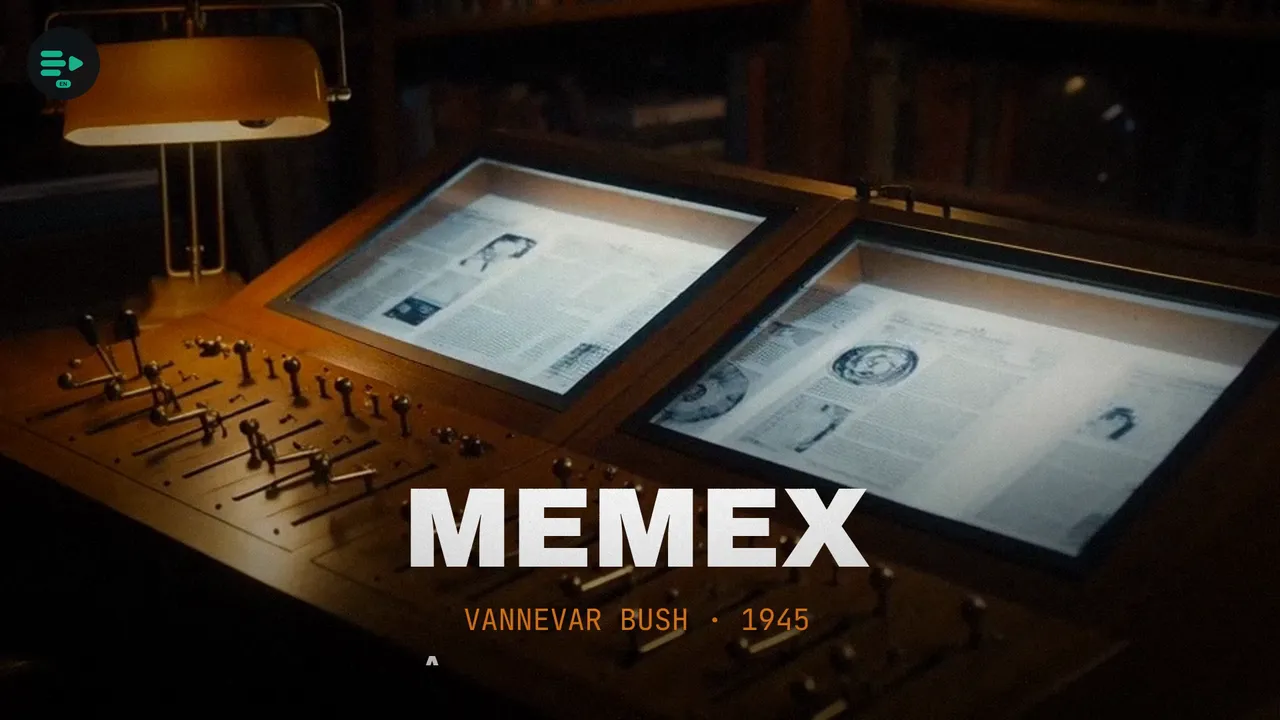
Deep down, Karpathy connects this idea to the Memex, which Vannevar Bush imagined in 1945: a personal store of knowledge where the trails linking one document to another matter as much as the documents themselves.
The problem is that nobody wants to do the maintenance. That busywork is exactly what makes us abandon our wikis. Models can close that gap: they don't get bored, they touch ten to fifteen files at once and spread every change across the whole wiki.
The tools: Hermes Agent and Graphify
Karpathy's document is an idea file, not a program. But a few days after he published it, two different projects already had working implementations.
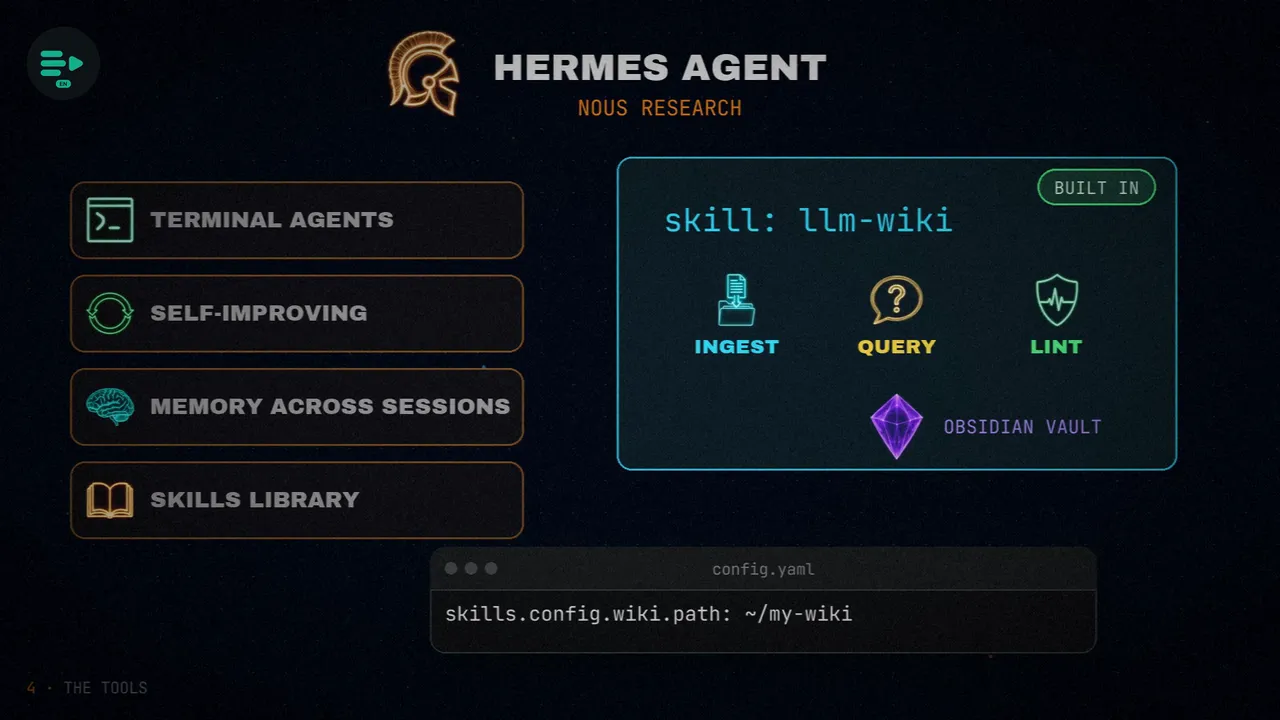
The first is Hermes Agent, from Nous Research: a framework for self-improving terminal agents, with memory across sessions and a library of skills. It comes with the pattern built in, as the llm-wiki skill, with its three operations over an Obsidian vault. To point it at your folder, a single configuration setting is enough (skills.config.wiki.path).
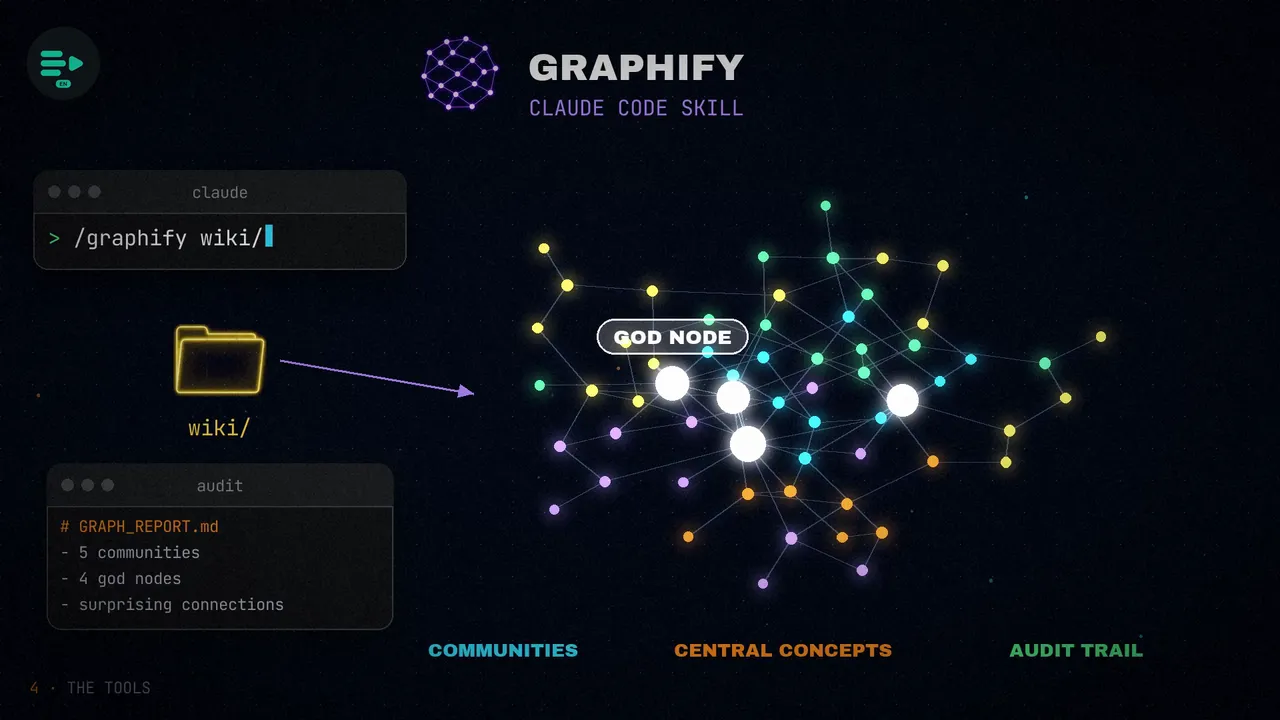
The second is Graphify, a Claude Code skill that builds knowledge graphs from any folder. Point it at your wiki and it produces a graph: it detects communities of ideas, analyzes the central concepts (which it calls god nodes) and leaves an audit trail.
A note: the article gives install commands for both that don't match what their repositories say, so I'm not copying them here. Check each project's README.
RAG, wiki or manual notes
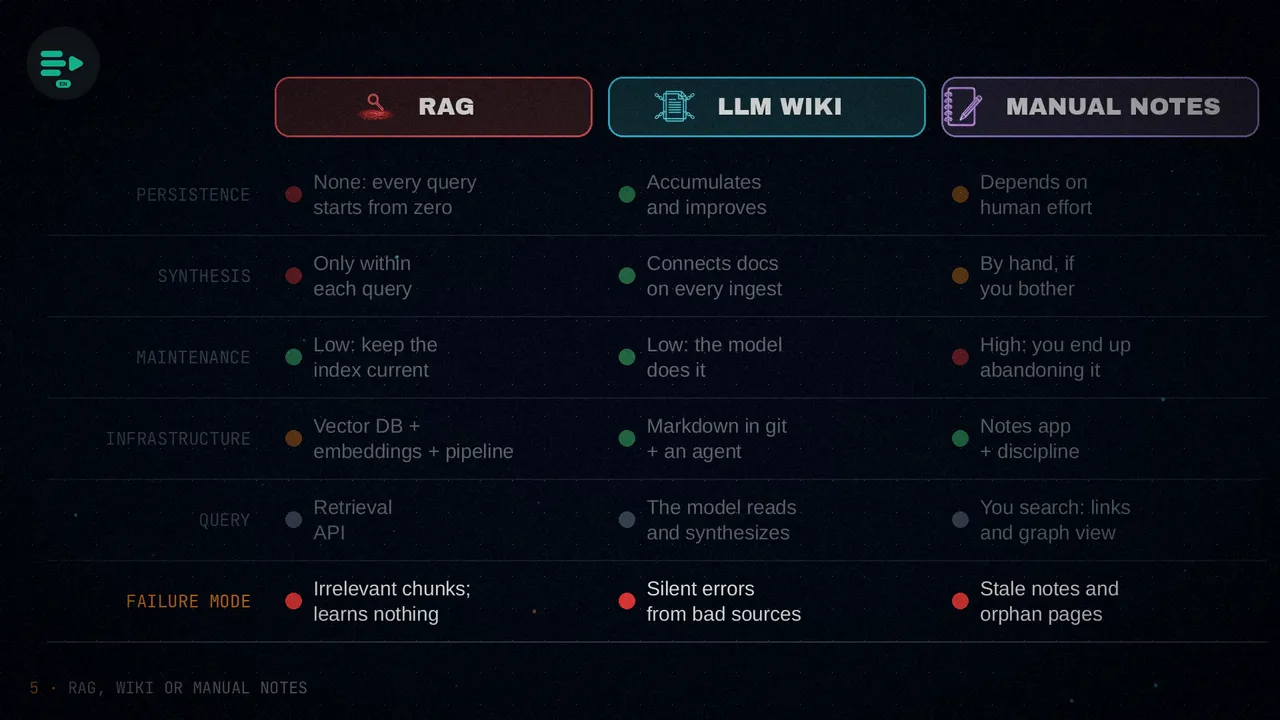
The article puts three approaches side by side: classic RAG systems, the wiki pattern, and manual knowledge management with note-taking apps like Obsidian, Notion or Roam. And it compares them across six dimensions:
- Persistence: none, every query starts from zero.
- Synthesis: only within each query.
- Maintenance: cheap, you just keep the index up to date.
- Infrastructure: a vector database, an embedding model and a retrieval pipeline.
- Querying: a programmatic retrieval interface.
- Failure mode: retrieves irrelevant chunks and learns nothing.
- Persistence: what is compiled accumulates and improves.
- Synthesis: connects documents on every ingest.
- Maintenance: cheap, because the ten or fifteen edits are made by the model.
- Infrastructure: Markdown files in a git repository and any agent.
- Querying: the model reads the compiled pages and synthesizes.
- Failure mode: it can silently bake in errors from a bad source, and lint only catches some of them.
- Persistence: depends on the person's effort.
- Synthesis: only if you bother to do it.
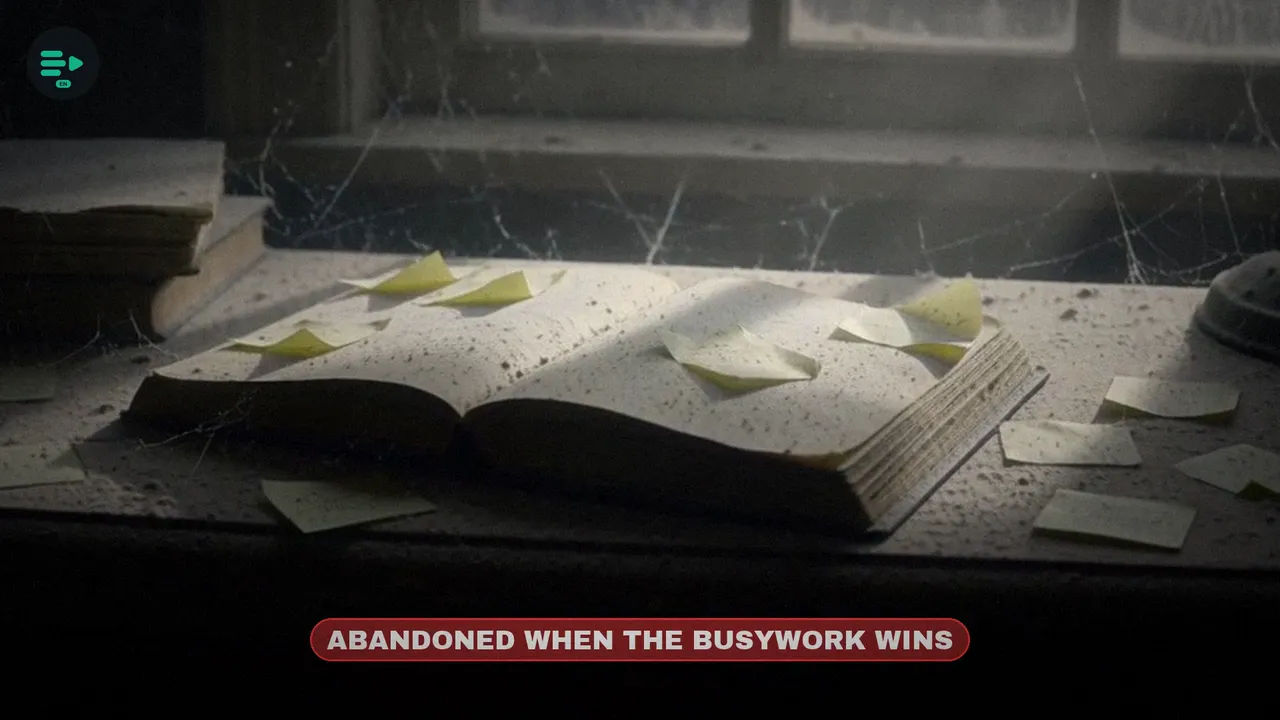
- Maintenance: expensive; people abandon their wikis when the busywork outweighs the value.
- Infrastructure: a note-taking app and a lot of discipline.
- Querying: you search yourself, with links and the graph view.
- Failure mode: stale notes, orphan pages and, in the end, you stop maintaining them.
Careful, though: this is not a comparison backed by measured tests. There is no published data pitting the answers of a compiled wiki against those of RAG, neither in accuracy nor in completeness. What is being compared is the architecture: how each system is built, not which one answers better.
Even so, the pattern sits right in the middle. From RAG it takes the automation, but it swaps memoryless retrieval for a compilation that persists. From manual notes it keeps a structure that a person can read, but it leaves the maintenance to the model. And graph tools, like Graphify or knowledge graph MCP servers, add something neither RAG nor Obsidian offers out of the box: detecting communities of topics, finding the concepts that act as hubs, and tracing paths between very distant ideas.
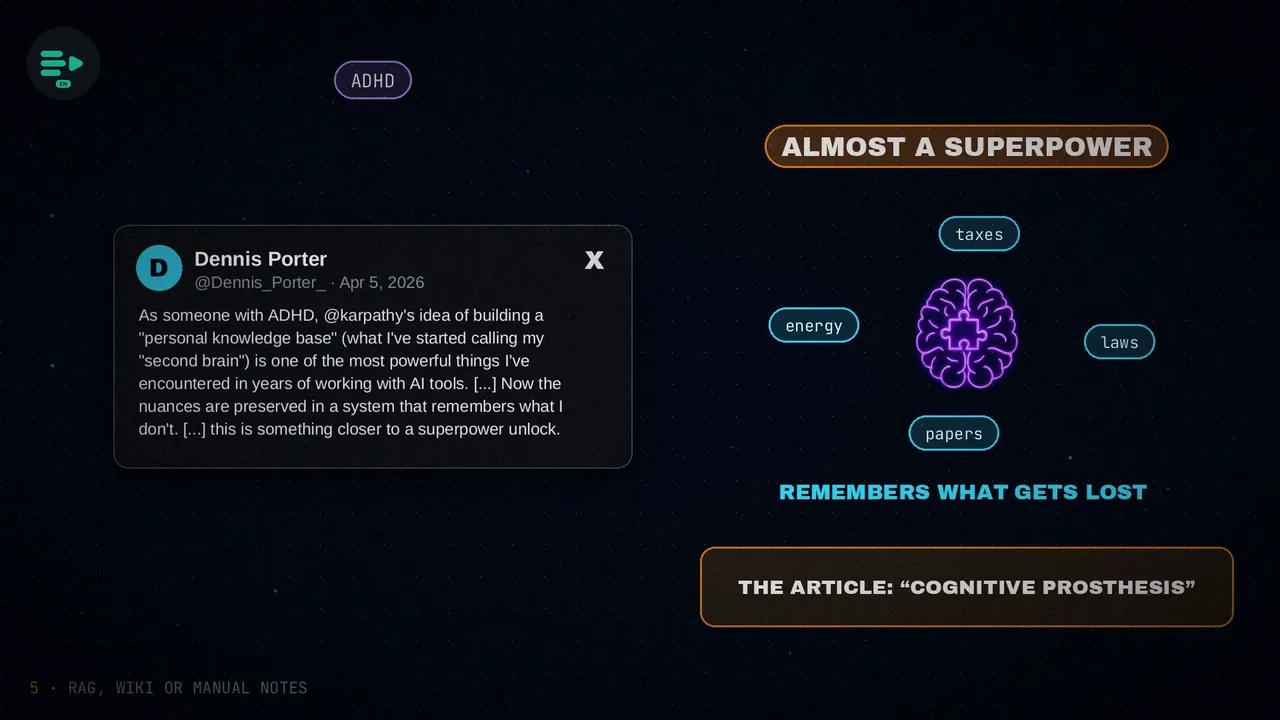
The community has already given it a name: the second brain. There are YouTube tutorials on building knowledge bases maintained by a model, for reviewing scientific literature or analyzing competitors. And Dennis Porter, who has ADHD, said on X that for him it is closer to a superpower unlock: the system remembers the nuances he used to lose when switching topics. The article calls it a “cognitive prosthesis”, although that phrase isn't in his tweet.
The limits
There are three that neither the document nor its implementations solve:
- The ceiling of the context window. Karpathy talked about wikis of about 400,000 words, around a hundred articles, but nobody knows where the limit is. Graphify sidesteps it, because it works on the file structure.
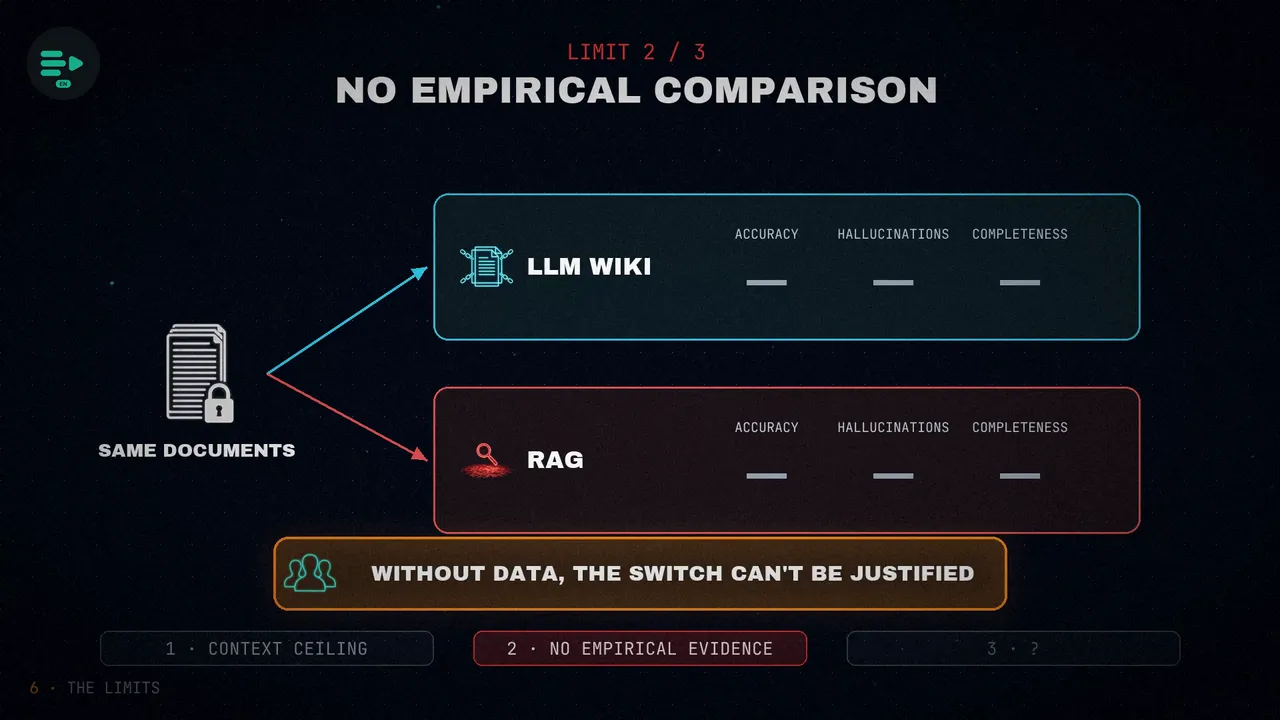
- There is no empirical comparison of quality. That compiled knowledge beats stateless retrieval is an architectural argument, not a measured result. Nobody has published tests comparing the two options on the same documents, in accuracy, hallucinations or completeness. And without data, teams cannot justify the switch.
- Resolving contradictions at scale. Lint flags them, but there is no protocol for legitimate disagreements, which are common in fast-moving fields like AI research. The wiki runs on a last-write-wins rule, and that puts its reliability as a reference at risk once it grows past a hundred articles.
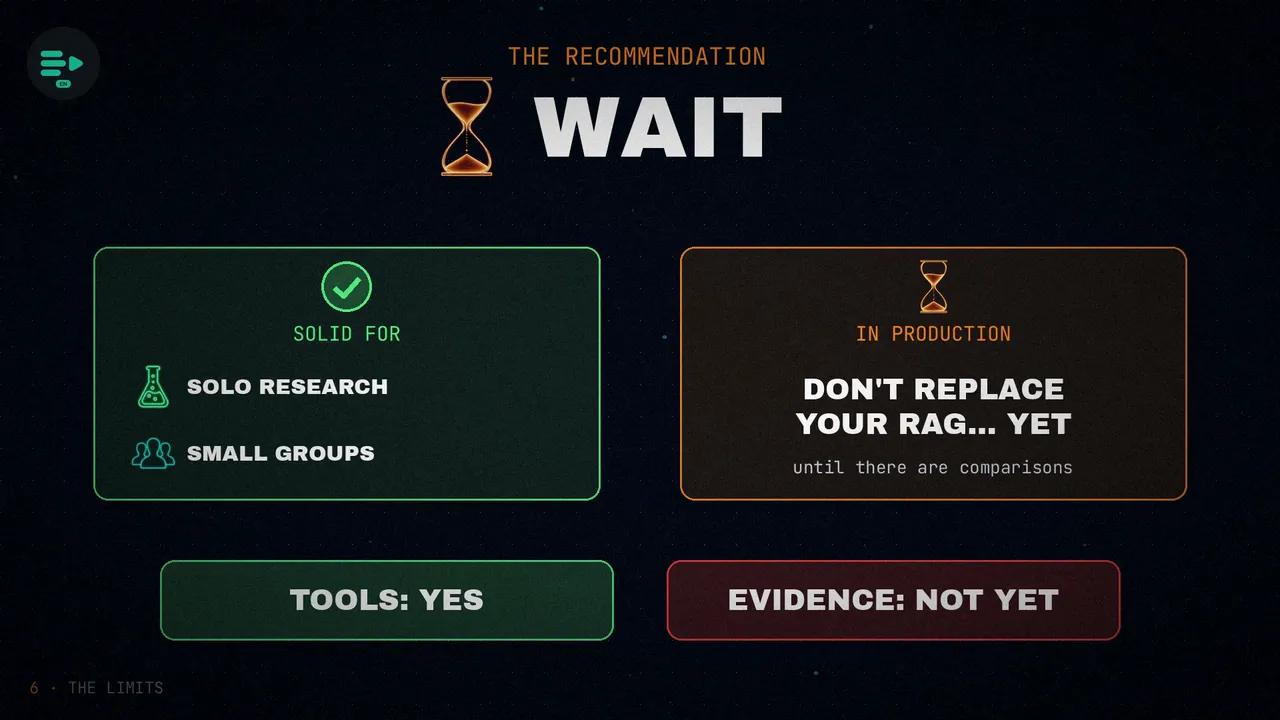
That is why the article recommends waiting. The pattern is solid for solo research or for experiments in small groups. But production teams should hold off before replacing their RAG infrastructure, until there are comparisons showing that it answers better. The tools are ready; the evidence is not there yet.
Who is it for?
- Machine learning engineers, researchers and solo developers.
- Large literature reviews, competitive analysis or personal knowledge systems.
- Especially people who already use Obsidian and want a model to maintain it without building new infrastructure.
- Teams that need instant retrieval of data that changes often, because compiling takes time.
- Companies with compliance requirements for AI-generated documentation, since there is no mandatory human review.
- Anyone who needs structured queries, with SQL or GraphQL, rather than browsing Markdown files.
Set it up in 10 minutes
The article's practical proposal: build your own wiki instead of reading and forgetting in the chat. Start with an empty directory, which will also be your Obsidian vault. Inside go the raw sources, split into articles, papers, repos and images; the wiki, with entities, topics, comparisons, timelines and questions; and three files: the index, the log and CLAUDE.md.
mkdir my-wiki && cd my-wiki
git init
mkdir -p raw/{articles,papers,repos,images}
mkdir -p wiki/{entities,topics,comparisons,timelines,qa}
touch index.md log.md CLAUDE.md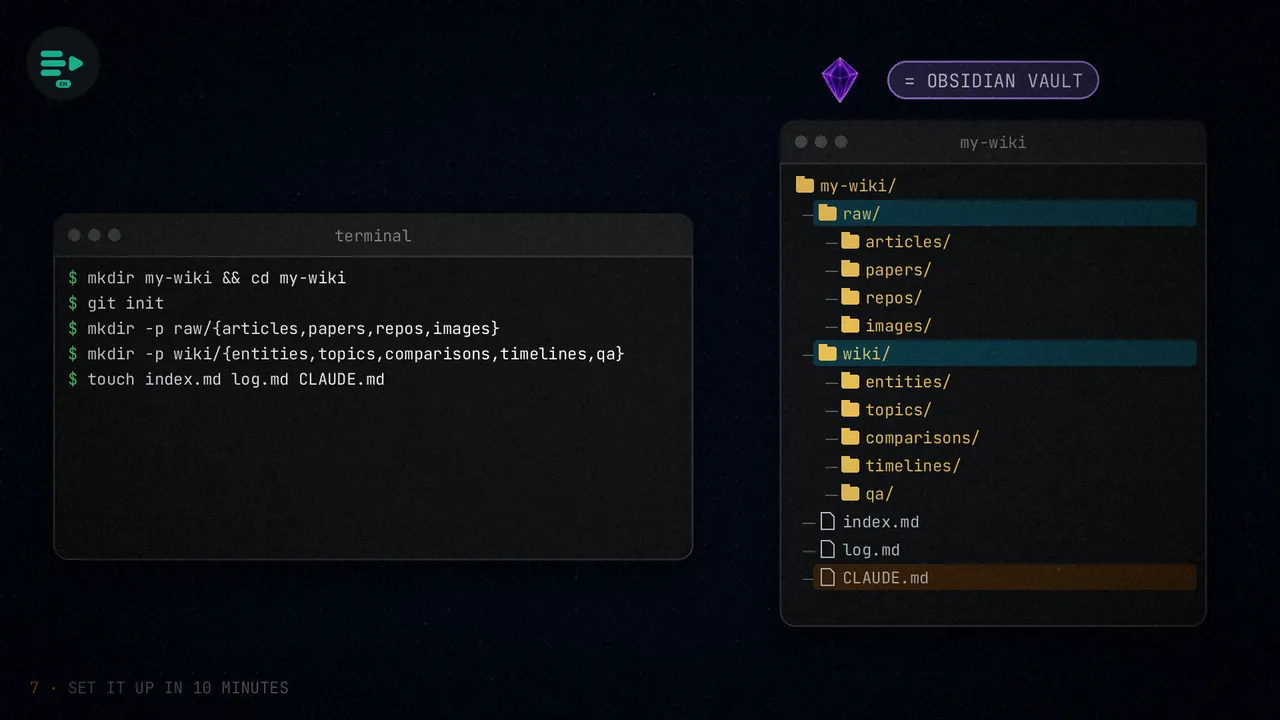
The key file is CLAUDE.md. Paste Karpathy's document into it, in full or trimmed, and add your topic, the folder rules, how files are named and the three protocols: ingest, query and lint. Claude Code reads it on its own at the start of every session.
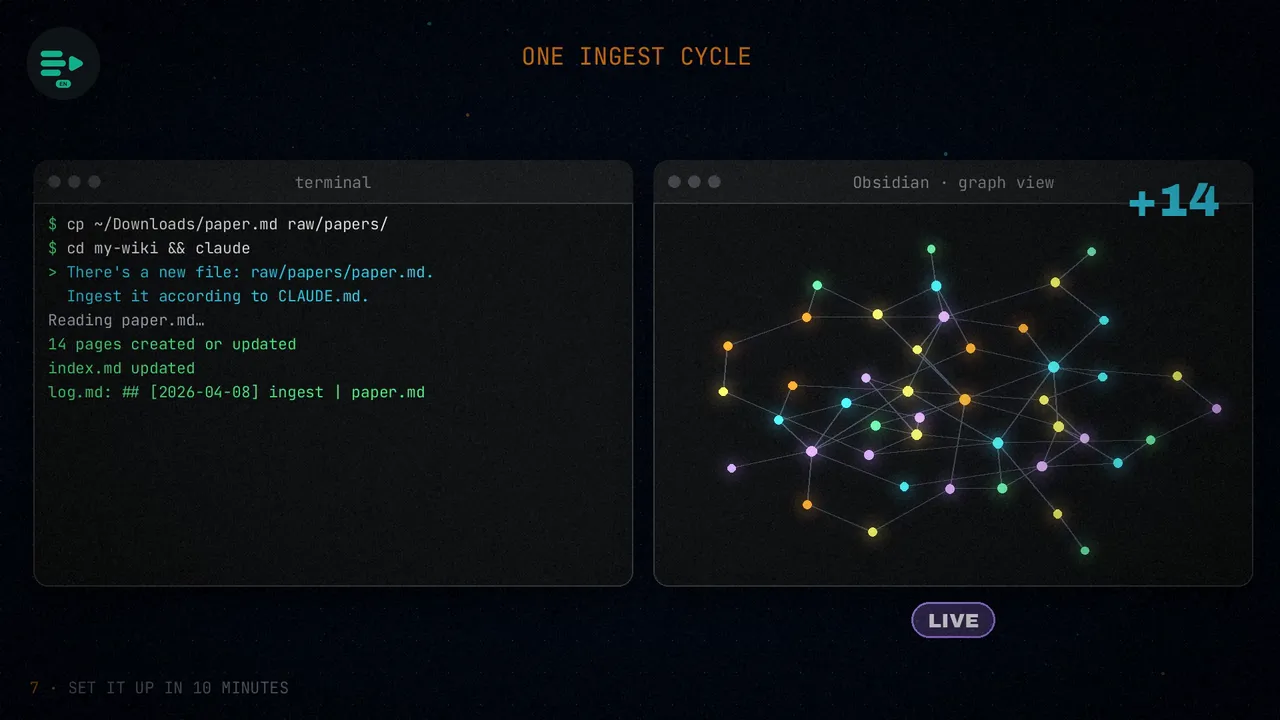
To ingest a source, copy it into the papers folder, open Claude Code in the wiki and tell it something like: “There's a new file: raw/papers/paper.md. Ingest it according to CLAUDE.md.” The agent reads it, creates or updates between ten and fifteen pages, refreshes the index and records the operation in the log. If you open the vault in Obsidian, you'll see the graph grow live.
And there are shortcuts. With Hermes Agent you don't need to write the instruction file: you point its wiki setting at your vault and run the ingest. Graphify runs over the wiki and gives you a graph with topic clusters and central nodes on top of your pages. And once you pass five hundred pages, add qmd, so the agent can narrow down what to read before opening anything.
Wrap-up
Karpathy proposes that the model stop digging through your documents every time, and instead compile them once into a wiki that grows. Separate layers, three operations and a warning: there is still no proof that it answers better than classic retrieval.
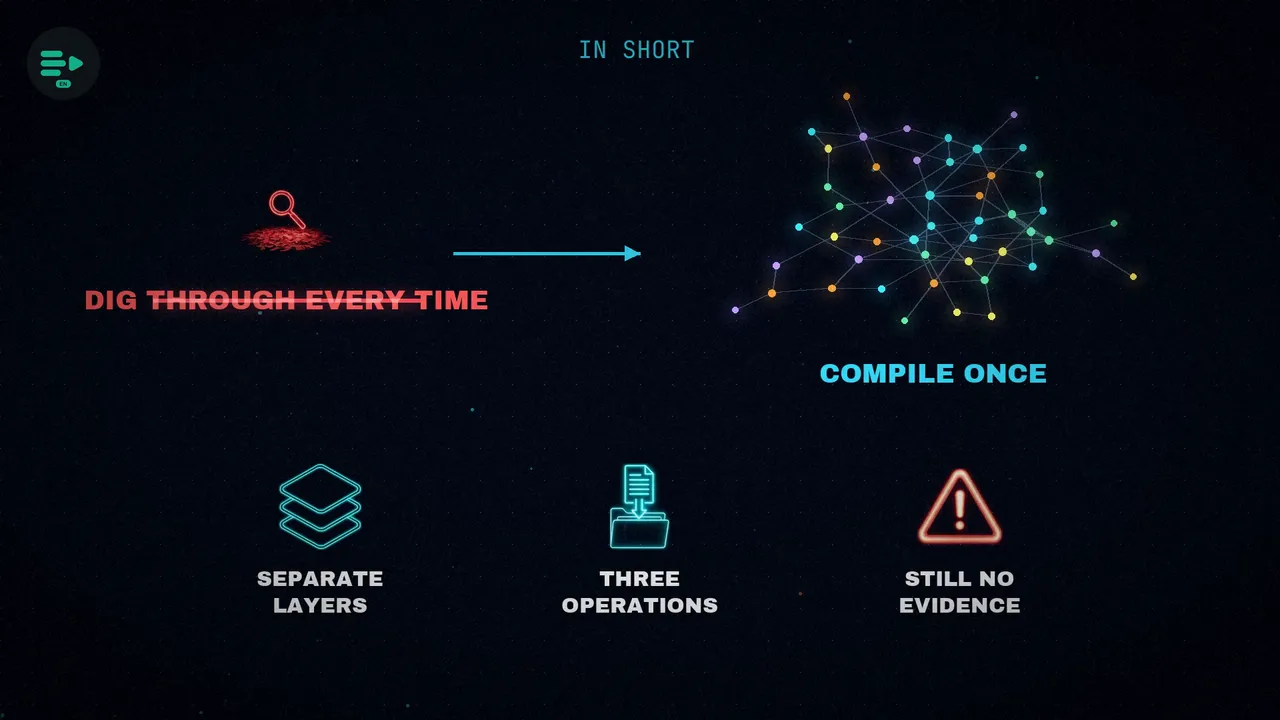
Don't ask the model to dig through everything every time: ask it to compile once and maintain what it knows.
Would you build your own wiki, or stick with RAG?
Sources
- “How Karpathy’s LLM Wiki Works, And How to Actually Set it Up”, by AlphaSignal (@AlphaSignalAI), April 8, 2026.
- Andrej Karpathy's “LLM Wiki” document, and his tweet from April 2, 2026.
- Dennis Porter's tweet about his second brain.
- On retrieving information without RAG: my post on Mintlify's virtual filesystem.
- The video, on my channels: Spanish and English.