
When RAG falls short
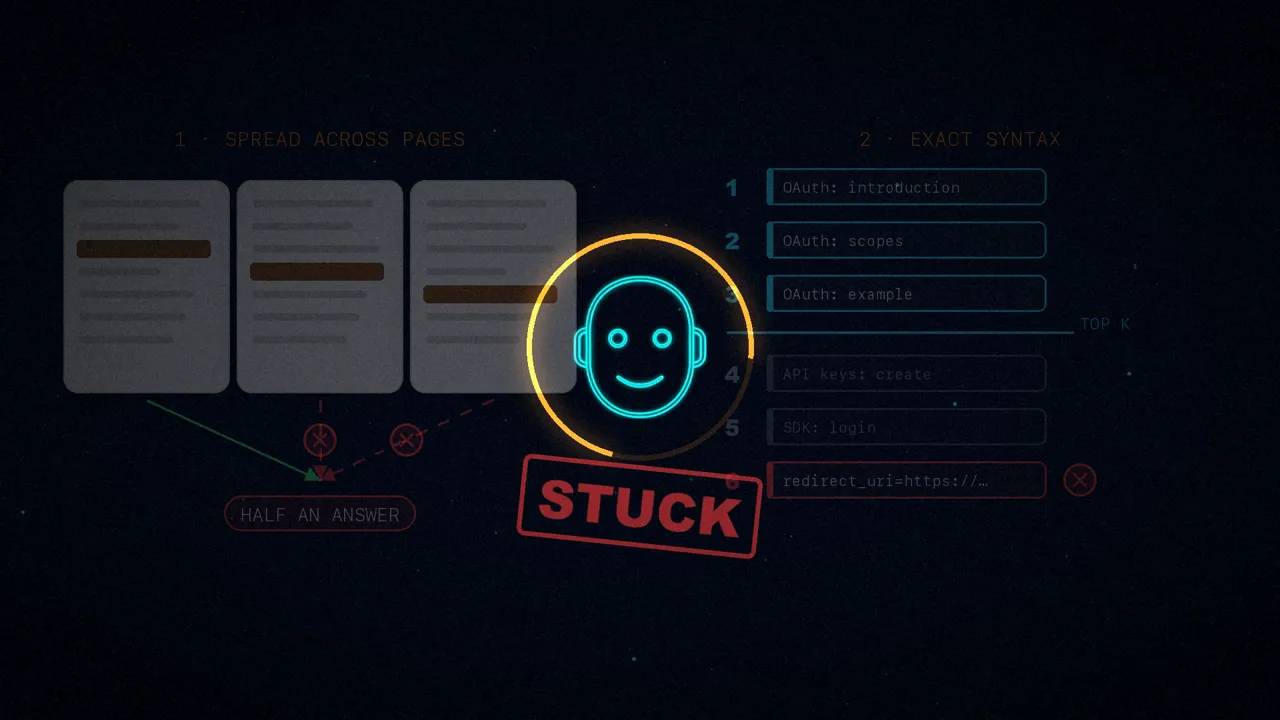
The Mintlify assistant ran on RAG, retrieval augmented generation: it searched for the chunks of text most similar to the question and answered with them. The article opens with a line that sums it up: RAG is great, until it isn't.
It fails in two cases. When the answer is spread across several pages. And when the user needs the exact syntax of something, and that chunk does not show up among the top search results (the famous top-K). In both, the assistant got stuck.
Docs as a repository
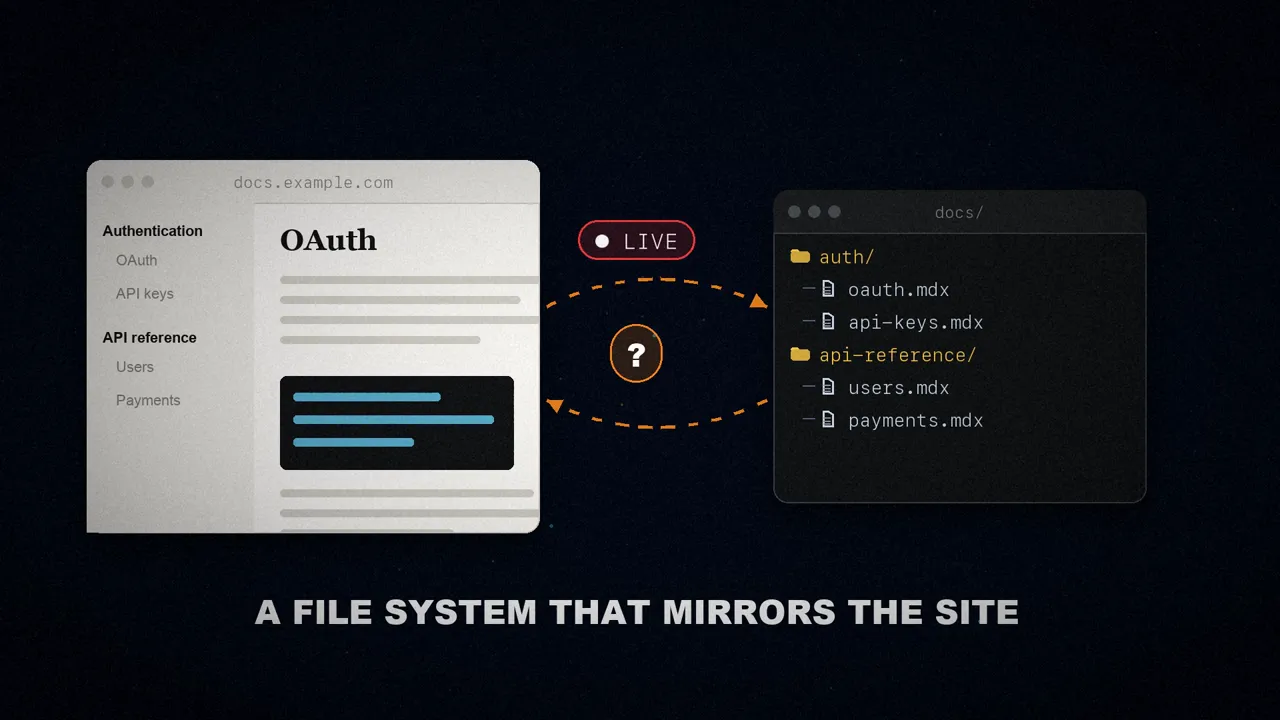
They wanted the assistant to navigate the docs the way an agent navigates a code repository. And agents already have a favorite interface for that: the file system. According to the article, agents are converging on it because grep, cat, ls and find are all an agent needs.
The idea is simple: each docs page is a file and each section is a folder. That way the agent can search for exact strings, read whole pages and walk the structure on its own. All they needed was a file system that mirrored the live documentation site.
The container bottleneck
The obvious move is to give the agent a real file system. That's what almost every harness does: it spins up an isolated environment, a sandbox, and clones the repository into it. Mintlify already does that for its background agents, where latency doesn't matter. But this assistant lives on the web, with a user watching the loading spinner go round.
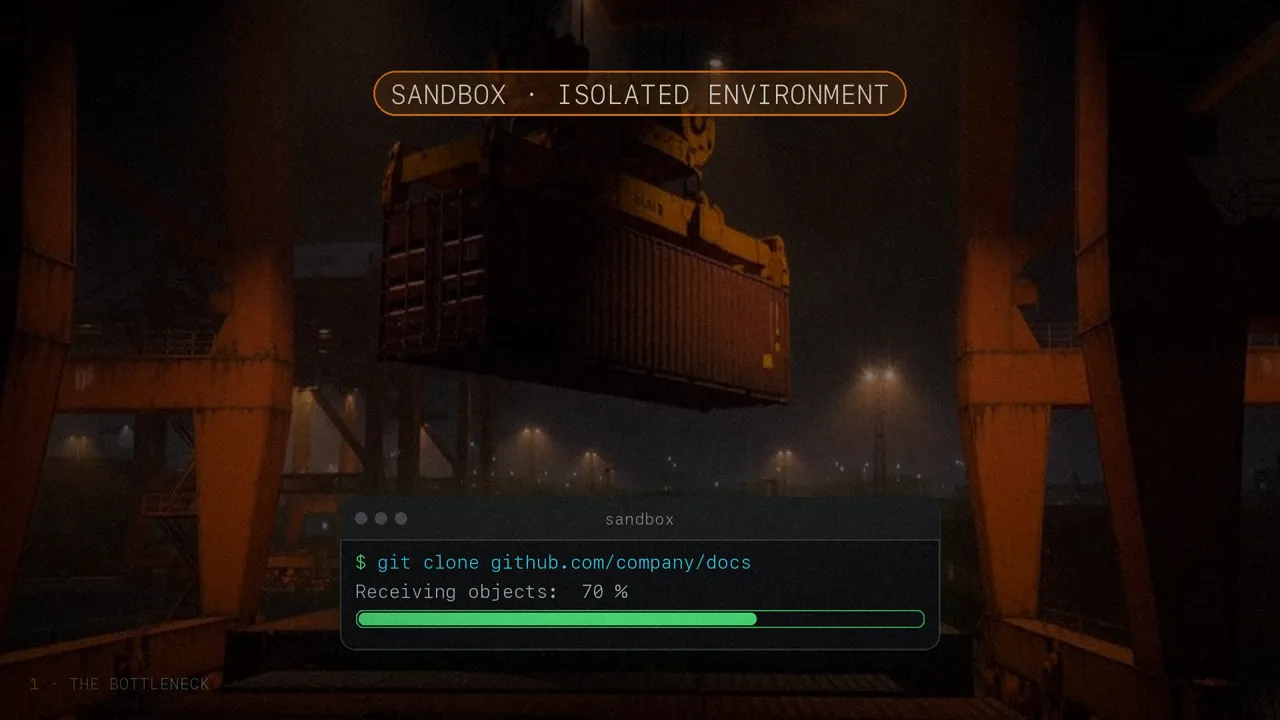
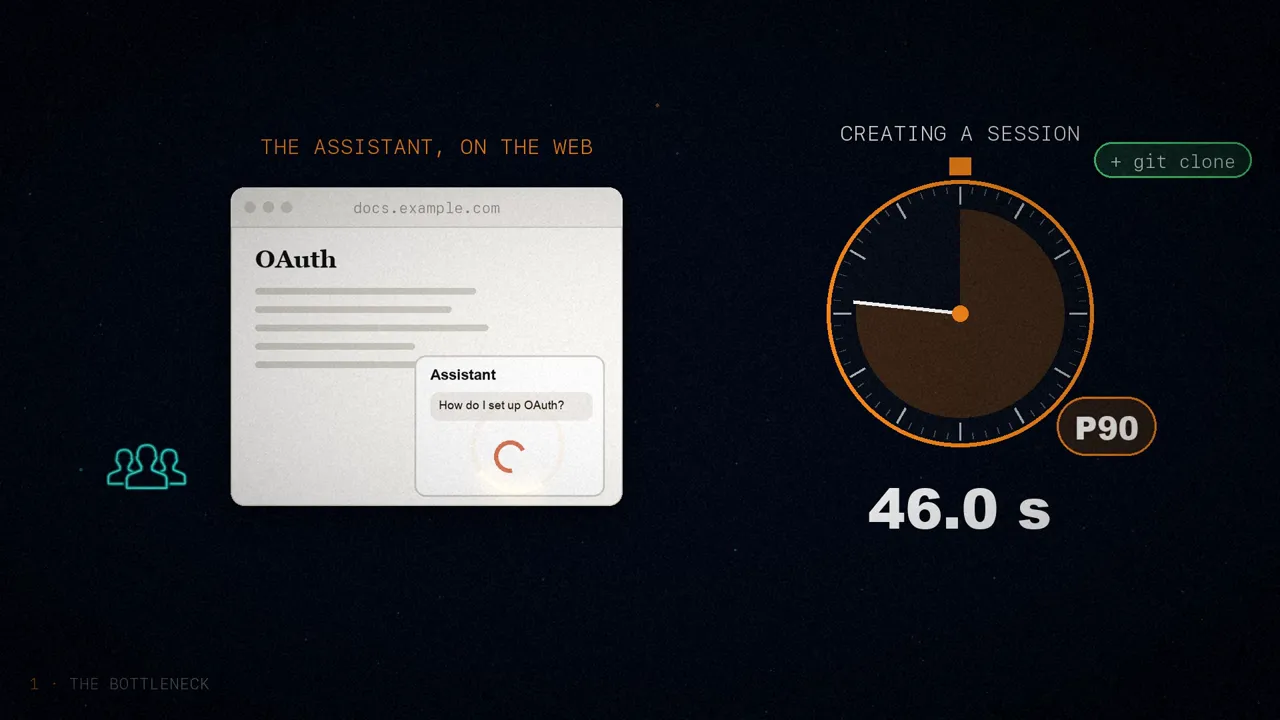
Creating each session, GitHub clone included, took about 46 seconds at the 90th percentile. In other words, nine out of ten sessions took less, but the rest took even longer: almost a minute staring at a spinner, just to start reading the docs.
Then there's the bill. The article runs the numbers: 850,000 conversations a month, each with its own micro virtual machine. Even a minimal one (1 vCPU, 2 GiB of memory and a 5-minute lifetime), at Daytona's per-second pricing ($0.0504/h per vCPU and $0.0162/h per GiB) comes to about $0.0069 per conversation: over $70,000 a year. With longer sessions, double that: about $0.0137 per conversation, the figure in their comparison table.
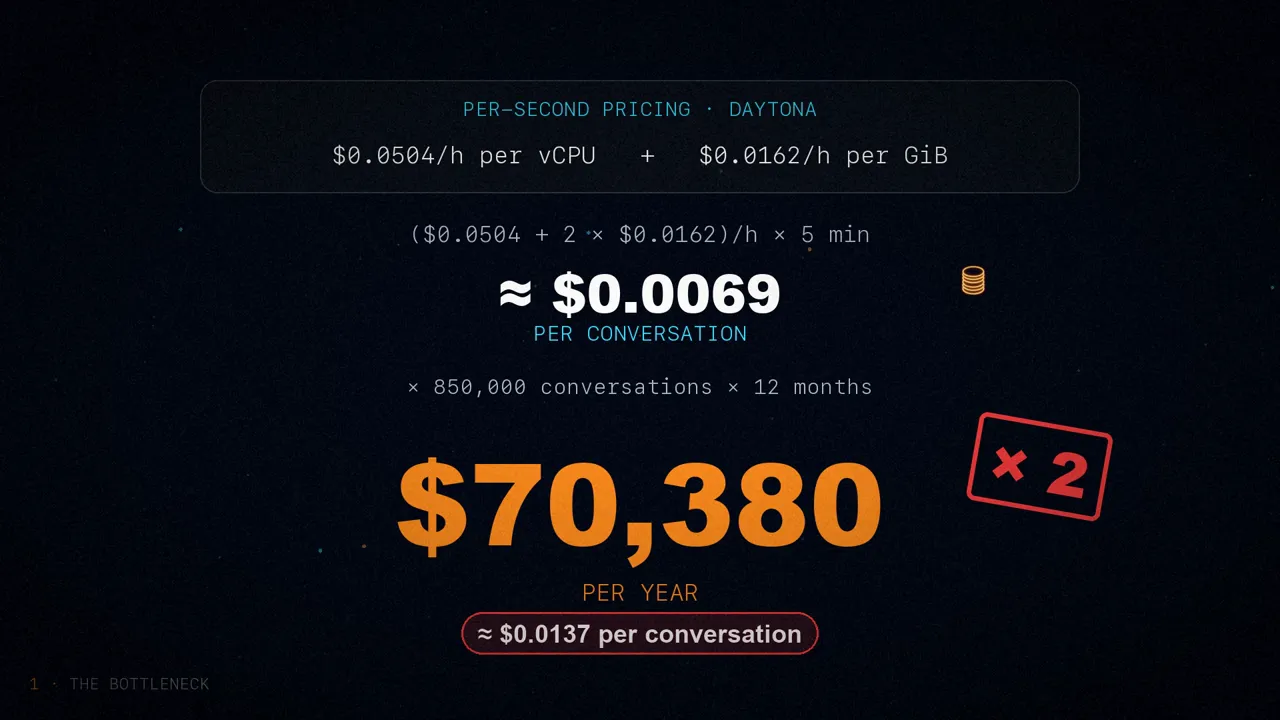
They admit themselves that it's a naive estimate: in production there would be pre-warmed machines and shared containers. But the point stands. To read static documentation, one machine per conversation is slow and expensive. They needed something instant and cheap, and that meant rethinking the file system itself.
Faking a shell: ChromaFs
Here's the key: the agent doesn't need a real file system, the illusion of one is enough. And Mintlify already had all its documentation chunked, indexed and stored in Chroma, the database behind its search.

That's how ChromaFs was born: a virtual file system that intercepts the Unix commands the agent types and translates them into queries on that same database. The agent thinks it's reading files; in reality, it's asking Chroma.
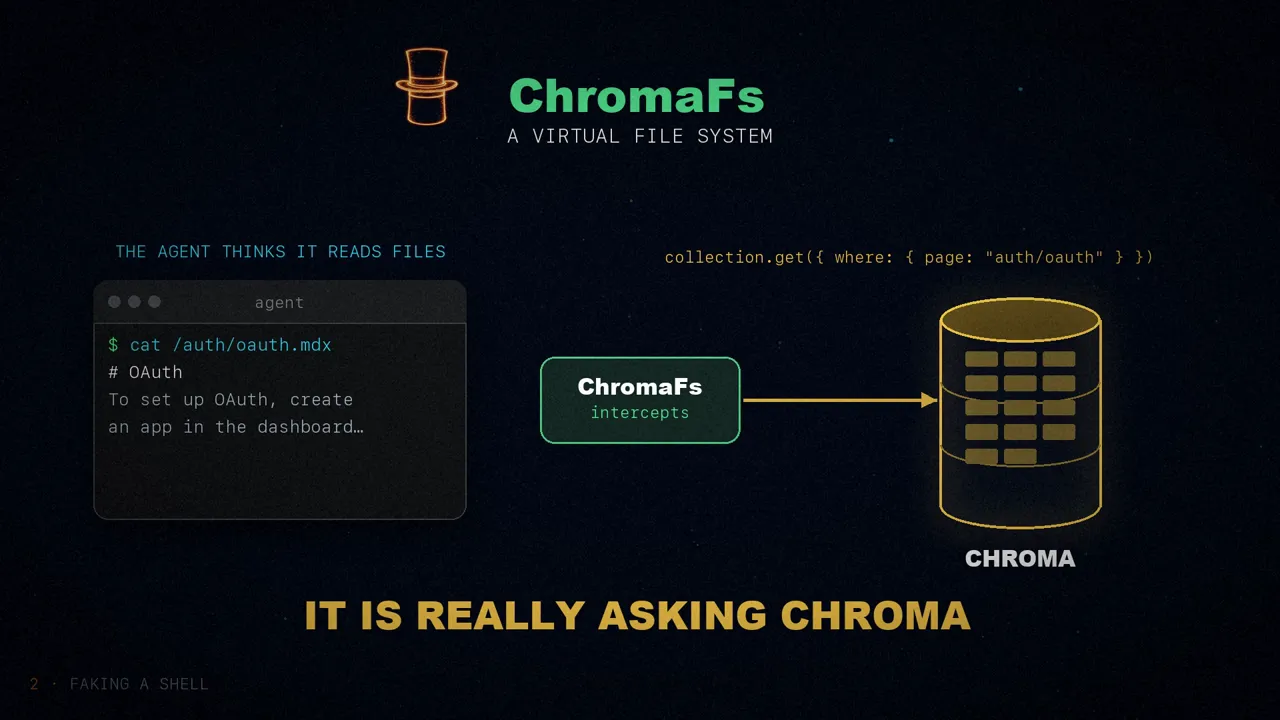
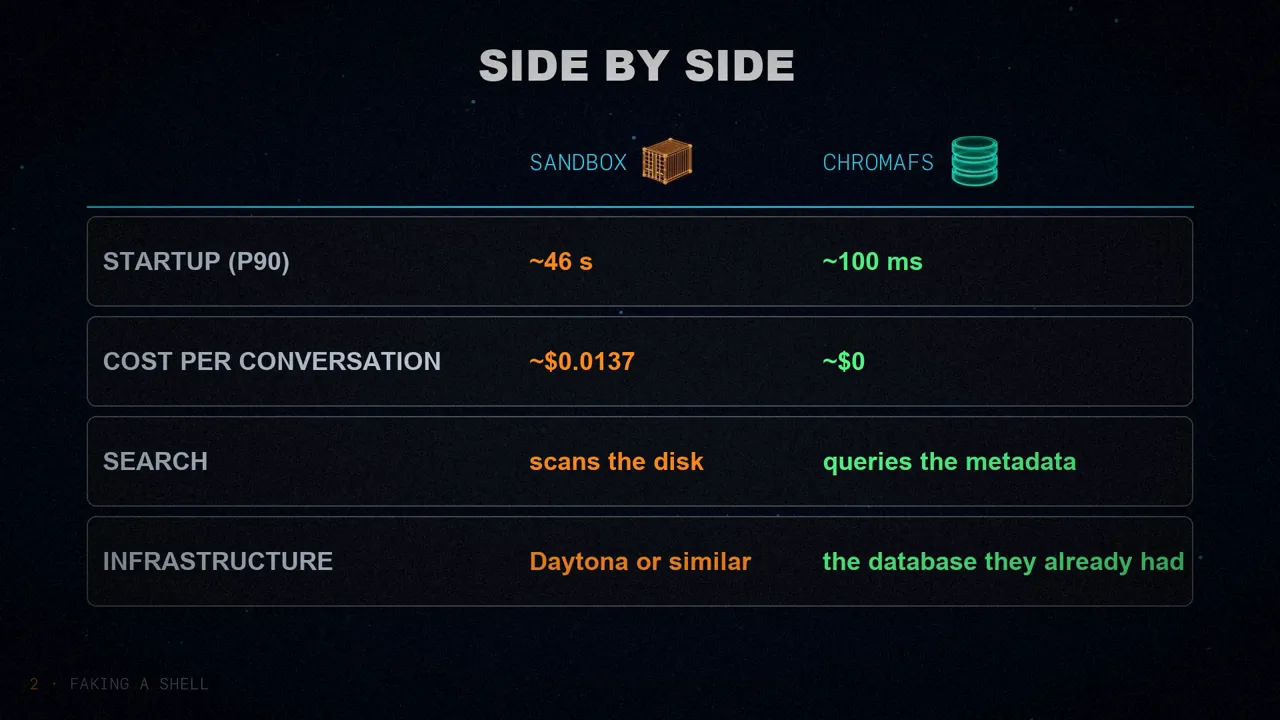
The result: creating a session went from about 46 seconds to about 100 milliseconds, around 460 times faster (that math is mine). And since it reuses a database they were already paying for, each new conversation adds no compute cost. Side by side:
- Boot time (p90): ~46 s
- Cost: ~$0.0137 per conversation
- Search: scans the disk file by file
- Infrastructure: Daytona or similar
- Boot time (p90): ~100 ms
- Cost: ~$0, reuses the database
- Search: a metadata query
- Infrastructure: the database they already had
just-bash and the layers
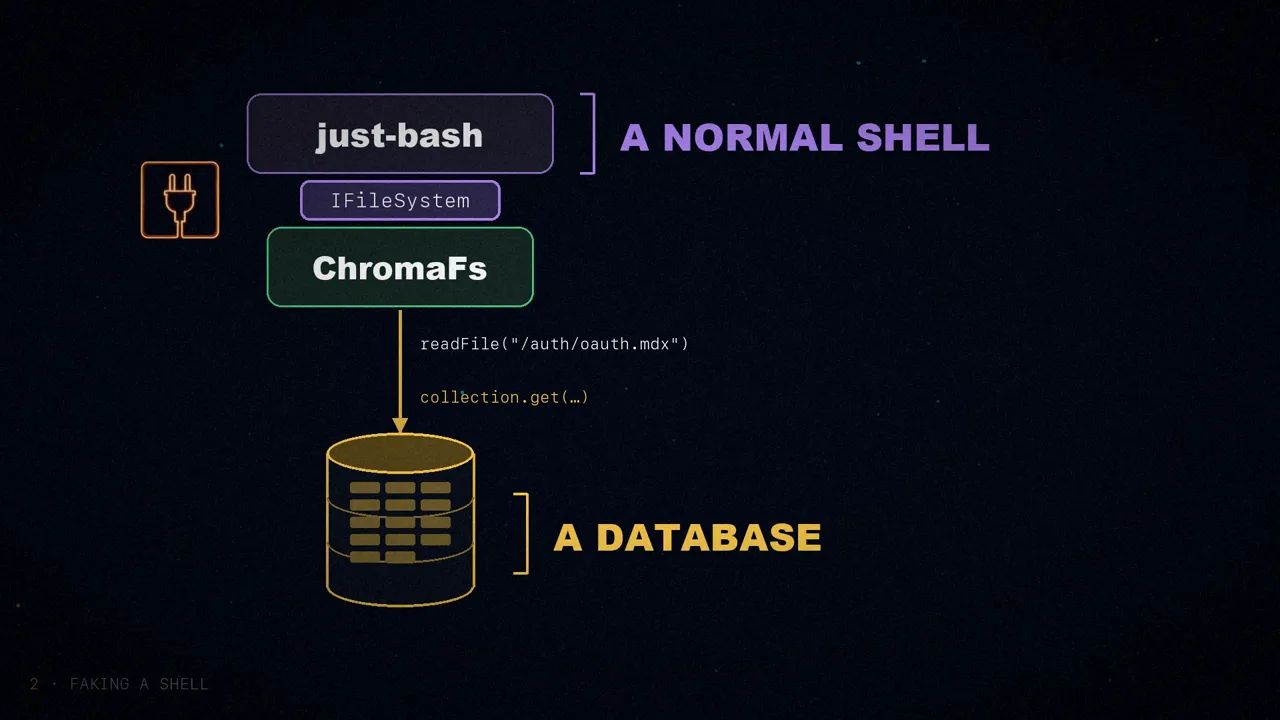
Under the hood, ChromaFs is built on just-bash, from Vercel Labs: a TypeScript reimplementation of bash that understands grep, cat, ls, find and cd. It handles all the hard parts: parsing the commands, the pipes and the flags.
And the best part: it lets you plug in your own file system through an interface, IFileSystem. ChromaFs implements it, and every call to the disk becomes a query to Chroma. On top, a normal shell; underneath, a database. In the code the article shows, readFile asks Chroma for all the chunks of the page and joins them, and writeFile, appendFile, mkdir and rm throw a read-only error.
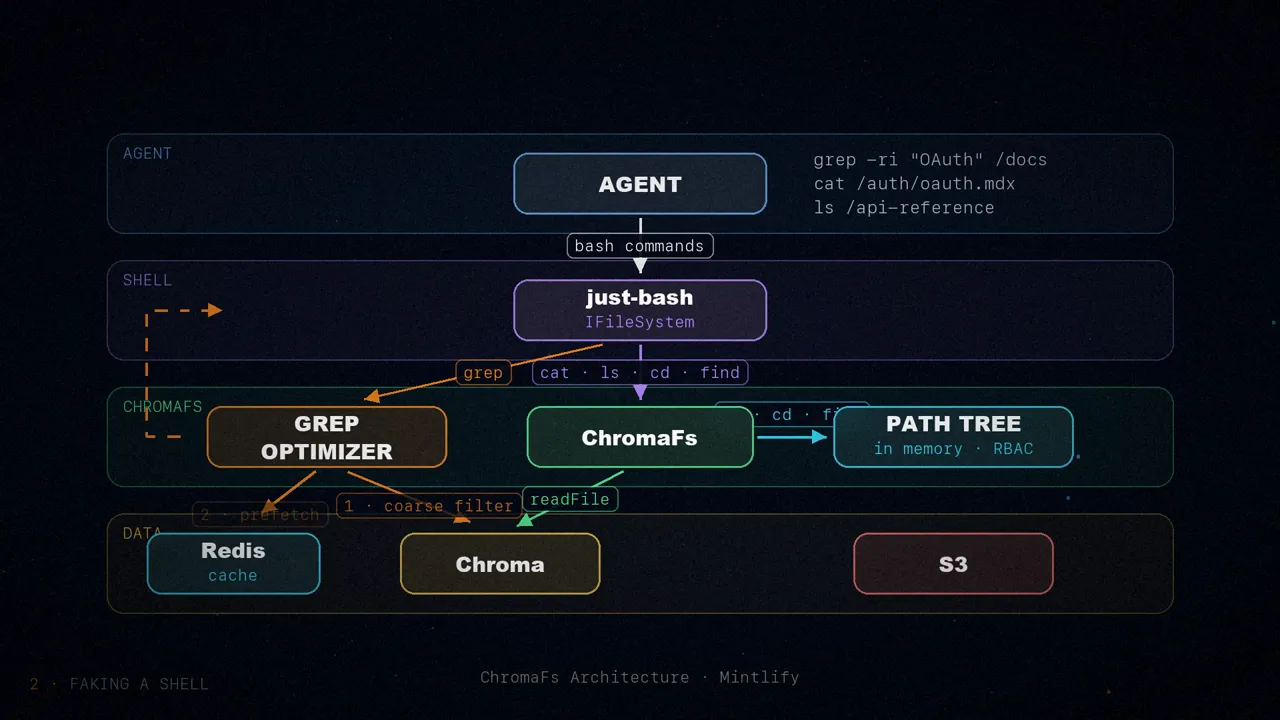
The article's diagram sums it up in four layers. At the top, the agent types bash commands. Below that, just-bash interprets them. Then ChromaFs translates them. And at the bottom sits the data: Chroma, a cache in Redis and files in S3.
The folder tree
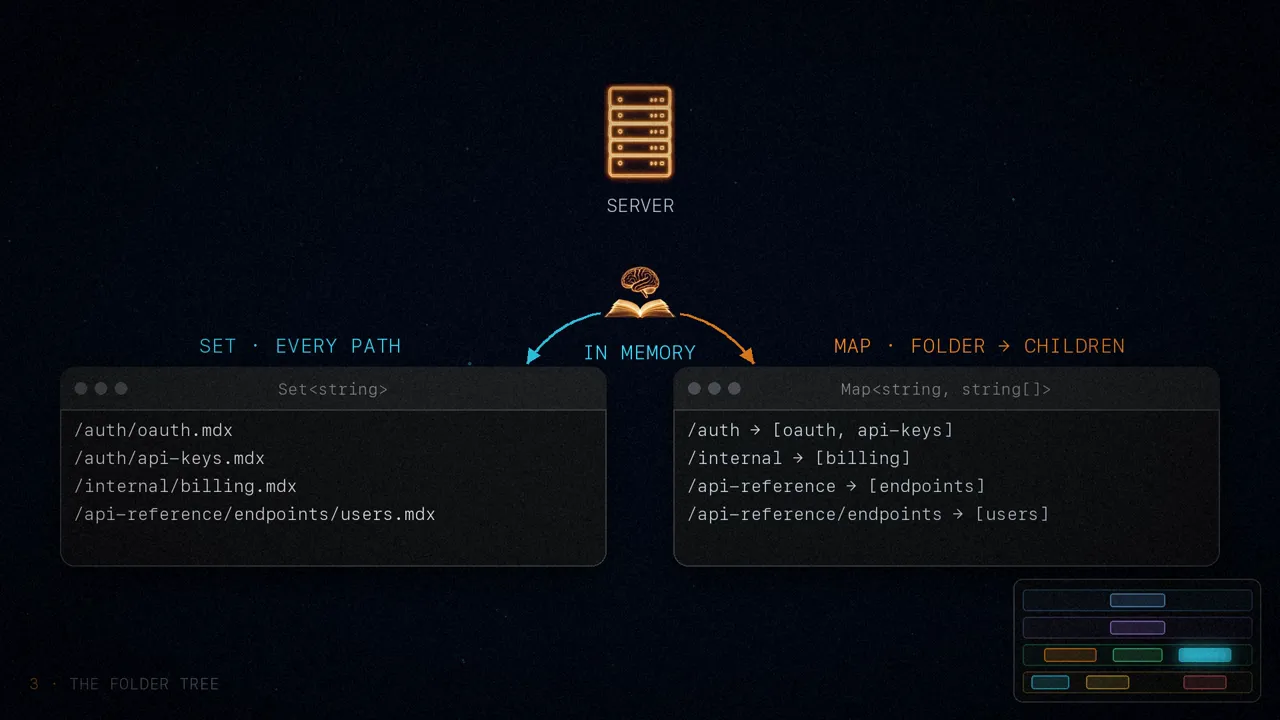
ChromaFs has to know which files exist before the agent types a single command. So they store the entire tree as a single compressed JSON document, __path_tree__, inside the Chroma collection itself. Each path carries two more facts: whether it's public (isPublic) and which groups it belongs to (groups).
At startup, the server fetches it, decompresses it and builds two structures in memory: a set (Set<string>) with the path of every file and a map (Map<string, string[]>) from each folder to its children. From there, ls, cd and find resolve in local memory, with no network calls. And since the tree is cached, later sessions for the same site don't even have to ask Chroma for it.
Access control
Before building the tree, ChromaFs prunes the paths using the user's session token, and applies the same filter to every query that follows. If you don't have access to a file, that file doesn't exist: it vanishes from the tree, and the agent can't read it or even mention it, because as far as it knows that path was never there.
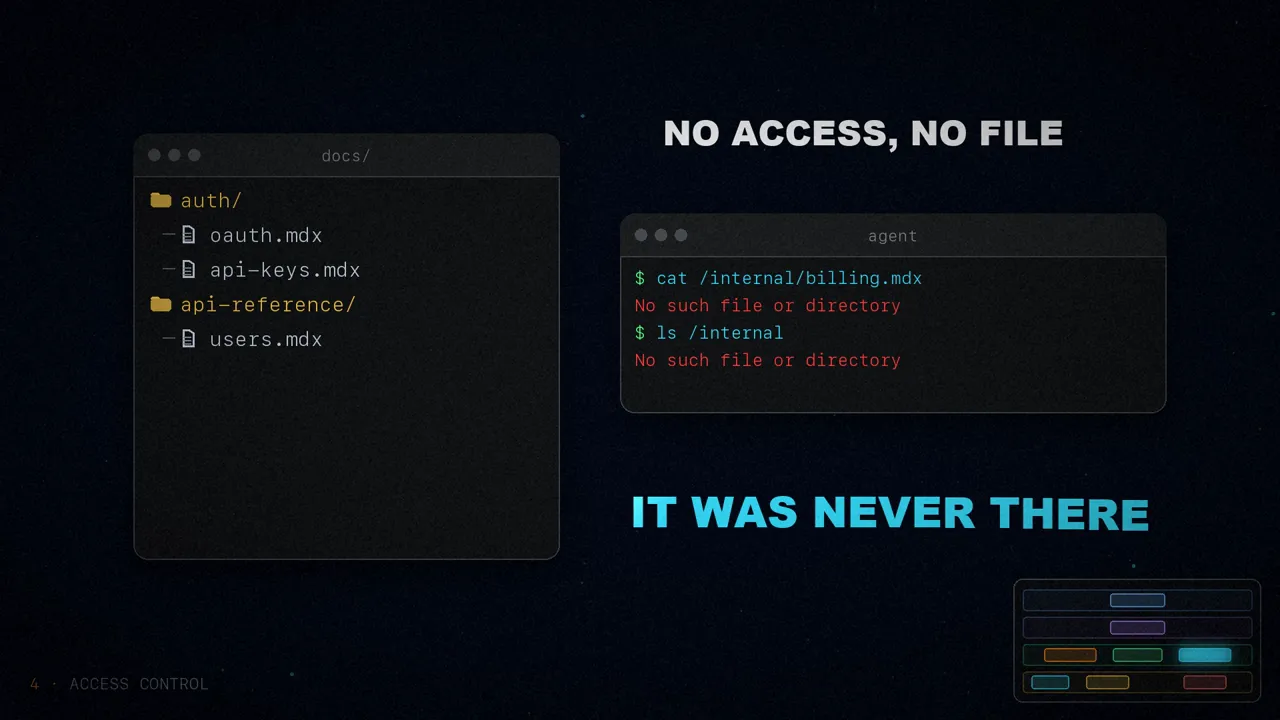
In a real sandbox, this would mean managing Linux user groups, chmod permissions or a different container image for each customer tier. In ChromaFs it's a few lines of filtering before the tree is built.
Pages in chunks, caching and read-only
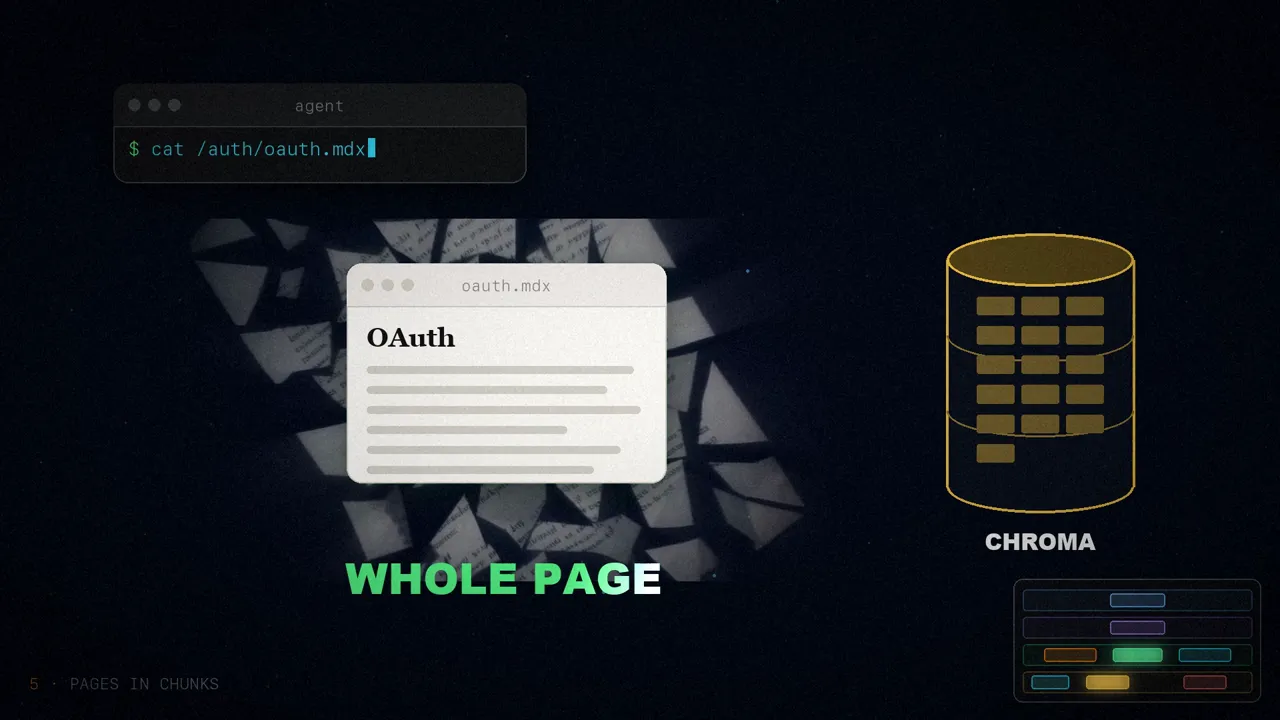
Pages are stored in Chroma as chunks, because that's how they're indexed for search. When the agent runs cat on a page, ChromaFs fetches all its chunks, sorts them by number (chunk_index) and joins them. It also caches the result, so several grep runs in a row over the same pages never hit the database twice.
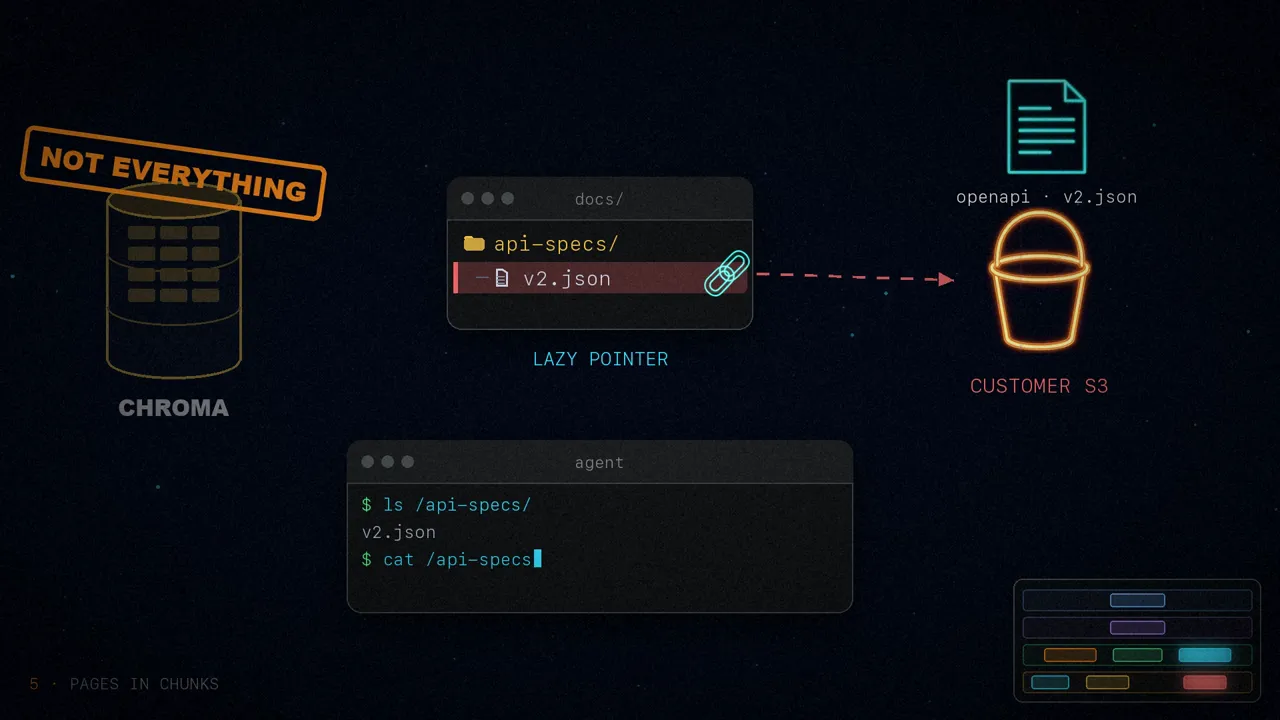
Not everything has to live in Chroma. Some customers have huge OpenAPI specs stored in their own S3. For those there are lazy pointers: the agent sees v2.json when it lists /api-specs/, but the content is only fetched when it runs cat.
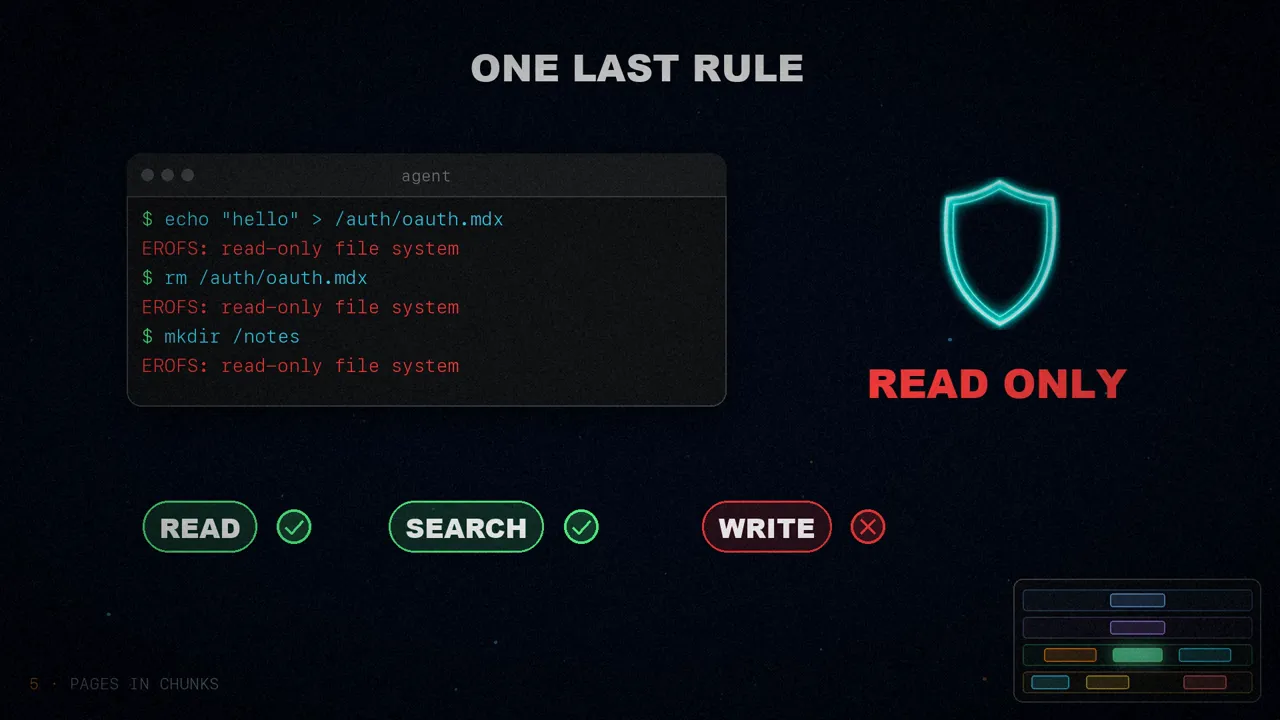
And one last rule: every write returns EROFS, the read-only file system error. The agent explores freely but can never change the documentation. So everything stays stateless: there's nothing to clean up when the session ends, and no agent can spoil what another one sees.
Optimizing grep
cat and ls are easy to virtualize. The hard one is grep: a grep -r that read every file one by one over the network would be painfully slow. So they intercept it: they parse its flags with an argument parser (yargs-parser) and turn them into a Chroma query, $contains for fixed strings or $regex for patterns. Then it works in two passes:
- Coarse filter. Chroma points out which files might contain the match.
- Prefetch. The chunks of those files are pulled all at once (
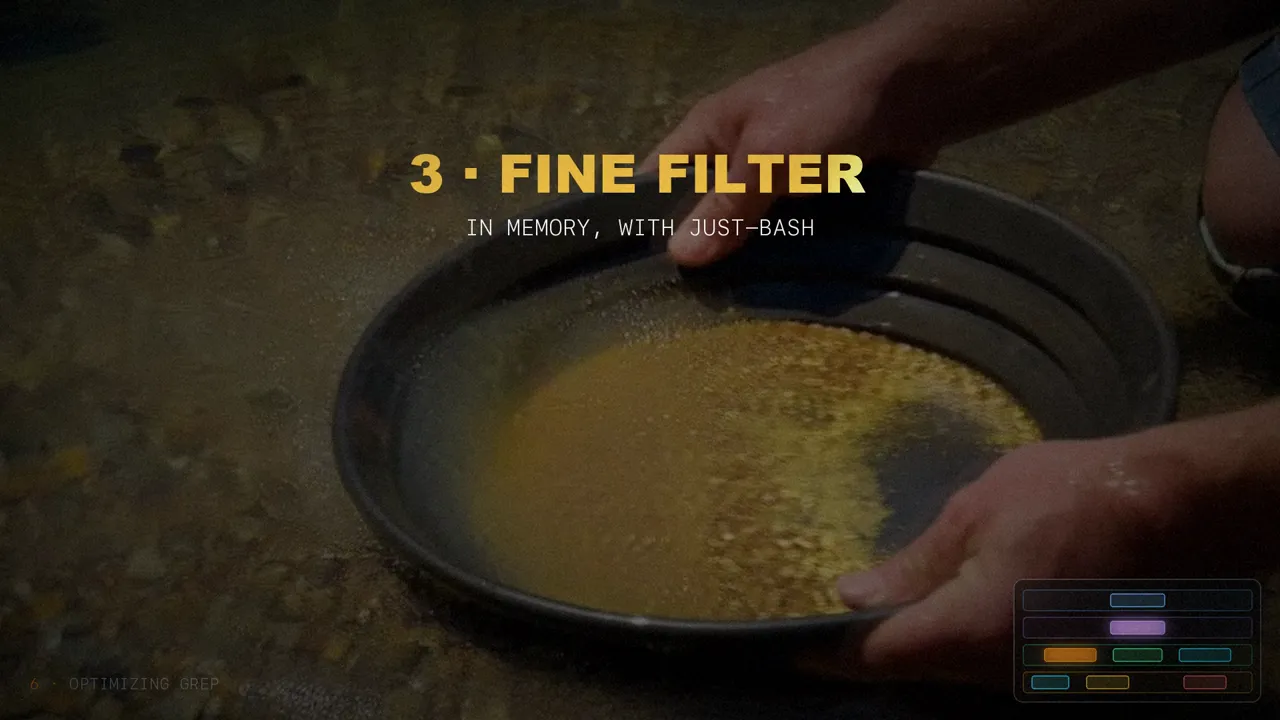
bulkPrefetch) into a Redis cache. - Fine filter. They rewrite the
grepto target only those files and hand it back to just-bash, which runs it in memory.
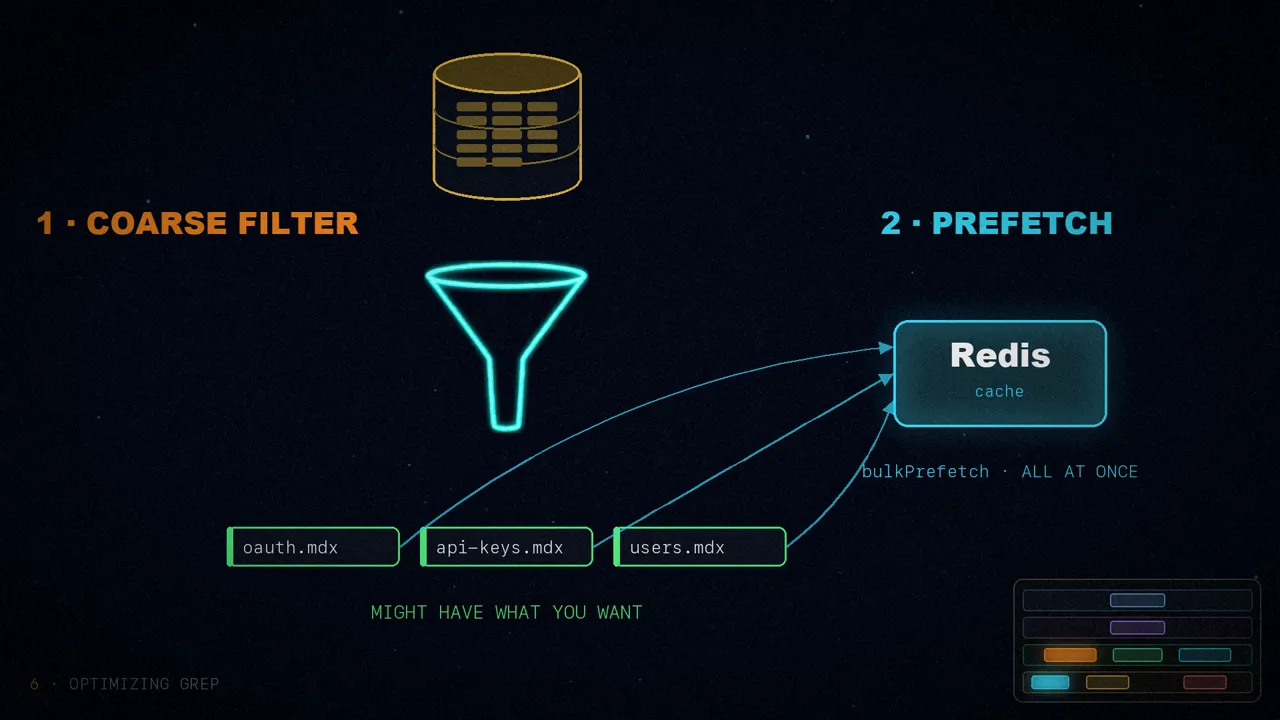
The result: huge recursive searches that finish in milliseconds.
In short
Today ChromaFs powers the documentation assistant for hundreds of thousands of users, across more than 30,000 conversations a day. By swapping sandboxes for a virtual file system on top of their existing database, Mintlify got three things: instant sessions, zero marginal compute cost and built-in role-based access control, without any new infrastructure.
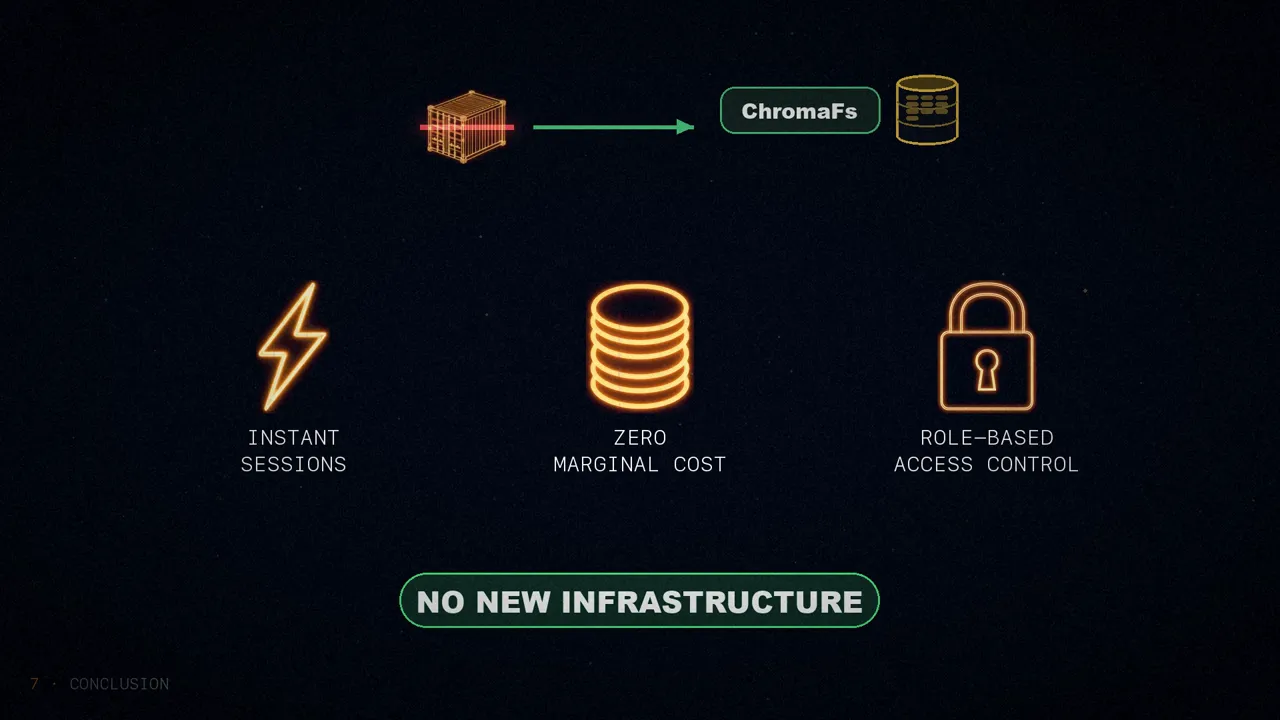
The agent doesn't need a real disk: the illusion of one is enough.
What else would you turn into folders for an agent to explore?
Sources
- “How we built a virtual filesystem for our Assistant”, by Dens Sumesh, Mintlify, March 24, 2026.
- On why agents work with files and bash: my post on “The Anatomy of an Agent Harness”.
- The video, on my three channels: Spanish, English and Portuguese.