
Before you change anything
Almost every tip means adding or removing text in the system prompt, in a tool description, or in the notes your agent carries. The guide asks you to do that in new conversations only. Claude Fable 5.2 keeps its reasoning between turns, and the API checks that the history has not changed (the prefix check). If you resume a stored conversation after changing system, tools or an earlier message, the request can fail with a 400 error.
To change instructions partway through a conversation, put them in the newest turn. Where mid-conversation system messages are available, you can append one instead.
Calibrate effort
On this model, the effort level sets how much it thinks, how many tool calls it makes, how long a turn takes and how many tokens it uses. That is why you tune it alongside your prompt. The starting point is high, the default on the Claude API.
Effort levels rank the same way across Claude models, but the amount of thinking at each level differs. In practice: rerun your effort sweep rather than carrying over the setting you tuned on Claude Fable 5.1 or Claude Opus 5.5.
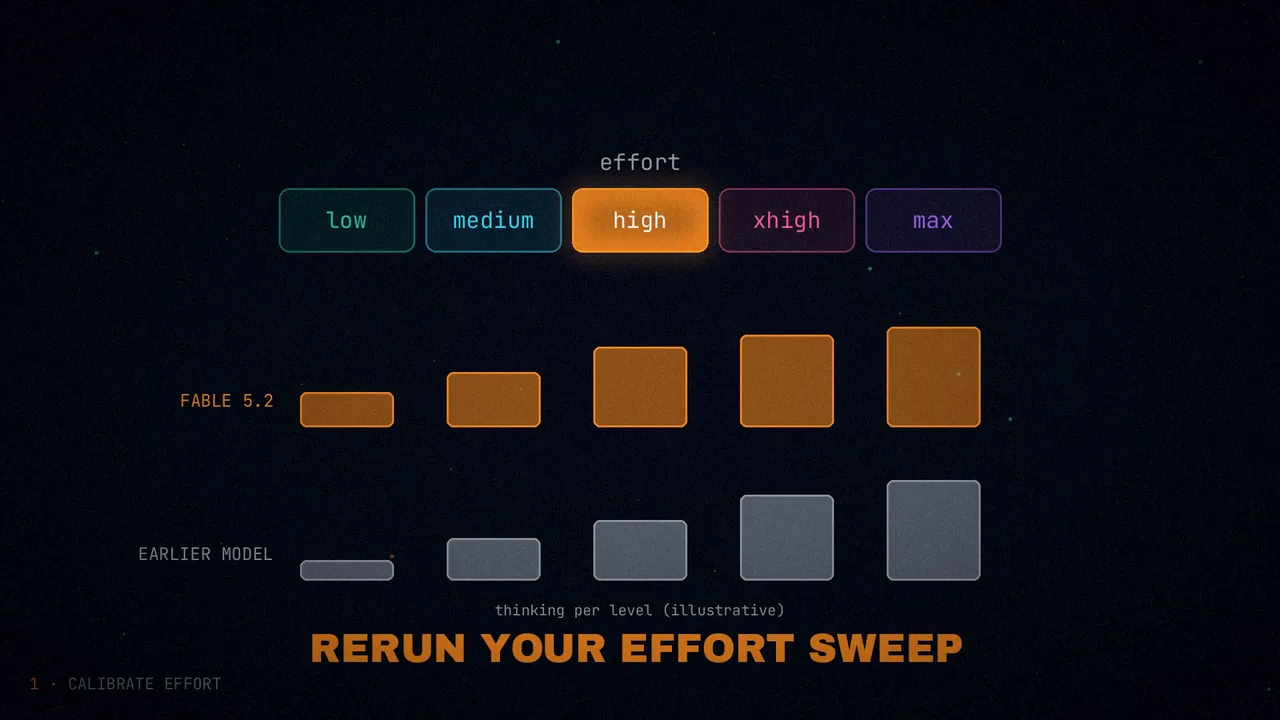
| Level | What it suits | What the guide says |
|---|---|---|
low | Quick back-and-forth, well-specified tasks and high-volume workloads (fast subagents) | On coding evaluations it performs better than past models at that level; in Anthropic's testing it scored close to what Fable 5.1 did at higher effort |
medium | Interactive coding, chat and everyday knowledge work | |
high | Hard coding, research, agentic work and long unattended runs | Turns take noticeably longer than at medium |
xhigh | Your hardest long-running work, and only where you have measured a gain | On internal coding evaluations it raised scores slightly and used many more tokens |
max | Measuring the model's ceiling, or open-ended problems (scientific discovery, mathematics) where time and tokens do not matter | Slow turns and many more tokens than at xhigh |
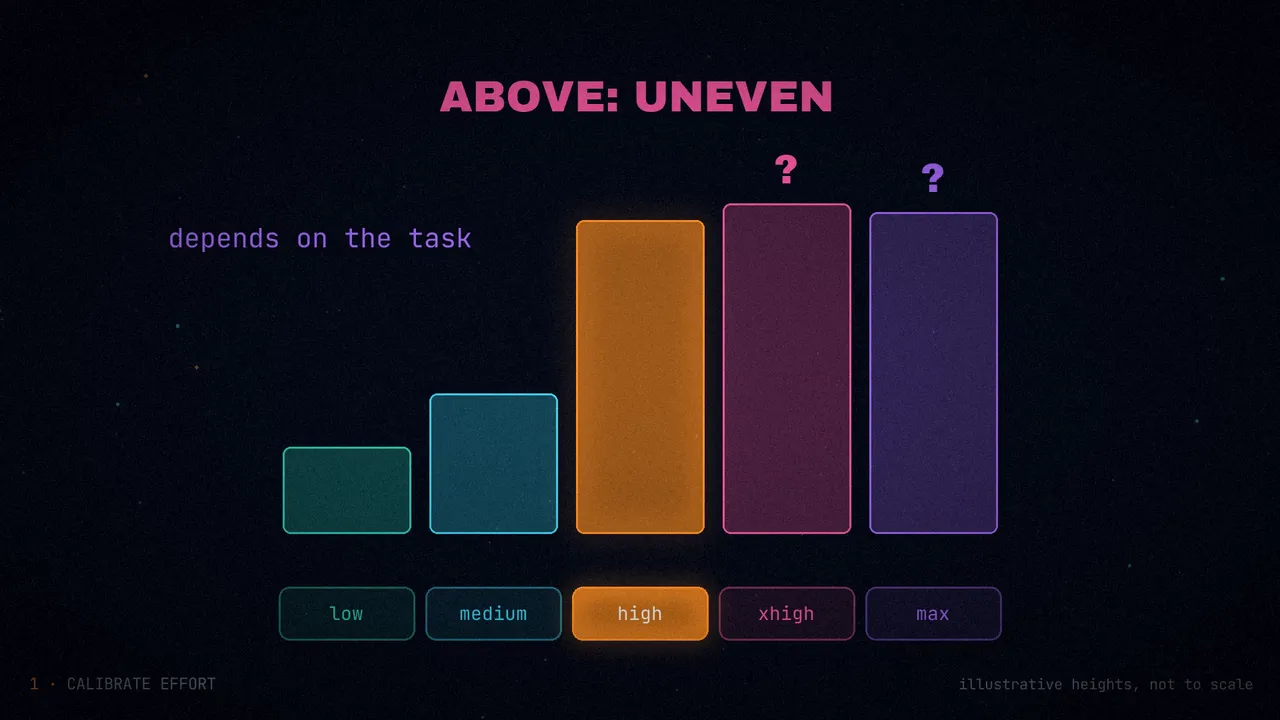
Most of the gain arrives at high. The step from medium to high raised scores on most of the coding and knowledge-work evaluations Anthropic tracks, but it costs more tokens and more time: move down to medium wherever your own evals hold. Above high, gains are uneven and task-dependent. The guide gives no figures for any of these steps.
Three more details:
- It thinks almost always. At
highand above, the model thinks before almost every reply, even a reply to a greeting. If basic requests take a while or cost more, use a lower effort for those turns. Telling it to answer directly without deliberating did not stop it from thinking atmediumand above. - It does not change length. Effort has little effect on how long replies are. Length and tone are changed with the prompt.
- You can mix levels. For example, plan and iterate at
medium, then raise effort for the long, unattended part. To change it within a conversation and keep the cache, there is per-message effort (beta). Where that is not available, set a newefforton the next request, which can invalidate the cached messages.
If you do agentic work at low or medium, add the text in the next section: at lower effort, the model stops earlier.
Finish the whole task
On long, multistep tasks, Claude Fable 5.2 sometimes ends a turn before the work is done. It does so by listing what is left, offering to continue, or stopping at an ordinary obstacle such as a timeout. It happens more at low and medium. If you see it in your agent, the guide suggests adding this to your system prompt:
# Finishing work
Please avoid stopping while you still owe work the user asked for. Be persistent and do not stop unless needed.

While status notes are welcome, as is clarifying with the user on open decisions, carry on with work that does not depend on the user's answer without unnecessary stops.

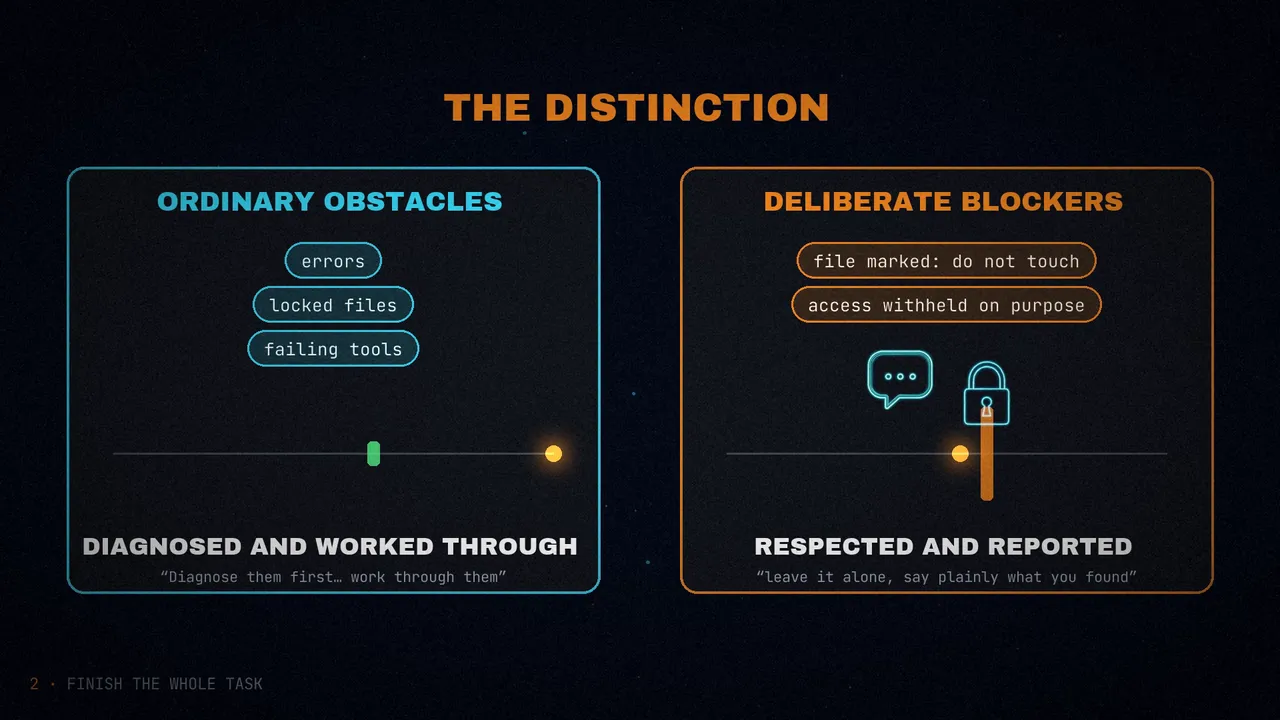
If you notice yourself inviting the user to redirect you or offering to wait, instead proceed on the next part of the task. You may meet ordinary obstacles like errors, timeouts, locked files, empty results or failing tools. Diagnose them first, and when they are not real blockers, work through them with the access you have (wait and retry, fix the request, use another tool or source) rather than stopping unnecessarily.

If someone clearly decided something is a hard blocker, such as a file marked not to be touched, access that was intentionally withheld, or a safety guardrail, leave it alone, say plainly what you found, and look for another safe way to finish the task. Stopping before the task is complete is very rarely merited, as in when the task can't move forward without user input, or where the blocker is deliberate and should not be worked past. This does not override the need for confirmation on risky or destructive actions.
The text separates two things. Ordinary obstacles (errors, timeouts, locked files, failing tools) get diagnosed and worked through. Deliberate blockers (a file marked not to be touched, access withheld on purpose, a safety guardrail) are left alone and reported. It is a starting point, to adapt to your case.
Anthropic tested it by replaying recorded sessions from an agentic coding product, at medium. With a version of this text:
- About half as many sessions ended with unfinished work that could have been continued.
- Most endings that ask permission or offer to continue went away. Not the ones that list what remains and then stop.
- Output tokens rose by about 30%.
Because the model asks less often with this text, keep your own confirmation step for risky or irreversible actions.
Approvals
Two tips. First: when you ask it to keep going, say exactly what you want rather than a plain "continue". The guide's example is replying "Yes, run the migration on the staging database" where you might have sent a "go" or a thumbs-up.
Second: if you write approval rules into your system prompt, be specific about the actions you want double-checked. In testing on simulated tasks where nobody was there to approve, a rule that listed "sending messages to people outside this conversation" among the steps needing approval led the model to hold back about half of its routine requests to colleagues and other teams.
Say who owns the code
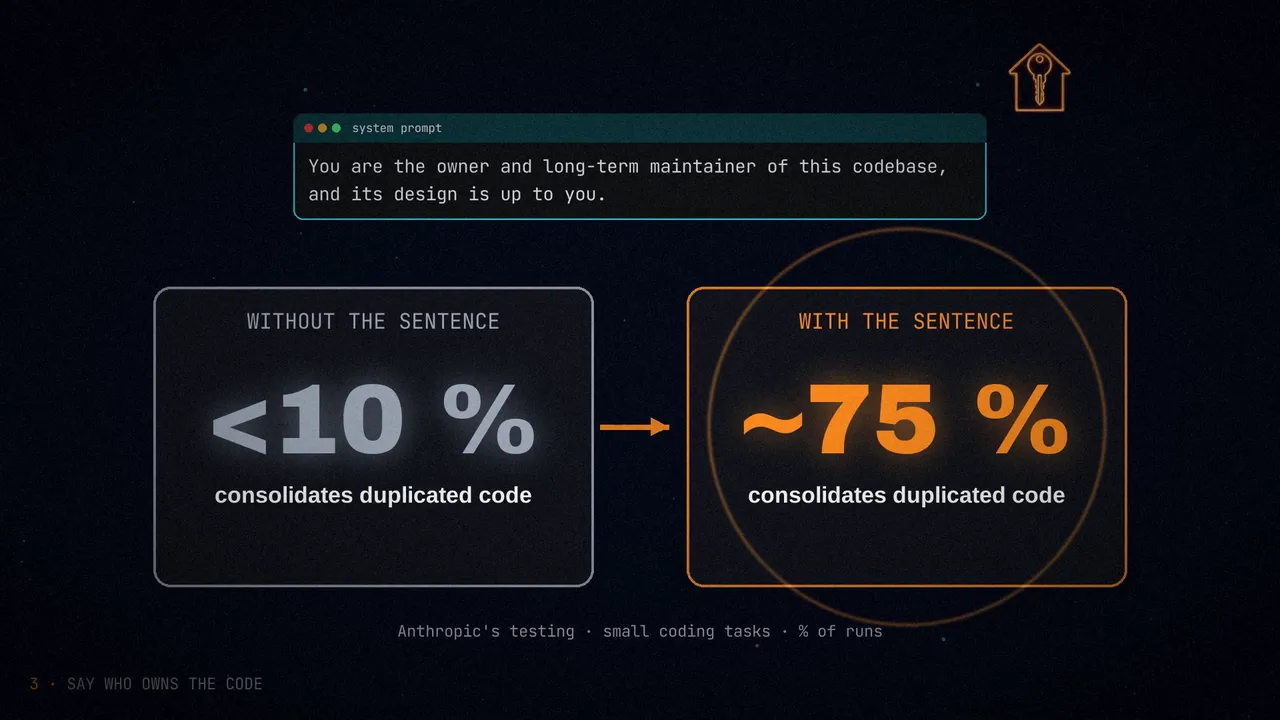
Claude Fable 5.2 pays close attention to who owns the code it works on. In testing on small coding tasks, when the prompt said nothing about ownership, or presented the code base as someone else's, the model tended to add to the existing structure, even when that duplicated code. When the prompt said the code was its own, it often consolidated the duplicates and sometimes made related fixes without being asked.
If you want it to improve the structure as it works, the guide suggests one sentence:
You are the owner and long-term maintainer of this codebase, and its design is up to you.Without the sentence, the model consolidated duplicated code in under 10% of runs. With it, in about 75%.
It has a price:
- Tokens: output tokens rose by about 70 to 80%.
- Unrequested changes: many of them new tests and documentation. In some runs it also changed how an existing feature behaves.
- Incomplete summary: the closing PR summary often left out small changes. Review the diff as well as the summary.
Leave the sentence out where the user owns the code and wants it changed as little as possible. And a rule that limits scope does not cancel it: with "No drive-by refactors, renames or cleanups" earlier in the same prompt, the model still consolidated duplicates in more than half of runs.
Keep users informed
During long runs of tool calls, the model sometimes writes little user-facing text, and it may make its first call without saying what it is about to do. Before you touch the prompt, check that your client receives what the model does write.
On Claude Fable 5.2, the updates the model writes between tool calls come back as progress thinking blocks: they say what it found and what it will do next. At the default thinking.display of "omitted", their text is empty, so a client that renders only text blocks looks silent during a long turn. With display: "updates" (beta) you get a short summary of each update, and with "summarized", the updates along with summarized reasoning. Then render the non-empty thinking blocks between tool calls.
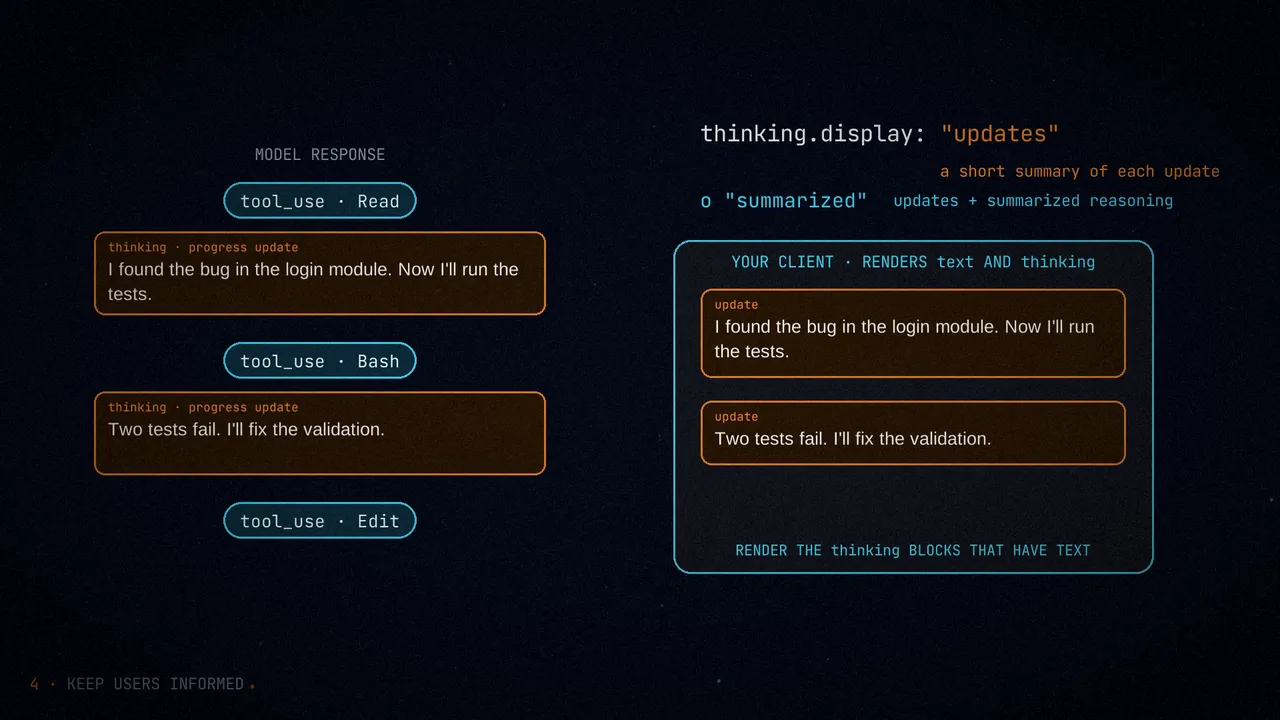
display: "omitted", updates come back empty and the client looks mute.For interactive settings, the guide gives three levers.
1. In the harness. Count consecutive tool-calling steps that give the user nothing to read (with display set to "updates" or "summarized", because at "omitted" every block is empty). When several pass in a row, append this reminder after the latest tool results, as a system message scoped to that turn (clear_at: "next_user_message", beta):
The user hasn't heard from you in a while: say in a few words what you're doing, then continue.On multi-turn coding tasks, the reminder roughly halved the longest silent stretch, with no noticeable increase in tokens or time. Leave each reminder in messages on later requests: removing or rewording it edits an earlier turn, which invalidates the thinking blocks after it.
2. In the system prompt: intent. To get a line before the first tool call, brief updates and a closing recap:
Before you start, say in a line what you're about to do; brief updates while you work help the user follow along. Close with a short recap that stands on its own (what you found, what you did, and what's next), so a reader who only sees the last message has the full picture.With this text, the model wrote a message before its first tool call in every run of the coding tasks. Output tokens per task rose by roughly 20%. Use it where a person is in the loop and, for more updates, together with the reminder.
3. If you cannot touch the harness, or your platform has no mid-conversation system messages, one sentence in the system prompt:
Every few tool calls, give the user a one-line update on where things stand.That sentence cut most long silent stretches on workflow automation tasks. Even with all three, expect runs of several tool calls between updates. The guide adds that the model works well on long asynchronous tasks, and recommends it for work where nobody needs frequent updates.
Subagents
How much Claude Fable 5.2 delegates depends on your harness and your tasks. On short tasks with a minimal subagent tool, it rarely started one. In an agentic coding product whose prompts invite delegation, it delegated readily. And at xhigh and max, Anthropic saw it use subagents to review its own work, which Fable 5.1 did not do on the same tasks.
Early testers had good results using it as the planner and orchestrator for other models. Delegation speeds up work that runs well in parallel, but subagents can account for a large part of what a session costs: check which model they use by default.
Change the subagent tool's description only if the model starts more subagents than your tasks need. First, check whether your system prompt, skills or agent files tell it to delegate. The new description should state three things:
- What a subagent adds to the cost of a session.
- When delegation is worth it and when it is not.
- How to brief a subagent it starts.
If it still delegates too much, say more about the cost and test the change. In Anthropic's testing at high, a longer description focused on cost roughly halved the number of subagents compared to a shorter version.
Keep caution from piling up
Cautious instructions build up from past sessions through memory, notes and instruction files. Because Claude Fable 5.2 follows them closely, it can end up asking for unnecessary approvals. Anthropic saw this mostly when several agents worked together. The remedies:
- Remove notes you no longer need. Memory can hold old instructions such as "never retry" that the model keeps following.
- Name the steps that need no approval. Telling it to act more freely is too vague: list the routine steps it can take on its own.
- Check your validation steps. A condition such as "stop and review at the first error" can block autonomous work. Remove or narrow the ones you do not need.
- Be explicit about exceptions. The model treats an instruction containing "never" as absolute. If you want it to keep being able to take that action, write "ask for approval before deleting files" instead of "never delete files".
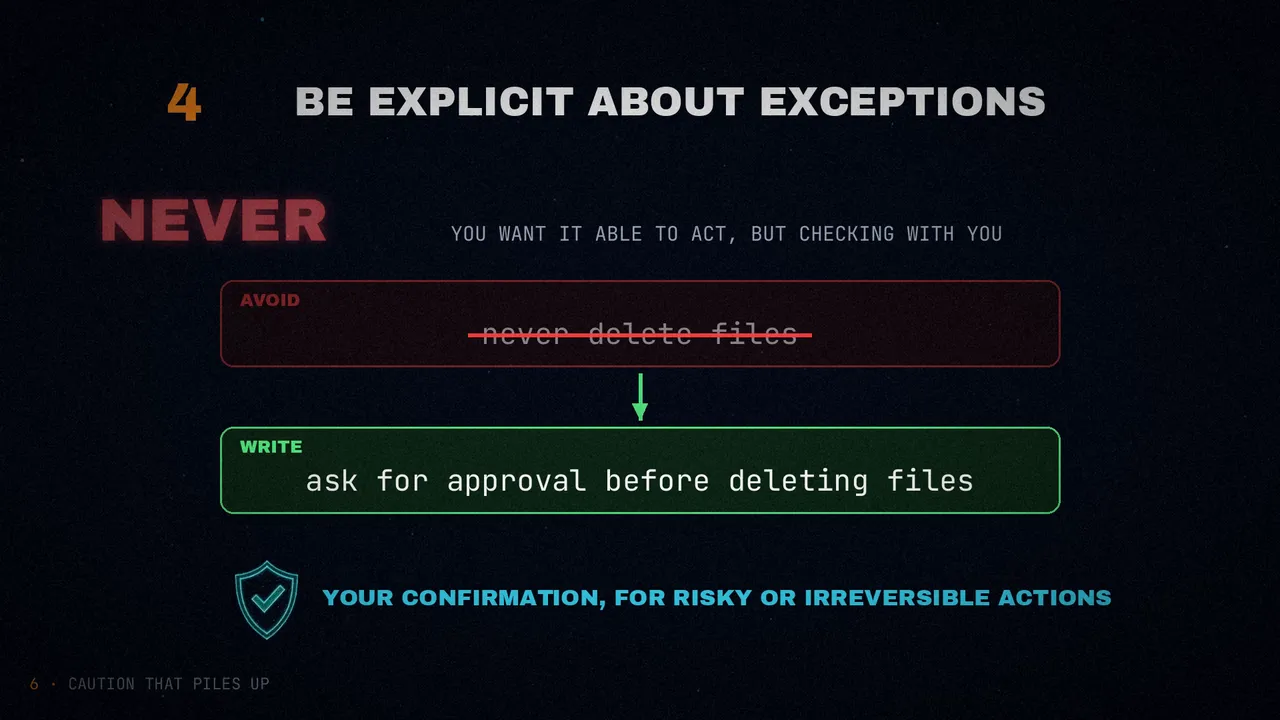
And, again, keep your own confirmation step for anything risky or irreversible.
Leftovers from earlier models
As you migrate, review your prompts and your harness. In Anthropic's testing, some instructions and interventions designed for earlier models raised cost, caused side effects, or no longer had an effect. The guide lists seven:
- Standing instructions to delegate. They can sit in system prompts, skills and agent files. Read them before you migrate and remove the ones you no longer need if the model delegates too much.
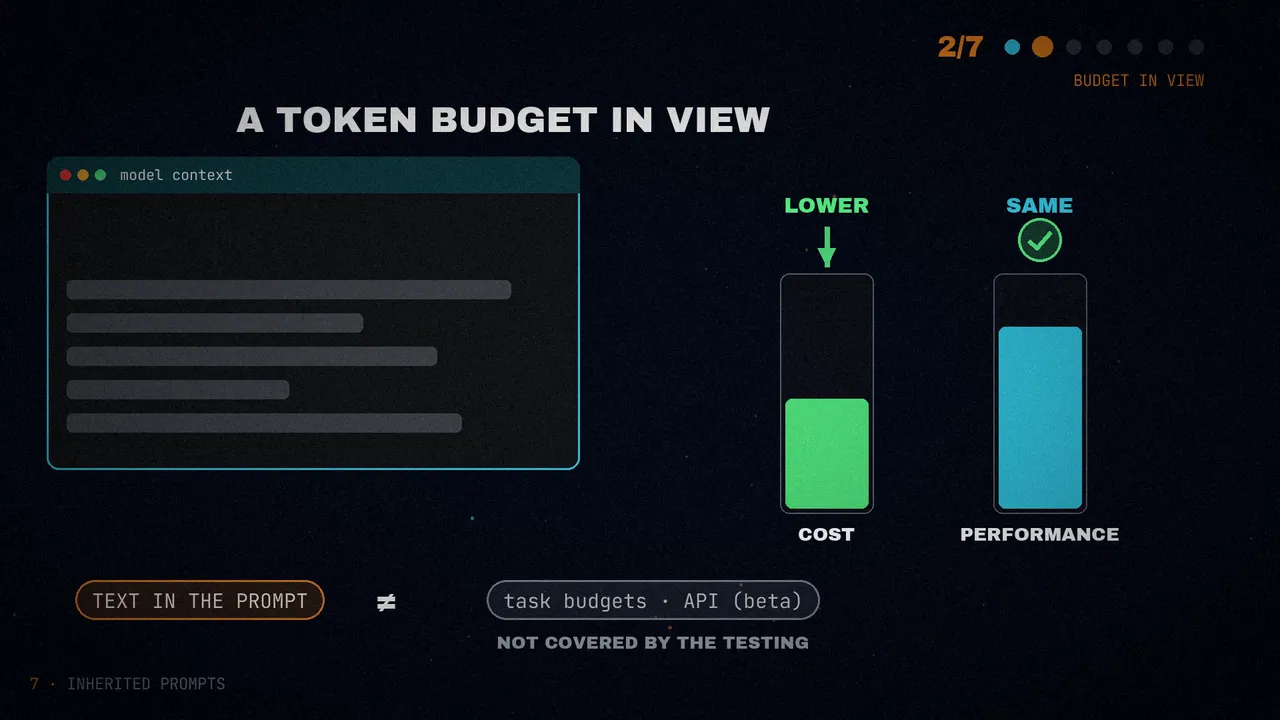
- A token budget shown to the model. Some harnesses show how much it has for the task and how much is left, and the size of that figure changes how much it spends. On coding tasks at
highandxhigh, removing a large budget lowered cost with equivalent performance. This is about text in the prompt, not the API's task budgets, which that testing did not cover. - Harness code that edits earlier turns. Because the model keeps its thinking, if the harness changes the system prompt, the tools or an earlier message, the thinking blocks after that point become invalid: the Messages API rejects the request and the Message Batches API drops those blocks. To shorten the history, use context editing or a compaction that keeps no earlier turns after the summary. Otherwise keep the history append-only: the cache hit rate stays high and no thinking is dropped. There is
prefix_mismatch_behavior: "drop_block"(beta) to drop instead of fail, but when earlier thinking was dropped on every turn in testing, the model thought again and used more output tokens. Measure before you rely on it. - The "treat that answer as done" lines. The Opus 5.5 guide offers two sentences for chat system prompts that tell the model to treat an earlier answer as done and focus on the new message. At
high, they reduced thinking on follow-up questions, but the model became far less likely to point out mistakes in its earlier answers. Leave them out where you want it to re-examine itself. - Instructions to think less. Fable 5.1 usually followed an "answer directly without deliberating". Fable 5.2 does not, at
mediumand above: remove the line and lower the effort. - Style rules for writing. It follows them so closely that a hard limit, such as "one instruction per sentence, in 20 words or fewer", makes its prose choppy.
- Rules, notes and memories that have built up. The model may have written some of them itself. Delete cautions whose reason no longer holds, and rewrite absolute rules with their scope and reason. If a system is already stuck, consider restarting it with its memory and notes trimmed.
Reports that are easy to follow
Early testers rated Claude Fable 5.2's writing above Fable 5.1's and similar in clarity to Opus 5.5's. But after long agentic work, whoever reads the final report usually has not seen the tool calls or the files behind it, so the report has to make sense on its own. If you ask it for final reports or handoffs, the guide suggests this system text, adjusted to your readers:
# Communicating clearly
Write for an intelligent but low-context reader. The person reading has not seen your tool calls, your reasoning or the files you opened, and may be switching in from other work. Messages should generally be self-contained: the reader should understand what you mean without having to dig for other context. Put the key points in the first few sentences. Practice progressive disclosure in your sentence order, and do not use undefined references and ideas in line 1 that won't make sense until the reader reaches line 12.

Use plain words, and write in clear, understandable full sentences. Do not use a term or abbreviation that you made up during the work. Say what the thing is in a way any reader would understand. Write mostly in the style of ASD-STE100 Simplified Technical English: short sentences, one idea per sentence, active voice, and consistently using the same word for the same thing. Use a paragraph of flowing prose where ideas connect, and keep bullets for lists of separate items. Leave out unnecessary details unless the reader asks and practice concision, but do ensure that your messages have the key context. Aim to make your user-facing text as human-readable and clear as possible.
In testing on agentic tasks, the text made final reports less dense and reduced the number of semicolons, and on workflow automation tasks it shortened sentences. Depending on your case, you might add instructions about length or ask for specific details.
Safeguard refusals
Claude Fable 5.2 runs safety classifiers that can decline a request. The response comes back with stop_reason: "refusal", and stop_details.category names the category:
| Category | What it means |
|---|---|
cyber | The request could enable cyber harm, such as malware or exploit development |
bio | It could enable biological harm, such as dangerous lab methods |
frontier_llm | It could assist the development of competing AI models |
reasoning_extraction | It asks the model to reproduce its internal reasoning in the response text |
general_harms | It falls under another usage-policy area |
null | The refusal does not map to a named category |
Benign cybersecurity and life sciences work can also trigger the cyber and bio classifiers. If that blocks your organization, Anthropic has two verification programs (the Cyber Verification Program and the Life Sciences Verification Program). Claude Mythos 5.2 offers the same capabilities as Fable 5.2 only to organizations verified through them.
One practical consequence: if your prompts, skills or tool descriptions ask the model to write out its reasoning in the response, remove those instructions. To see how it reasoned, set display: "summarized" and read the thinking blocks.
Where to start
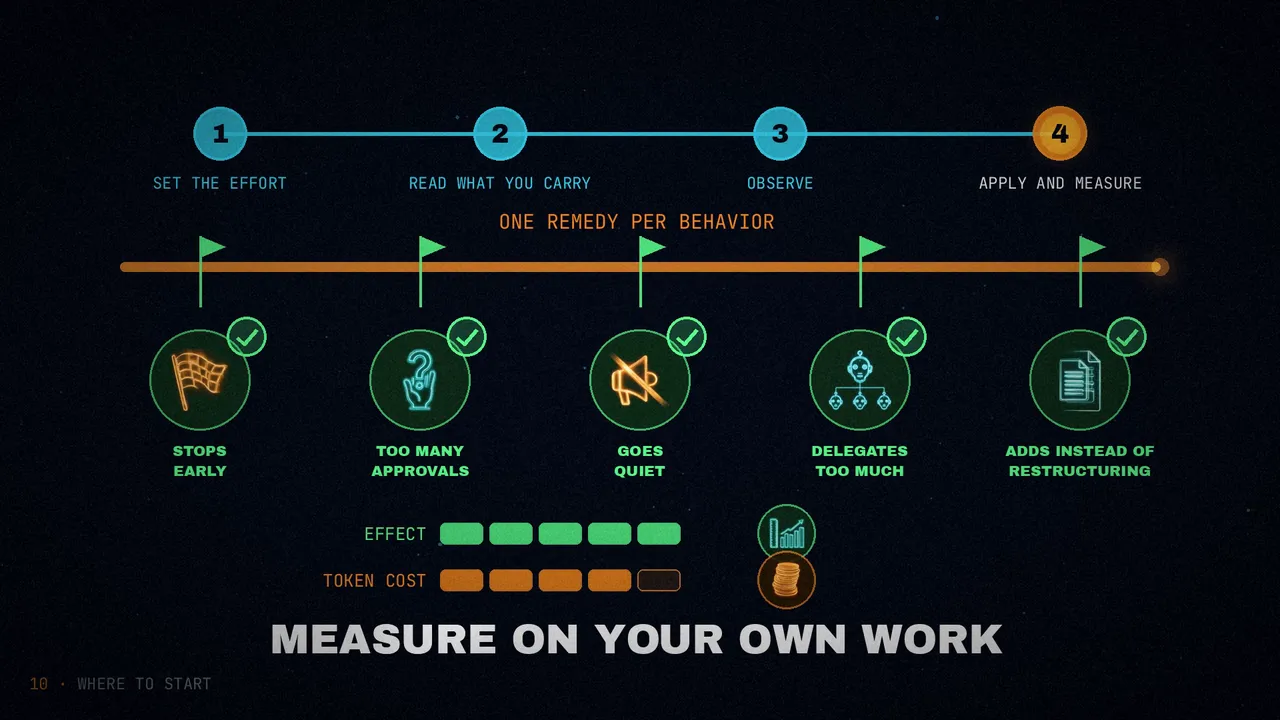
For a migration, the guide gives four steps:
- Set
efforttohighexplicitly, then run your evals atmediumandxhighas well. - Read what you carry over (system prompts, skills, agent files, memory files, notes and harness text) and remove or test what the previous section describes.
- Run your longest agentic tasks and note where the model stops early, asks for approvals it does not need, goes quiet, delegates more than needed, or adds to existing code where you wanted it restructured.
- Apply the remedy for each behavior you observed, one at a time, measuring its effect and its token cost on your own tasks.
How to read the figures
Every figure in this post comes from the guide, and the guide presents them as results of Anthropic's internal testing, on its tasks and with its products. Read them with three caveats:
- They are approximate. The guide says "about", "roughly", "under" and "more than"; there are no exact percentages.
- They come from specific tasks: small coding tasks, simulated tasks or recorded sessions from one product. They are not a rule for every case.
- They measure one thing, not "better code". The ownership sentence makes the model consolidate more duplicated code; it also changed existing behavior. And the "Finishing work" text reduced one kind of early stop, not all of them.
The guide insists that each text is a starting point: adapt it, and measure its effect and its cost on your own tasks.
To sum up
With Claude Fable 5.2, tune effort before the prompt. Tell it when it should not stop and who owns the code. Make sure your client shows its updates. Explain what delegating costs. And clean out the caution and the instructions you carry over from earlier models.
This model follows instructions so closely that the first thing worth reviewing is what you were already telling it.
Which old instruction in your prompt will you delete first?
Sources
- "Prompting Claude Fable 5.2", Anthropic's documentation.
- On agent harnesses in this blog: Agent harness engineering and The anatomy of an AI agent.
- The video, on my channels: English and Spanish.