Two 24 GiB cards are not one 48 GiB card
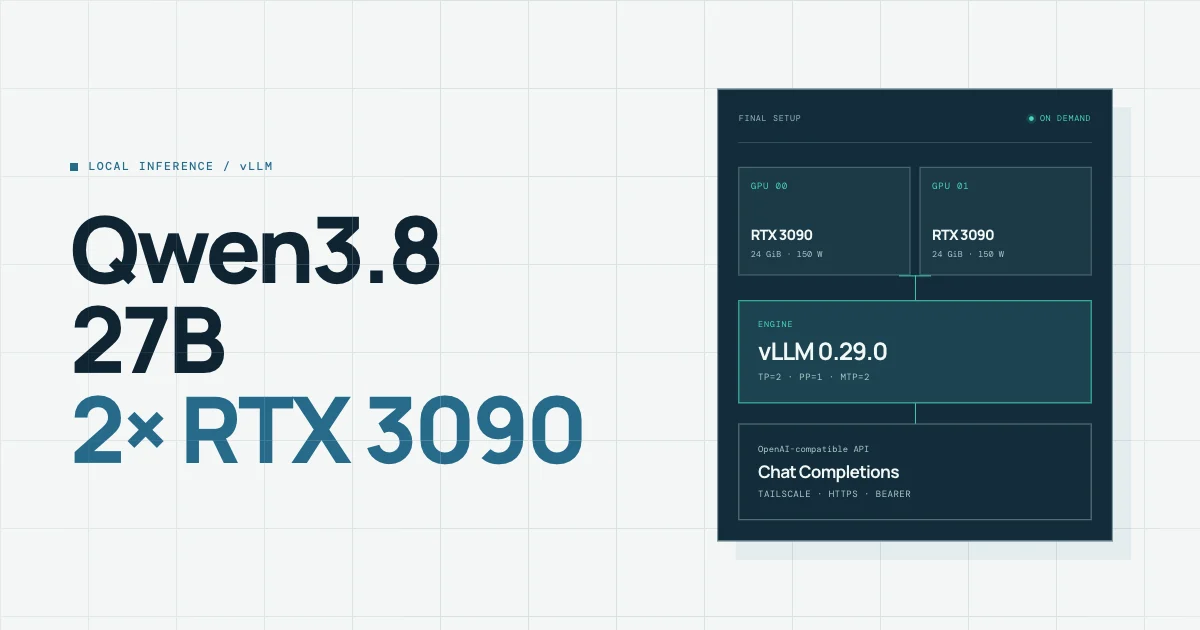
We started from a desktop computer turned into a personal server. It has two NVIDIA RTX 3090 graphics cards, each with 24 GiB of video memory, or VRAM: the space where the model weights and the temporary memory of the conversation must fit. We wanted to serve Qwen3.8-27B to our devices without permanently dedicating both cards to it and without exposing it to the Internet.
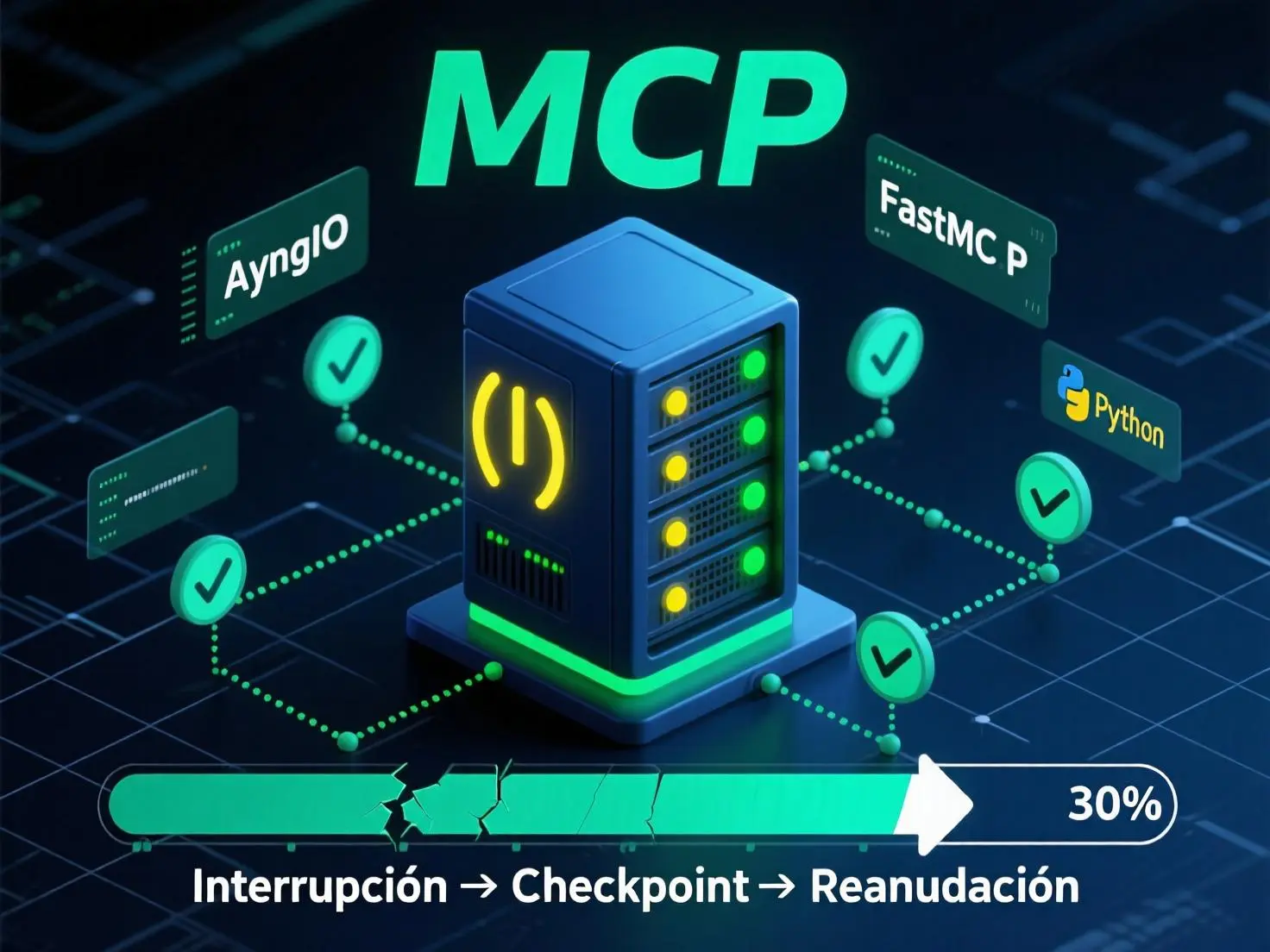
Qwen's files stay on disk, but that does not mean the model is always running. When it is asleep, its weights are not loaded into GPU memory: there is no inference process occupying the two cards. Pressing "wake up" in Home Assistant starts the service, loads the weights from disk into the GPUs, and we wait until it reports "ready". Then we can send it requests from the phone or the Mac. If 15 minutes pass without requests, it shuts down, unloads the model and frees the GPUs for other models.
Qwen3.8-27B has about 27 billion parameters: numbers learned during training that are loaded as weights to produce text. Each GPU has its own VRAM; their 24 + 24 GiB are not merged automatically. To host the model on both, work and data have to be split, and whatever is exchanged between them can become a bottleneck.
The cards are connected to the motherboard through PCI Express (PCIe), the computer's communication bus. One runs on an x16 link, sixteen data "lanes", and the other on x4, four lanes. That is a difference in link capacity, not a promise that all inference will be four times slower: what matters is how much they need to communicate. The nvidia-smi topo -m tool labeled their path as PHB, short for PCIe Host Bridge: to talk to each other they go through PCIe and a system bridge, instead of having a direct link between cards. The alternative would be an NVLink bridge: the data exchanged by the two GPUs would travel over that direct link, without crossing the motherboard. We did not install one because a compatible bridge is expensive and we would still need to check that it physically fits between these two cards; we left that purchase for later.
We also confirmed that in this setup there was no usable P2P communication and no active NVLink link. P2P (peer-to-peer) lets one GPU access another GPU's memory directly when the platform supports it; NVLink is a high-speed physical link that can make that exchange easier. PHB describes the topology, but on its own it does not prove whether P2P works: we checked that separately. Without a guaranteed fast path, it was not obvious which was the best way to split Qwen.
Both work on the same stage
Tensor parallelism (TP): we split the computations of a single model layer between GPU 0 and GPU 1. They work at the same time on parts of the same operation and then gather the results. It is like two people solving halves of the same problem and comparing notes at every step: it can speed things up, but it requires frequent communication.
Each one does different stages
Pipeline parallelism (PP): we put the first layers on one GPU and the next ones on the other. One processes its section and passes the intermediate result to the next, like two stations on an assembly line. Data is exchanged at fewer points, but for a single request one GPU may be waiting for the other.
That was a central question of the experiment: on this PC, with PCIe x16/x4 and no working P2P/NVLink, does TP's parallelism pay off despite its frequent exchanges, or does PP's lower communication win? Later we will see how we measured it while keeping everything else constant.
The computer is powered through a UPS (uninterruptible power supply): a battery with electronics that keeps the machine running during an outage and measures the electrical load. Ours handles 900 W of real power. A 150 or 200 W cap per GPU does not limit the consumption of the CPU, fans, disks and power supply losses; that is why we watched the total load reported by the UPS.
We set a preventive abort at 85 % of its capacity, about 765 W based on its nominal rating: that leaves roughly 135 W of nominal headroom below 900 W. It is a threshold chosen for these tests, not a universal rule nor a guarantee against peaks shorter than the sampling interval. If it was exceeded, we stopped the test and cleaned up the environment.
First, a foundation that can be verified
Before comparing engines we prepared the system: Ubuntu 24.04, Docker to isolate processes, the GPU driver and a downloaded, verified model. Having two cards installed is not enough: the inference program must be able to see them, use the right version of its libraries and find every model file.
The NVIDIA driver is the operating system software that talks to the GPUs. "Validated" here does not simply mean "the latest version": we checked that the loaded kernel module and the NVIDIA user-space libraries match, that nvidia-smi works, that both cards run CUDA compute, and that the real service starts and stops cleanly. After a September update, the currently pinned version is 595.91.07; before rebooting there was a mix of the old module and the new libraries that prevented the GPUs from being used. The reboot and the tests that followed fixed and verified that situation.
NVIDIA Container Toolkit is the layer that lets a Docker container request the GPUs and receive the required devices and driver components. Docker isolates the process, but on its own it does not give it proper access to NVIDIA hardware. On this machine Toolkit 1.20.1 was installed; it was configured with nvidia-ctk and checked from a container. The driver stays on the host, the physical computer; a separate one is not installed inside each container.
The main model is the official Qwen3.8-27B-FP8 checkpoint. A checkpoint is the set of files with the model's weights and configuration. The llama.cpp alternative used Unsloth's GGUF UD-Q8_K_XL format; GGUF packages the model in a format llama.cpp can load.
- 01
Validate host and power
Check both GPUs with
nvidia-smi, their PCIe path withnvidia-smi topo -m, cooling, memory and storage. Confirm the UPS is online and that we can measure its load; set the 85 % preventive stop before loading the weights. - 02
Give Docker the GPUs
Install Docker and NVIDIA Container Toolkit, which exposes the host GPUs to containers. Configure the runtime with
nvidia-ctkand verify both GPUs from a test container. NVIDIA's official guide explains the current steps and requirements. - 03
Pin specific files
Do not download "the latest" on every start. We chose an exact checkpoint revision, verified the inventory and the hashes of its shards, and mounted that copy read-only. We also pinned and audited the vLLM engine image so we knew which code we were running.
- 04
Test without leaving residue
We ran one trial at a time. A GPU lock prevents two managed models from competing for the cards; we applied power caps, an internal Docker network with no ports open on the host, and container limits. After each trial, even a failed one, we removed the container and network and restored the power settings.
To make the installation repeatable, the Hugging Face client lets you pin an exact revision. We also used a downloader that checked every shard with SHA-256, a digital fingerprint of the file. The command below illustrates choosing a revision; it does not replace all those checks.
hf download Qwen/Qwen3.8-27B-FP8 \
  --revision 017b9c7af6b5689d5dd426a76e0bc077eb5ca20a \
  --local-dir /protected/path/qwen-fp8
Afterwards: validate inventory and hashes, restrict permissions, and mount the snapshot in the container as read-only. Downloading from the inference process is not advisable.
nvidia-smi --query-gpu=index,name,memory.total,power.limit --format=csv
nvidia-smi topo -m
sudo nvidia-ctk runtime configure --runtime=docker
sudo systemctl restart docker
Indicative commands, not a transactional installer. On an existing host, review daemon.json first and the effect of restarting Docker on other services.
There was another memory decision. BF16 stores each weight in 16 bits; the official weights in that format exceeded the available VRAM even before reserving memory to process requests. We chose the FP8 variant, 8 bits per weight. RTX 3090s do not do native FP8 compute: vLLM used Marlin, an implementation that takes advantage of the compressed weights and computes with FP16 activations. That made the model fit, but "using FP8 weights" does not mean all computation was FP8.
These are the essential parameters of the engine we finally chose. TP=2 means both GPUs take part in every stage; PP=1, that two different sections of the model are not chained. MTP=2 drafts two text candidates ahead, as we will explain later. The command runs inside the isolated container, with the checkpoint already mounted; on its own it does not create the 150 W cap, the UPS control, the GPU lock, authentication or the network policy.
vllm serve /models/qwen3.8-27b \
  --served-model-name qwen3.8-27b \
  --tensor-parallel-size 2 --pipeline-parallel-size 1 \
  --distributed-executor-backend mp \
  --dtype float16 --linear-backend marlin \
  --max-model-len 32768 --max-num-seqs 1 \
  --max-num-batched-tokens 2048 \
  --gpu-memory-utilization 0.90 --kv-cache-dtype fp8 \
  --enable-prefix-caching --enforce-eager \
  --speculative-config '{"method":"mtp","num_speculative_tokens":2}'
Flags specific to vLLM 0.29.0. The server listens only on the container's private network; do not publish its port on the host. The external manager watches health, power, UPS and cleanup.
We measured the system, not just tokens per second
We did not want to choose a configuration just because a speed figure looked high. We repeated a battery of 22 synthetic cases: arithmetic, separation of reasoning, tool-call formatting without executing them, input texts of several sizes, twelve stability requests, streaming response and a cache test.
A token is a unit of text the model reads or writes: it can be a word, part of a word or a symbol. The more tokens fit in the input, the more code or conversation we can send in a single request. We configured a maximum window of 32,768, but what we actually tested in the battery went up to 27,064 input tokens; we did not confuse a setting with a test.
Does it answer correctly?
The 22 cases, including tool calls in the expected format. A tool call is a structured proposal from the model; in the trial we did not let it execute code or real actions.
How long does it take?
TTFT (time to first token) measures the wait until the first piece of the response. Tokens per second measure the writing speed after that. We measured both: an engine can write fast and still be slow to start.
At what cost?
VRAM per GPU, temperature, UPS load, the backup battery, and approximate GPU energy per output token. We express it in mWh per token, milliwatt-hours consumed by the GPUs to produce one token. It comes from power samples and is not the same as total consumption measured at the wall.
We also separated cold cache and warm cache tests. If an input repeats an already processed prefix, the engine can reuse computation and answer sooner. That is useful, but it would not be honest to present the time of a repetition as if it were that of a new request.
Two engines, two weight formats
An inference engine is the program that loads the checkpoint and serves responses. We tested two: vLLM, designed to serve requests for large models, and llama.cpp, an alternative that works with GGUF files. In the first comparison, with each GPU capped at 250 W, llama.cpp used less GPU energy per token; vLLM with MTP=2 started responding sooner and wrote somewhat faster.
This is not about installing two identical "flavors" of the same file. vLLM read the official FP8 checkpoint through Marlin; llama.cpp read the GGUF Q8 conversion. Both represent Qwen3.8-27B, but their formats and compute methods differ. That is why the table compares complete practical stacks; it does not scientifically isolate the effect of changing only the engine.
| Engine / profile | TTFT | Output | GPU energy | Max. |
|---|---|---|---|---|
| vLLM · FP8/Marlin · MTP=0 | 189 ms | 13.526 tok/s | 21.43 mWh/tok | 57 °C |
| vLLM · FP8/Marlin · MTP=2 | 206 ms | 27.391 tok/s | 17.60 mWh/tok | 58 °C |
| llama.cpp · GGUF Q8 · no speculation | 476 ms | 25.195 tok/s | 14.05 mWh/tok | 52 °C |
Compared with vLLM MTP=2, llama.cpp delivered about 8 % fewer tokens per second, took more than twice as long to start responding (TTFT, the wait until the first token) and used about 20 % less GPU energy per token. We kept vLLM for the interactive API, without claiming it is always better: llama.cpp remains an interesting alternative when priorities change.
The GGUF route also taught us what "it starts" means in practice. A first image could not run the binary as an unprivileged user because of file permissions; then a missing shared library appeared. With both fixed, we still had to verify weight loading and inference. That llama-server --version responds only proves the executable can print its version, not that it can serve the full model.
One question remained open here. llama.cpp reached 25.195 tok/s without MTP, while vLLM, also without MTP, reached 13.526 tok/s at the same power. Could llama.cpp also beat the accelerated vLLM if we enabled MTP? Maybe, but we have not tested it yet. MTP is not a speed multiplier you can carry from one program to another: each engine prepares and checks its drafts differently. The llama.cpp ngram-mod test we will see next does not answer that question either, because it uses a different technique.
More drafts do not always mean more speed
When writing, the model usually generates one token after another. MTP (Multi-Token Prediction) tries to draft several candidate tokens ahead and then checks which ones are valid. It is a form of speculative decoding: like writing a draft of the next few words and reviewing it in one go. If enough candidates are accepted, the model advances further with each check.
We tested MTP=0, with no draft tokens, MTP=2 and MTP=4 with the same vLLM FP8 checkpoint, the same tensor split across the two GPUs (TP=2) and 250 W per card. The acceptance rate indicates what fraction of the proposed tokens was kept, not what percentage of responses was "correct".
output tokens / second · same model and 250 W per GPU
MTP=2 kept 82.04 % of the candidates and roughly doubled output speed compared with MTP=0 (+102.51 %), with 17.84 % less GPU energy per token. With four candidates acceptance dropped to 56.57 %: more draft work was wasted, output was 8.61 % slower than with two, and both the initial wait and the energy went up. In this battery, speculating more did not mean going faster.
What if the drafts come from text already seen?
llama.cpp offered ngram-mod: it looks for repeated token sequences to propose the next ones, without vLLM's MTP mechanism. With the parameters set to 24/48/64, the 22 fresh-input cases generated no speculative work; speed was almost the same as the baseline, 25.232 versus 25.195 tok/s, with slightly more energy. In a micro-test that repeated one input exactly, it did accept 67.19 % of proposals and sped up that repetition by 146.12 %. We do not extrapolate that special case to daily use.
We did not postpone the llama.cpp MTP test for lack of interest, but because of the risk of losing control of the computer. A bug reported to llama.cpp describes a complete freeze when using MTP with two RTX 3090s without P2P communication and long inputs; the machine had to be forcibly powered off. There the model was split across the GPUs differently, so we do not know whether our setup would suffer exactly the same thing, but we cannot guarantee it is free of the problem either. The proposed fix is not in our audited image. Before running a long test we need a fixed version we can verify, or a carefully bounded initial test that rules out the dangerous path. Until then, llama.cpp's potential advantage with MTP remains a hypothesis, not a result.
Without MTP, TP beat PP at 150 W
Back to splitting the model. With TP=2, both GPUs compute parts of every layer at the same time and exchange results; with PP=2, one holds the first layers and passes its result to the second, which holds the later ones. Without working NVLink/P2P, we thought PP's lower communication might make up for the waiting between stages. It was a hypothesis, not a rule.
First we tried to compare them with more power. At 250 W per GPU, the PP test stopped when it crossed the UPS safety limit. At 200 W, PP finished, but its TP counterpart was aborted by a single reading of 102 % UPS load. Even though the configured limit per GPU was 200 W, the UPS measures the whole computer; that reading showed why we could not ignore it. Since one test finished and the other did not, those attempts did not decide a winner.
We went down to 150 W per GPU and repeated both configurations with the same checkpoint, the same 22 cases and MTP disabled. This time the main variable was TP versus PP. TP=2 · PP=1 splits each layer across two cards; TP=1 · PP=2 splits the layers into two consecutive sections.
| Metric | TP=2 · PP=1 | TP=1 · PP=2 |
|---|---|---|
| Cases / context | 22/22 · 27,064 | 22/22 · 27,064 |
| Output | 13.445 tok/s | 12.434 tok/s |
| TTFT | 185 ms | 229 ms |
| GPU energy / token | 25.33 mWh | 26.50 mWh |
| Max temperature | 49 °C | 60 °C |
| UPS peak | 52 % | 61 % |
| VRAM GPU0 / GPU1 | 21,302 / 21,412 MiB | 20,066 / 22,702 MiB |
On this PC, TP=2 was 8.13 % faster, started responding 19.21 % sooner (lower TTFT), used 4.42 % less GPU energy per token and recorded an 11 °C lower peak. PP also left memory less balanced between cards. This does not prove TP always wins: it proves that the advice "without NVLink, use PP" is no substitute for measuring the specific topology, power and workload.
But this TP win only answers the question "which split works better without MTP?". We then enabled MTP=2 on TP and its speed went from 13.445 to 25.137 tok/s at 150 W. We did not run the equivalent test with PP. PP might also improve a lot with MTP, or it might not be worth it: with the current measurements we cannot know.
To settle it, we would have to test six combinations at the same power: TP with MTP=0, 2 and 4, and PP with MTP=0, 2 and 4. We only have three of those six at 150 W. We also measured TP with MTP=4, but at 250 W; mixing that result with the 150 W ones would attribute to the split or to MTP an effect that might be due to power. That is why the profile we chose is the best of the ones tested, not a universal winner.
The software also needs preparing to complete the table. Our audited image uses vLLM 0.29.0, which predates the initial support for PP with MTP, and there is an open report about failures with that combination. First we would need to choose and audit another version, prove that PP with MTP answers correctly, and then repeat the six tests with the same version, the same driver and 150 W per GPU. The NVIDIA driver changed after the earlier measurements, so comparing new trials with those figures without repeating the baselines would not be rigorous either.
Fast when awake, invisible when asleep
With the combinations we could actually measure and validate, we chose vLLM as the API engine, FP8/Marlin weights so the model would fit, TP=2 · PP=1 to split each layer across both GPUs, and MTP=2 to draft two candidate tokens ahead. It is a practical choice backed by evidence, not a claim that no pending combination could improve it. We capped each card at 150 W, where the split comparison was safe for our UPS.
We still had to confirm that MTP also helped at 150 W, not only in the earlier 250 W test. Against the same TP=2 without MTP at identical power, we went from 13.445 to 25.137 output tokens per second: +86.96 %, with 10.23 % less approximate GPU energy per token. The wait until the first token rose from 185 to 219 ms: a small initial penalty in exchange for writing much faster once the response has started.
Next we ran a smoke test: a short test to check that the complete service starts, accepts real requests and cleans up, before considering it usable. A second container, without a GPU, acted as a client inside the private Docker network. It verified health, model name, response sense, separated reasoning, tool calls without executing them, and six health observations. Only then did we install the on-demand manager.
The model files are still on disk, but its weights do not occupy VRAM. There is no active inference container.
Pressing it reserves both GPUs, caps them at 150 W and loads Qwen into their memory.
Once loading finishes, phone and Mac can send requests. Every use resets the inactivity timer.
After 15 minutes without requests Qwen stops, the container and network are removed and power settings are restored.
The global GPU lock in the wake-up phase is a software lock: if another managed model holds the cards, Qwen cannot take them at the same time. The model and the image stay on the computer. The inference container publishes no ports to the host, uses read-only files, an unprivileged user and additional Linux restrictions. A limited manager starts and stops this profile; the web gateway does not get general Docker control or administrator permissions.
HTTPS inside the tailnet, zero public exposure
To use it from another device we needed an entry point, but we did not want to publish the vLLM port on the Internet. Tailscale creates a private network between our authorized devices, called a tailnet. The phone and the Mac join that network; knowing the server's address from outside is not enough.
A request goes through several gates. Tailscale Serve receives HTTPS on port 443 inside the tailnet; it is not Tailscale Funnel, which would publish to the Internet. Serve hands the traffic to Caddy, the web server already installed, which forwards it to a local gateway. The gateway checks the route and the credential before talking to vLLM over an internal Docker network. The model container has no port published on the computer, and we did not open any router ports.
- Network permission. Tailscale grants are rules that say which device can reach which destination and port. The Mac, the Android phone and the Raspberry Pi running Home Assistant received only the access they need to this private HTTPS endpoint.
- Application identity. A Bearer key is a secret the client sends in the authorization header, like an individual key. Mac and phone use different keys; Home Assistant has another identity, but it can only wake Qwen and check its status, not chat or stop it.
- Closed routes. The gateway accepts only the expected routes. Without a key it returns
401; for an unknown route,404. It does not store prompts, responses or headers containing keys in its logs. - Specific protocol. The API speaks the OpenAI Chat Completions format, which many chat and agent apps can configure with a URL, model ID and key. We did not implement the Responses API. The served ID is
qwen3.8-27b.
We tested it from an Android client and from OpenCode on a Mac. In Home Assistant, running on a Raspberry Pi, we added the button that starts loading Qwen and a view that shows checks, GPU power, network and container creation, model loading and ready state. It is not a made-up loading percentage, and it does not offer chat for now. The chat API does not wake the model on its own: first we press the button and wait until it is ready. If 15 minutes pass without requests, the process ends and its weights leave VRAM, so both GPUs become available for other models again.
If you want to follow the same path, keep these invariants
What is reproducible is not blindly copying our private configuration, but following the order of decisions. First check hardware and power; then pin files and versions; measure comparable profiles; only at the end open a private entry point to specific clients.
- Pin versions. Record the exact model revision, the engine image, the NVIDIA driver version and the parameters. A revision identifies the same files on every download; a digest identifies the same Docker image. The FP8 revision we tested was
017b9c7…ca20a. - Download outside inference. Verify weights and configuration before starting, and mount the files read-only. That way a network failure or a silent update cannot change the model during a test.
- Run a disposable smoke test. It is the short startup check: GPU power cap, UPS monitoring, container without a host port, a synthetic request and verifiable teardown even if it fails.
- Compare one variable at a time. Test MTP, the number of candidate tokens drafted ahead, with the same engine. Then test TP versus PP, the two ways of splitting work across GPUs, first without MTP and then with every depth the engine supports safely. Keep version, model, power and test battery the same for the whole matrix. A run aborted for safety cannot decide a comparison.
- Separate inference from access. A manager wakes and sleeps the model; a gateway validates requests; Tailscale limits which devices can reach it. Use separate keys and store them in the client or a secret store, never in a website's public JavaScript.
Base URL: https://<your-server>.<your-tailnet>.ts.net/api/ai/v1
Model:    qwen3.8-27b
API:      Chat Completions
Key:      <individual Bearer credential; never on the web>
Status:   wake Qwen up before sending chat
The URL is fictitious. First verify that the device resolves the private Tailscale name, reaches HTTPS and has a grant; then configure its key. A 401 without a token means the route answered and requires authentication, not that you can already run inference. Depending on the client, enter this full Base URL or check whether it appends /v1 on its own.
The work did not end when Qwen produced text. It ended when we could explain why that profile, limit its risk, and hand the GPUs back to the other models when done.
Sources and limits
The figures come from this computer's logs between September 14 and 24, 2026. They are shown rounded; the public version omits the host's internal name, addresses, private paths and credentials. After updating the NVIDIA driver to 595.91.07 on September 23 we repeated GPU, health and real startup tests, but not the full 22-case battery: the performance numbers predate that update.
- Qwen3.8-27B-FP8 · official model card
- Hugging Face · downloading a specific revision
- vLLM · TP and PP
- vLLM · speculative decoding
- llama.cpp · n-gram and speculation
- NVIDIA · PHB topology and P2P test
- NVIDIA CUDA · P2P and NVLink
- NVIDIA · what Container Toolkit does
- NVIDIA · installing Container Toolkit
- Tailscale · private Serve